
Claude AI: What It Can Do, Its History, Customers and Latest Features (2026)
Claude is an AI assistant made by Anthropic. It was first released in March 2023 and is now used by more than 300,000 businesses. Claude has a free plan, and Claude Pro costs about ₹2,000 a month in India. It also works inside Excel, PowerPoint and Word through Anthropic’s official add-ins on paid plans.
What can you do with Claude?
Claude can write, analyse long documents, create docs, slides and designs, and work inside your Office apps. Tiles marked Paid need Pro or a higher plan.
- Write and editEmails, reports, blog posts and scripts in a clear, natural style.
- Work inside ExcelPaidExplain formulas, trace errors and build models across sheets from a sidebar.
- Work in PowerPoint and WordPaidBuild slides and draft documents with Claude add-ins that share context across files.
- Create docs, slides and designsMake editable documents, presentations and designs right inside a chat.
- Analyse long documentsUpload PDFs, spreadsheets and reports and ask questions about them.
- Research with web searchGet current answers with links to the sources.
- Remember your preferencesMemory keeps useful details between chats, and you can edit or switch it off.
- Hand off longer tasksPaidAsk Claude to work through multi-step tasks with your files and apps from any chat.
- Write code with Claude CodePaidAn AI coding tool that reads, writes and runs code in your projects.
- Connect your appsLink Gmail, Google Drive, Microsoft 365 and other apps through connectors and plugins.
- Build dashboardsPaidTurn plain-language questions about your data into live charts (beta).
- Talk by voiceUse voice mode in the Claude mobile apps.
Claude quick facts
These are the key facts as of 21 November 2026.
| Made by | Anthropic (San Francisco, USA), founded in 2021 |
|---|---|
| Launched | March 2023; claude.ai opened to the public in July 2023 |
| Latest models | Claude Opus 5.5, Sonnet 5.5 and Haiku 5.5; Claude Fable 5.2 is the top model on higher paid plans |
| Customers | 300,000+ business customers; Anthropic does not publish user numbers |
| Free plan | Yes, with usage limits |
| Cheapest paid plan in India | Claude Pro, about ₹2,000 a month (card payment only, no UPI) |
| Works in | Web, Windows, macOS, iOS, Android, Chrome, plus add-ins for Excel, PowerPoint, Word and Outlook |
How did Claude start? A timeline
Anthropic was founded in 2021 by a group of former OpenAI researchers, including Dario and Daniela Amodei. It released Claude in March 2023 and built its business mainly on companies and developers. By 2026, most of Anthropic’s revenue came from business customers, and India had become Claude’s second-largest market.
- Anthropic is founded as an AI safety and research company.
- The first Claude model is released.
- Claude 2 launches, and claude.ai opens to the public.
- The Claude 3 family (Haiku, Sonnet and Opus) is released.
- Claude 3.5 Sonnet arrives, with Artifacts for creating content beside the chat.
- The Max plan launches for heavy users.
- Claude 4 is released, and Claude Code becomes available to everyone.
- Anthropic reports more than 300,000 business customers.
- Claude for Excel starts in beta for business customers.
- Claude in Excel opens to all Pro subscribers.
- More than 500 customers spend over $1 million a year with Anthropic, and 8 of the Fortune 10 use Claude.
- Customers spending over $1 million a year pass 1,000. Claude Opus 4.7 is released.
- Claude for Excel, PowerPoint and Word become generally available. Opus 4.8 follows on 28 May.
- Claude Fable 5 launches (9 June). Access is paused from 12 June to comply with US export controls, and restored on 1 July.
- Claude gets rupee pricing in India (13 July), and Claude Opus 5 is released (24 July).
- Claude Fable 5.1, Opus 5.5 and Sonnet 5.5 are released.
- Claude Haiku 5.5 is released, and the Max 20x plan is renamed Ultra.
- Claude Fable 5.2 is released.
How many people and businesses use Claude?
Anthropic does not publish user numbers for Claude. Instead it reports business customers: more than 300,000 businesses use Claude, and over 1,000 of them spend more than $1 million a year. India is Claude’s second-largest market, with 5.8% of global usage.
| Date | Milestone (reported by Anthropic) |
|---|---|
| July 2026 | India becomes Claude’s second-largest market (5.8% of usage) |
| April 2026 | 1,000+ customers spend over $1 million a year; run-rate revenue passes $30 billion |
| February 2026 | 500+ customers spend over $1 million a year; 8 of the Fortune 10 are customers |
| End of 2025 | Run-rate revenue of about $9 billion |
| September 2025 | 300,000+ business customers |
| Early 2024 | About a dozen customers spend over $1 million a year |
Why there is no user chart: OpenAI reports weekly users for ChatGPT and Google reports monthly users for Gemini, but Anthropic reports customers and revenue instead. Claude user numbers you see online are third-party estimates, and they vary widely, so they are not used here. About 80% of Anthropic’s revenue comes from businesses, which is why its numbers look so different from ChatGPT’s and Gemini’s.
What’s new in Claude? Monthly feature updates
Anthropic ships new Claude features and models every few weeks. Below are the updates that matter most for everyday users, newest first. Free means free users get it; Paid means a paid plan is needed.
November 2026
- Personal Finance in Claude (6 Nov) — connect financial accounts and ask questions about your spending. US only for now. Paid
- Claude Fable 5.2 and Mythos 5.2 (9 Nov) — Anthropic’s new top models for the hardest technical work.
- Claude in Google Meet (12 Nov) — add Claude to a call to take notes, answer questions and create docs or slides during the meeting. Beta on Team and Enterprise plans. Paid
- Release channels for the desktop app (17 Nov) — choose Stable for tested updates or Latest for daily updates.
October 2026
- Claude Haiku 5.5 (7 Oct) — Anthropic’s cheapest and fastest model, for quick, high-volume tasks.
- Docs, slides and designs for everyone (8 Oct) — these creation tools leave beta and work on all plans. Free
- Dashboards and animations (8 Oct) — build live charts from your data, and create editable animations (beta). Paid
- API credits for Max and Team (7 Oct) — monthly credits for building your own apps with Claude. Paid
- Max 20x renamed Ultra (30 Oct) — same $200 price, and verified Ultra accounts no longer have a five-hour usage limit. Paid
September 2026
- Claude Fable 5.1 (1 Sep) — a new top model for coding and knowledge work.
- Salesforce in Claude (15 Sep) — bring accounts and sales pipeline into Claude, with 37 sales skills (beta). Paid
- Designs, decks and docs in any chat (16 Sep) — create them inside any conversation. Free
- Longer tasks from any chat (16 Sep) — Claude can work through multi-step tasks without switching modes. Paid
- Claude Opus 5.5 (22 Sep) — performs close to Fable 5.1 on most work and costs about 40% less to run than Opus 5.
- Claude Marketplace (23 Sep) — one place to find plugins, connectors and agents.
- Claude Sonnet 5.5 (28 Sep) — more than 30% faster than Sonnet 5, and up to 30% cheaper for most work.
August 2026
- Better memory controls (25 Aug) — memory works across chats and tasks, with editable topics and a setting to leave out sensitive topics. Free
July 2026
- Fable 5 access restored (1 Jul) — after a pause to comply with US export controls.
- Microsoft 365 connector can take action (7 Jul) — Claude can draft and send email, manage your calendar and edit OneDrive and SharePoint files.
- Monthly recap and Time and focus (9 Jul) — a monthly summary of your topics, plus break reminders and quiet hours. Free
- New memory format (10 Jul) — memory becomes separate entries that Claude updates during chats.
- Rupee pricing in India (13 Jul) — Pro, Max and Team plans are billed in rupees with GST included.
- Claude Opus 5 (24 Jul) — close to Fable 5 in ability at half the price.
How much does Claude cost in India?
Claude is free to use, and the cheapest paid plan in India is Claude Pro at about ₹2,000 a month. Max costs ₹11,999 a month and Ultra ₹23,999. Indian prices include GST, and payment is by card only, as UPI is not accepted. Last verified: 21 November 2026.
| Plan | India (per month) | US (per month) | UPI | Best for |
|---|---|---|---|---|
| Free | ₹0 | $0 | — | Trying Claude, writing and everyday questions |
| Pro | About ₹2,000 (annual billing); ₹1,999 on the App Store | $20 monthly, or $17 billed yearly | No | Regular work use, Excel add-in, Claude Code |
| Max | ₹11,999 | $100 | No | Heavy daily users (5x Pro usage) |
| Ultra (was Max 20x) | ₹23,999 | $200 | No | All-day use (10x Pro weekly usage) |
| Team | From ₹2,399 per user | From $20 per user | No | Teams and companies |
How do you use Claude in Excel?
Install the Claude add-in from the Microsoft Marketplace, open it in Excel and sign in with your Claude account. It works on Pro, Max, Ultra, Team and Enterprise plans, but not on the free plan. Claude can explain formulas, trace errors such as #REF! and #VALUE!, and build or change models across sheets while keeping your formulas intact.
How to install Claude for Excel
- Open Excel and go to Home → Add-ins.
- Search for Claude by Anthropic for Excel and click Add.
- Open the add-in and sign in with your Claude account. On Windows, Ctrl + Alt + C opens it quickly.
You need a Microsoft 365 version of Excel. Older versions such as Excel 2016 and 2019 are not supported.
Prompts to try
Find an error:
Understand a model:
Test a scenario:
Build a summary:
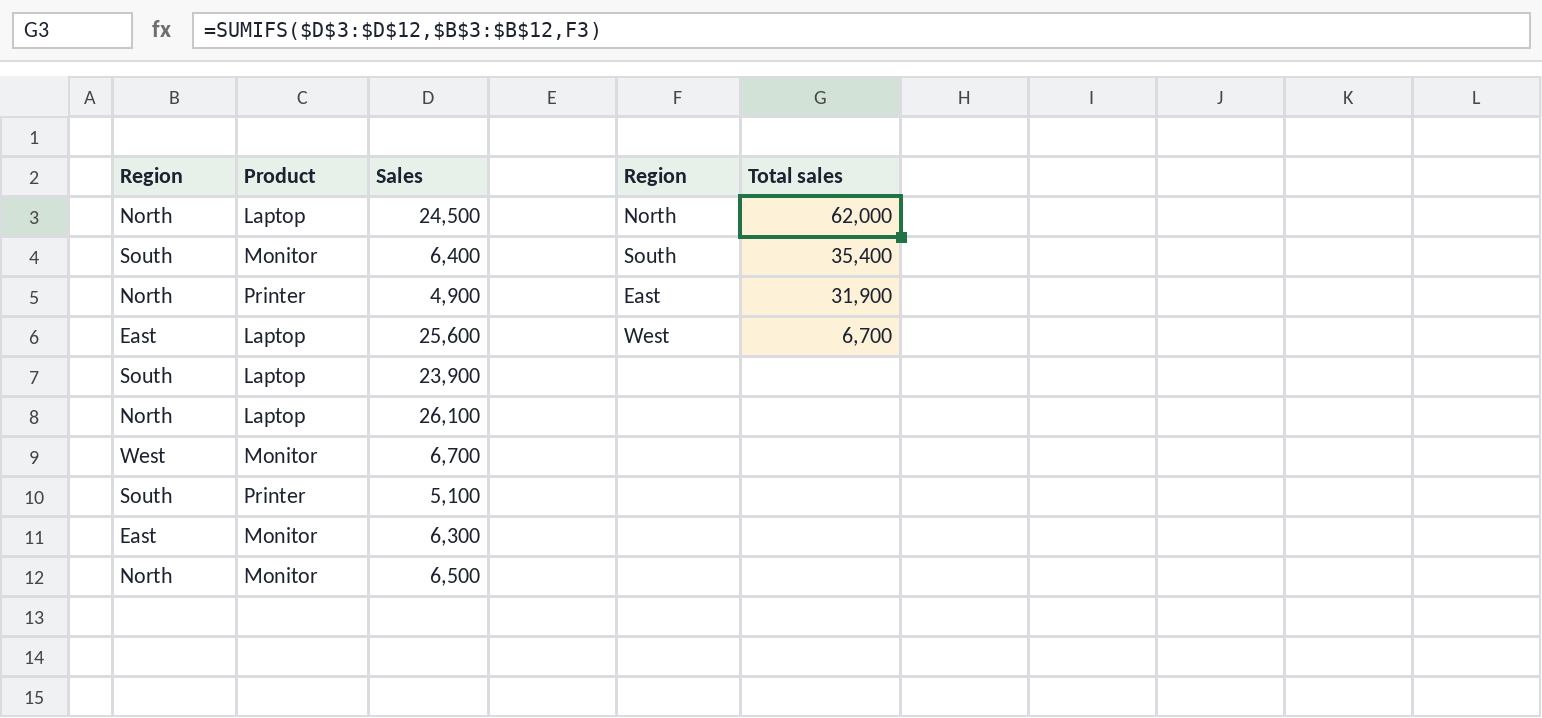
Keep in mind: the Excel add-in can’t run macros or VBA, and it doesn’t support data tables. To write a VBA macro, ask Claude in the normal chat and paste the code into Excel yourself. For ready-made macros, see my collection of Excel VBA macros. Always check important numbers before you rely on them.
How does Claude compare with ChatGPT and Gemini?
Claude is often rated best for writing quality, careful reasoning and coding. ChatGPT is the best all-rounder, with built-in image creation, and Gemini is strongest inside Google’s apps. Claude has no low-cost plan in India and doesn’t accept UPI. For the full list of strengths and weaknesses, see ChatGPT vs Gemini vs Claude.
| Claude | ChatGPT | Gemini | |
|---|---|---|---|
| Made by | Anthropic | OpenAI | |
| Cheapest paid plan in India | About ₹2,000 (Pro) | ₹399 (Go) | ₹399 (Google AI Plus) |
| UPI payment | No (card only) | Yes | Yes |
| Excel add-in | Yes, paid plans | Yes, all plans | Built into Google Sheets |
| Best known for | Writing, reasoning, coding | All-round features, voice, images | Gmail, Docs, Sheets and Android |
Claude FAQ
Is Claude free?
Yes. Claude has a free plan with usage limits that includes chat, file uploads, web search, memory, and creating docs, slides and designs. The Excel add-in, Claude Code and the top models need a paid plan.
Who makes Claude?
Claude is made by Anthropic, an AI company based in San Francisco that was founded in 2021.
How many people use Claude?
Anthropic doesn’t publish user numbers. It reports more than 300,000 business customers, and India is Claude’s second-largest market.
Can Claude work inside Excel?
Yes. Claude for Excel has been generally available since 7 May 2026 on paid plans. It can explain formulas, fix errors and build models, but it can’t run VBA macros.
Can Claude create images?
Claude doesn’t generate photos or artwork the way ChatGPT and Gemini do. It can create designs, diagrams, charts, slides and documents.
Sources
- Anthropic — Claude release notes
- Anthropic — Introducing Claude Opus 5.5
- Unite.AI — Claude Sonnet 5.5 release
- Anthropic — Claude announcements (Fable 5.2, Personal Finance)
- Anthropic — Fable and Mythos access statement
- Anthropic — Series G (customer milestones, Claude Code)
- Anthropic $30 billion run-rate and 1,000+ large customers
- Sacra — Anthropic business customers
- Crypto Briefing — Rupee pricing and India as second-largest market
- Free Press Journal — Claude prices in India
- Anthropic Help — What is the Ultra plan?
- TechMitra — UPI support for Claude, ChatGPT and Gemini
- Claude Dashboards and docs, slides and designs on all plans
- Anthropic — Claude for Excel documentation
- TechRepublic — Claude for Excel general availability
- The Decoder — Claude in Excel for Pro subscribers
- Microsoft Q&A — Installing Claude for Excel