Copilot in Excel: Complete Guide (2026)
Copilot in Excel is Microsoft’s AI assistant built into Excel. Open it with the Copilot button on the Home tab, then ask it to analyse data, write formulas, clean a table or build charts and PivotTables. It needs a Microsoft 365 plan with Copilot: in India, Microsoft 365 Personal costs ₹689 a month and includes 60 AI credits a month, and Premium (₹1,999 a month) gives much higher limits.
Which plan do you need for Copilot in Excel?
Copilot in Excel comes with Microsoft 365 Personal, Family, Premium and Pro, and with business plans that include a Microsoft 365 Copilot licence. On Personal and Family, Copilot works only for the subscription owner, and each request in Excel uses AI credits. Prices below are from Microsoft’s India site and include GST.
| Plan | India (per month) | India (per year) | Copilot in Excel |
|---|---|---|---|
| Microsoft 365 Personal | ₹689 | ₹6,899 | Included, 60 AI credits a month |
| Microsoft 365 Family | ₹819 | ₹8,199 | Owner only, 60 AI credits a month |
| Microsoft 365 Premium | ₹1,999 | ₹19,999 | Much higher limits, plus a choice of AI models |
| Microsoft 365 Pro | ₹9,999 | — | The highest limits |
| Business plans | Microsoft 365 Copilot licence, priced per user | Full Copilot, managed by your company | |
Watch your credits: on Personal and Family, 60 AI credits are shared across Word, Excel, PowerPoint, Outlook, Designer and other apps. When they run out, Copilot in Excel stops until the next month. You can check what’s left under Services & subscriptions in your Microsoft account.
How do you open Copilot in Excel?
Select Home → Copilot. A chat pane opens on the right side of the window, and that pane is now the main place to use Copilot in Excel. Copilot works best with data in a formatted table (Ctrl + T) with clear headers.
What are edit, plan and chat modes?
Copilot in Excel has three modes, and you choose one at the bottom of the pane. Use chat to ask questions, plan for bigger jobs, and edit when you want Copilot to change the workbook.
| Mode | What it does | Use it for |
|---|---|---|
| Chat | Answers questions and suggests formulas, but doesn’t change your file | Learning, checking, explaining formulas |
| Plan | Writes a step-by-step plan for you to approve before it edits | Multi-step jobs such as building a report |
| Edit | Changes your workbook directly and highlights what changed | Adding columns, formulas, charts, PivotTables and sheets |
Edit, plan and chat work in Excel for Windows, Mac and the web. On iPhone and Android, Copilot is chat only.
What can Copilot in Excel do?
Copilot can analyse your data, write and explain formulas, build PivotTables and charts, clean messy data and, since April 2026, run Python for deeper analysis. Most of these work through the same chat pane: describe what you want, and Copilot does it.
- Analyse dataAsk questions such as “Which region grew fastest?” and get answers with charts.
- Write and explain formulasAdd formula columns or get a formula explained step by step.
- Build PivotTables and chartsSummarise a table into a PivotTable or a chart in one request.
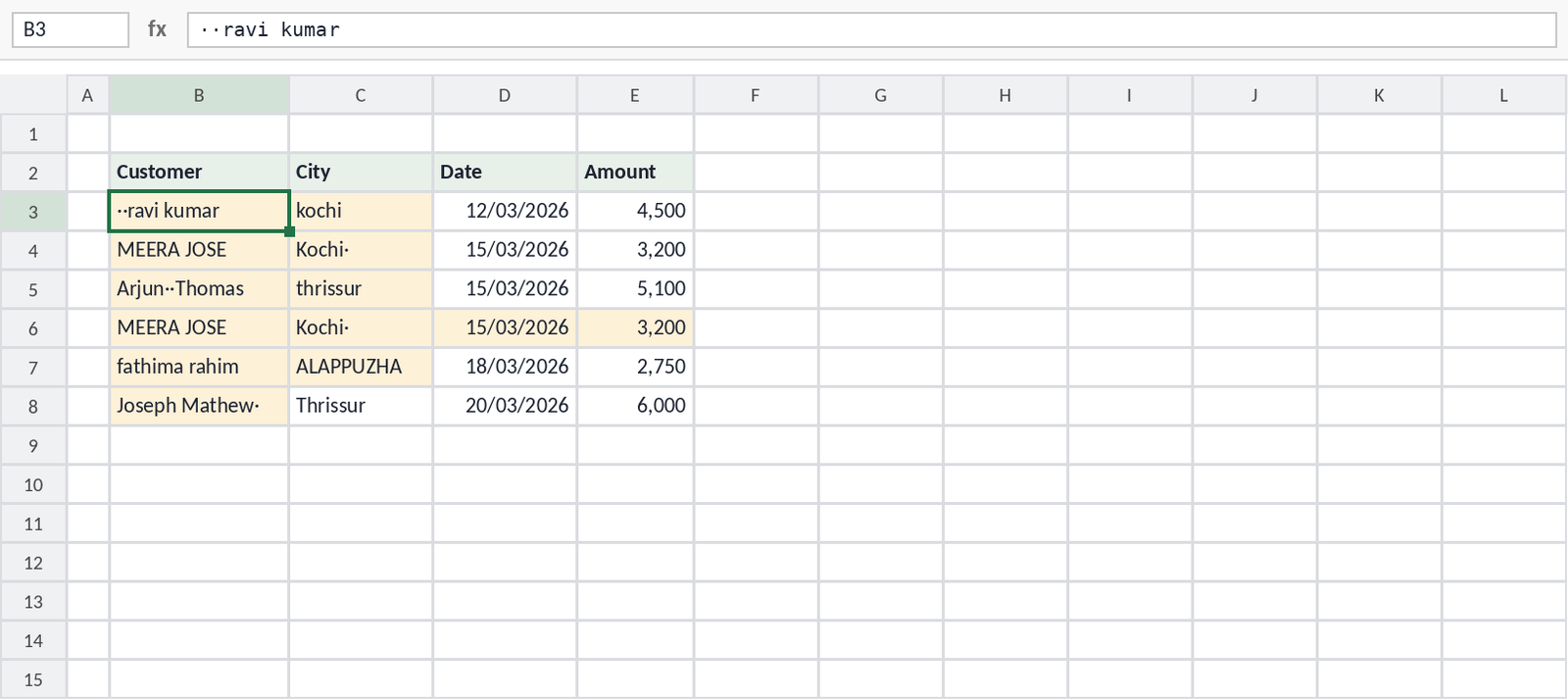
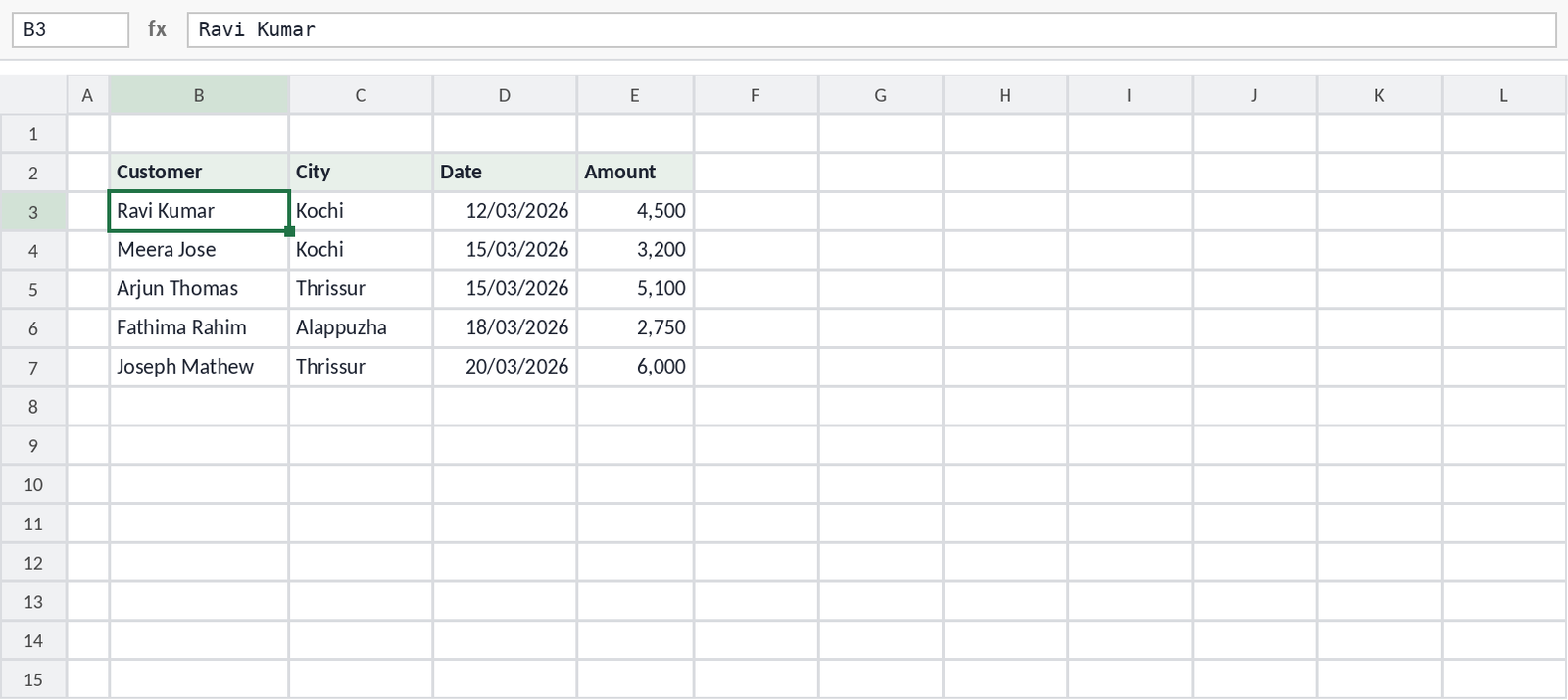
- Clean dataFind duplicates, extra spaces, inconsistent text and wrong data types (October 2026).
- Use PythonAsk Copilot to use Python for forecasts and advanced analysis inside the workbook.
- Get dataDescribe the data you need, and Copilot imports it with Power Query (Excel for the web).
- Excel canvasTurn workbook data into an interactive report that updates when the data changes.
- SkillsSave a task you repeat as a skill, by describing it or by recording yourself doing it.
Which prompts work best in Copilot?
Name the table or range, say exactly what you want, and say where the result should go. Here are prompts for five common jobs.
Clean a table:
Summarise data:
Add a formula column:
Find a pattern:
Use Python:
For more on prompts and checking formulas, see How to Use AI to Write Excel Formulas.
What can’t Copilot in Excel do?
Copilot is useful, but it has clear limits. Knowing them saves credits and time.
- No VBA macros — Copilot edits workbooks with Excel features and Python, not VBA. To write a macro, ask in the chat and paste the code yourself; see How to Write VBA Macros with AI.
- No =COPILOT() function — Microsoft retired the =COPILOT() worksheet function on 14 September 2026.
- Limited credits — on Personal and Family, 60 AI credits a month go quickly if you use Copilot every day.
- It can be wrong — check totals, ranges and formulas before you share a report.
- Older Excel versions — Copilot needs Microsoft 365. Excel 2019, 2021 and 2024 (one-time purchase) don’t include it.
Copilot vs ChatGPT and Claude in Excel
Copilot is built into Excel and uses your Microsoft 365 subscription. ChatGPT and Claude work through free add-ins that you install from the Add-ins button, and each uses its own account and plan.
| Copilot in Excel | ChatGPT for Excel | Claude for Excel | |
|---|---|---|---|
| How you get it | Built into Microsoft 365 | Free add-in | Free add-in |
| Plan needed | Microsoft 365 Personal (₹689) or higher | Any ChatGPT plan, including Free | Claude Pro (about ₹2,000) or higher |
| Best at | PivotTables, cleaning data, Python, Microsoft 365 files | Quick formulas and edits on any plan | Large multi-sheet models and error tracing |
| Writes VBA in Excel | No | No | No |
For all the AI tools that work with spreadsheets, see Best AI Tools in 2026.
What’s new in Copilot in Excel?
Microsoft adds Copilot features to Excel every month. These are the main updates, newest first.
October 2026
- Clean data skill — finds duplicates, extra spaces, inconsistent formatting and wrong data types.
- Get data skill — describe the data you need, and Copilot imports it through Power Query (Excel for the web).
- Excel canvas — interactive reports that update when the workbook data changes.
- Skill builder and skill recorder — save a repeated task as a skill; the recorder is in testing with Microsoft 365 Insiders.
September 2026
- =COPILOT() function retired (14 Sep) — use the Copilot pane instead.
- Copilot editing on iPad — editing in Copilot reaches the iPad app.
August 2026
- Change history skill — ask Copilot what changed in a workbook.
- Chart and PivotTable skills — better charts and PivotTables built from a request.
- Chat history — find your earlier Copilot conversations from inside Excel.
July 2026
- New AI models — OpenAI GPT-5.6 and Anthropic Claude Opus 5 become available in Copilot in Excel.
- Works with AutoSave off — Copilot no longer needs AutoSave to be turned on.
- Inline citations — answers show where the information came from.
FAQ
Is Copilot in Excel free?
No. It needs a Microsoft 365 plan with Copilot, such as Personal (₹689 a month in India), Family, Premium or a business Copilot licence. The free Copilot app can answer Excel questions, but it can’t work inside your workbook.
How many times can I use Copilot in Excel on Microsoft 365 Personal?
Microsoft 365 Personal includes 60 AI credits a month, shared across Word, Excel, PowerPoint, Outlook and other apps. Premium gives much higher limits.
Can Copilot write VBA macros in Excel?
Copilot can write VBA code in chat, but it can’t add macros to your workbook. Paste the code into the VBA editor yourself.
Does Copilot work in Excel 2021 or 2024?
No. Copilot in Excel needs a Microsoft 365 subscription. One-time-purchase versions such as Excel 2021 and 2024 don’t include it.
What happened to the =COPILOT() function?
Microsoft retired the =COPILOT() worksheet function on 14 September 2026. Copilot in Excel now works through the chat pane.
Sources
- Microsoft — Frequently asked questions about Copilot in Excel (modes and platforms)
- Microsoft — AI credits and limits for Microsoft 365 subscriptions
- TechMitra — Microsoft 365 prices in India (1 November 2026)
- Office Watch — Microsoft 365 plans and AI credits in 2026
- Copilot entry point moves to the right-side pane
- Microsoft — What’s new in Excel, April 2026
- Microsoft — What’s new in Excel, July 2026
- Microsoft — What’s new in Excel, August 2026
- Windows Report — Excel in September 2026
- Microsoft — What’s new in Excel, October 2026
- Windows Report — Five new Copilot features in Excel
- The Register — Excel’s COPILOT() function retired