Excel stores time as a fraction of a day, so 12:00 PM is 0.5. That makes time maths simple once you know the formats: subtract for the difference, use MOD for overnight shifts, multiply by 24 for decimal hours, and MROUND to round.
Table of Contents
How Excel stores time
| Unit | Value in Excel |
|---|---|
| 1 day | 1 |
| 1 hour | 1/24 |
| 1 minute | 1/(24×60) |
| 1 second | 1/(24×60×60) |
Time difference
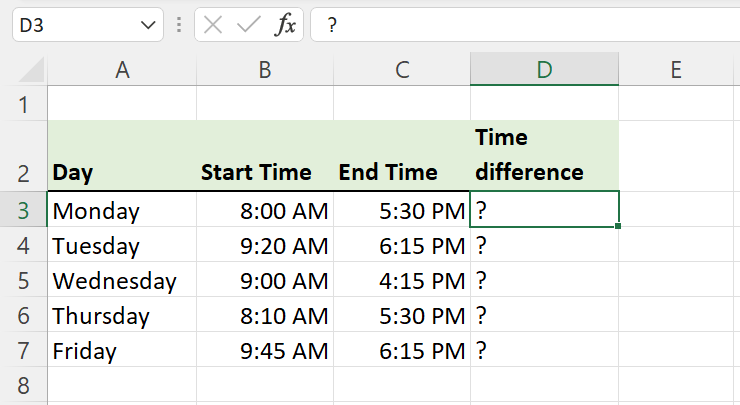
Subtract the start from the end: =C5-B5. If the result shows AM, it copied the time format; change it to Custom → [h]:mm.

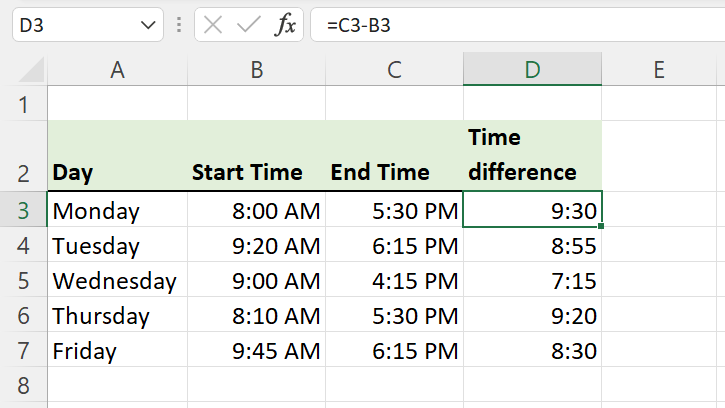
The square brackets in [h] let totals go past 24 hours, so =SUM(E5:E11) can show 46:30 rather than 22:30.

Overnight shifts
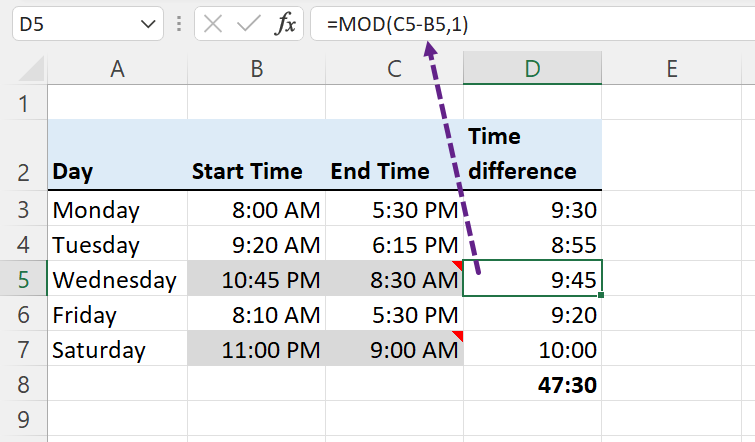
A shift from 10:45 PM to 8:30 AM gives a negative result, shown as #####.

=MOD(C5-B5,1)MOD adds a day when the end is earlier than the start. The same result with IF: =IF(C5>B5,C5-B5,C5-B5+1).
Decimal hours (for pay)
=MOD(C5-B5,1)*24Format the result as Number. 9:45 becomes 9.75. Multiply by an hourly rate for pay.

Add hours and minutes
| To add | Formula (time in B3) |
|---|---|
| 2 hours | =B3+2/24 |
| 30 minutes | =B3+30/1440 |
| 2 hours 30 minutes | =B3+TIME(2,30,0) |
| Hours in C3, minutes in D3 | =B3+C3/24+D3/1440 |
| A fixed amount | =B3+"2:30" |
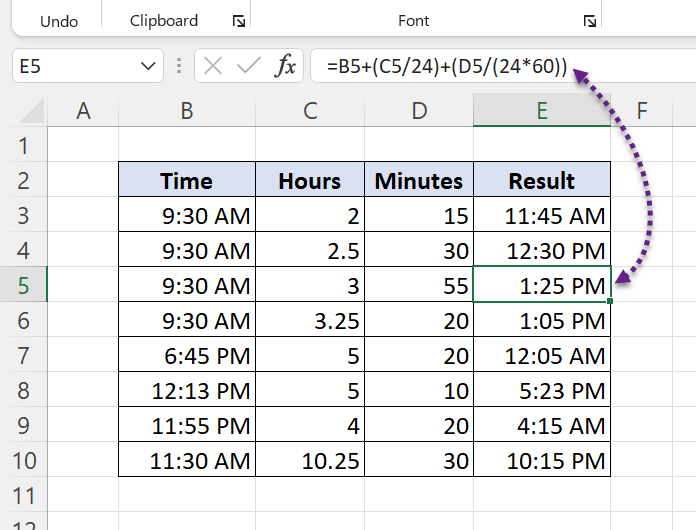
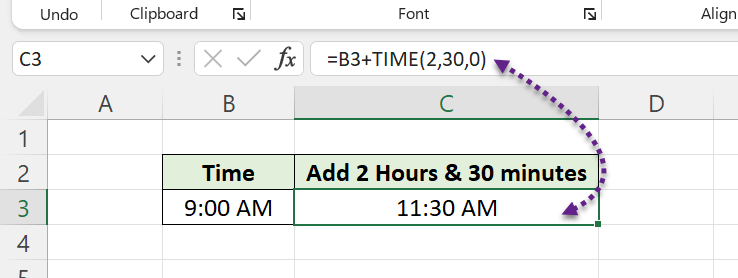
TIME wraps after 24 hours: TIME(25,0,0) is 1:00. For more than 24 hours, use C3/24.
Round time
| To round 6:13 AM | Formula | Result |
|---|---|---|
| Up to 15 minutes | =CEILING(B3,"0:15") |
6:15 AM |
| Up to 30 minutes | =CEILING(B3,"0:30") |
6:30 AM |
| Up to the hour | =CEILING(B3,"1:00") |
7:00 AM |
| Down to 15 minutes | =FLOOR(B3,"0:15") |
6:00 AM |
| Nearest 15 minutes | =MROUND(B3,"0:15") |
6:15 AM |
| Nearest hour | =MROUND(B3,"1:00") |
6:00 AM |
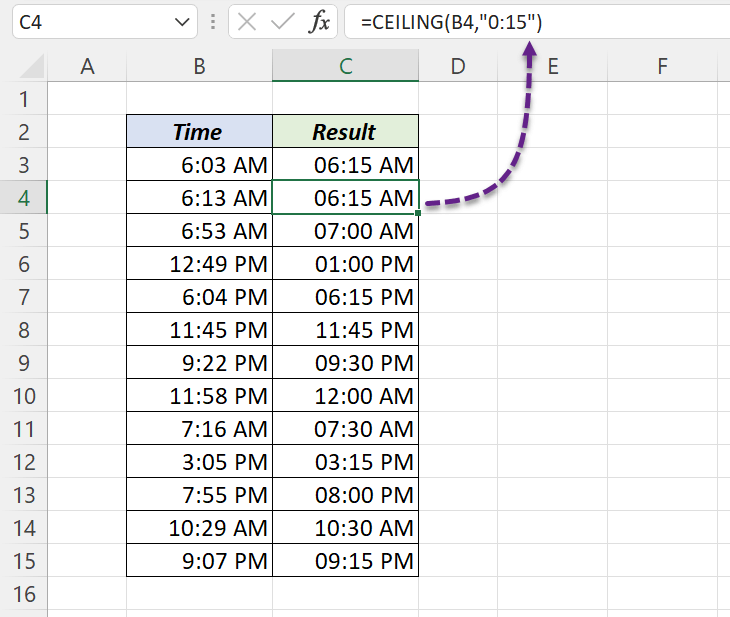
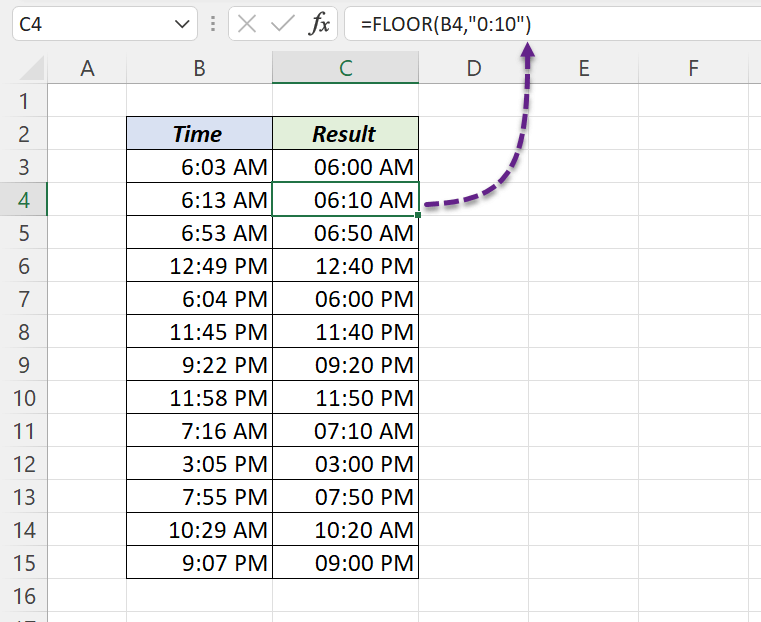
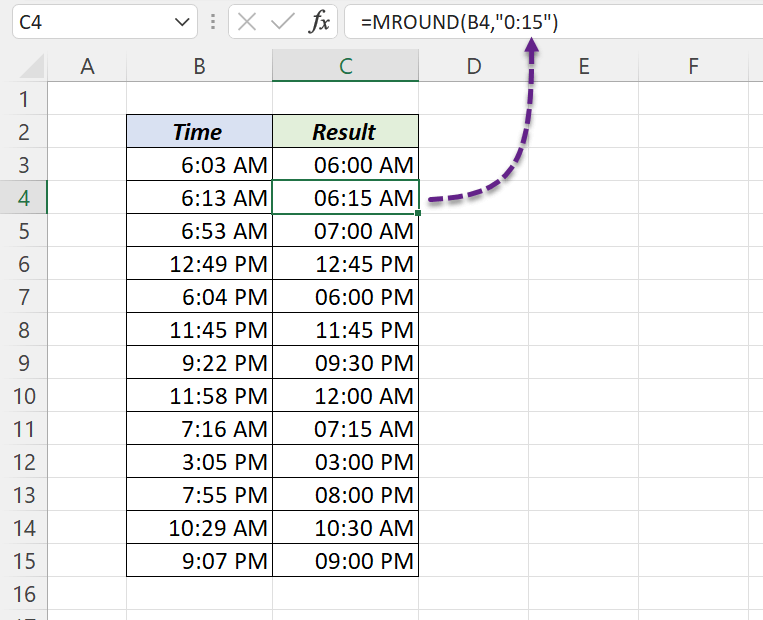
MROUND rounds halves up: 6:07 becomes 6:00, and 6:08 becomes 6:15.
Common problems
| Problem | Fix |
|---|---|
##### instead of a time |
Negative result; use MOD, or widen the column |
| Total shows 22:30 instead of 46:30 | Use the format [h]:mm |
#VALUE! |
The time is text; convert with =TIMEVALUE(B3) |
| Result is 0.40625 | Format the cell as Time, or multiply by 24 for hours |