To find the number of days between two dates, subtract the earlier date from the later one. For working days only, use NETWORKDAYS, and for years, months and days, use DATEDIF.
Calendar days: subtract the dates
Dates are stored as numbers, so subtracting them gives the days in between:
=D3-C3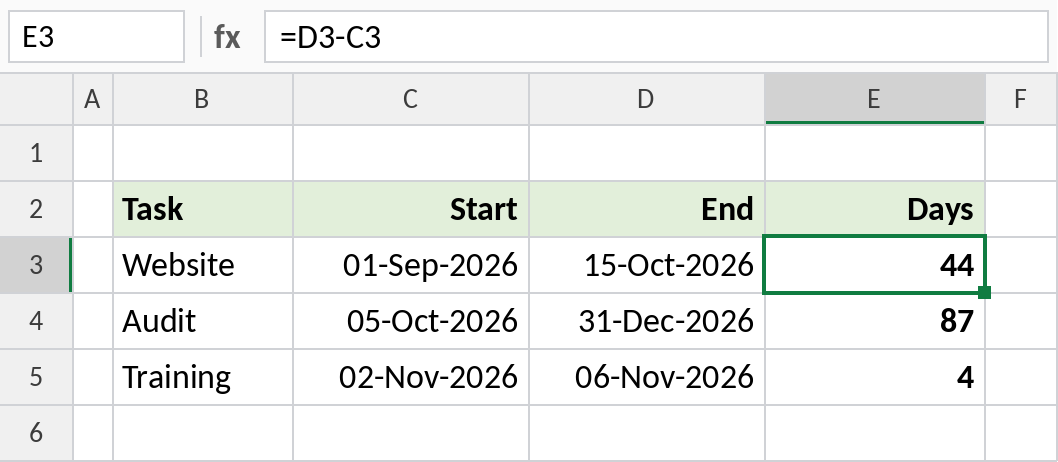
01-Sep-2026 to 15-Oct-2026 is 44 days. If the result shows as a date, format the cell as Number. DAYS does the same: =DAYS(D3,C3).
How the formula works
- Excel stores each date as a number: 01-Sep-2026 is 46266 and 15-Oct-2026 is 46310.
- Subtracting them gives 46310 − 46266 = 44.
- That’s the gap between the dates. Add 1 if both the first and last day should count.
Working days only
NETWORKDAYS skips Saturdays and Sundays, and counts both the start and end date:
=NETWORKDAYS(C3,D3)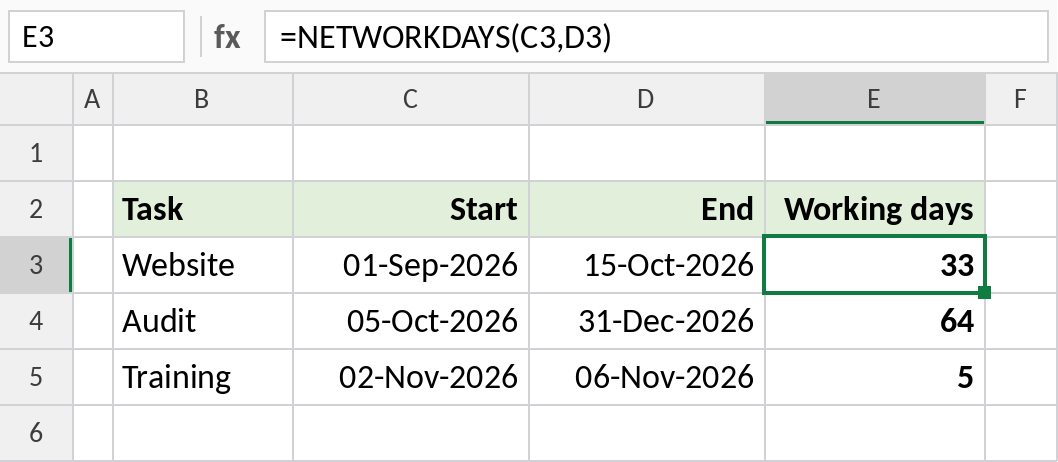
The website task has 33 working days. Add a list of holidays as a third argument to skip those as well.
Years, months and days
To show an age or length of service in words, combine three DATEDIF results:
=DATEDIF(C3,$G$2,"y")&" years, "&DATEDIF(C3,$G$2,"ym")&" months, "&DATEDIF(C3,$G$2,"md")&" days"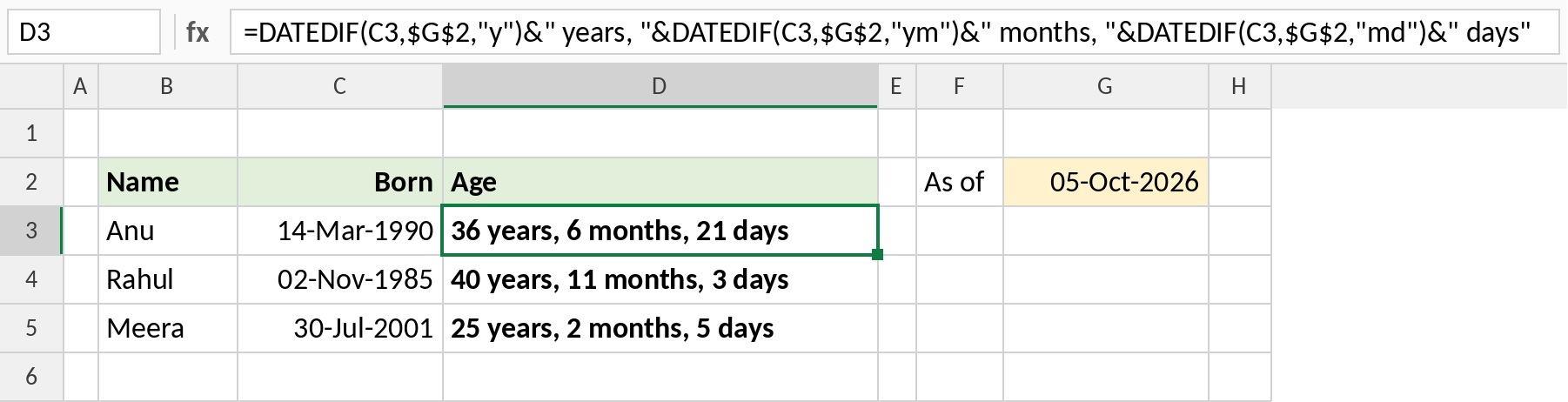
Anu, born 14-Mar-1990, is 36 years, 6 months, 21 days on 05-Oct-2026. Use TODAY() in place of G2 to keep it current.
Which formula to use
| To count | Formula |
|---|---|
| Calendar days | =D3-C3 or =DAYS(D3,C3) |
| Including both days | =D3-C3+1 |
| Working days, Mon–Fri | =NETWORKDAYS(C3,D3) |
| Working days, custom weekend | =NETWORKDAYS.INTL(C3,D3,7) |
| Complete years | =DATEDIF(C3,D3,"y") |
| Complete months | =DATEDIF(C3,D3,"m") |
| Days until a date | =D3-TODAY() |
Notes
- If the result looks like a date, change the cell’s format to Number or General.
- A negative result means the dates are the wrong way round.
- DATEDIF needs the earlier date first, or it returns
#NUM!.
Common errors
| Problem | Cause | Fix |
|---|---|---|
| Result shows as a date | Cell formatted as a date | Format as Number |
#VALUE! |
A date is stored as text | Convert it with DATEVALUE or Text to Columns |
#NUM! in DATEDIF |
Start date after end date | Swap the dates |
Practice file
All three examples plus every formula from the table.