The Excel GROUPBY function builds a summary table with one formula: it groups rows by a field and totals, averages or counts the values. It’s like a small pivot table that updates by itself.
row_fields |
The column to group by, such as Region. |
|---|---|
values |
The column to summarise, such as Sales. |
function |
How to summarise: SUM, AVERAGE, COUNT, MAX, MIN and others. |
field_headers optional |
Whether the ranges include headers, and whether to show them. |
total_depth optional |
0 for no totals, 1 for a grand total (default). |
sort_order optional |
Which column to sort by. Negative sorts descending. |
filter_array optional |
A TRUE/FALSE test to include only some rows. |
Table of Contents
Basic example
To total sales by region, give GROUPBY the Region column, the Sales column and SUM:
=GROUPBY(B3:B10,D3:D10,SUM) 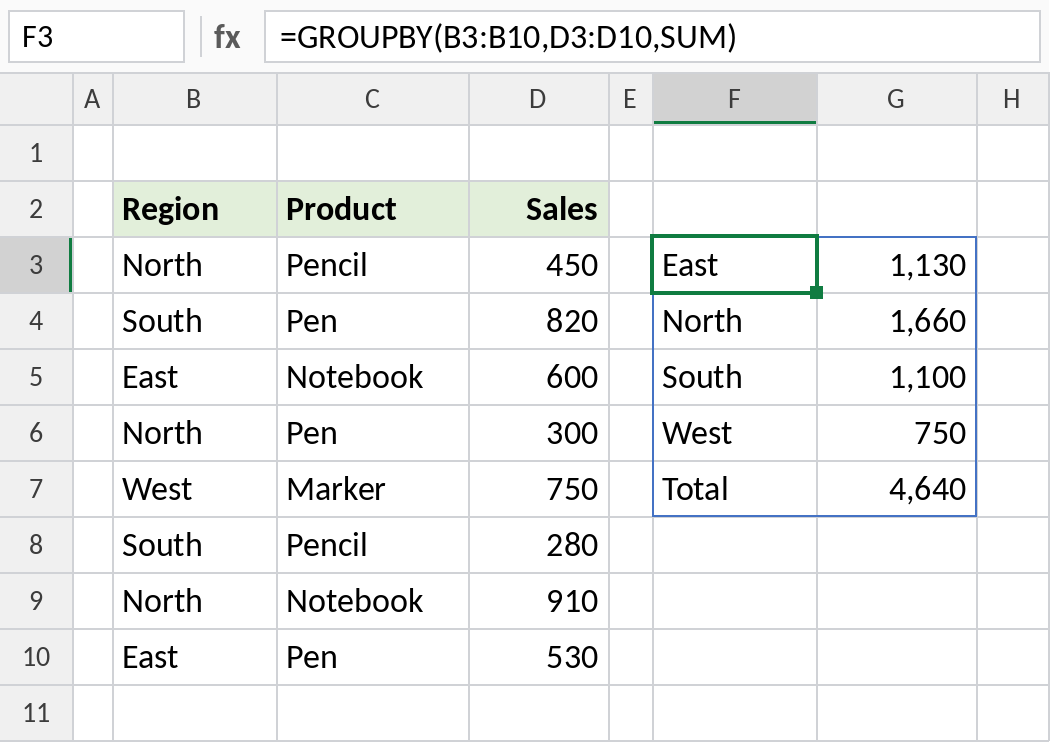
Each region appears once, sorted A to Z, with its total. A Total row is added at the bottom: 4,640. Add a row to the data and the summary updates.
Use a different calculation
Swap SUM for AVERAGE, COUNT, MAX or MIN to change the summary:
=GROUPBY(B3:B10,D3:D10,AVERAGE) 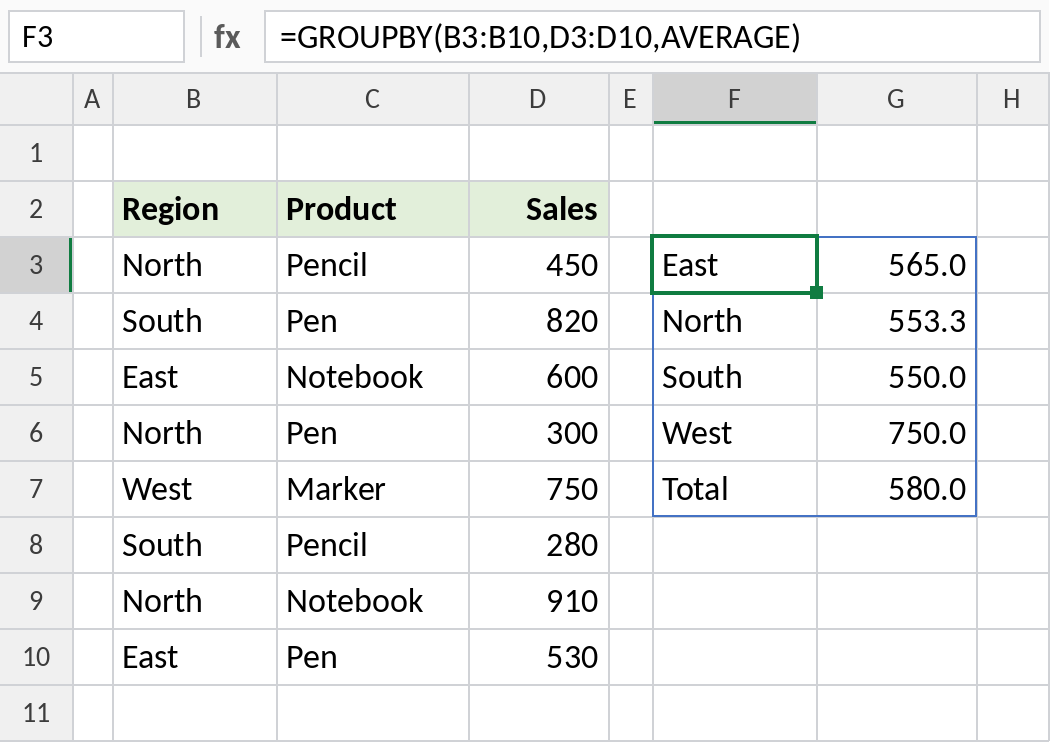
North’s average sale is 553.3. The Total row shows the average across all 8 sales, 580.
Sort by the totals
sort_order picks the column to sort by. -2 means the second column, highest first:
=GROUPBY(B3:B10,D3:D10,SUM,,,-2) 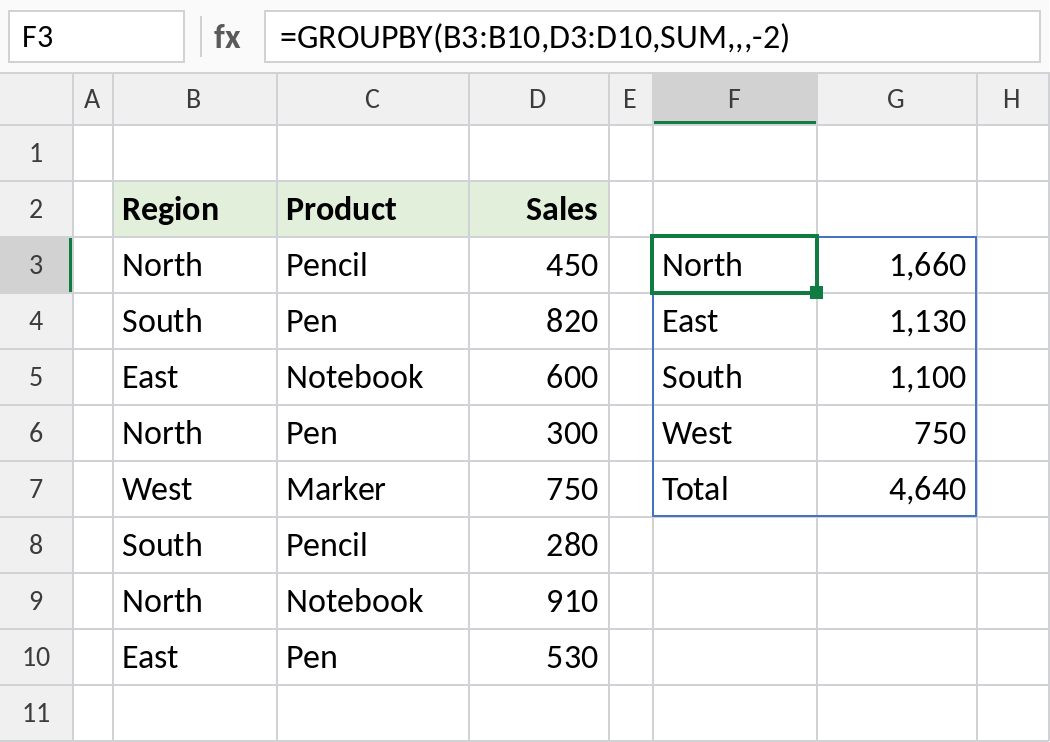
North, with 1,660, comes first and West last. The commas skip field_headers and total_depth, which keep their defaults.
GROUPBY vs a PivotTable
| GROUPBY | PivotTable | |
|---|---|---|
| Updates when data changes | Automatically | Needs Refresh |
| Built with | One formula | The PivotTable dialog |
| Easy to reference in other formulas | Yes | Harder |
| Group by rows and columns | Use PIVOTBY | Yes |
Notes
- The function argument is written without brackets:
SUM, notSUM(). - Results are sorted by the row field, A to Z, unless you set
sort_order. - Set
total_depthto 0 to hide the Total row. - GROUPBY is only in Excel 365 and Excel for the web. Other versions show
#NAME?.
Common errors
| Problem | Cause | Fix |
|---|---|---|
#NAME? |
Not Excel 365, or the function was typed as SUM() |
Use Excel 365, and type SUM without brackets |
#VALUE! |
row_fields and values are different heights |
Make them cover the same rows |
#SPILL! |
Cells in the spill range aren’t empty | Clear them |
Practice file
All three examples with working formulas (Excel 365).