The Excel NETWORKDAYS.INTL function counts working days between two dates with the weekend you choose: Friday–Saturday, Sunday only, or any custom pattern of days.
start_date |
The first date. It’s counted if it’s a working day. |
|---|---|
end_date |
The last date. It’s counted too. |
weekend optional |
A weekend code such as 7, or a 7-character pattern such as “0000011”. Default is Saturday–Sunday. |
holidays optional |
A range of dates to skip as well. |
Table of Contents
Basic example: a Friday–Saturday weekend
Offices in the Gulf usually work Sunday to Thursday. Weekend code 7 means Friday and Saturday off:
=NETWORKDAYS.INTL(C3,D3,7)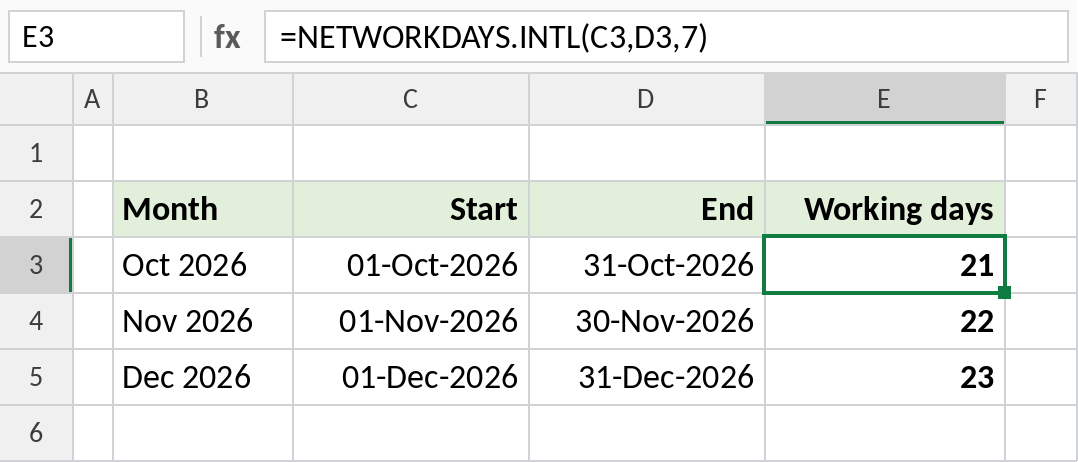
October 2026 has 21 working days on a Sunday–Thursday week.
A custom pattern for part-time staff
The weekend can be a 7-character text pattern, Monday to Sunday, where 1 means a day off. A part-timer working Monday, Wednesday and Friday is “0101011”:
=NETWORKDAYS.INTL(C3,D3,"0101011")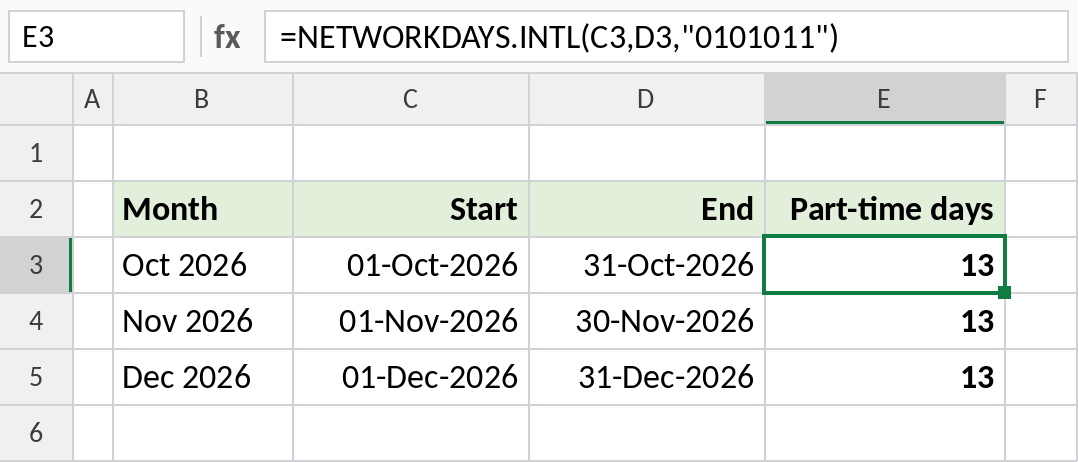
In October 2026 they work 13 days.
Count one weekday in a month
Mark every day except Monday as a day off, and the function counts Mondays:
=NETWORKDAYS.INTL(C3,D3,"0111111")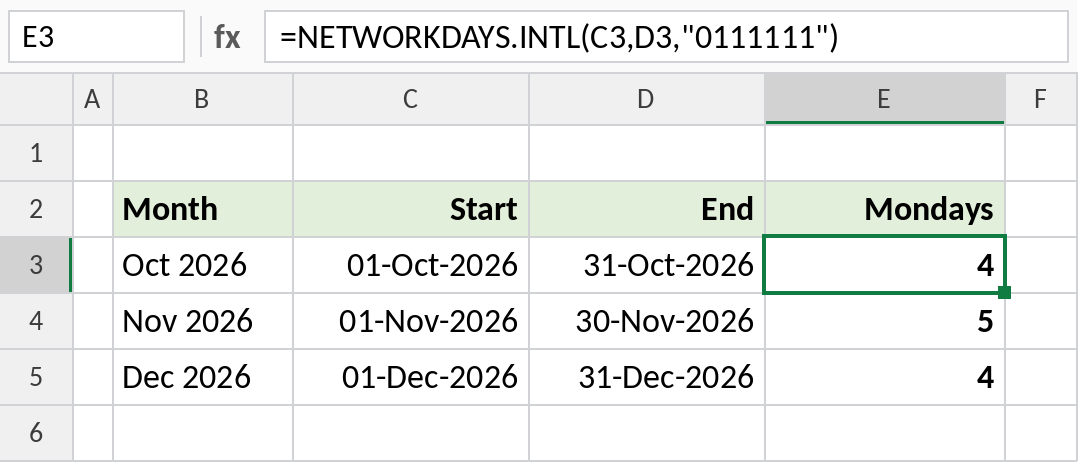
October 2026 has 4 Mondays. Move the 0 to count another day: “1011111” counts Tuesdays.
Weekend codes and patterns
| Weekend | Code | Pattern |
|---|---|---|
| Saturday, Sunday | 1 | “0000011” |
| Sunday only | 11 | “0000001” |
| Friday, Saturday | 7 | “0000110” |
| Saturday only | 17 | “0000010” |
| Working Mon, Wed, Fri only | – | “0101011” |
The pattern runs Monday to Sunday. 1 is a day off, 0 is a working day. For the standard Saturday–Sunday weekend, NETWORKDAYS is simpler.
Notes
- The pattern must be exactly 7 characters of 0s and 1s. “1111111” isn’t allowed.
- Both the start and end dates are counted if they’re working days.
- Add a holiday range as the fourth argument to skip public holidays too.
- To find a date a number of working days ahead with a custom weekend, use WORKDAY.INTL.
Common errors
| Problem | Cause | Fix |
|---|---|---|
#VALUE! |
Pattern not 7 characters, or all 1s | Check the pattern |
#NUM! |
Weekend code that doesn’t exist | Use a code from the table |
| One day too many | Both dates counted | Subtract 1 if needed |
Practice file
All three examples plus the weekend codes.