To sum by month in Excel, use SUMIFS with two date conditions: on or after the first day of the month, and on or before the last day. EOMONTH gives the last day, so one formula works for every month.
Monthly totals with SUMIFS
Type the first day of each month in column E and format it as mmm-yyyy. Then total the amounts between that date and the end of the month:
=SUMIFS($C$3:$C$12,$B$3:$B$12,">="&E3,$B$3:$B$12,"<="&EOMONTH(E3,0))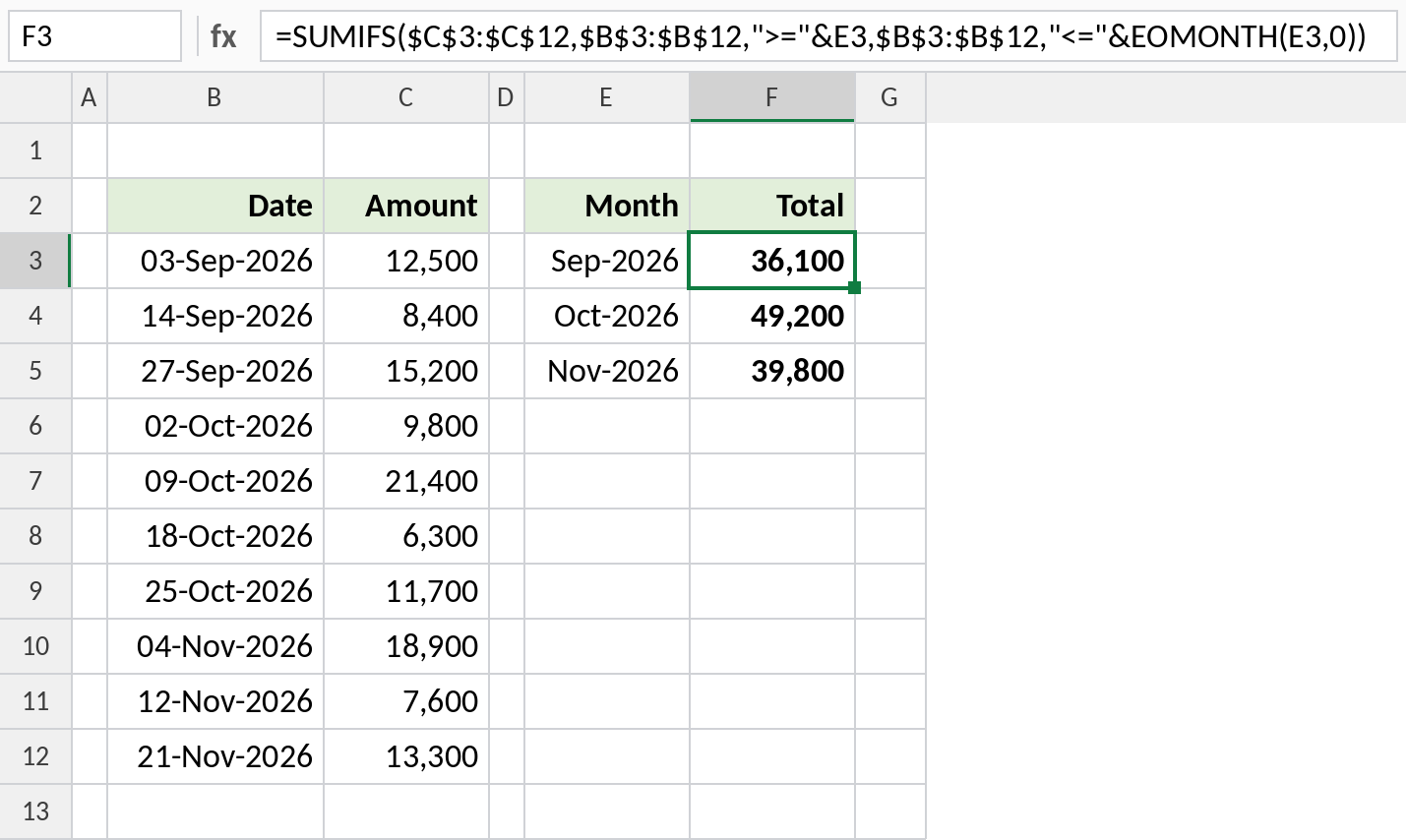
September's three sales add up to 36,100. Because the month cells are real dates, the same formula works across years.
How the formula works
">="&E3keeps dates on or after 1 September.EOMONTH(E3,0)returns the last day of that month, 30 September, so"<="&EOMONTH(E3,0)keeps dates up to the month end.- SUMIFS adds the amounts in C where both conditions are true.
Quick alternative with SUMPRODUCT
If all the dates are in one year, you can match the month number instead:
=SUMPRODUCT((MONTH($B$3:$B$12)=MONTH(E3))*$C$3:$C$12)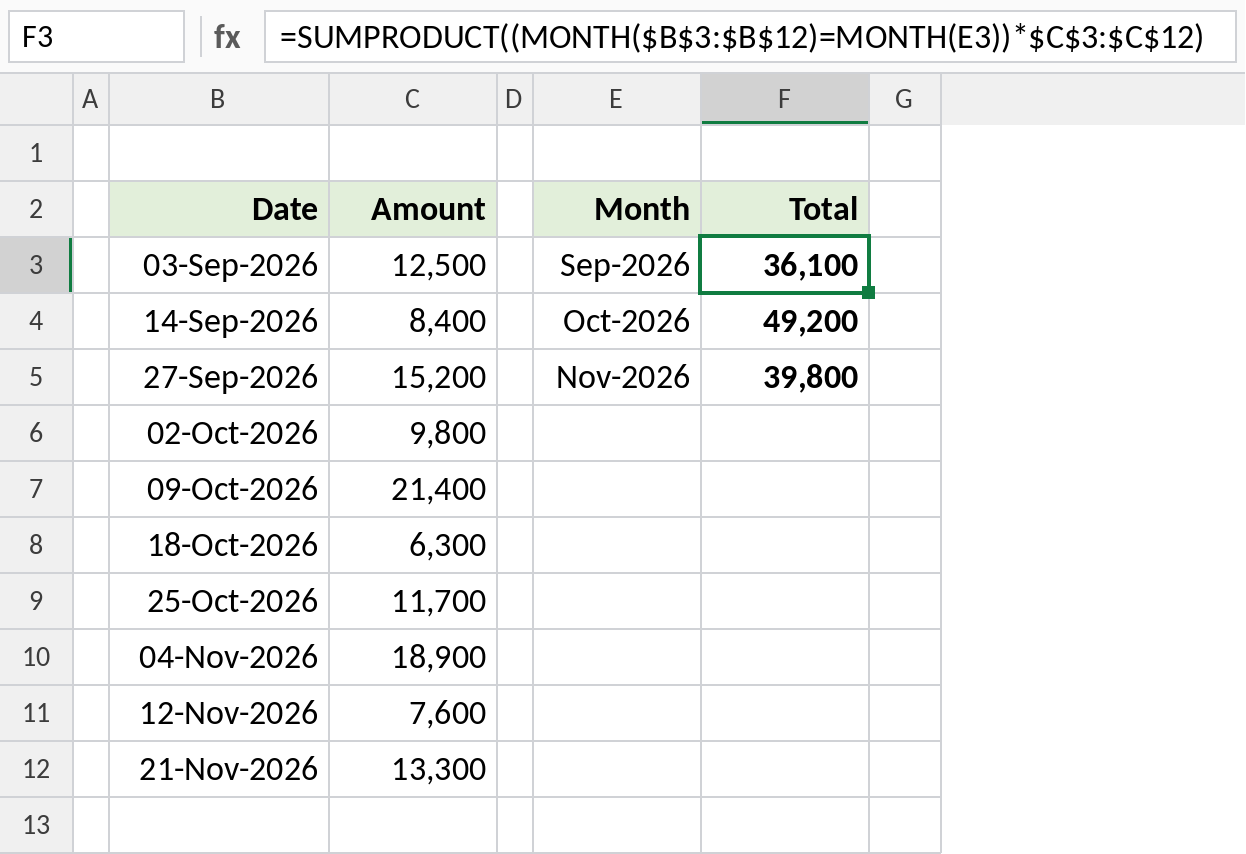
It gives the same totals here, but October 2025 and October 2026 would be added together. Use SUMIFS when the data covers more than one year.
Which formula to use
| To get | Formula |
|---|---|
| Total for each month | =SUMIFS(C:C,B:B,">="&E3,B:B,"<="&EOMONTH(E3,0)) |
| Month in one year only | =SUMPRODUCT((MONTH(B3:B12)=10)*C3:C12) |
| Count of sales in a month | =COUNTIFS(B:B,">="&E3,B:B,"<="&EOMONTH(E3,0)) |
| Average for a month | =AVERAGEIFS(C:C,B:B,">="&E3,B:B,"<="&EOMONTH(E3,0)) |
| This month so far | =SUMIFS(C:C,B:B,">="&EOMONTH(TODAY(),-1)+1,B:B,"<="&TODAY()) |
Notes
- The month cells must be real dates (1st of the month), not text like "Sep".
- For a no-formula summary, a PivotTable grouped by Months does the same.
- If your dates include times, entries on the last day after midnight are missed. Use
"<"&EOMONTH(E3,0)+1instead.
Common errors
| Problem | Cause | Fix |
|---|---|---|
| Total is 0 | Dates in column B are text | Convert them to real dates |
| Total is too low | Dates have times on the last day of the month | Use "<"&EOMONTH(E3,0)+1 |
| Months from different years added together | Using MONTH with SUMPRODUCT | Use SUMIFS with full dates |
Practice file
The sales list with both monthly-total formulas, ready to try with your own dates.