The Excel EOMONTH function returns the last day of a month, a set number of months before or after a date. It handles 28, 29, 30 and 31-day months for you.
start_date |
The starting date. |
|---|---|
months |
How many months to move: 0 for the same month, 1 for next month, -1 for last month. |
Table of Contents
Basic example
Use 0 for months to get the last day of the same month:
=EOMONTH(B3,0) 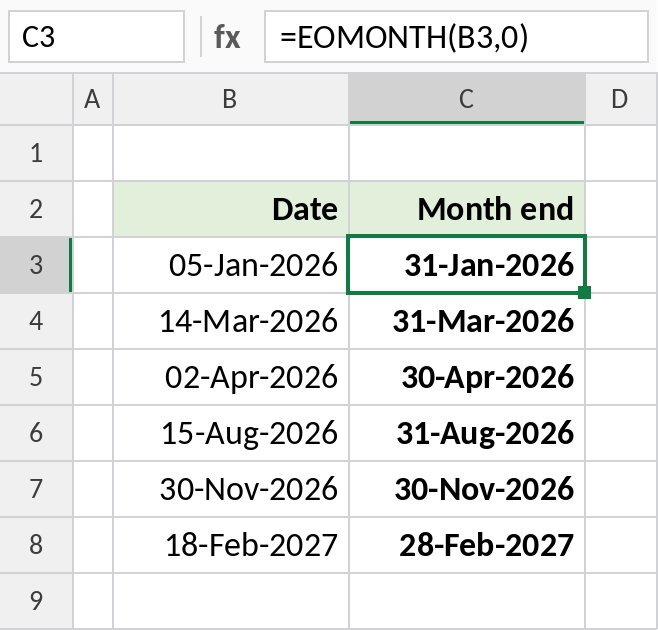
05-Jan-2026 returns 31-Jan-2026, and 18-Feb-2027 returns 28-Feb-2027. Format the result as a date.
Payment due at the end of next month
Use 1 for months to jump to the end of the following month, a common payment term:
=EOMONTH(B3,1) 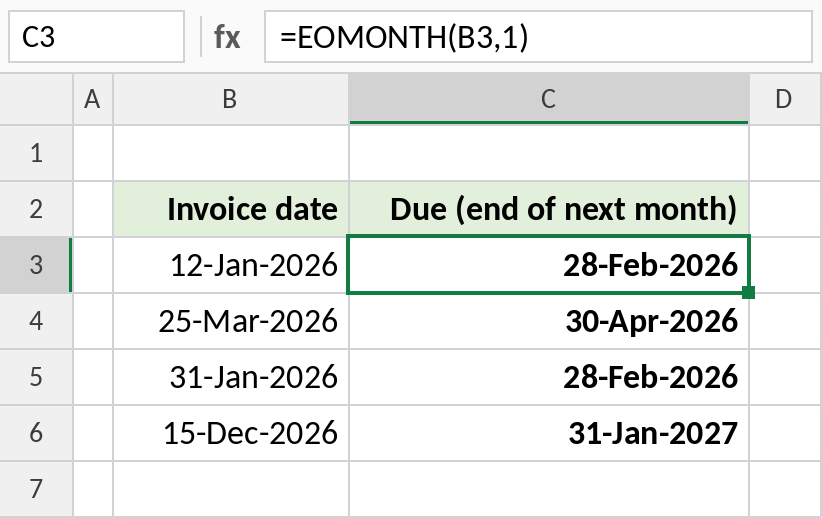
An invoice dated 12-Jan-2026 is due on 28-Feb-2026. A December invoice rolls into the next year: 31-Jan-2027.
Total for the month of any date
EOMONTH(date,-1)+1 is the first day of the month, and EOMONTH(date,0) is the last. Use both as limits in SUMIFS:
=SUMIFS(E3:E14,B3:B14,">="&EOMONTH(H3,-1)+1,B3:B14,"<="&EOMONTH(H3,0)) 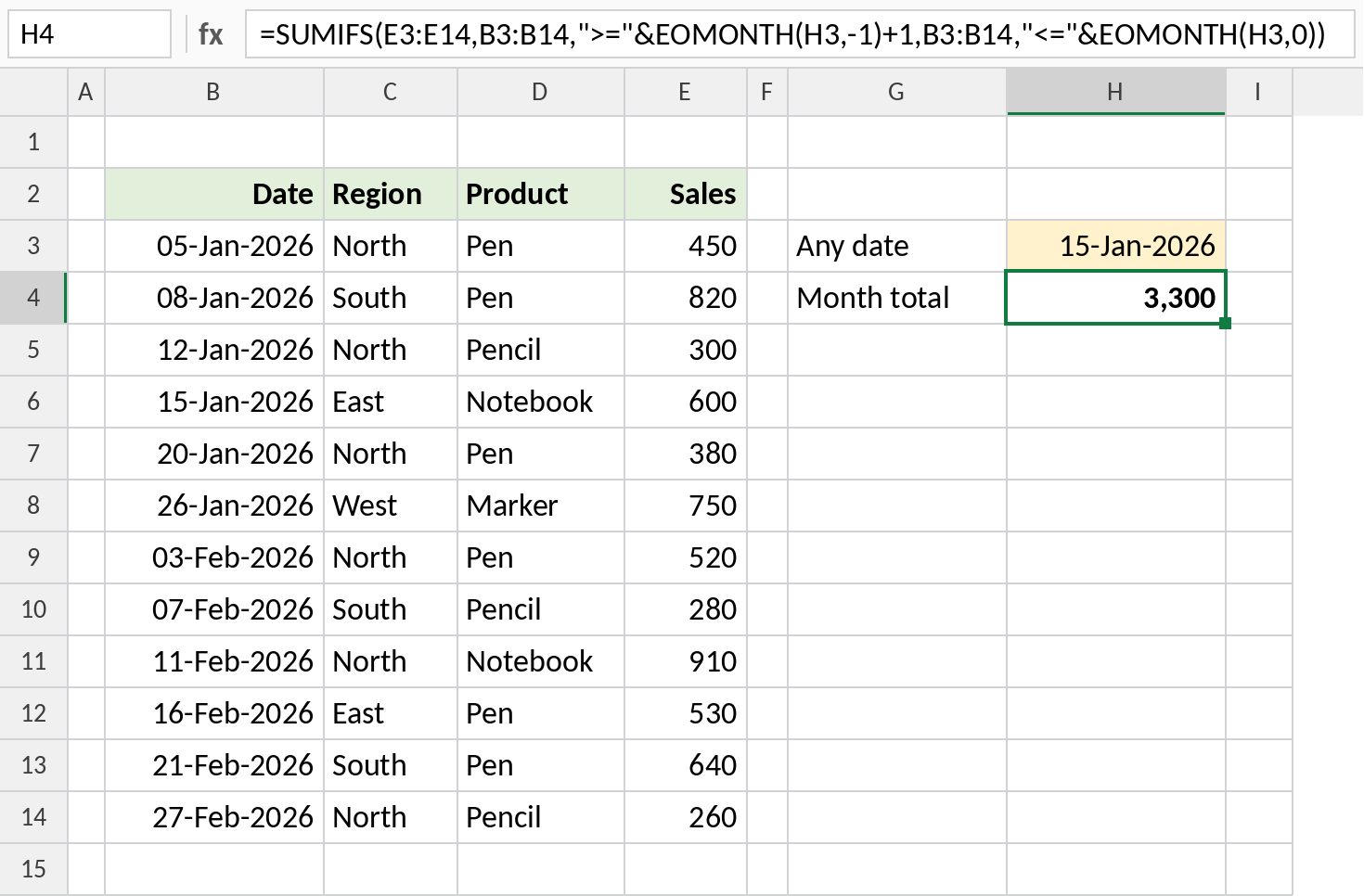
With 15-Jan-2026 in H3, the formula totals all of January: 3,300. Type any date in February and you get February’s total.
Handy EOMONTH formulas
For the date 15-Jan-2026:
| Formula | Result | Does |
|---|---|---|
=EOMONTH(B3,-1) |
31-Dec-2025 | End of last month |
=EOMONTH(B3,-1)+1 |
01-Jan-2026 | First day of this month |
=EOMONTH(B3,12) |
31-Jan-2027 | Same month next year |
=DAY(EOMONTH(B3,0)) |
31 | Days in the month |
Notes
- EOMONTH returns a date serial number. Format the cell as a date to see it.
monthscan be negative to go back in time.- To move to the same day in another month instead of the month end, use EDATE.
- Decimals in
monthsare cut off, so 1.9 acts as 1.
Common errors
| Problem | Cause | Fix |
|---|---|---|
| Shows a number like 46053 | The cell isn’t formatted as a date | Format it as a date |
#VALUE! |
start_date is text |
Use a real date or DATE() |
#NUM! |
The result is before 1900 | Check the start date and months |
Practice file
All three examples plus the handy formulas in a cheat sheet.