AutoFit resizes columns and rows to fit their contents, so text stops spilling over and #### turns back into numbers. The fastest way: select the sheet with Ctrl + A and double-click any column border.
Column shortcutAlt, H, O, I
Row shortcutAlt, H, O, A
Works inAll Excel versions
Table of Contents
The data
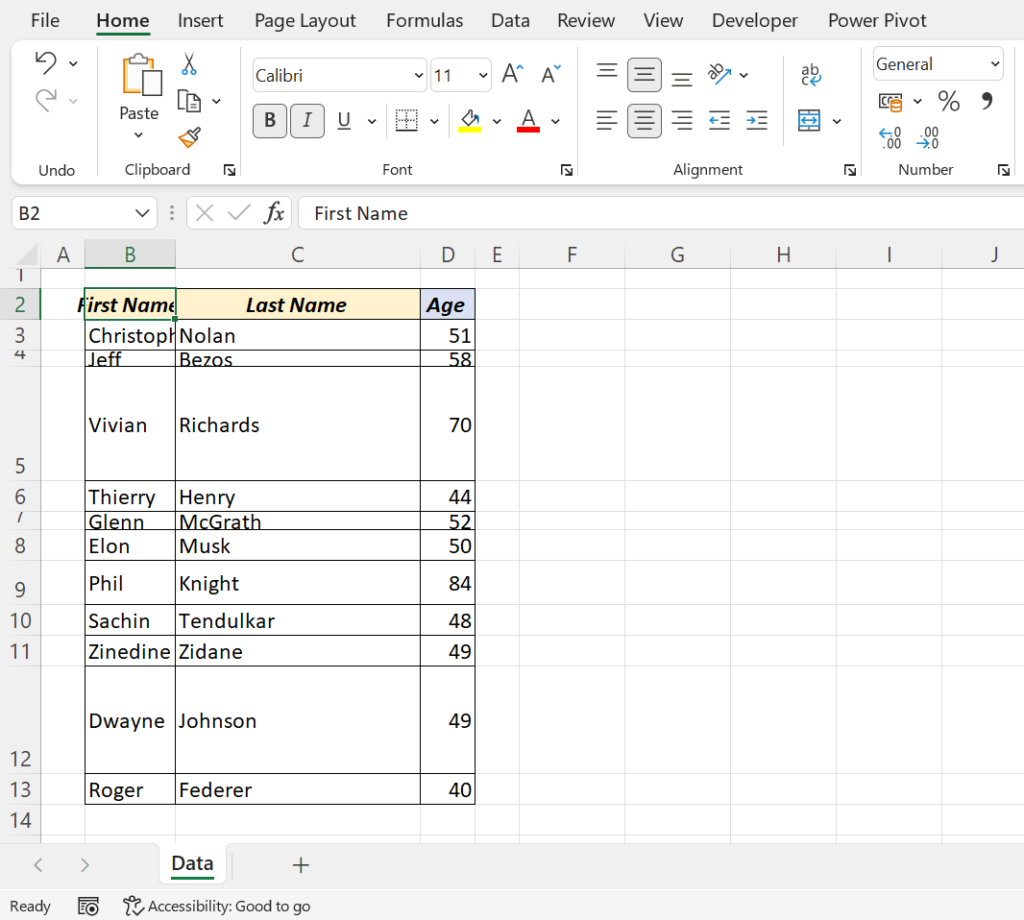
1. Double-click a border
- Select the whole sheet with Ctrl + A, or click the triangle at the top-left corner of the grid.
- Double-click the border between any two column letters to AutoFit all columns.
- Double-click the border between any two row numbers to AutoFit all rows.
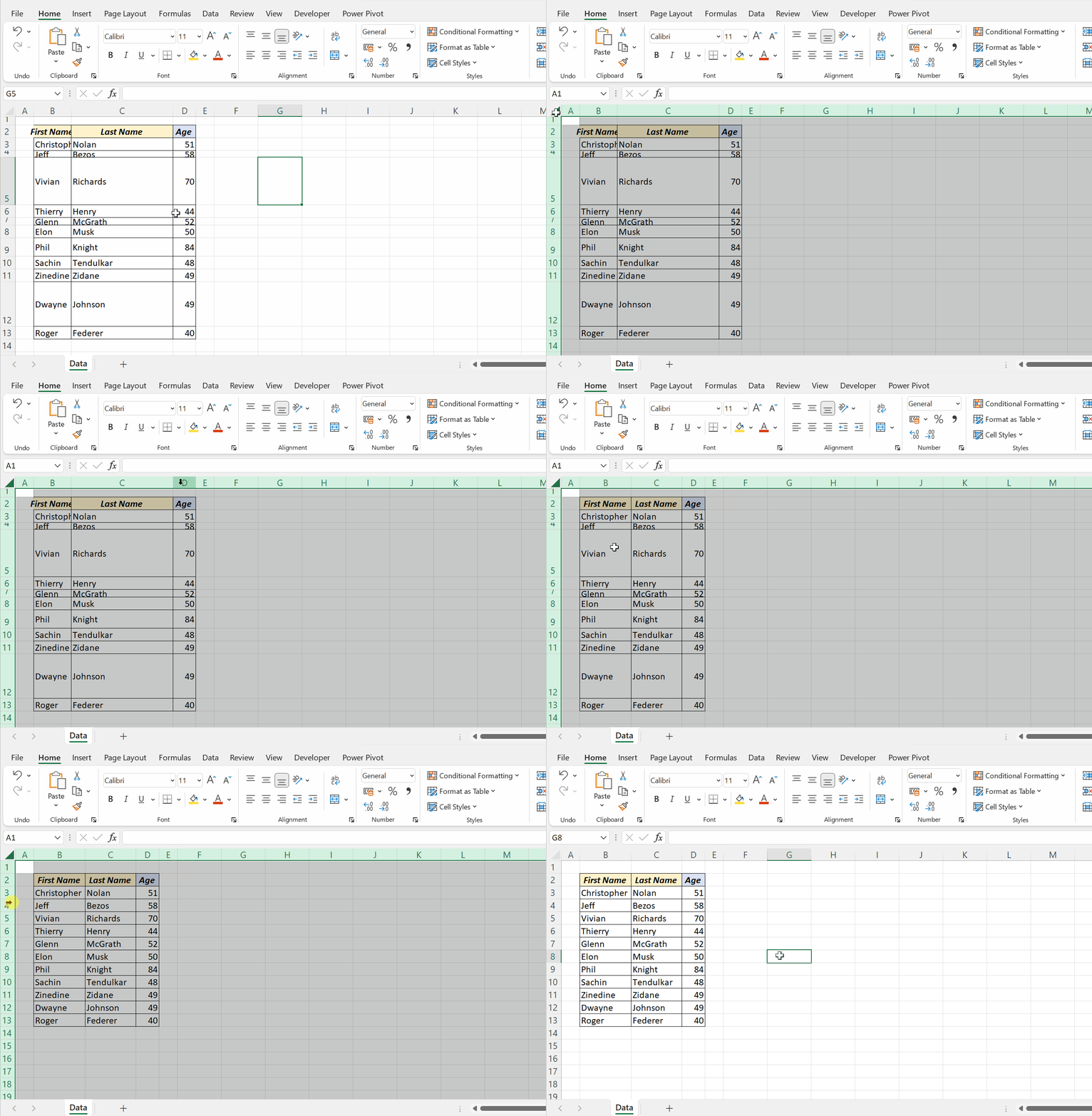
To fit just one column, double-click the right border of its letter.
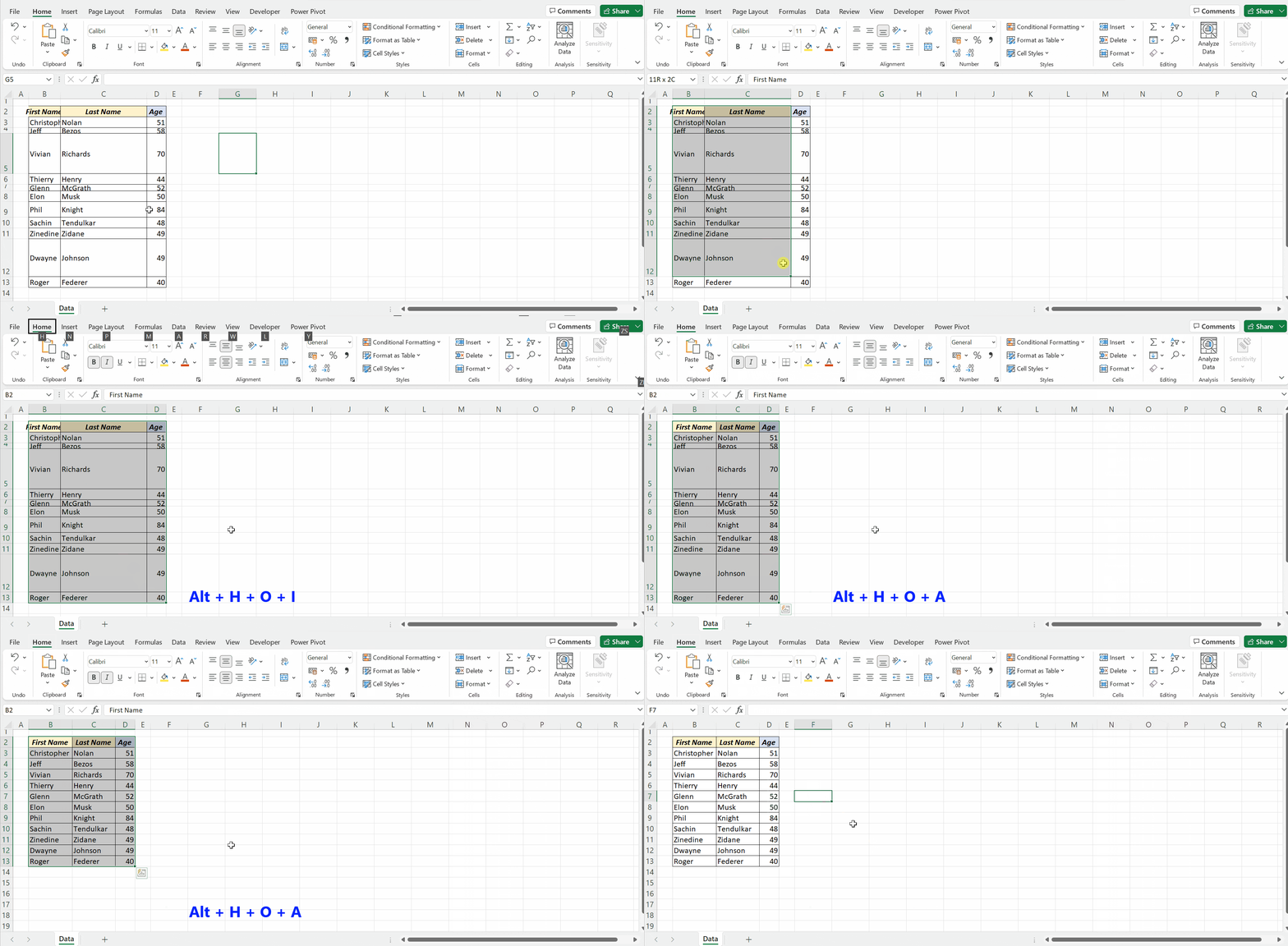
2. Keyboard shortcuts
Select the cells, then press the keys one after another (not together):
| To | Press |
|---|---|
| AutoFit column width | Alt, H, O, I |
| AutoFit row height | Alt, H, O, A |
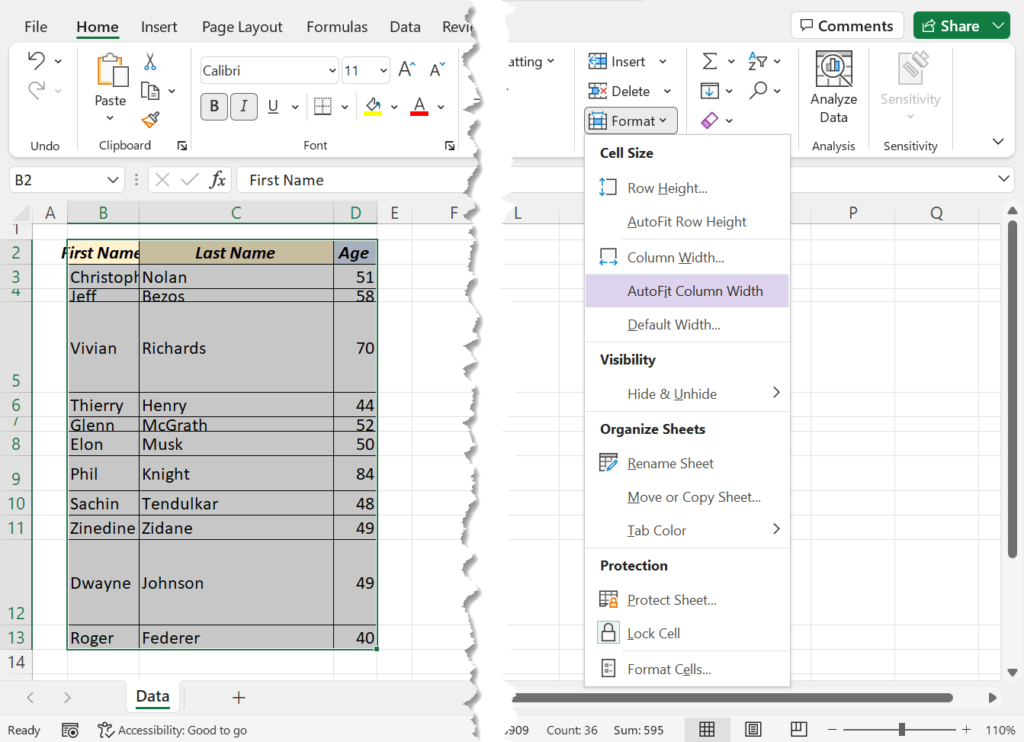
3. From the ribbon
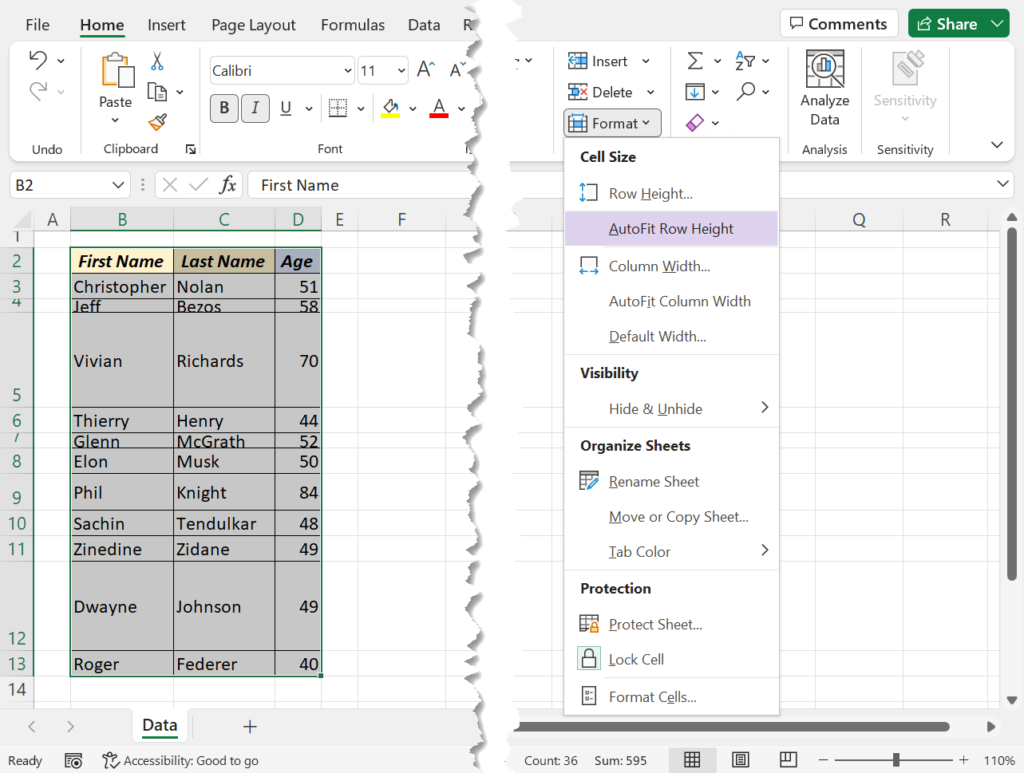
Select the data, then go to Home → Format → AutoFit Column Width or AutoFit Row Height.
4. A macro for every sheet
This fits only the used part of the active sheet, which is faster than the whole grid:
Sub AutoFitSheet()
    ActiveSheet.UsedRange.Columns.AutoFit
    ActiveSheet.UsedRange.Rows.AutoFit
End Sub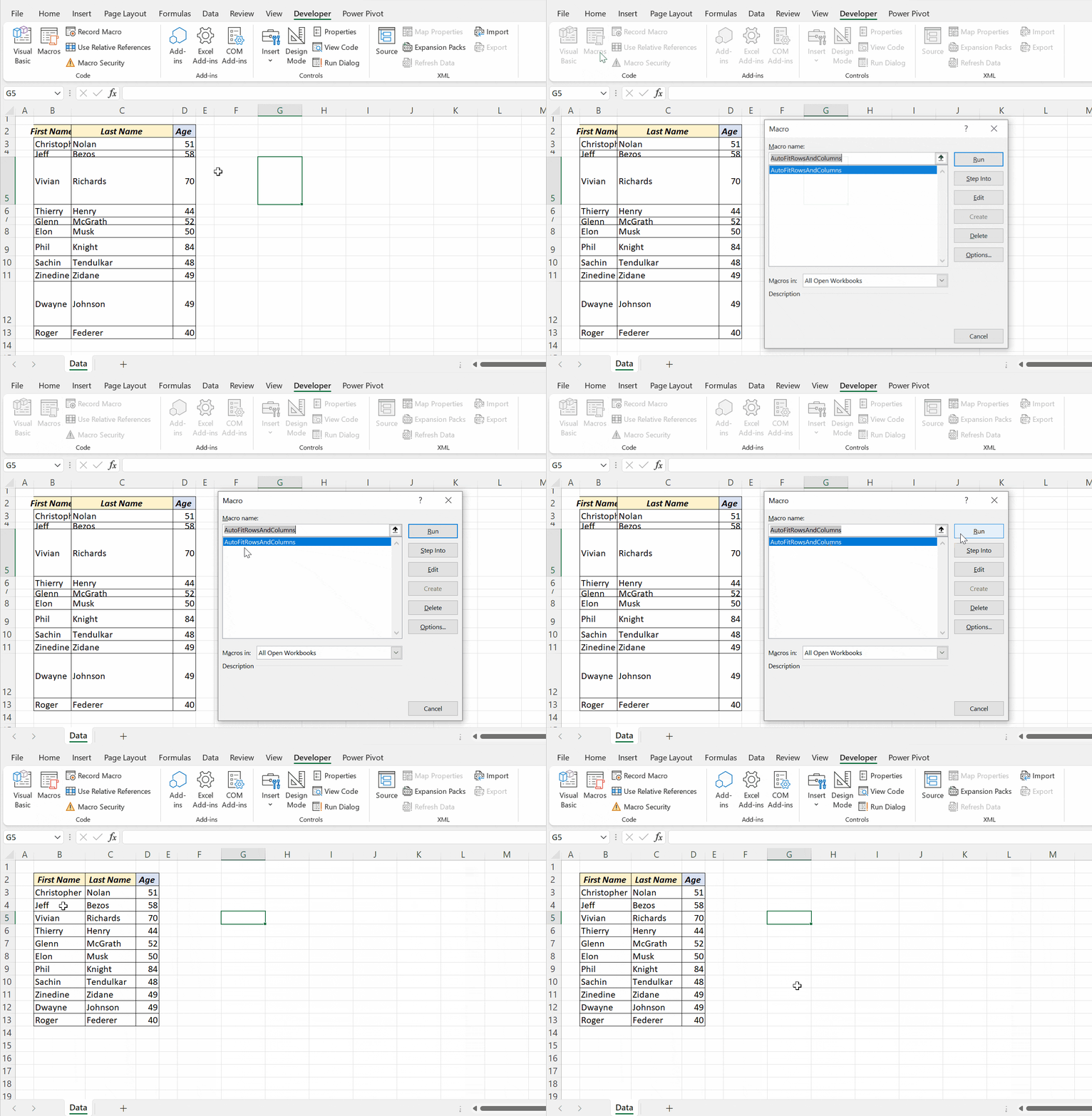
When AutoFit doesn’t work
| Problem | Fix |
|---|---|
| Merged cells don’t resize | AutoFit ignores merged cells. Use Center Across Selection instead of merging |
| Wrapped text row stays short | Turn on Wrap Text first, then AutoFit the row height |
| Column is far too wide | One long cell (often a title) sets the width. AutoFit the data rows only |
#### after AutoFit |
The number is still wider than the maximum; use a shorter number format |
Frequently asked questions
What is the shortcut for AutoFit in Excel?
Alt, H, O, I for column width and Alt, H, O, A for row height. Press the keys one after another.