For numbers, MODE returns the most frequent value. For text, combine INDEX, MODE and MATCH, or in Excel 365, use a short formula that also handles ties. Power Query gives a full frequency list.
NumbersMODE
TextINDEX + MODE + MATCH
Ties and top NExcel 365 formulas or Power Query
Table of Contents
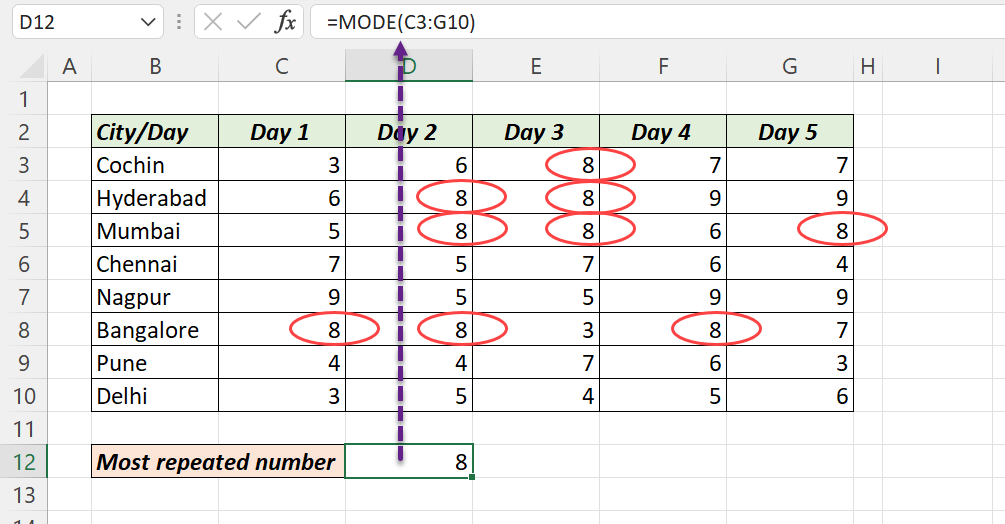
Most repeated number: MODE
=MODE(C3:G10)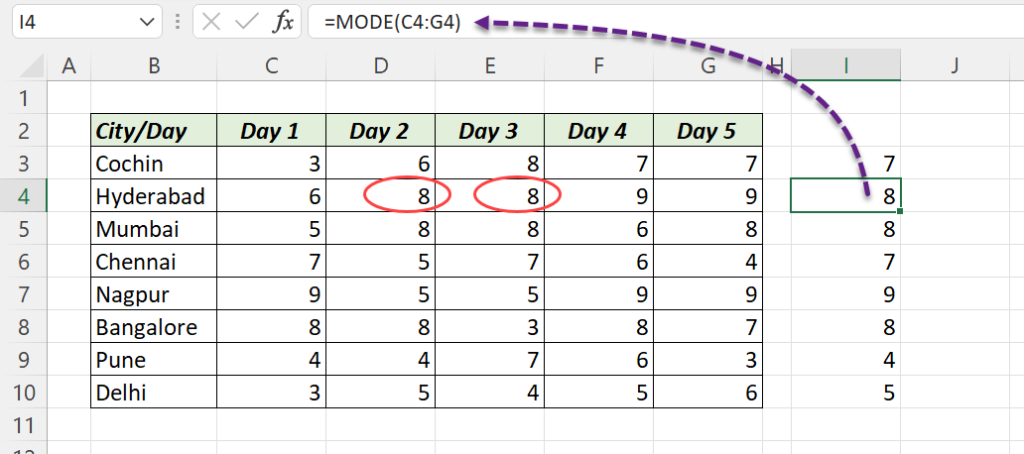
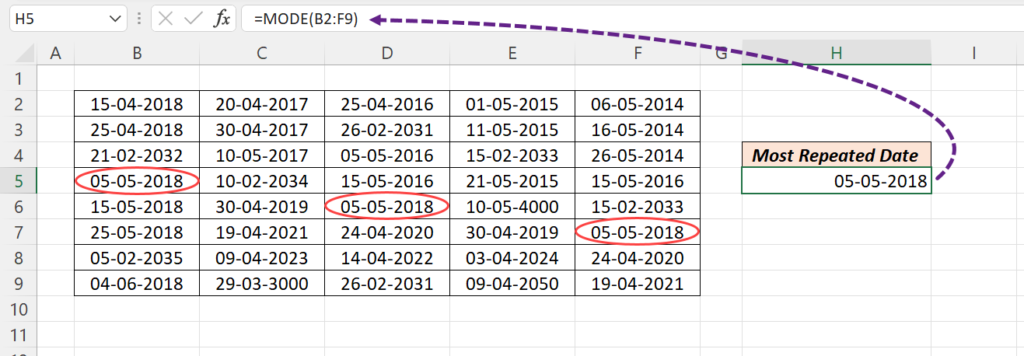
Dates are numbers in Excel, so MODE also finds the most common date. If two values tie, MODE returns the one that appears first; =MODE.MULT(C3:G10) returns all of them.
Most repeated text: INDEX, MODE and MATCH
=INDEX(B5:F5,MODE(MATCH(B5:F5,B5:F5,0)))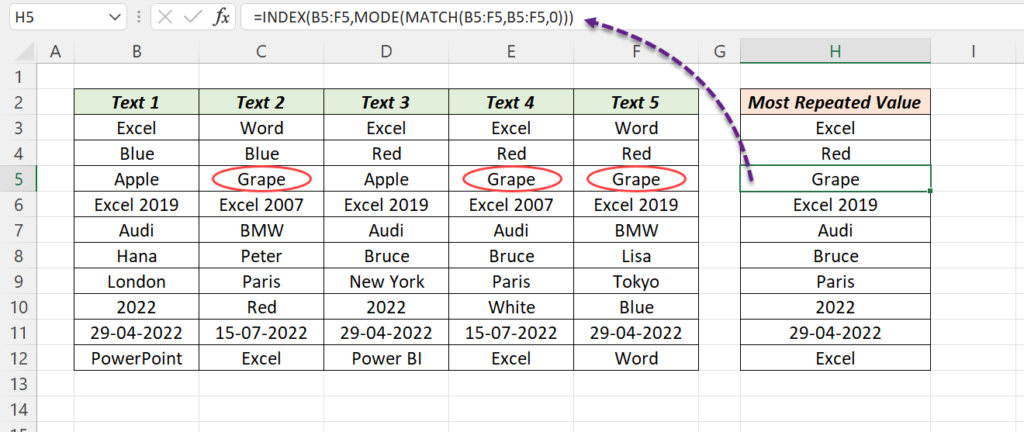
| Part | Result for Apple, Grape, Apple, Grape, Grape |
|---|---|
MATCH(B5:F5,B5:F5,0) |
{1,2,1,2,2}: the first position of each value |
MODE(...) |
2, the most common position |
INDEX(B5:F5,2) |
Grape |
In Excel 2019 and earlier, confirm with Ctrl + Shift + Enter. The range must be one row or one column, and blank cells cause #N/A.
Excel 365: any range, with the count
TOCOL turns any block into one column and skips blanks, and GROUPBY counts and sorts:
=TAKE(GROUPBY(TOCOL(B3:F10,1),TOCOL(B3:F10,1),COUNTA,0,0,-2),3)This returns the top 3 values with how often each appears. Change 3 to 1 for just the winner.
Power Query: full frequency table
- Load the data with Data → From Table/Range.
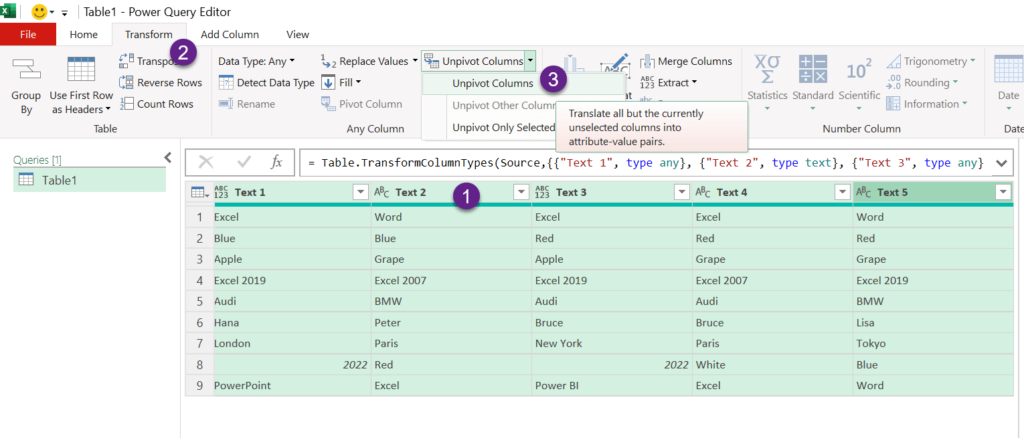
- Select all columns → Transform → Unpivot Columns.
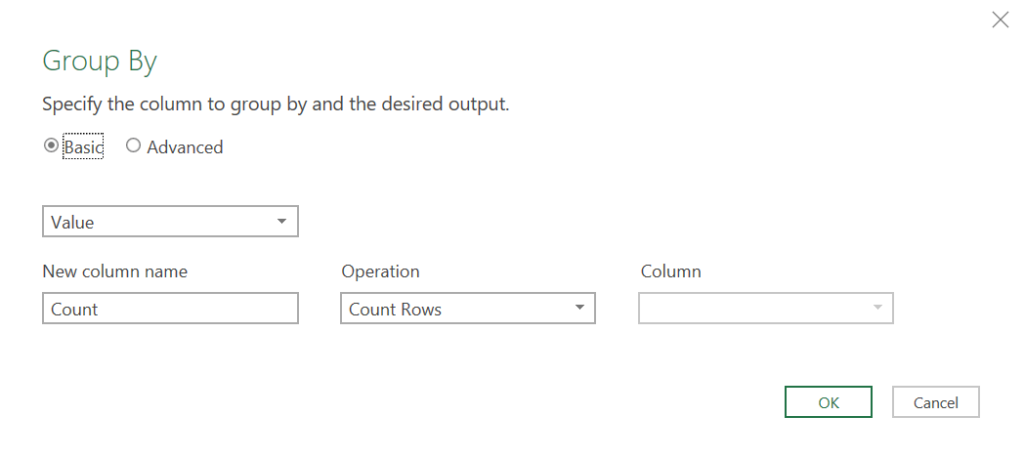
- Select Value → Group By → Count Rows.
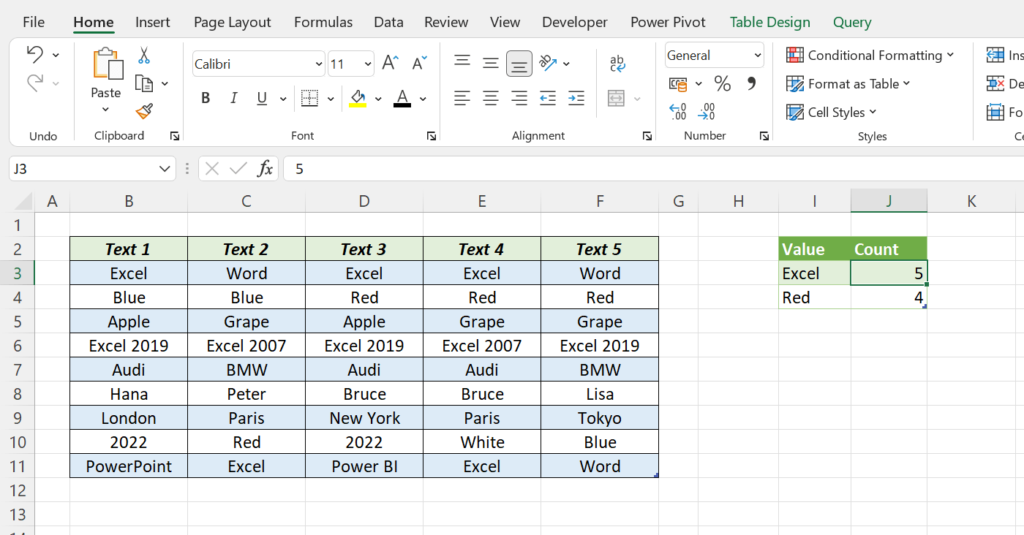
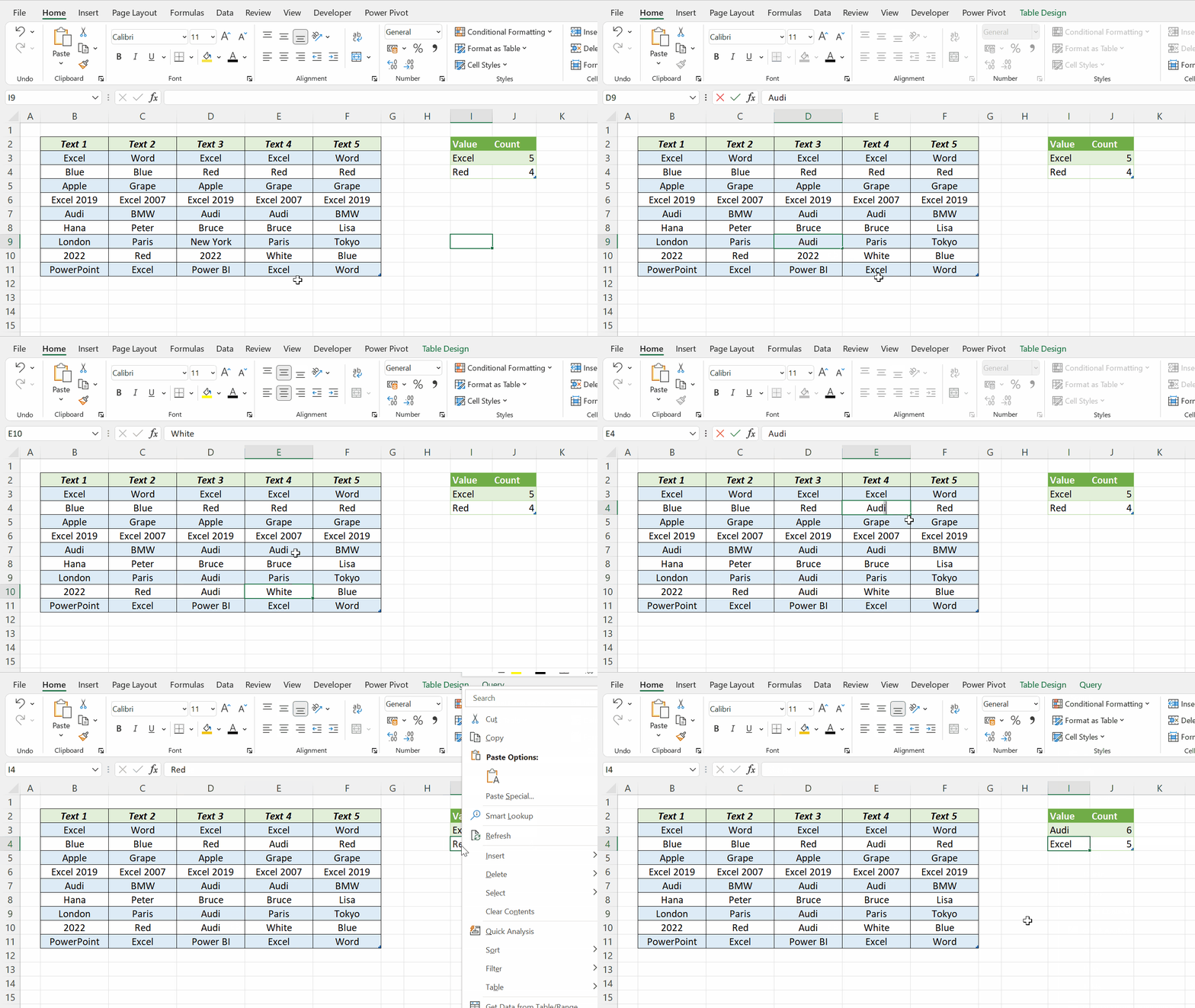
- Sort Count descending, Keep Top Rows if you want, then Close & Load.