EOMONTH returns the last day of the month for any date. Add one day to the end of the previous month and you get the first day of the month.
ProblemFirst day, last day and number of days in a month
Functions usedEOMONTH, DAY
Works inAll Excel versions
First day of the month
=EOMONTH(B3,-1)+1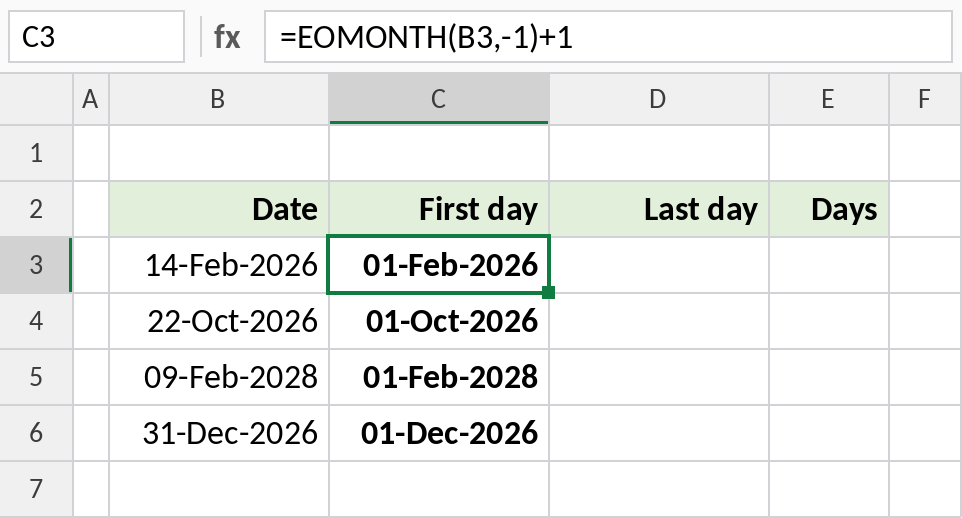
EOMONTH(B3,-1) is the last day of January, 31-Jan-2026. One day later is 01-Feb-2026.
How the formula works
EOMONTH(date, months)returns the last day of the month, months before or after the date.0means the same month,-1the month before and1the month after.- Adding 1 to the previous month's end gives the 1st of this month.
Last day of the month
=EOMONTH(B3,0)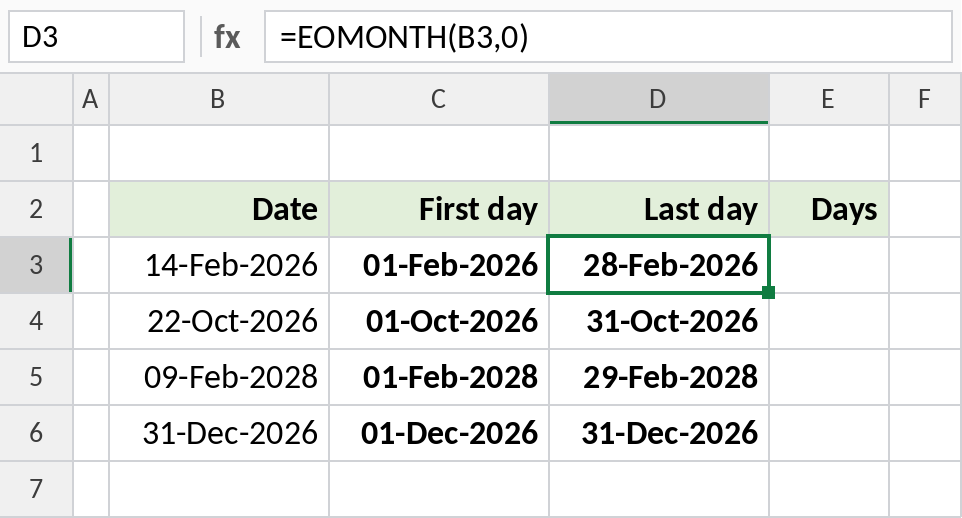
February 2028 is a leap year, so row 5 shows 29-Feb-2028. Use 1 instead of 0 for the end of next month.
Number of days in the month
=DAY(EOMONTH(B3,0))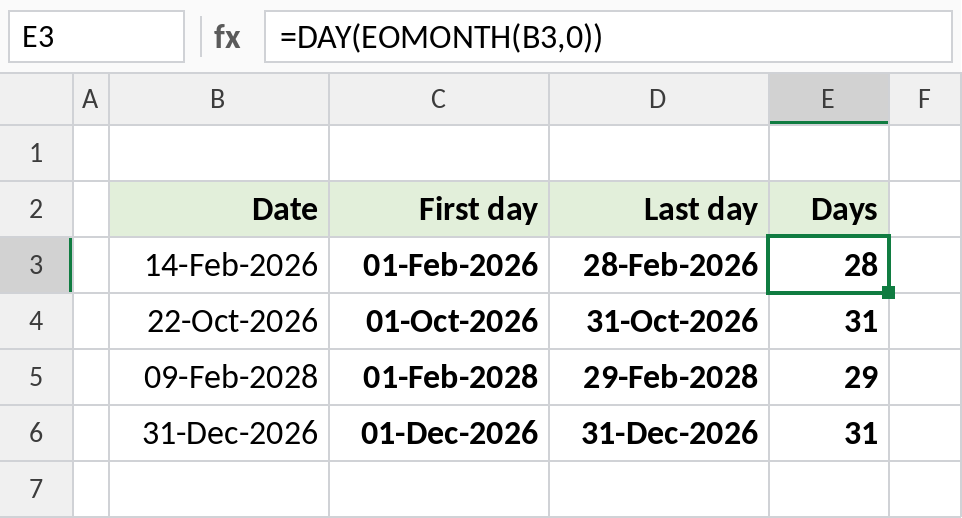
The day number of the last day is the number of days in the month: 28, 31, 29 and 31.
Which formula to use
| To get | Formula |
|---|---|
| First day of the month | =EOMONTH(B3,-1)+1 |
| Last day of the month | =EOMONTH(B3,0) |
| First day of next month | =EOMONTH(B3,0)+1 |
| Last day of previous month | =EOMONTH(B3,-1) |
| Days in the month | =DAY(EOMONTH(B3,0)) |
| First day of this month | =EOMONTH(TODAY(),-1)+1 |
Notes
- EOMONTH returns a date serial number. If you see a number like 46081, format the cell as a date.
=DATE(YEAR(B3),MONTH(B3),1)also gives the first day.- For the first working day, use
=WORKDAY(EOMONTH(B3,-1),1).
Common errors
| Problem | Cause | Fix |
|---|---|---|
| Result shows a number | Cell formatted as General | Format as Date |
#VALUE! |
Date stored as text | Convert it to a real date |
#NUM! |
Months argument is not a number | Use 0, 1, -1 etc. |
Practice file
Four dates with the first day, last day and number of days in the month.