The Excel COLUMNS function counts how many columns a range or array has.
PurposeCount the columns in a range
ReturnsA number
Available inAll Excel versions, Excel for the web, Google Sheets
array |
A range, array or formula that returns an array. |
|---|
Table of Contents
Basic example
COLUMNS counts the columns in a range, whatever they contain:
=COLUMNS(B2:E8)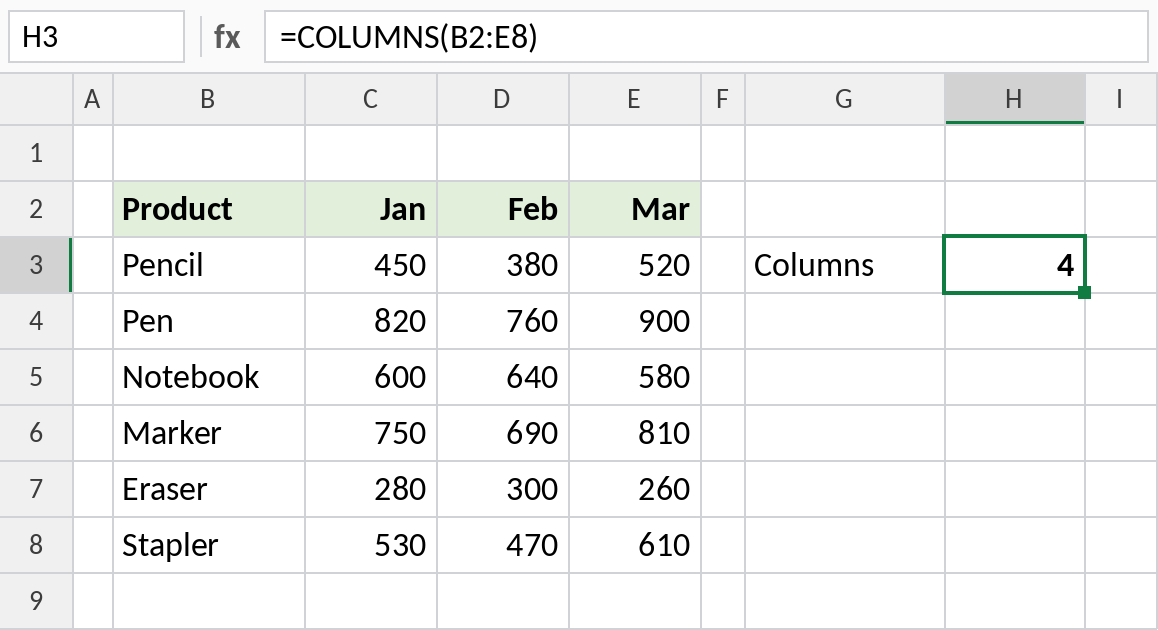
B2:E8 spans B, C, D and E: 4 columns.
Return the last column of a table
COLUMNS gives the number of the last column, so INDEX always returns the latest month, even after you add new months to the table and extend the range:
=INDEX(B3:E8,MATCH(H3,B3:B8,0),COLUMNS(B3:E8))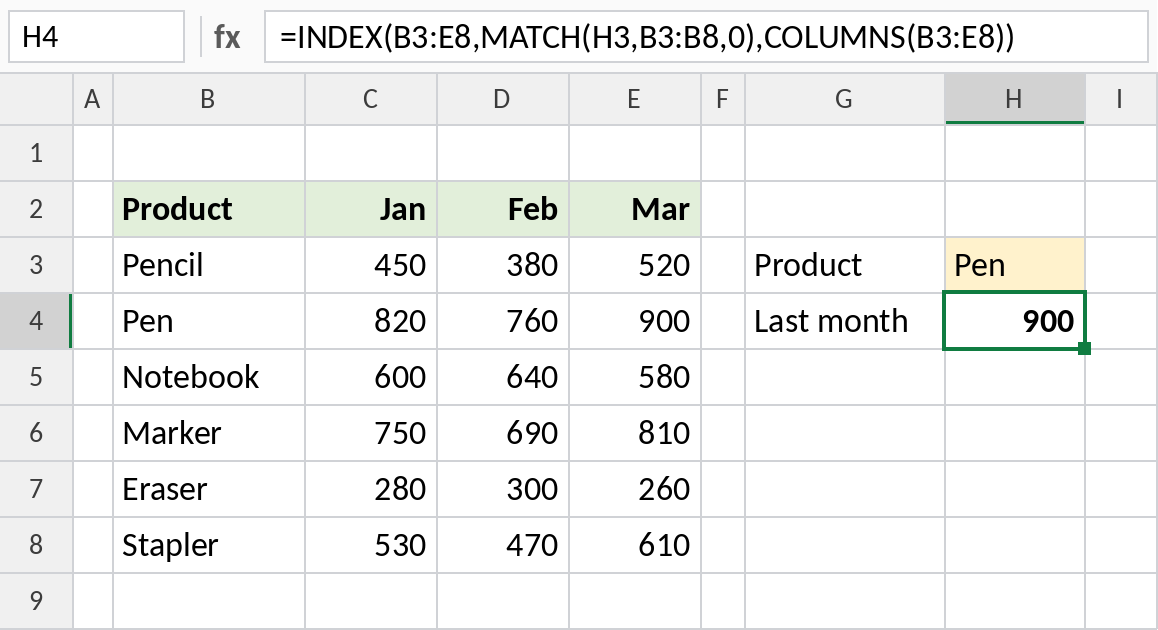
The table has 4 columns, so INDEX returns Pen’s value from the last one, March: 900.
COLUMNS vs ROWS
| Formula | Returns |
|---|---|
=COLUMNS(B2:E8) |
4 |
=ROWS(B2:E8) |
7 |
=COLUMNS(B2:E8)*ROWS(B2:E8) |
28 cells in total |
Notes
- COLUMNS counts every column in the range, including empty ones.
- It works with arrays too:
=COLUMNS({1,2,3})returns 3. - Combine COLUMNS with INDEX to always reach the last column of a range.
Common errors
| Problem | Cause | Fix |
|---|---|---|
| Count includes empty columns | COLUMNS counts every column | Use COUNTA on a header row for filled columns |
Practice file
Both examples in one workbook.