The Excel ROWS function counts how many rows a range or array has. It counts every row, filled or empty.
PurposeCount the rows in a range
ReturnsA number
Available inAll Excel versions, Excel for the web, Google Sheets
array |
A range, array or formula that returns an array. |
|---|
Table of Contents
Basic example
ROWS counts the rows in the range, whatever they contain:
=ROWS(B3:D10)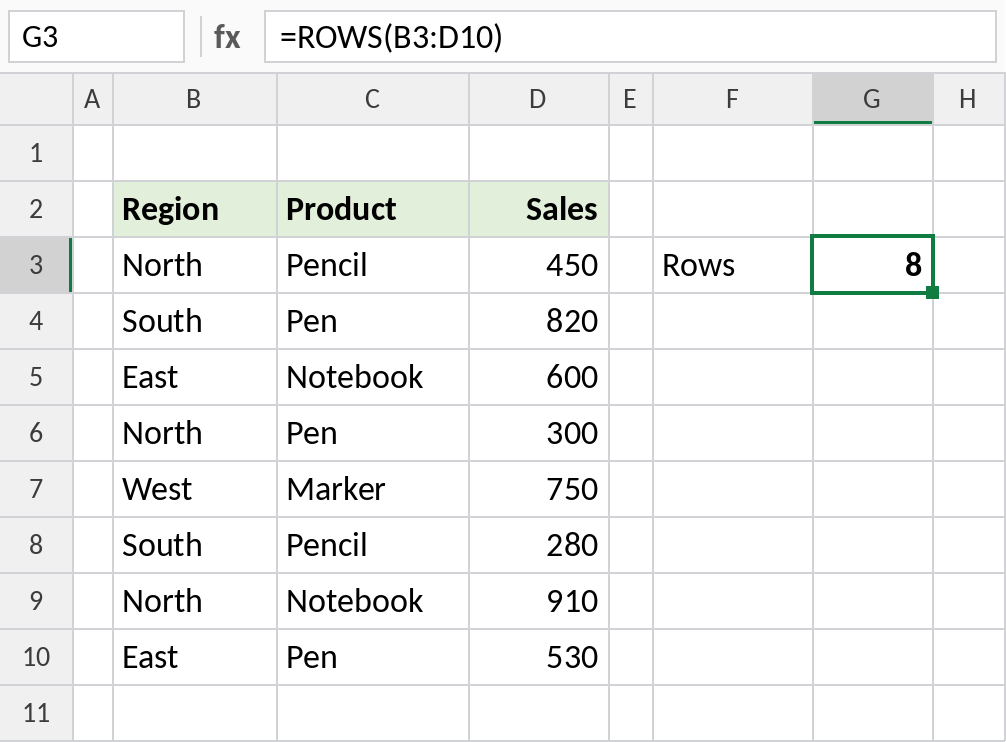
B3:D10 has 8 rows. The number of columns doesn’t matter.
Count the results of a formula
ROWS also works on arrays returned by other formulas. This counts the distinct regions:
=ROWS(UNIQUE(B3:B10))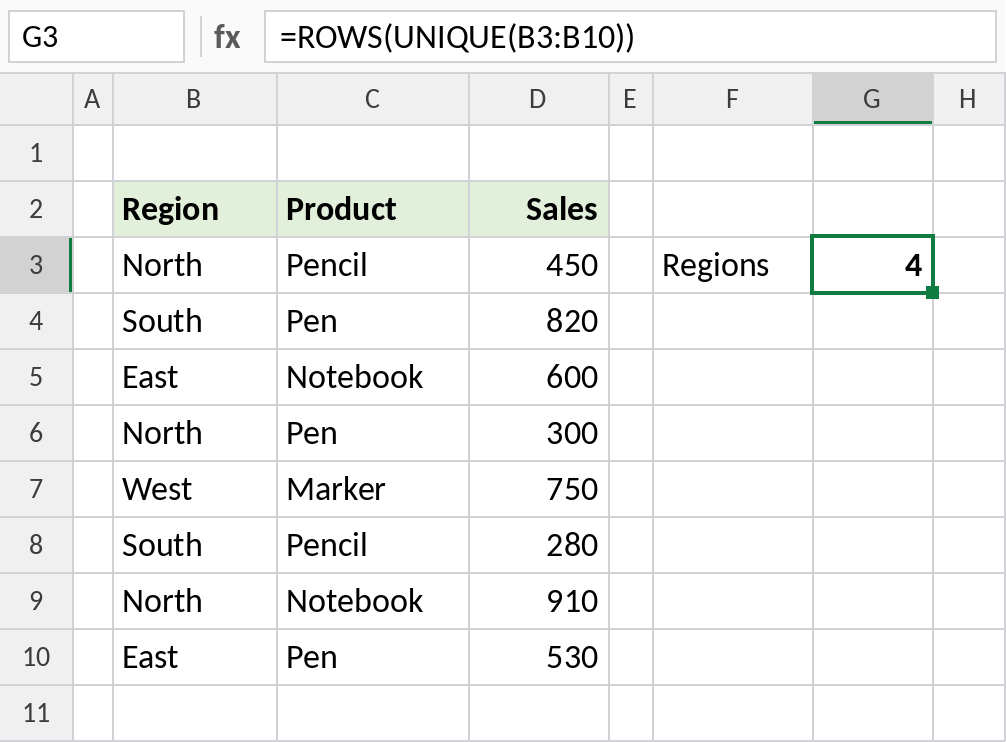
UNIQUE returns North, South, East and West, so ROWS gives 4.
A counter that grows as you copy
Lock the start of the range and leave the end free. Copied down, the range grows by one row each time:
=ROWS($B$3:B5)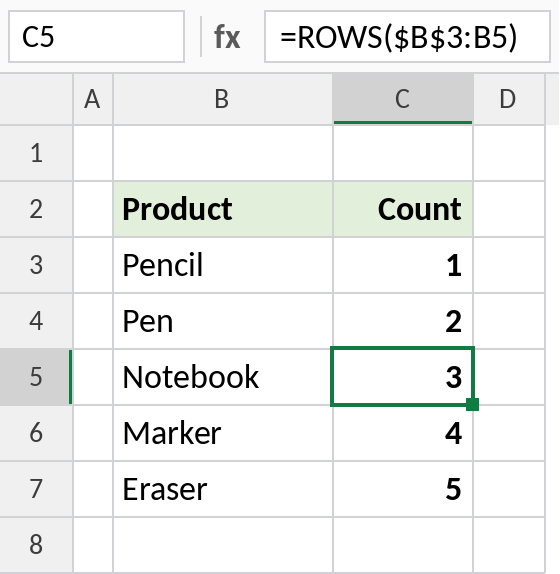
In C5 the range is B3:B5, so the count is 3. This expanding range is often used to return the 1st, 2nd, 3rd item in INDEX or SMALL formulas.
ROWS vs COUNTA
| Formula | Counts |
|---|---|
=ROWS(B3:B10) |
All rows in the range: 8 |
=COUNTA(B3:B10) |
Only filled cells |
=COLUMNS(B3:D10) |
Columns in the range: 3 |
Notes
- ROWS counts empty rows too. To count only filled cells, use COUNTA.
- It works on arrays as well as ranges, such as
=ROWS({1;2;3}), which returns 3. - In Excel 365, ROWS is handy for counting the results of FILTER or UNIQUE.
Common errors
| Problem | Cause | Fix |
|---|---|---|
| Count includes blanks | ROWS counts every row | Use COUNTA for filled cells |
#CALC! |
FILTER returned nothing | Wrap with IFERROR to return 0 |
Practice file
All three examples in one workbook.