The Excel AVERAGEIFS function averages the cells that meet two or more conditions. For example, the average Pen sale in North, or the average sale between two dates.
average_range |
The cells to average. |
|---|---|
criteria_range1 |
The cells to test with the first condition. |
criteria1 |
The first condition. |
criteria_range2, criteria2 optional |
More range and condition pairs, up to 127. |
Table of Contents
Basic example
To average sales where the region is North and the product is Pen, give the Sales column first, then each range with its condition:
=AVERAGEIFS(E3:E14,C3:C14,"North",D3:D14,"Pen") 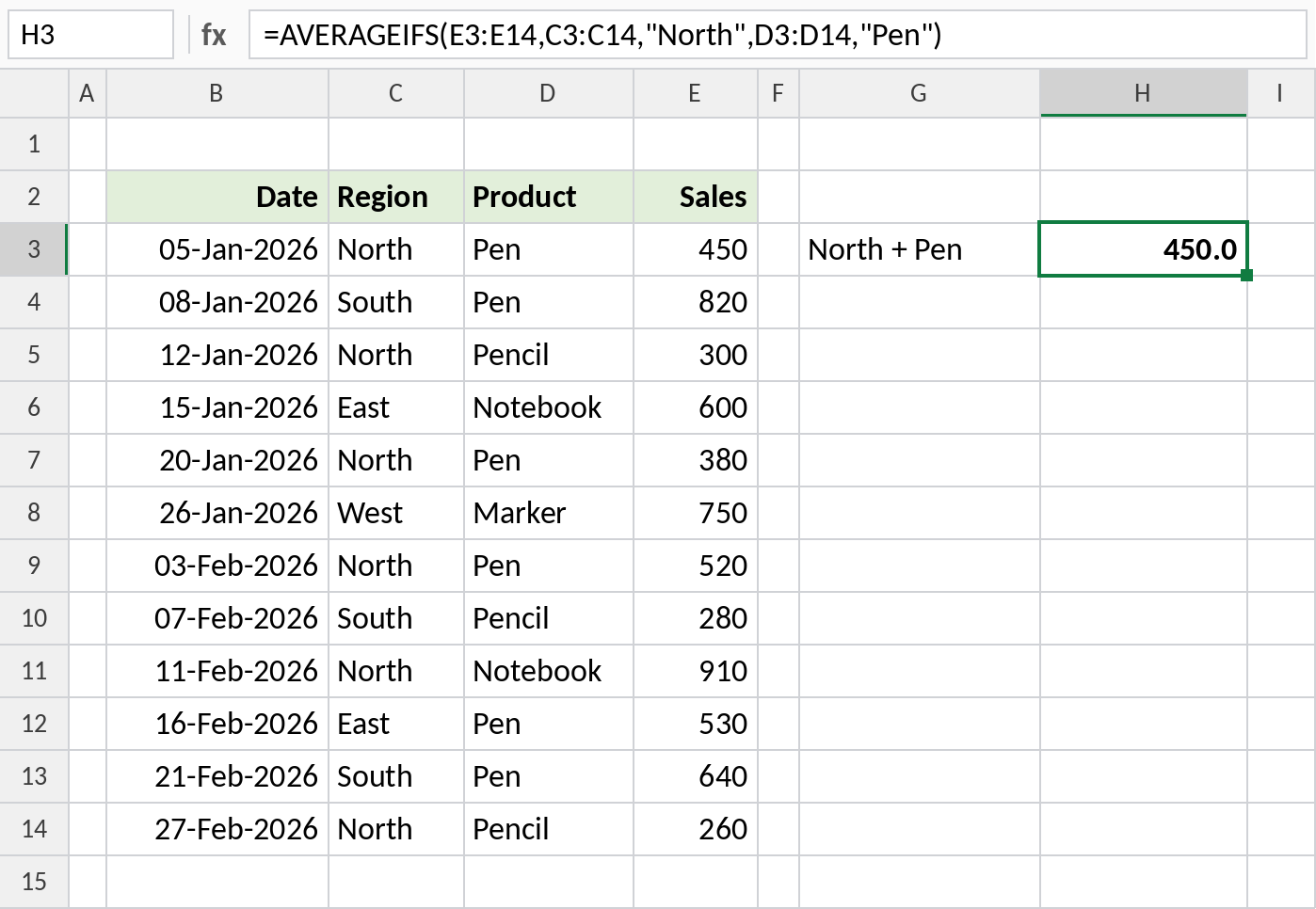
Three rows pass both tests: 450, 380 and 520. Their average is 450.0.
Use a comparison operator
Test the Sales column itself to leave out small orders:
=AVERAGEIFS(E3:E14,C3:C14,"North",E3:E14,">400") 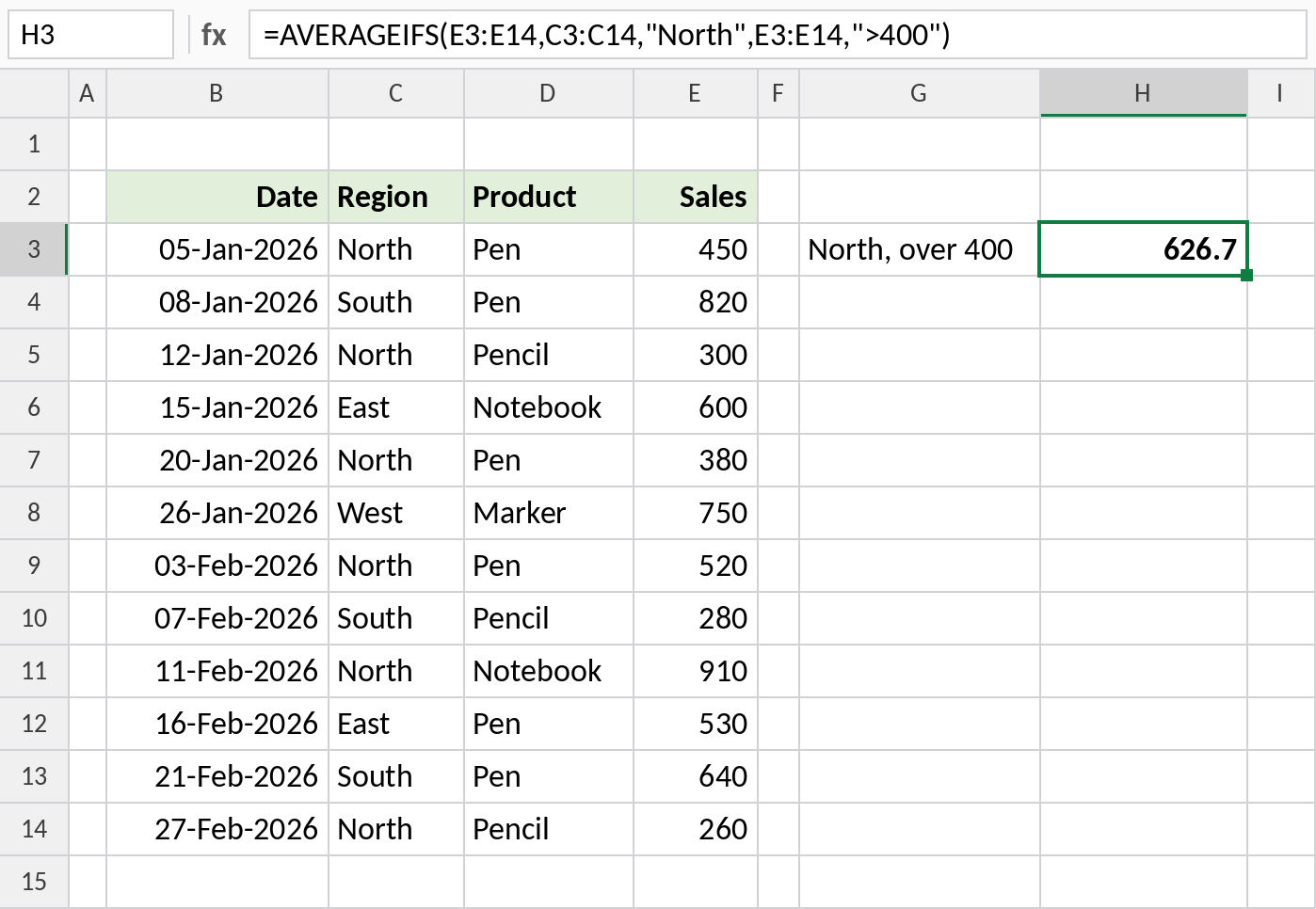
North sales above 400 are 450, 520 and 910, which average 626.7.
Average between two dates
Test the date column twice, for the start and the end, with the dates kept in cells:
=AVERAGEIFS(E3:E14,B3:B14,">="&H3,B3:B14,"<="&H4) 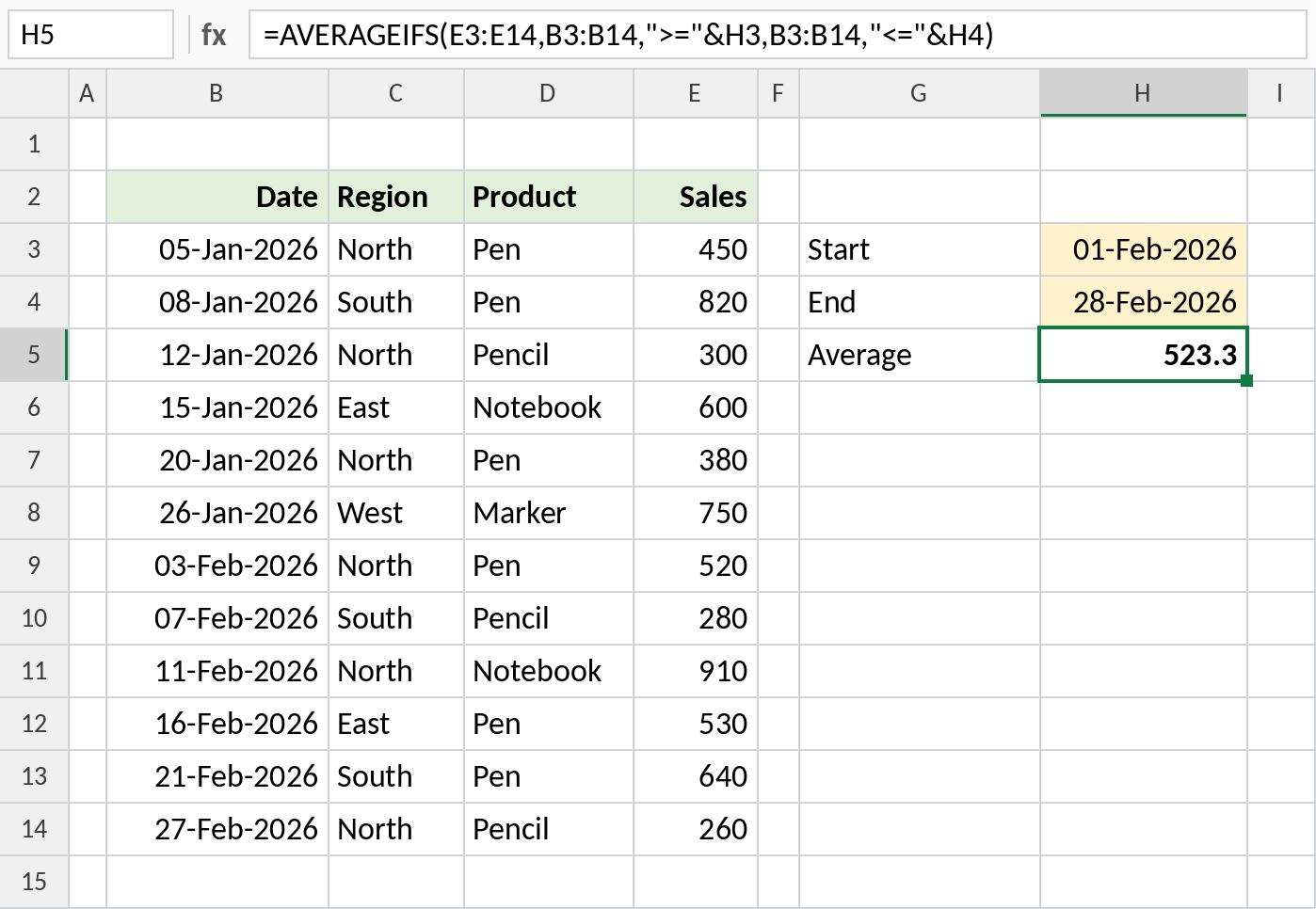
The six February sales total 3,140, so the average is 523.3. Change the dates to report on any period.
The IFS family
| Function | Does |
|---|---|
| SUMIFS | Sum with conditions |
| COUNTIFS | Count with conditions |
| AVERAGEIFS | Average with conditions |
| MAXIFS / MINIFS | Highest or lowest with conditions |
They all take the same range-and-condition pairs, so once you know one, you know them all.
Notes
- A row is included only if every condition is true.
- All ranges must be the same size.
- If nothing matches, AVERAGEIFS returns
#DIV/0!. Wrap it with IFERROR to show a message. - Criteria follow the same rules as SUMIFS, including wildcards and
&with cell references.
Common errors
| Problem | Cause | Fix |
|---|---|---|
#DIV/0! |
No rows pass every condition | Wrap with IFERROR(...,"") |
#VALUE! |
Ranges are different sizes | Make every range cover the same rows |
| Wrong average | Arguments in AVERAGEIF order, with the average range last | Put average_range first |
Practice file
All three examples plus extra formulas in a cheat sheet.