The Excel AGGREGATE function does SUM, AVERAGE, MAX, LARGE and 15 other calculations, with the option to ignore errors, hidden rows or both.
function_num |
Which calculation: 1 AVERAGE, 4 MAX, 5 MIN, 9 SUM, 14 LARGE, 15 SMALL and others. |
|---|---|
options |
What to ignore. 6 ignores errors, 5 ignores hidden rows, 7 ignores both. |
ref1 |
The range to calculate. |
k optional |
The position, for LARGE, SMALL and similar functions. |
Table of Contents
Basic example
Two cells in the Sales column contain #N/A errors, from a lookup that failed. SUM fails, but AGGREGATE with function 9 (SUM) and option 6 (ignore errors) adds the rest:
=AGGREGATE(9,6,D3:D10)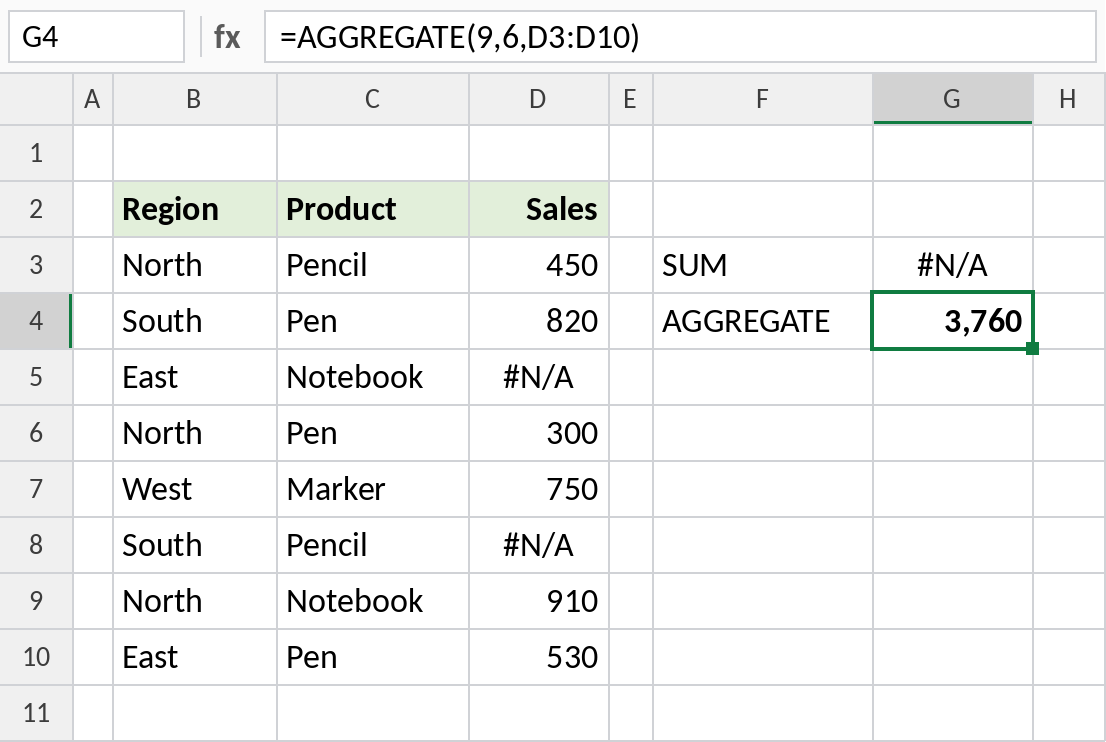
SUM returns #N/A. AGGREGATE skips both errors and returns 3,760.
Other calculations
Change the function number for a different calculation. 4 is MAX and 1 is AVERAGE:
=AGGREGATE(4,6,D3:D10)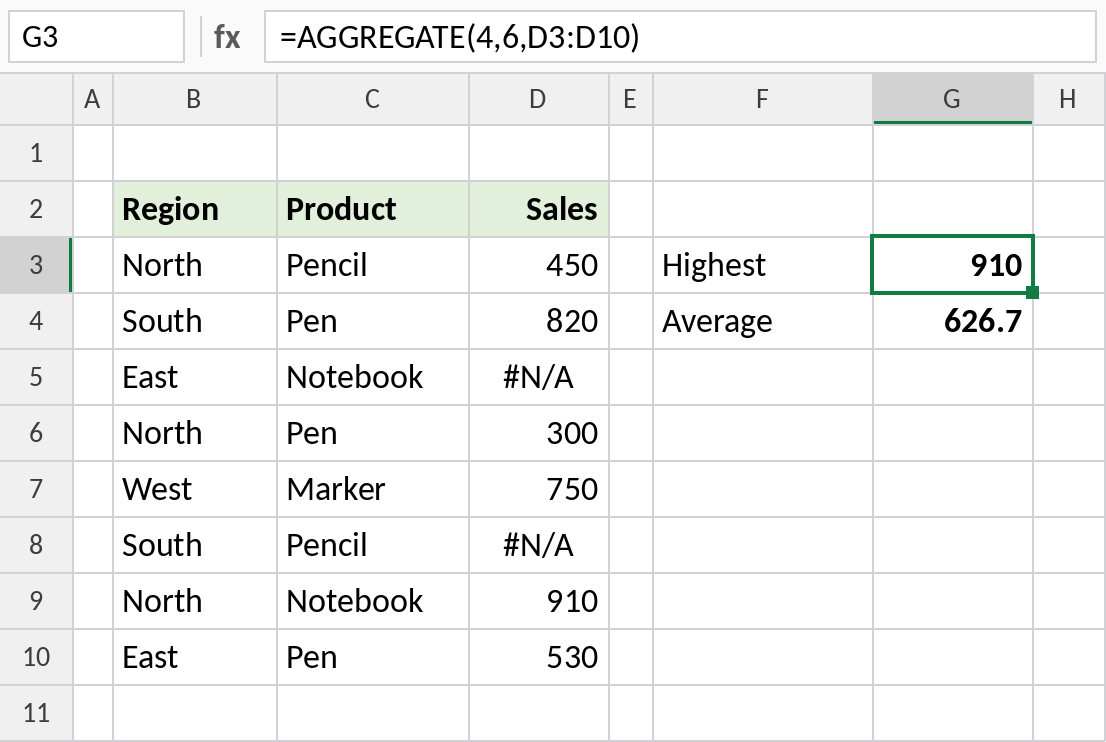
The highest valid sale is 910 and the average of the six valid sales is 626.7.
Nth largest, ignoring errors
Function 14 is LARGE, so it needs the fourth argument, k:
=AGGREGATE(14,6,D3:D10,2)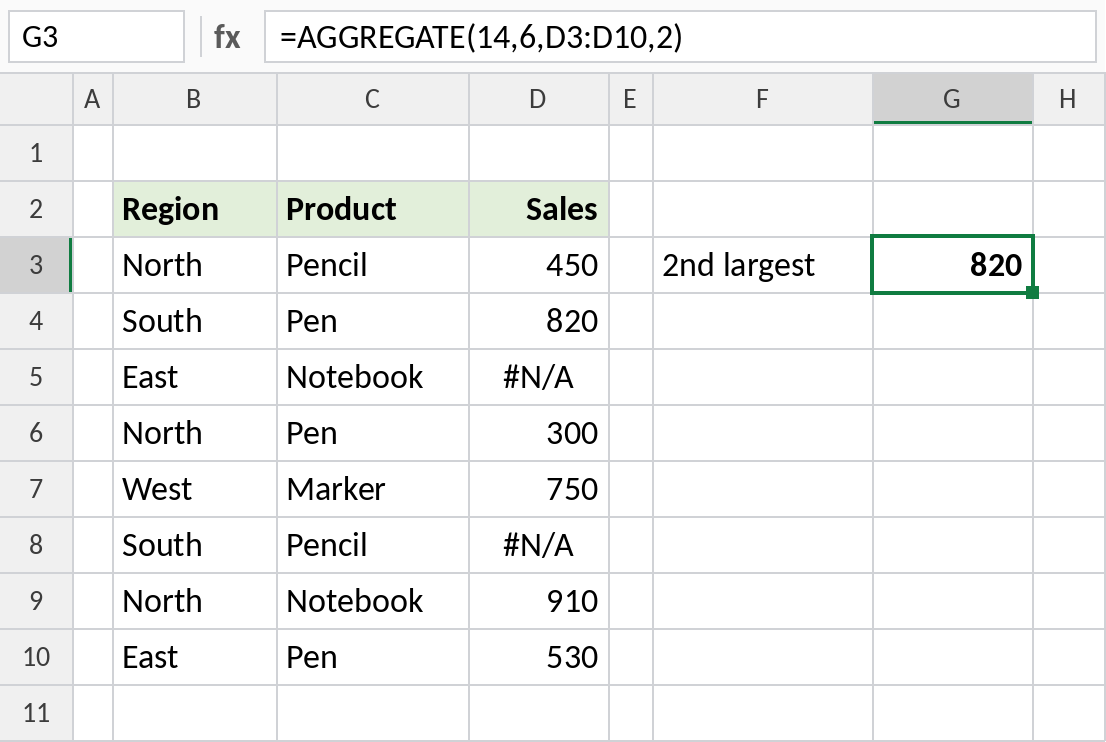
The second-largest valid sale is 820. Plain LARGE would return #N/A here.
Function numbers and options
| function_num | Calculation | options | Ignores | |
|---|---|---|---|---|
| 1 | AVERAGE | 0 | Nested SUBTOTAL/AGGREGATE | |
| 4 | MAX | 3 | Hidden rows, errors, nested | |
| 5 | MIN | 5 | Hidden rows | |
| 9 | SUM | 6 | Errors | |
| 14 | LARGE | 7 | Hidden rows and errors | |
| 15 | SMALL |
Numbers 1–13 work like SUBTOTAL. Numbers 14–19 need k.
Notes
- Option 6 (ignore errors) is the one you’ll use most.
- AGGREGATE ignores hidden rows only with options 1, 3, 5 or 7. Hidden columns are never ignored.
- For a quick total that ignores filtered rows only, SUBTOTAL is simpler.
- Fixing the errors at the source is better long term. AGGREGATE is best for reports where you can’t.
Common errors
| Problem | Cause | Fix |
|---|---|---|
#VALUE! |
k missing for functions 14–19 | Add the fourth argument |
| Errors not ignored | Option 0, 1, 4 or 5 used | Use 6 or 7 |
#NUM! |
k larger than the number of valid values | Use a smaller k |
Practice file
All three examples, with the error cells already set up.