The Excel MAX function returns the largest number in a set of values. Use it to find the highest sale, score, price or the latest date.
number1 |
The first number, cell or range, such as C3:C8. |
|---|---|
number2, ... optional |
More numbers, cells or ranges, up to 255 in total. |
Table of Contents
Basic example
To find the highest January sale, give MAX the January column:
=MAX(C3:C8)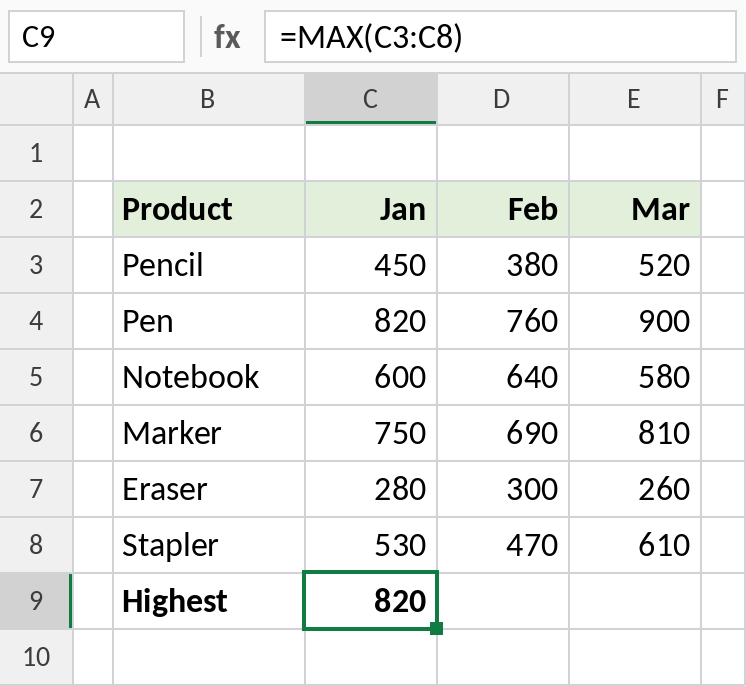
The largest value in C3:C8 is 820, for Pen.
Highest value in a whole table
MAX accepts a block of rows and columns, so you can search all three months at once:
=MAX(C3:E8)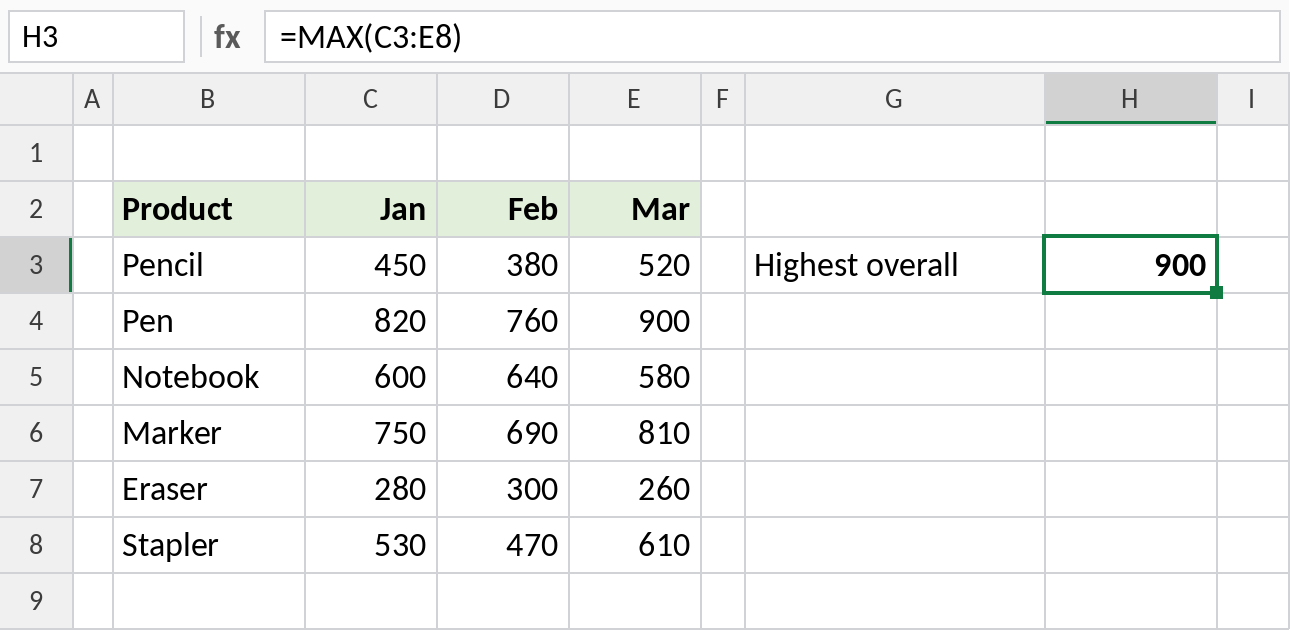
The highest sale across January to March is 900, Pen in March.
Find the item with the highest value
MAX gives the number, not the name. Combine it with INDEX and MATCH to return the product that made the highest sale:
=INDEX(B3:B8,MATCH(MAX(C3:C8),C3:C8,0)) 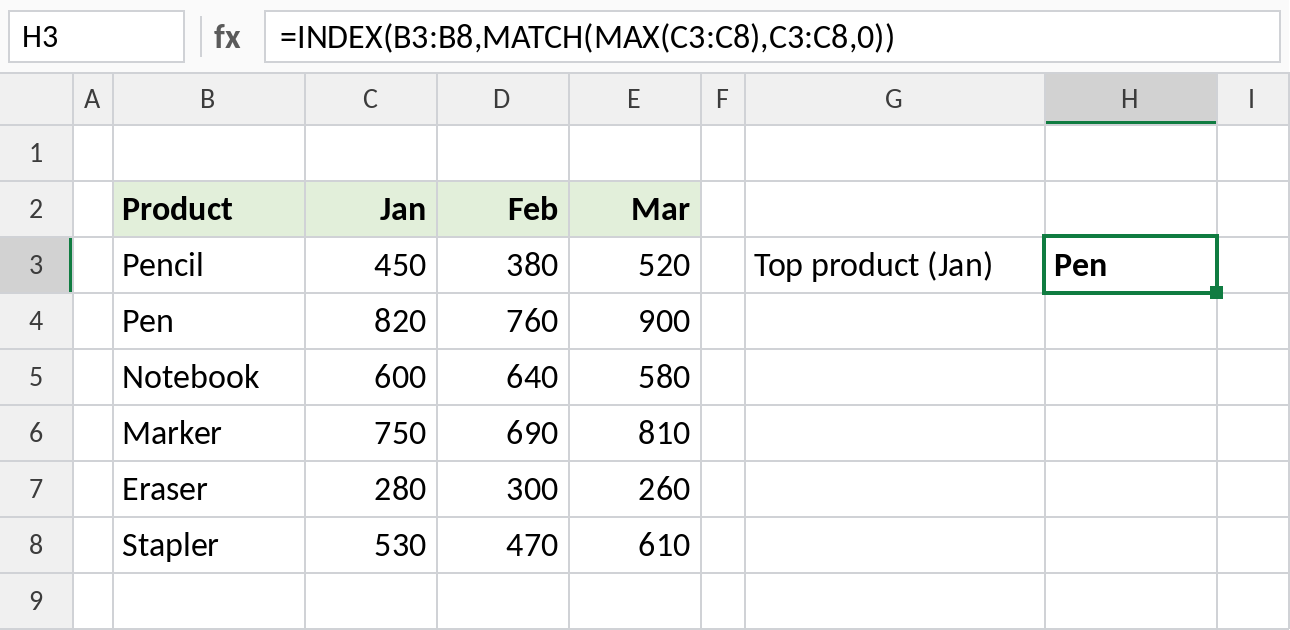
MAX finds 820, MATCH finds its position in the list (2), and INDEX returns the product in that position: Pen. In Excel 365, =XLOOKUP(MAX(C3:C8),C3:C8,B3:B8) does the same in fewer steps.
MAX and related formulas
| Formula | Result | What it does |
|---|---|---|
=LARGE(C3:C8,2) |
750 | Second-highest January sale |
=MAXIFS(D3:D8,C3:C8,">500") |
760 | Highest February sale where January was over 500 |
=MAX(0,C3-500) |
0 | Never lets the result go below 0 |
=MAX(C3:C8)-MIN(C3:C8) |
540 | Range between highest and lowest |
Notes
- MAX ignores text, empty cells and TRUE/FALSE inside ranges.
- If there are no numbers, MAX returns 0, not an error.
- Dates are numbers, so
=MAX(dates)returns the latest date. Format the result as a date. - If any cell in the range has an error, MAX returns that error.
=AGGREGATE(4,6,C3:C8)finds the maximum while skipping errors.
Common errors
| Problem | Cause | Fix |
|---|---|---|
| Result is 0 | No real numbers in the range, often numbers stored as text | Convert them to numbers |
#N/A, #VALUE! |
An error cell inside the range | Fix the source, or use AGGREGATE(4,6,range) |
| Result shows as a strange number | MAX of dates shown in General format | Format the cell as a date |
Practice file
All three examples plus the related formulas in a cheat sheet.