The Excel TEXTJOIN function joins text from several cells into one, with a separator such as a comma between each item. It can skip empty cells.
delimiter |
The separator to put between items, such as ", ". |
|---|---|
ignore_empty |
TRUE to skip empty cells, FALSE to include them. |
text1 |
The first cell, range or text to join. |
text2, ... optional |
More cells, ranges or text. |
Table of Contents
Basic example
To join a list of names into one cell, separated by a comma and a space:
=TEXTJOIN(", ",TRUE,B3:B8) 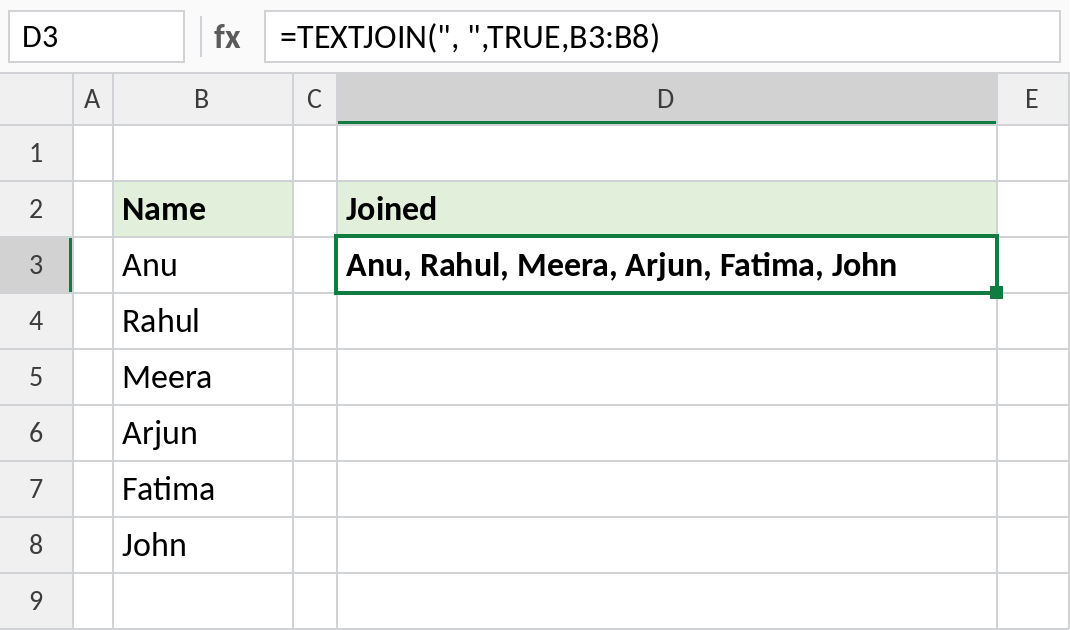
All six names end up in one cell: Anu, Rahul, Meera, Arjun, Fatima, John. The separator only goes between items, so there’s no comma at the end.
Skip empty cells
This address has an empty second line. With ignore_empty set to TRUE, the empty cell is left out:
=TEXTJOIN(", ",TRUE,B3:B6) 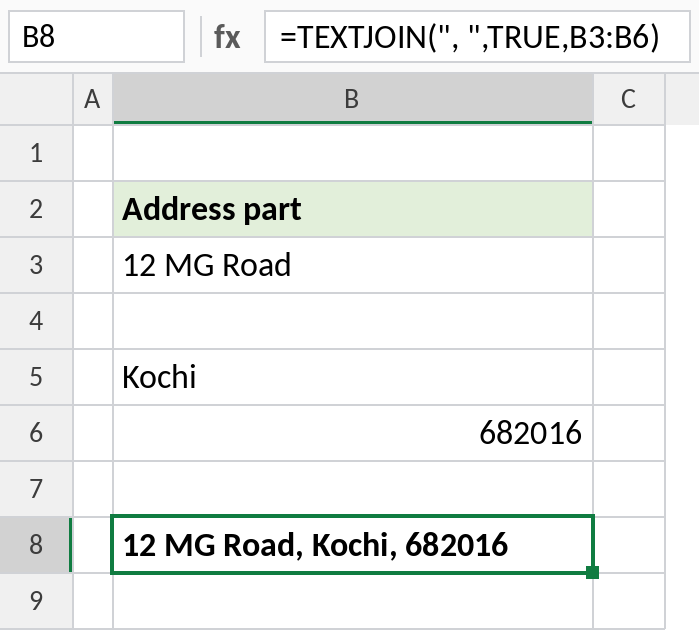
The result is 12 MG Road, Kochi, 682016, with no double comma. With FALSE, you’d get 12 MG Road, , Kochi, 682016.
Join only matching values
Put IF inside TEXTJOIN to join only the rows that meet a condition. Here, it lists every product sold in North:
=TEXTJOIN(", ",TRUE,IF(B3:B10=G2,C3:C10,"")) 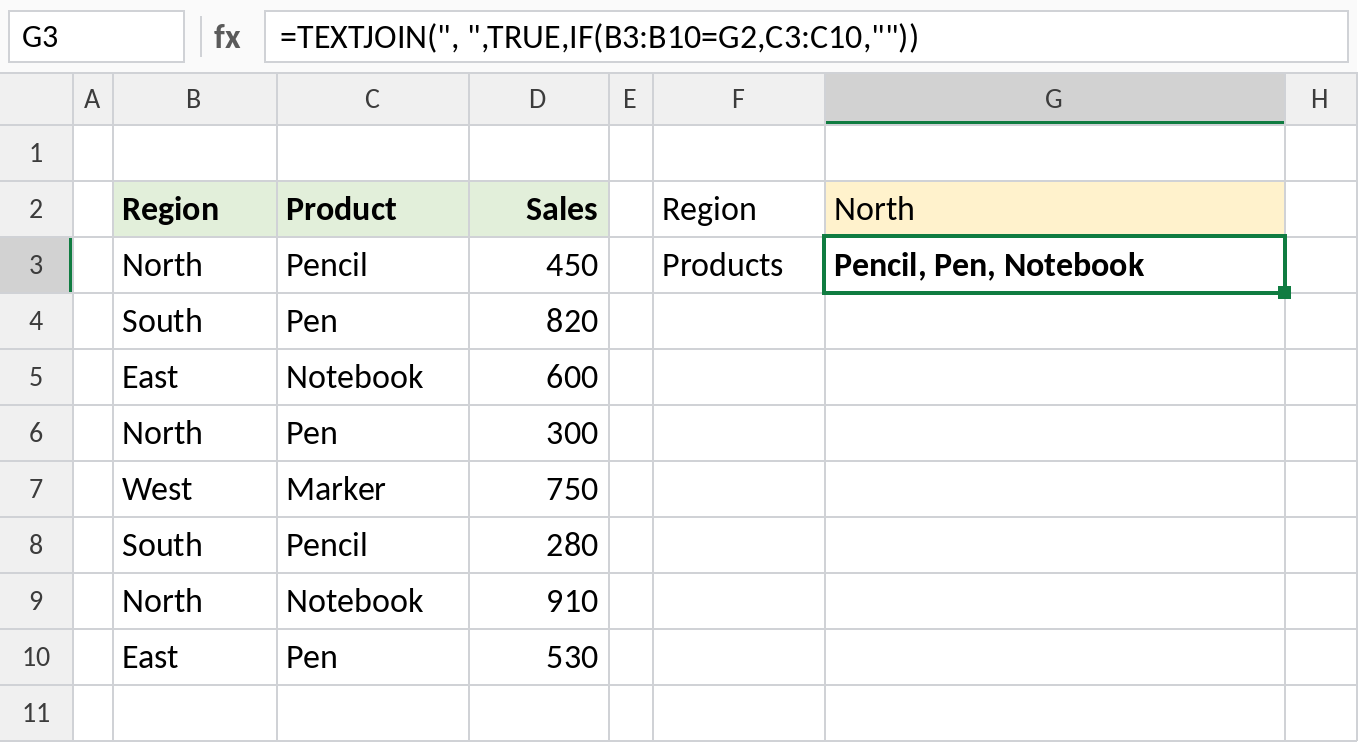
IF returns the product for North rows and empty text for the rest, and TEXTJOIN skips the empties: Pencil, Pen, Notebook. In Excel 2019, confirm this formula with Ctrl+Shift+Enter.
TEXTJOIN vs CONCAT vs &
| Method | Formula | Result |
|---|---|---|
& |
=B3&", "&B4 |
Anu, Rahul |
| CONCAT | =CONCAT(B3:B5) |
AnuRahulMeera |
| TEXTJOIN | =TEXTJOIN("-",TRUE,B3:B5) |
Anu-Rahul-Meera |
CONCAT joins a range with no separator. TEXTJOIN adds a separator and can skip empty cells.
Notes
- The delimiter can be any text, including a line break:
CHAR(10). Turn on Wrap Text to see the lines. - The result can hold up to 32,767 characters. Past that, TEXTJOIN returns
#VALUE!. - Numbers are joined as they’re stored, without formatting. Use TEXT inside TEXTJOIN to keep commas or decimals.
- TEXTJOIN isn’t available in Excel 2016. Use
&or CONCATENATE there.
Common errors
| Problem | Cause | Fix |
|---|---|---|
| Double separators | ignore_empty is FALSE |
Set it to TRUE |
#VALUE! |
Result longer than 32,767 characters | Join fewer cells |
| Dates show as numbers | Dates are joined as serial numbers | Use TEXT(range,"dd-mmm-yyyy") inside TEXTJOIN |
#NAME? |
Opened in Excel 2016 or earlier | Use & instead |
Practice file
All three examples plus the comparison in a cheat sheet.