The Google Sheets GOOGLEFINANCE function brings live and historical prices of shares, indexes and currencies straight into your sheet. One formula shows the current price; with dates, it spills a whole price-history table. Excel has no GOOGLEFINANCE: its closest tool is the STOCKHISTORY function.
ticker |
The symbol with its exchange, such as NSE:INFY, NASDAQ:GOOGL or CURRENCY:USDINR. The exchange prefix avoids picking the wrong listing. |
|---|---|
attribute optional |
What to return, such as "price" (the default), "changepct" or "marketcap". |
start_date optional |
Asks for historical data from this date. |
end_date|num_days optional |
The end date, or the number of days of history. |
interval optional |
"DAILY" or "WEEKLY" rows for historical data. |
Live prices for a list of tickers
With tickers in column A, one formula copied down builds a live watchlist:
=GOOGLEFINANCE(A2,"price")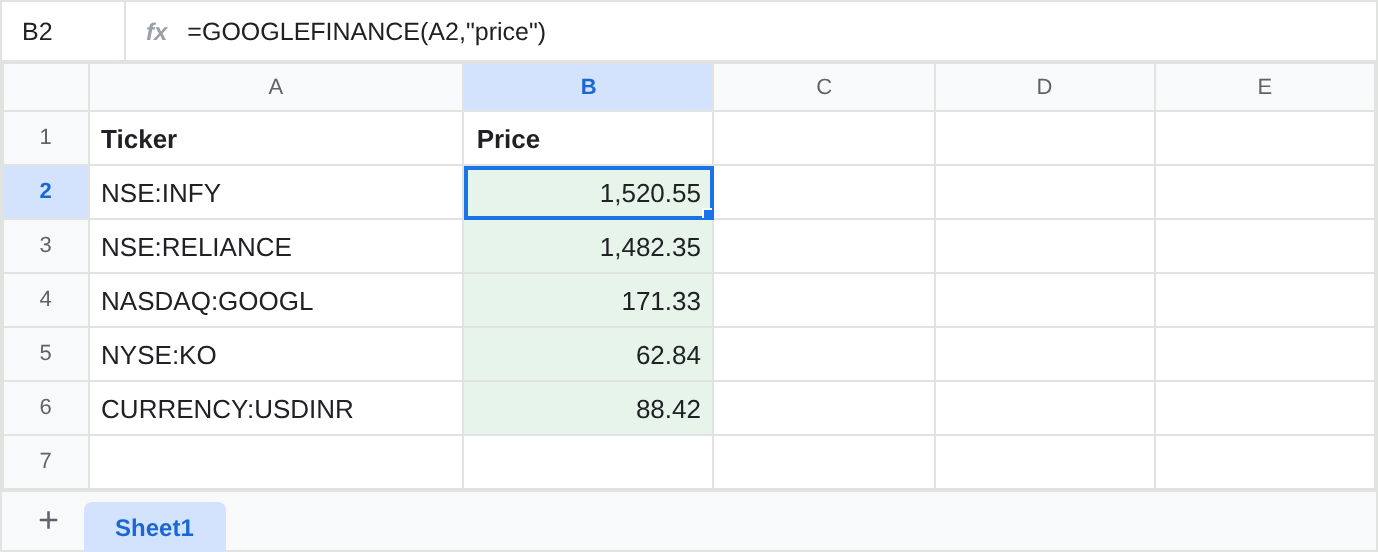
Shares and currency pairs mix freely in one list: CURRENCY:USDINR returns the exchange rate the same way a share returns its price.
Price history as a table
Add dates and the function spills a table with its own header row:
=GOOGLEFINANCE("NSE:TCS","price",TODAY()-7,TODAY(),"DAILY")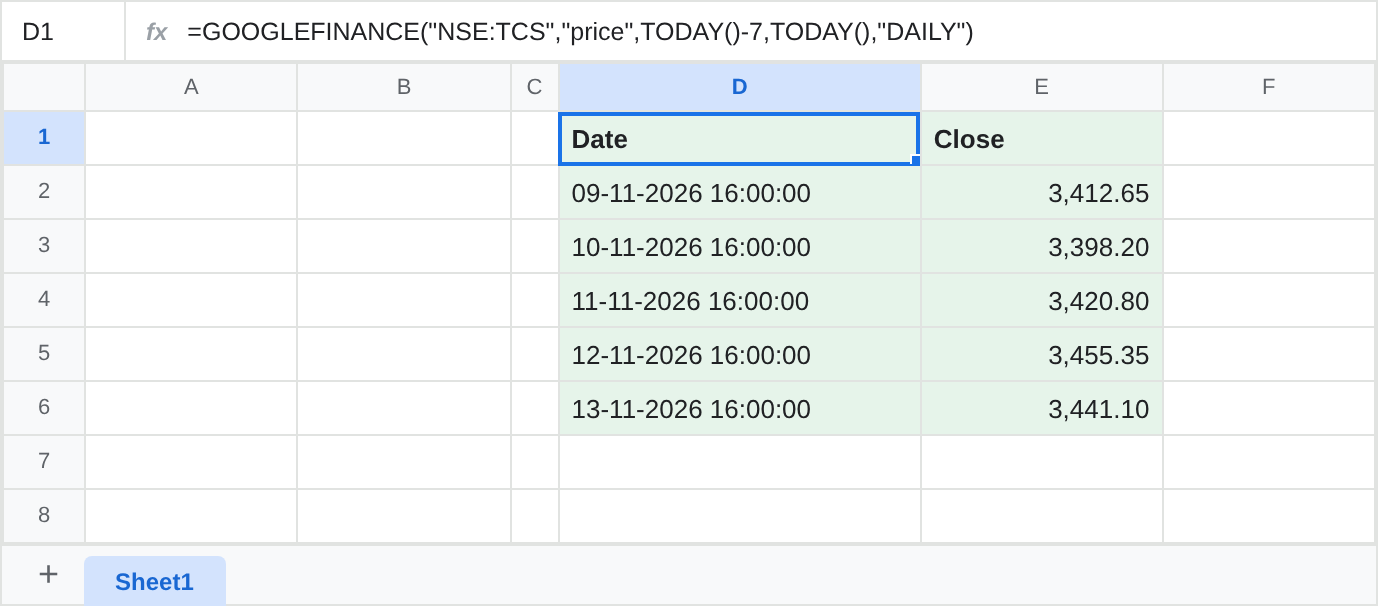
Keep the cells below and to the right empty, because the result needs room to spill. Weekends and market holidays simply have no rows.
Useful attributes
| Attribute | Returns |
|---|---|
"price" |
Current price (the default) |
"changepct" |
Change today, in percent |
"high52" / "low52" |
52-week high and low |
"marketcap" |
Market capitalisation |
"pe" / "eps" |
Price-earnings ratio and earnings per share |
"volume" |
Shares traded today |
"close" |
Closing price, for historical queries |
A price trend in one cell
GOOGLEFINANCE pairs naturally with SPARKLINE for a 30-day trend line in a single cell:
=SPARKLINE(GOOGLEFINANCE("NSE:INFY","price",TODAY()-30,TODAY(),"DAILY"))Notes
- Prices are delayed by up to 20 minutes and can differ between exchanges, so treat them as information, not a trading feed.
- Always include the exchange prefix, such as
NSE:,BOM:,NASDAQ:orNYSE:, so the right listing is returned. - To pull one value out of a historical table, wrap it in INDEX:
=INDEX(GOOGLEFINANCE("NSE:TCS","close",TODAY()-7),2,2)returns only the first closing price.
Common errors
- #N/A: the ticker was not recognised. Check the spelling and add the exchange prefix.
- #REF!: a historical result has no room to spill. Clear the cells below and to the right of the formula.
- Loading… that never finishes: too many GOOGLEFINANCE calls at once. Reduce the number of formulas or reopen the sheet.
Frequently asked questions
Can I see a US share price in rupees?
Yes, multiply the price by the exchange rate: =GOOGLEFINANCE("NASDAQ:GOOGL")*GOOGLEFINANCE("CURRENCY:USDINR").
Does GOOGLEFINANCE support cryptocurrency?
Common coins work as currency pairs, such as =GOOGLEFINANCE("CURRENCY:BTCUSD"). Smaller coins are not available.
Why is the price different from my broker’s app?
The data is delayed by up to 20 minutes, and your broker may show a different exchange. For live trading numbers, use the broker’s own platform.
Is there a GOOGLEFINANCE function in Excel?
No. In Excel, use the STOCKHISTORY function or the Stocks data type on the Data tab.