The Google Sheets FILTER function returns every row that meets your conditions and updates when the data changes. Unlike Excel, you can list several conditions one after another.
PurposeReturn only the rows that meet conditions
ReturnsThe matching rows
Available inGoogle Sheets (web, Android and iPhone). Excel 365 has FILTER with a different argument order
range |
The data to return, such as A2:D9. |
|---|---|
condition1 |
A test the same height as range, such as B2:B9="Anil". |
condition2… optional |
More tests. A row is returned only if all are TRUE. |
Basic example
=FILTER(A2:D9, B2:B9="Anil")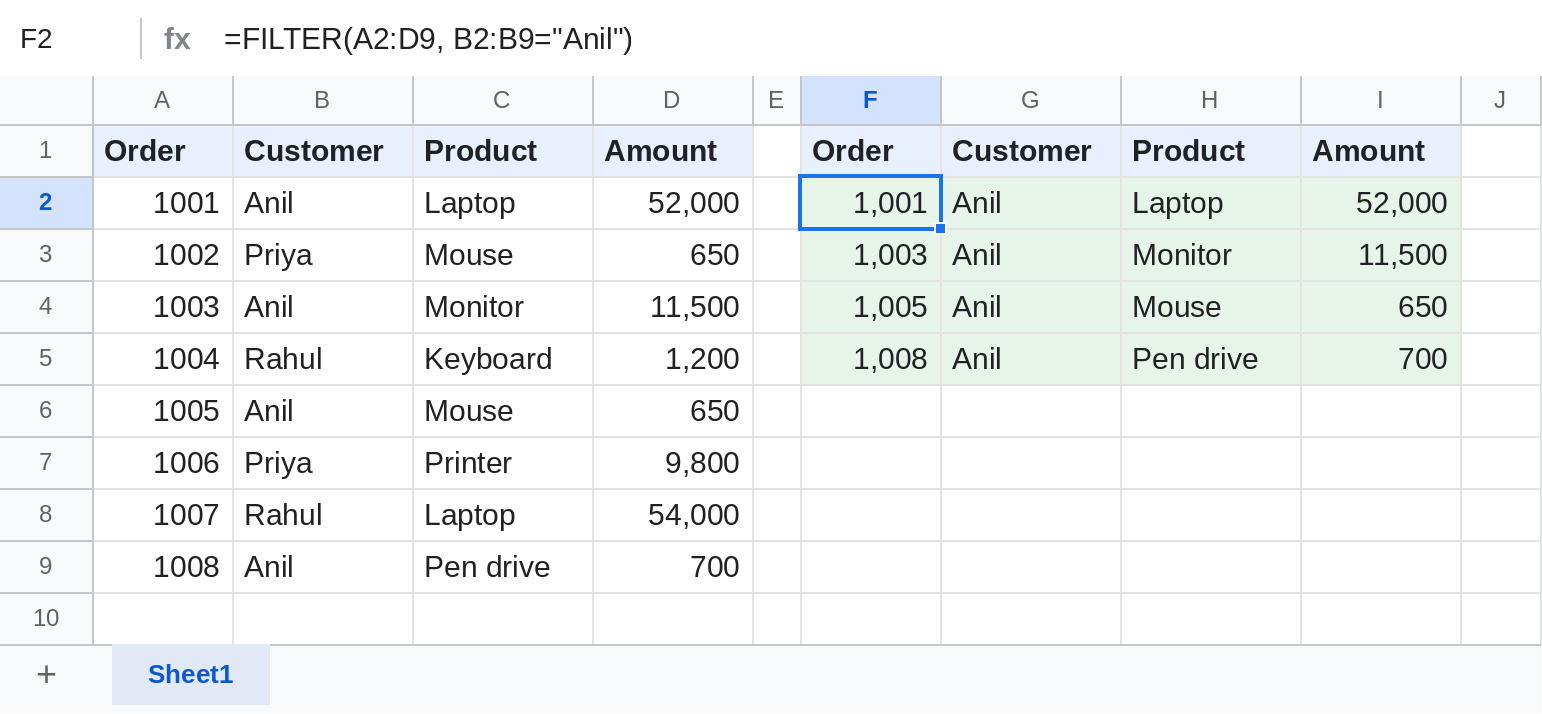
Two conditions (AND)
=FILTER(A2:D9, B2:B9="Anil", D2:D9>1000)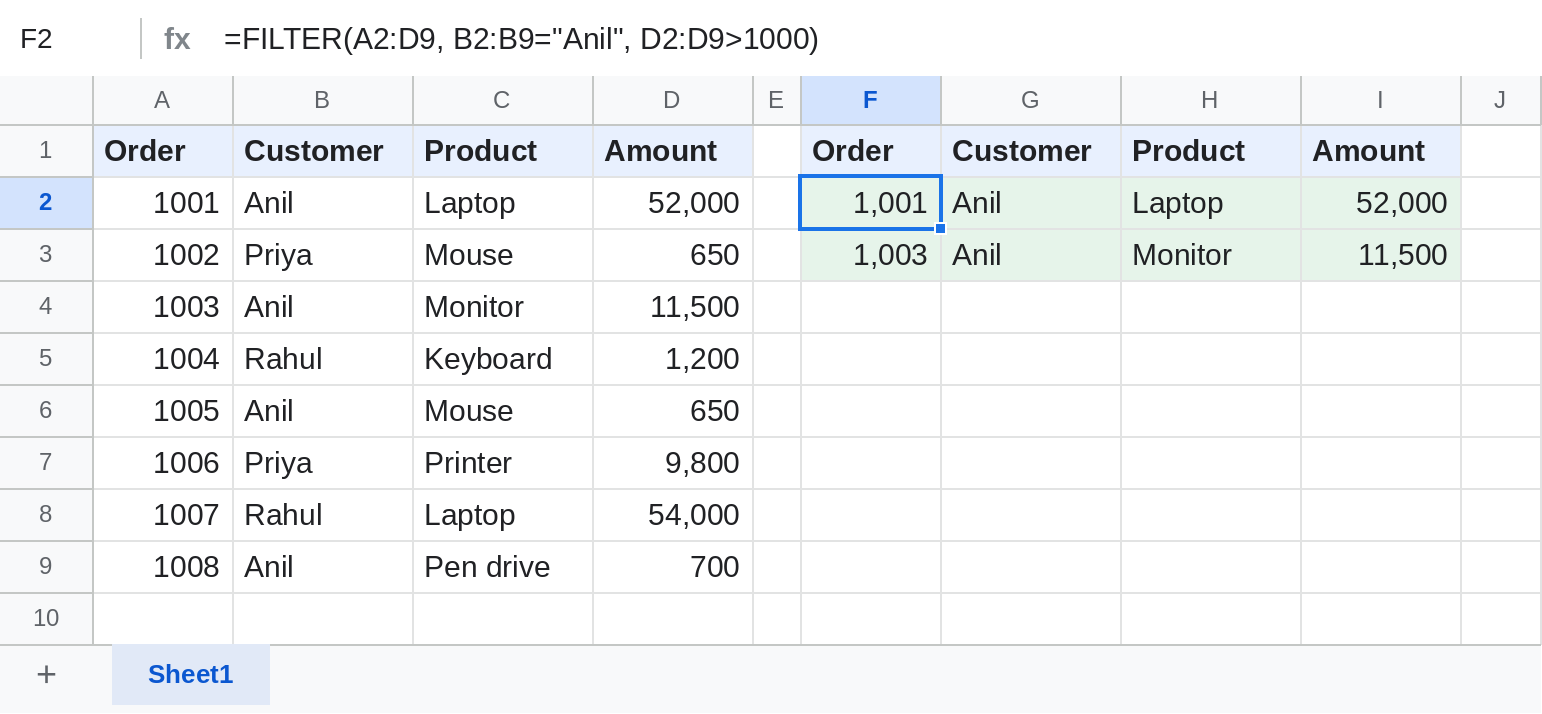
Each extra condition is another argument. The 650 and 700 orders drop out.
Either condition (OR)
=FILTER(A2:D9, (B2:B9="Anil")+(B2:B9="Priya"))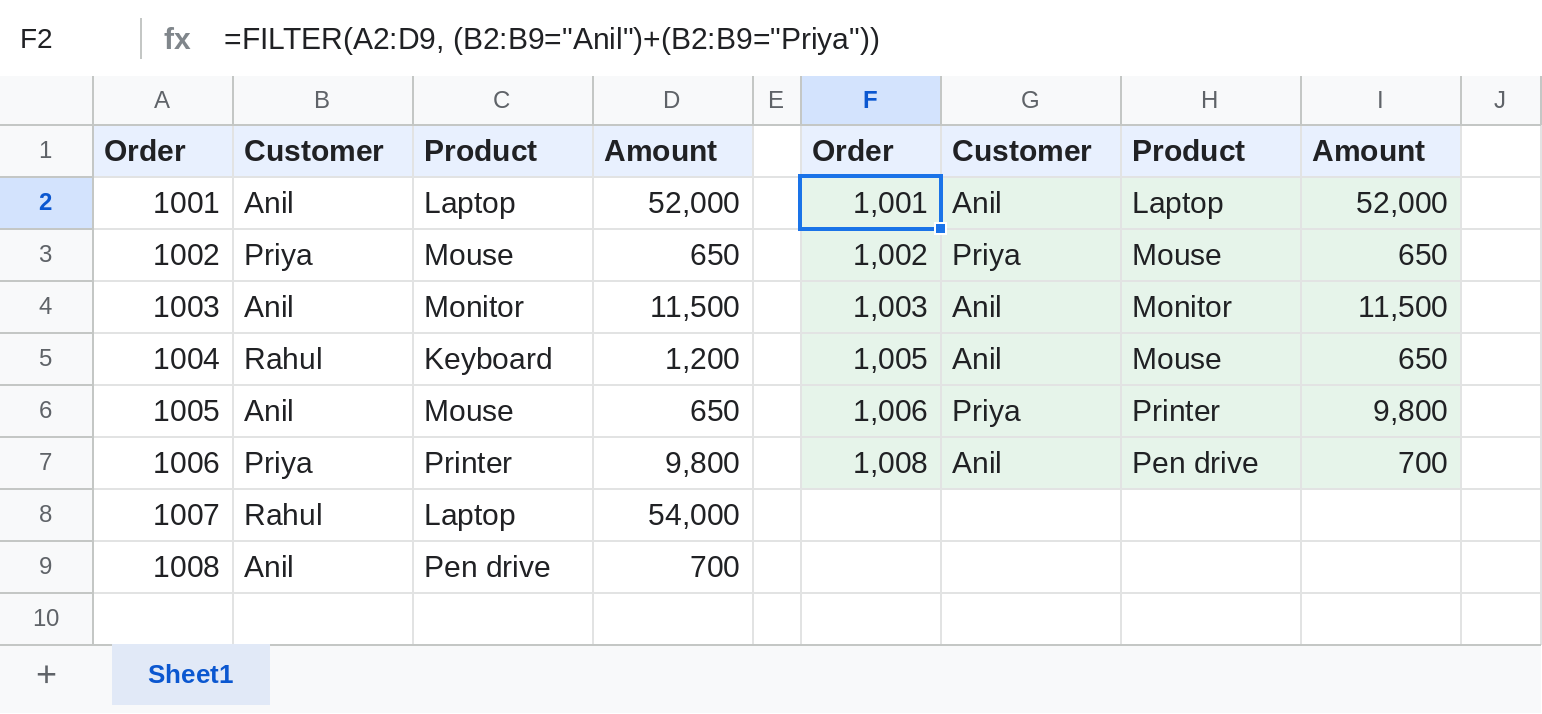
Adding the tests inside one condition means either.
When nothing matches
=IFNA(FILTER(A2:D9, B2:B9=G1), "No orders")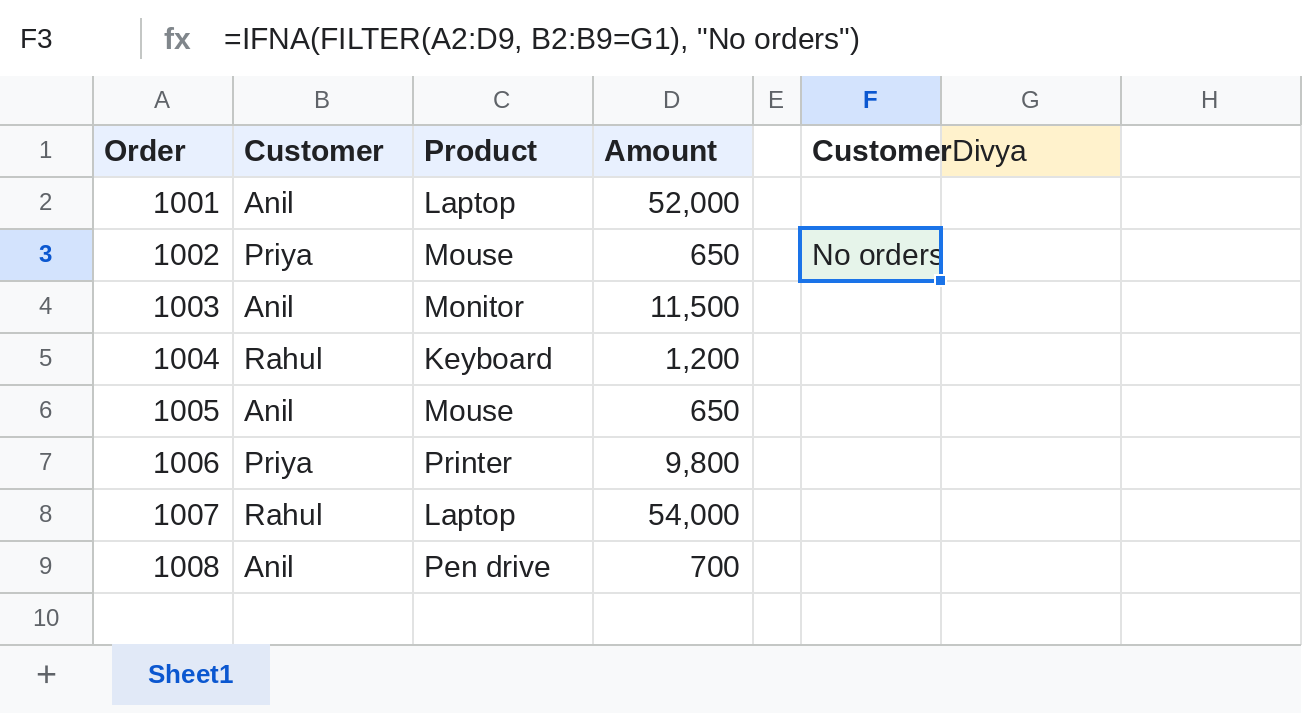
FILTER has no built-in message in Google Sheets, so wrap it in IFNA.
Useful combinations
| Task | Formula |
|---|---|
| Sorted results | =SORT(FILTER(A2:D9, B2:B9="Anil"), 4, FALSE) |
| Text that contains a word | =FILTER(A2:D9, REGEXMATCH(C2:C9, "(?i)lap")) |
| Total of matching rows | =SUM(FILTER(D2:D9, B2:B9="Anil")) |
Notes
- Every condition must be the same height as range:
A2:D9withB2:B9. - Leave room below and to the right; FILTER needs empty cells for its results.
- Excel's FILTER takes one condition and an if_empty argument; formulas don't copy between the two unchanged.
Common errors
| Problem | Cause | Fix |
|---|---|---|
| #N/A No matches are found in FILTER evaluation | Nothing meets the conditions | Wrap in IFNA with a message |
| #VALUE! FILTER has mismatched range sizes | A condition has a different height | Make every range cover the same rows |
| #REF! | Cells in the way have data | Clear them |
Practice file
The orders table with all four FILTER examples. Upload to Google Drive and open with Google Sheets.