The Google Sheets XLOOKUP function searches one range and returns the matching value from another. Unlike VLOOKUP, it uses an exact match by default, can look to the left, and has a built-in message for when nothing is found.
search_key |
The value to look for, or the cell that holds it. |
|---|---|
lookup_range |
A single row or column to search, such as A2:A8. |
result_range |
The row or column to return from, such as C2:C8. |
missing_value optional |
What to show when nothing matches, instead of #N/A. |
match_mode optional |
0 exact (default), -1 next smaller, 1 next larger, 2 wildcards. |
search_mode optional |
1 from the top (default), -1 from the bottom. |
Basic example
To find Meera’s salary, search the names in A and return from the salaries in C:
=XLOOKUP(E2, A2:A8, C2:C8)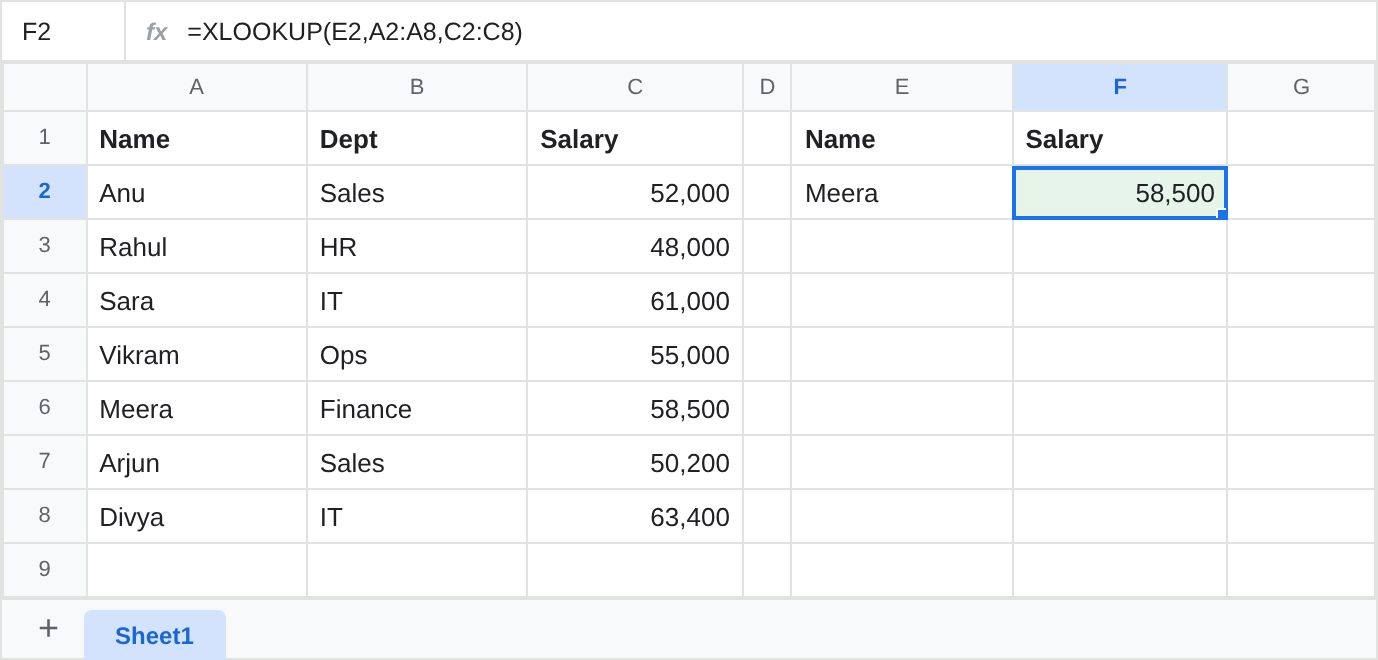
The match is exact by default: there is no TRUE/FALSE argument to remember, and the data does not need to be sorted.
Show a message if nothing is found
The fourth argument replaces the #N/A error with your own text:
=XLOOKUP(E2, A2:A8, C2:C8, "Not found")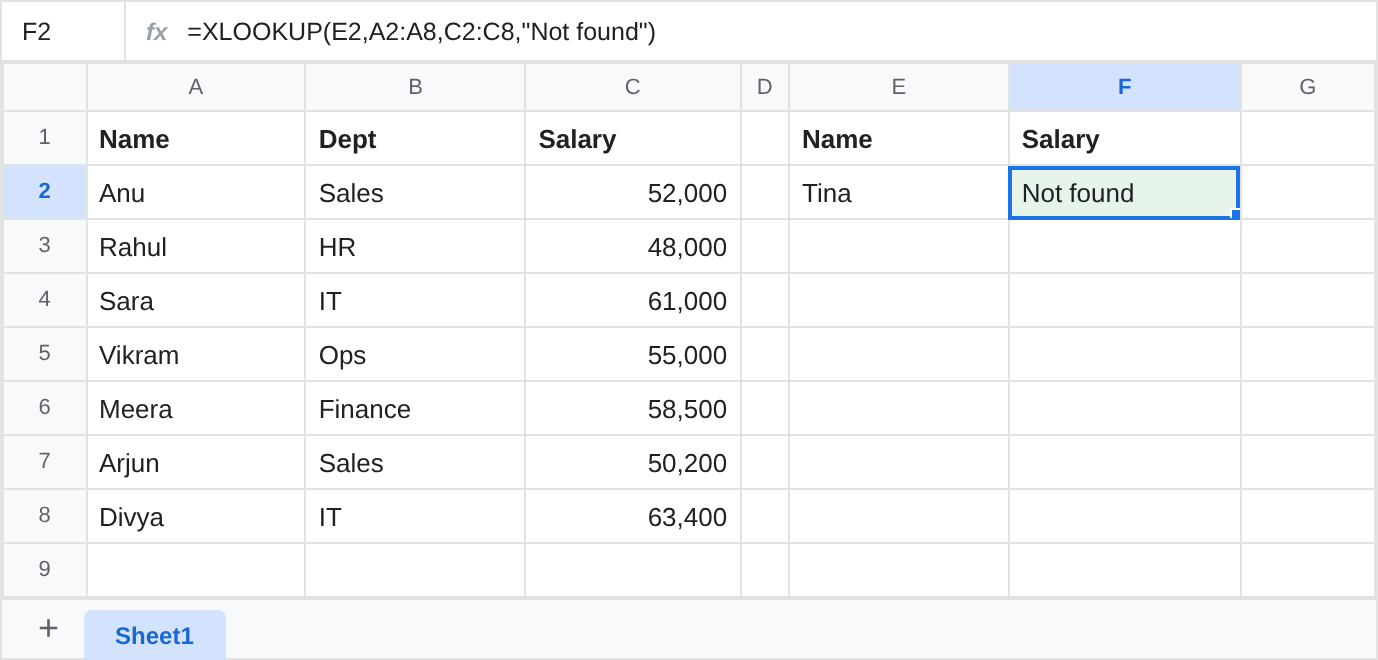
Look up to the left
The lookup and result ranges are independent, so a left lookup needs no tricks. To find who earns 61,000, search the salaries and return the names:
=XLOOKUP(61000, C2:C8, A2:A8)Nearest match for slabs and bands
For tax slabs, grades or commission bands, ask for the next smaller value with match_mode -1:
=XLOOKUP(E2, A2:A6, B2:B6, , -1)A salary of 7,50,000 then matches the 5,00,000 slab: the largest band that does not exceed it.
Notes
- To find the latest entry of something, search from the bottom with search_mode
-1. - Wildcards need match_mode
2:=XLOOKUP("Mee*", A2:A8, C2:C8, , 2)matches the first name starting with Mee. - The lookup and result ranges must be the same size, one row or one column each.
Common errors
- #N/A: nothing matched. Check for extra spaces or numbers stored as text, or set a missing_value message.
- #VALUE!: the lookup and result ranges are different sizes. Make them equal, such as A2:A8 and C2:C8.
Frequently asked questions
What is the difference between XLOOKUP and VLOOKUP in Google Sheets?
XLOOKUP matches exactly by default, looks in any direction and replaces #N/A with your own message. VLOOKUP only returns from columns to the right and matches approximately unless you add FALSE.
Is XLOOKUP case-sensitive?
No. “meera” and “Meera” match the same row. For a case-sensitive lookup, combine FILTER with EXACT.
How do I find the last matching entry?
Set search_mode to -1 to search from the bottom: useful for the most recent transaction of a customer.
Does XLOOKUP work in Excel too?
Yes, in Excel 2021 and Microsoft 365, with the same arguments. See XLOOKUP in Excel.