The Google Sheets VLOOKUP function finds a value in the first column of a table and returns a value from the same row, such as the price for a product code. It works like Excel's, with one default worth changing.
PurposeLook up a value in a table
ReturnsThe value from the chosen column in the matching row
Available inGoogle Sheets (web, Android and iPhone), Excel
search_key |
The value to find, such as a product code. |
|---|---|
range |
The table. The search_key must be in its first column. |
index |
Which column of the range to return: 1 is the first column. |
is_sorted optional |
FALSE for an exact match. Left out, it's TRUE: an approximate match that needs a sorted first column. |
Basic example
=VLOOKUP(E2,A2:C6,3,FALSE)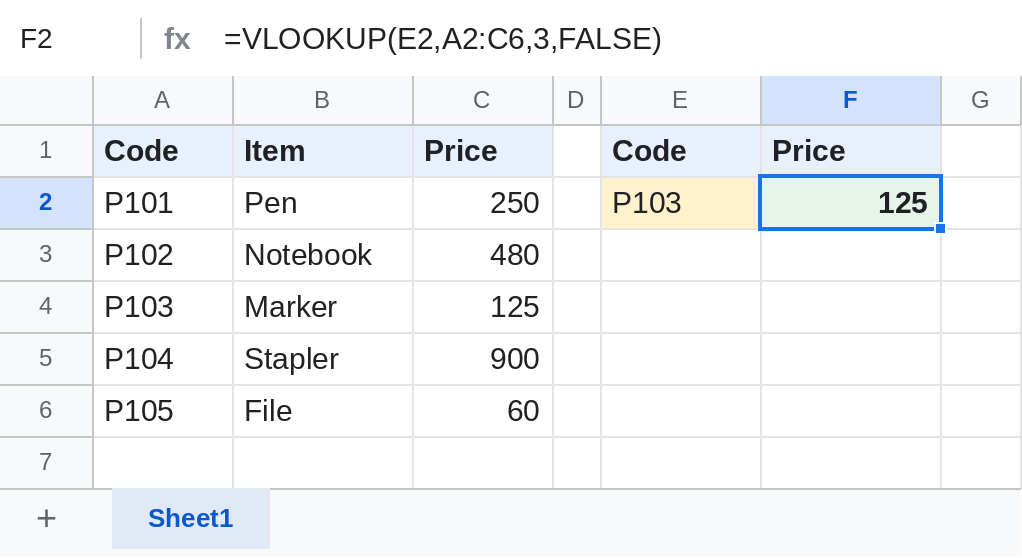
VLOOKUP finds P103 in column A and returns the 3rd column of the table, the price: 125.
Show a message instead of #N/A
=IFNA(VLOOKUP(E3,A2:C6,3,FALSE),"Not found")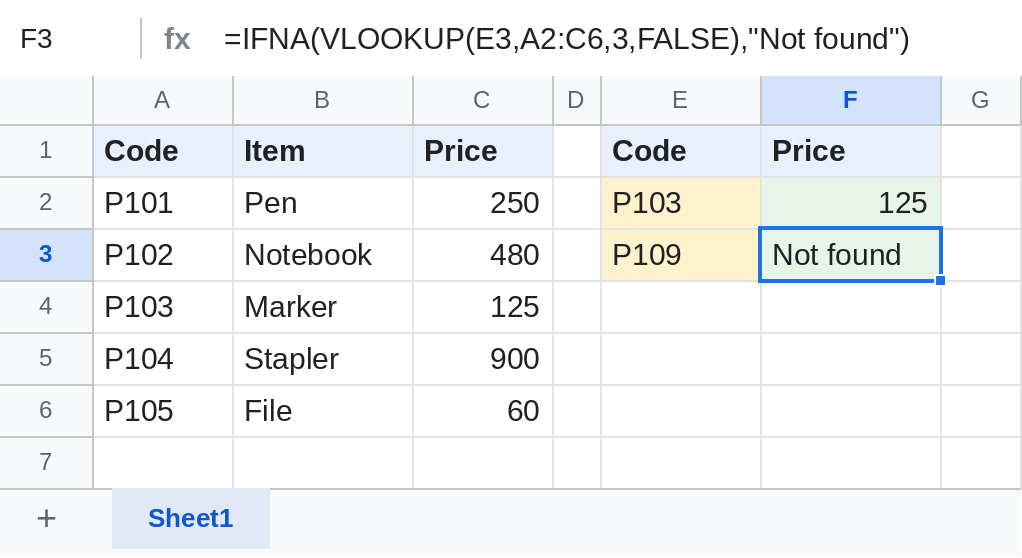
Look up from another sheet
=VLOOKUP(A2,'Price List'!A:C,3,FALSE)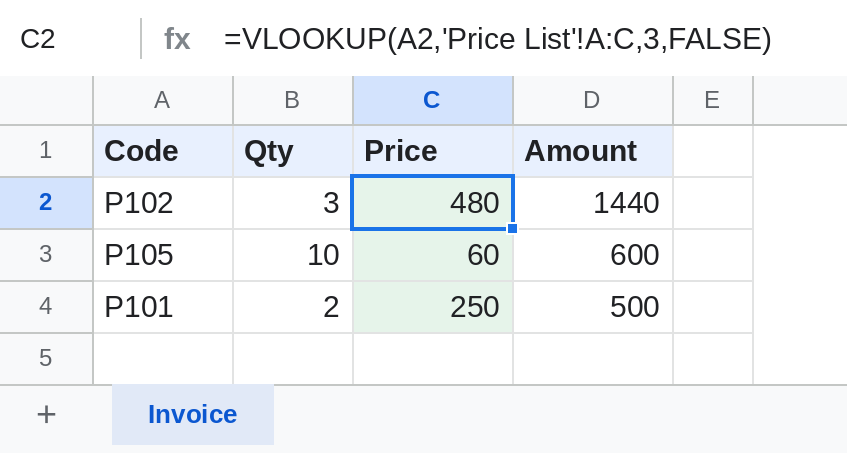
Sheet names with spaces go in single quotes, followed by !. Whole columns like A:C include products added later.
Approximate match for grades
=VLOOKUP(B2,$E$2:$F$7,2,TRUE)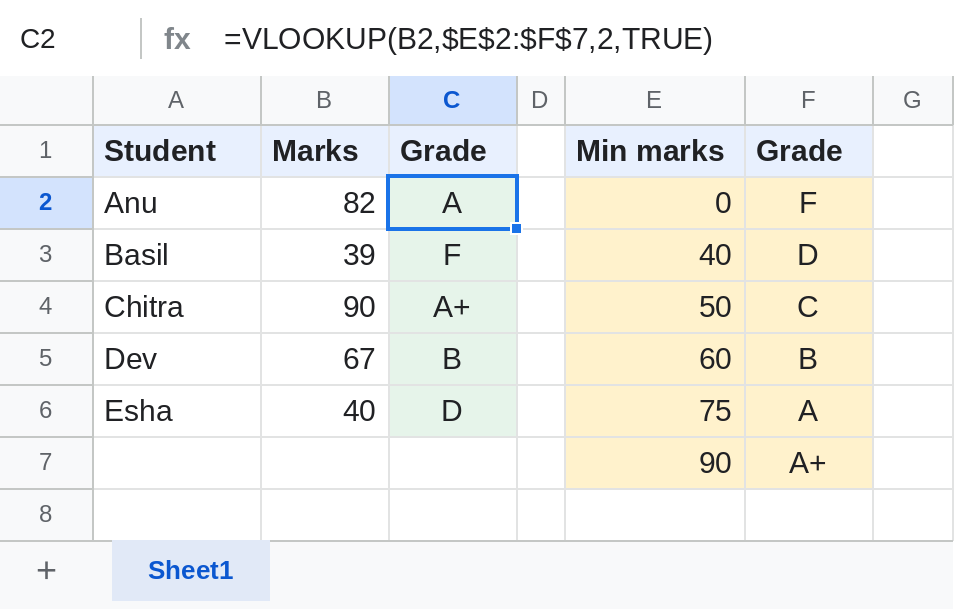
With TRUE, VLOOKUP finds the largest minimum mark that isn't above the student's marks: 82 gets A. The first column must be sorted smallest to largest.
Notes
- Always end with
FALSEfor codes, IDs and names. Without it, an unsorted list can return a wrong value with no error. - VLOOKUP can't return a column to the left of the search column. Google Sheets also has XLOOKUP and INDEX/MATCH for that.
- Text matching ignores case: p103 finds P103.
Common errors
| Problem | Cause | Fix |
|---|---|---|
| #N/A | The value isn't in the first column, or has extra spaces | Check the value; wrap it in TRIM(); use IFNA for a message |
| Wrong value, no error | is_sorted left out on an unsorted list | Add FALSE |
| #REF! | index is bigger than the number of columns in range | Widen the range or lower index |
| #N/A after copying down | The table range moved | Lock it with $: $A$2:$C$6 |
Practice file
Price list, invoice and grade table with all four VLOOKUPs. Upload to Google Drive and open with Google Sheets.