The Excel OR function returns TRUE if at least one of its conditions is TRUE. It returns FALSE only when every condition is FALSE.
logical1 |
The first condition, such as C3<60. |
|---|---|
logical2, ... optional |
More conditions, up to 255 in total. |
Table of Contents
Basic example
To flag students who scored below 60 in any subject, give OR one test per subject:
=OR(C4<60,D4<60,E4<60) 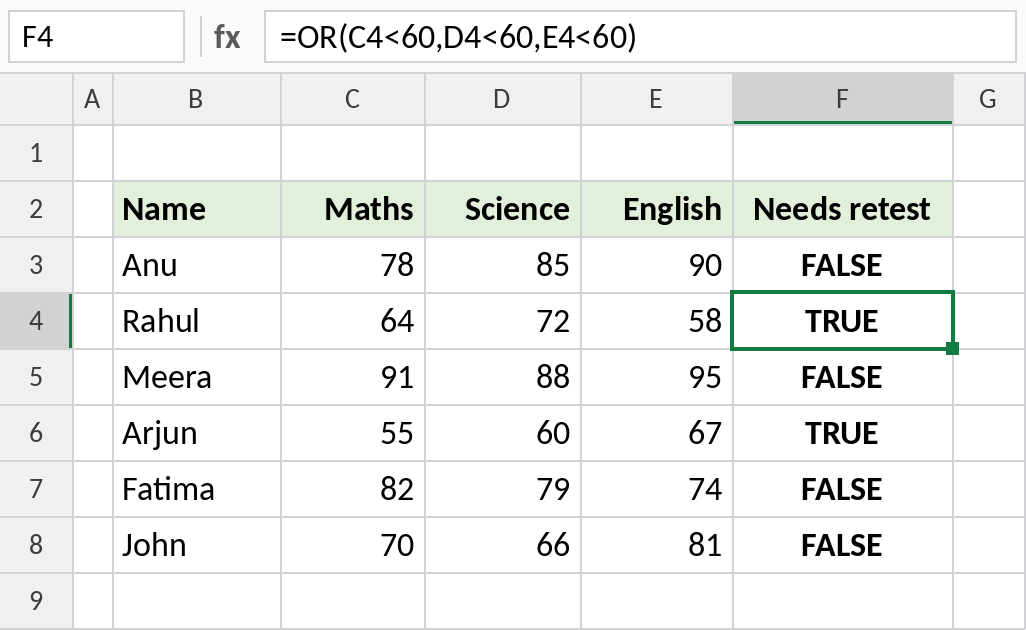
Rahul scored 64 and 72 but only 58 in English. One TRUE is enough, so OR returns TRUE. Anu has no score below 60, so her result is FALSE.
Use OR inside IF
Put OR inside IF to return your own text. A student earns a distinction with 90 or more in any subject:
=IF(OR(C5>=90,D5>=90,E5>=90),"Distinction","") 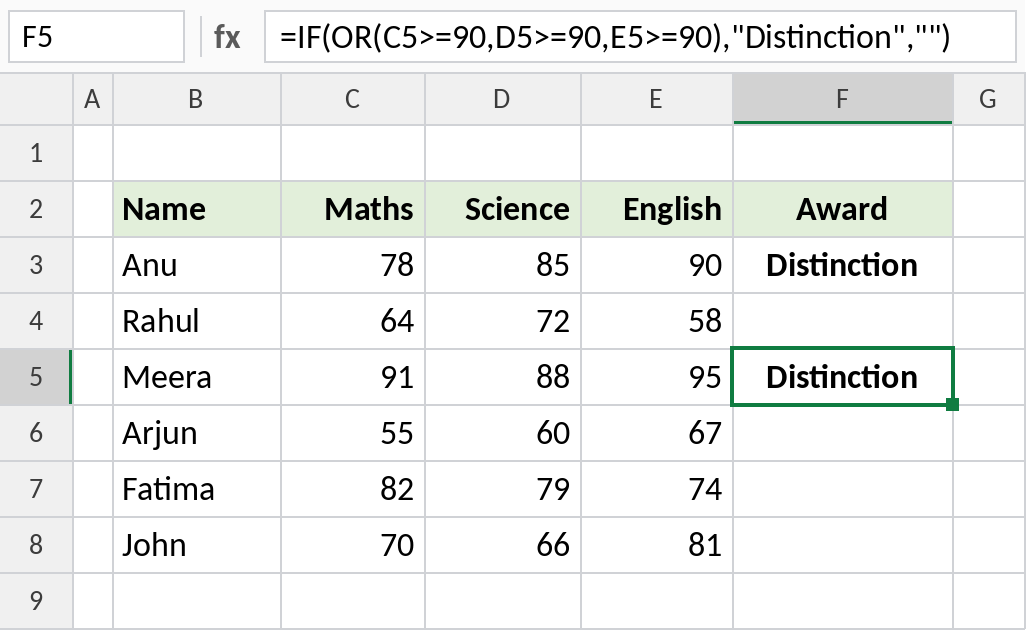
Meera scored 91 in Maths and Anu scored 90 in English, so both get Distinction. Everyone else gets an empty result, from the "" in the last argument.
Match one of several values
OR is a quick way to test whether a cell matches any value in a short list:
=OR(B3="North",B3="South") 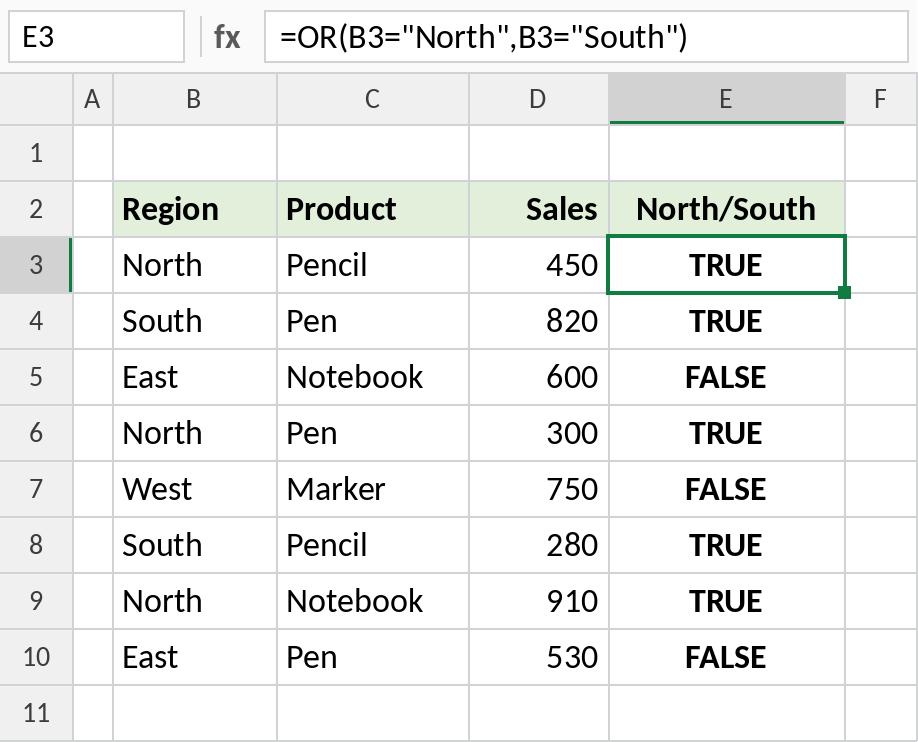
North and South rows return TRUE, and East and West return FALSE. A shorter way to write the same test is =OR(B3={"North","South"}).
How OR works
| Condition 1 | Condition 2 | OR result |
|---|---|---|
| TRUE | TRUE | TRUE |
| TRUE | FALSE | TRUE |
| FALSE | TRUE | TRUE |
| FALSE | FALSE | FALSE |
To require every condition, use AND. You can combine them: =AND(B3="North",OR(D3<300,D3>800)).
Notes
- OR returns TRUE if any condition is TRUE, and FALSE only if all of them are FALSE.
- You can test up to 255 conditions.
=OR(B3={"North","South"})tests one cell against a list of values in a single condition.- OR is often used inside IF, and in conditional formatting rules.
Common errors
| Problem | Cause | Fix |
|---|---|---|
#VALUE! |
No logical values to test, such as =OR(B3:B10) on text |
Write a comparison for each condition |
| Always TRUE | A condition that’s always true, such as D3>0 on positive sales |
Check each condition separately |
#NAME? |
Text typed without quotes | Write B3="North" |
Practice file
All three examples with working formulas.