To add up only the largest few values, such as your top 3 sales, use LARGE to pick them and SUM or SUMPRODUCT to add them.
ProblemTotal the N largest values
Functions usedSUM, LARGE, SUMPRODUCT, SEQUENCE
Works inAll Excel versions
Sum the top 3
{1,2,3} asks LARGE for the 1st, 2nd and 3rd largest values at once. SUM adds them:
=SUM(LARGE(D3:D10,{1,2,3}))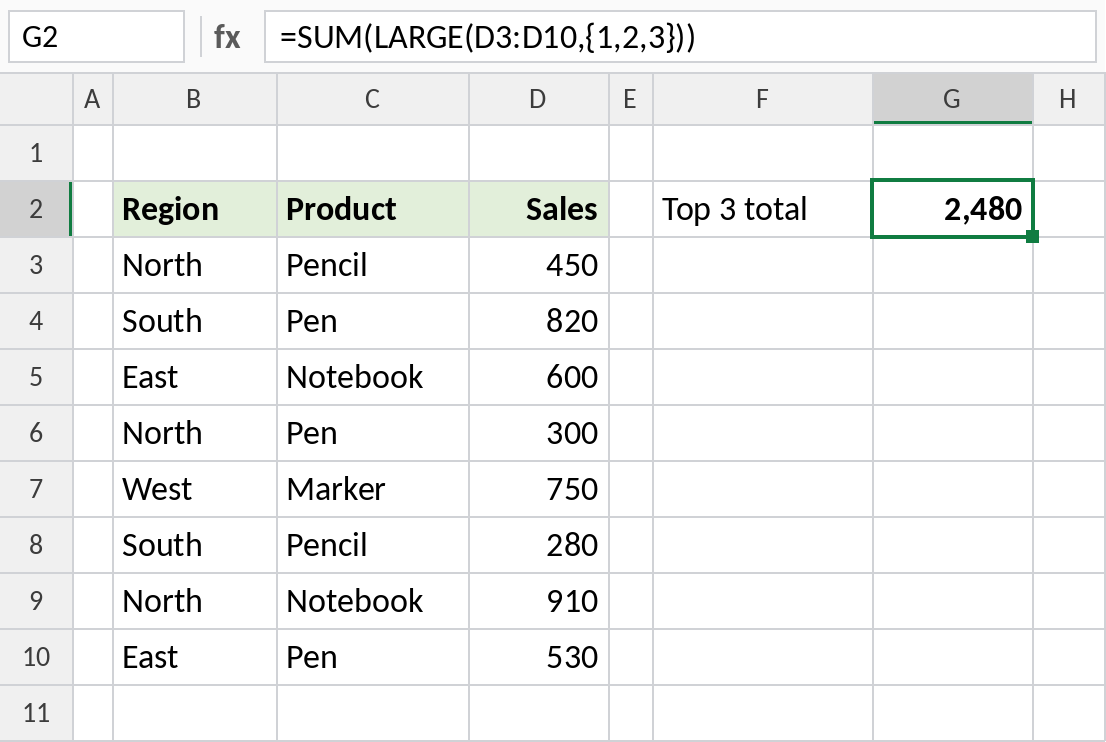
The top three sales are 910, 820 and 750: 2,480.
How the formula works
LARGE(D3:D10,{1,2,3})returns three values: the largest, second largest and third largest.- SUM adds those three values.
- For the smallest values instead, use SMALL in place of LARGE.
Sum the top N, with N in a cell
To change N without editing the formula, let SEQUENCE build the list 1 to N:
=SUMPRODUCT(LARGE(D3:D10,SEQUENCE(G2)))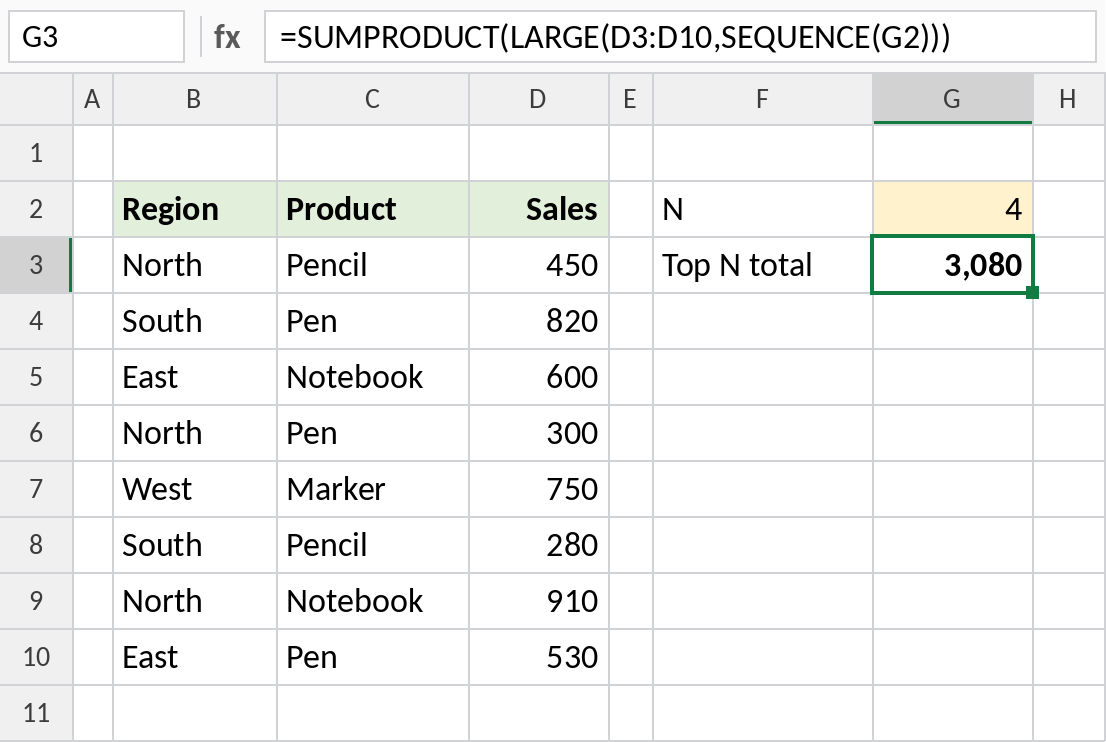
With 4 in G2, the result is the top four sales: 3,080. In older Excel, use ROW(INDIRECT("1:"&G2)) instead of SEQUENCE.
Sum the top N with a condition
IF keeps only the North sales, then LARGE picks the top two:
=SUM(LARGE(IF(B3:B10="North",D3:D10),{1,2}))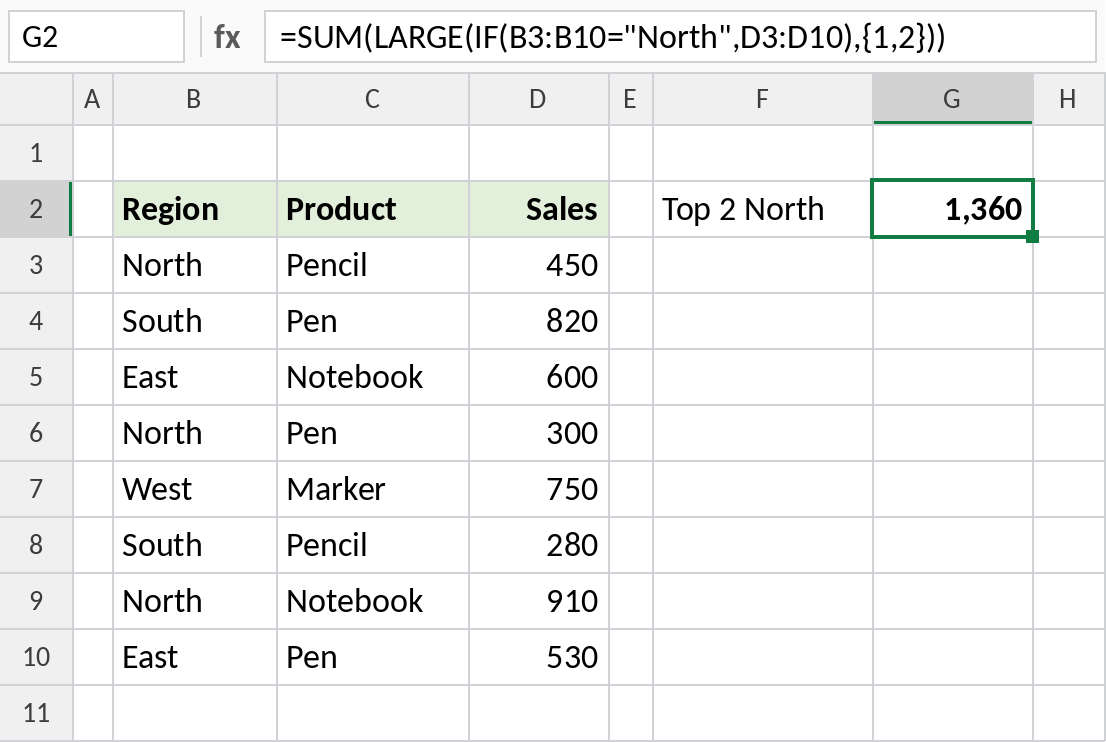
North’s two biggest sales are 910 and 450: 1,360. In Excel 2019 and earlier, confirm with Ctrl+Shift+Enter.
Variations
| To sum | Formula |
|---|---|
| Bottom 3 | =SUM(SMALL(D3:D10,{1,2,3})) |
| Top 3 in Excel 365 | =SUM(TAKE(SORT(D3:D10,,-1),3)) |
| Average of the top 3 | =AVERAGE(LARGE(D3:D10,{1,2,3})) |
Notes
- If N is larger than the number of values, LARGE returns
#NUM!. - Ties are all counted: if two values share 3rd place, both can appear.
- Use SUMPRODUCT when N comes from a cell, so the formula works without Ctrl+Shift+Enter.
Common errors
| Problem | Cause | Fix |
|---|---|---|
#NUM! |
N larger than the number of values | Use a smaller N, or MIN(N,COUNT(range)) |
| Only the largest is added | Typed 3 instead of {1,2,3} | Use an array constant or SEQUENCE |
Practice file
All three examples in one workbook.