To add up the last 3, 6 or N values in a column that keeps growing, such as the most recent months of sales, use TAKE in Excel 365, or INDEX with COUNT in any version. The total moves forward each time you add a new month.
Excel 365: TAKE
TAKE with a negative number returns rows from the end. Because Sep to Dec are still empty, end the range at the last filled cell with INDEX and COUNT:
=SUM(TAKE(C3:INDEX(C3:C14,COUNT(C3:C14)),-3))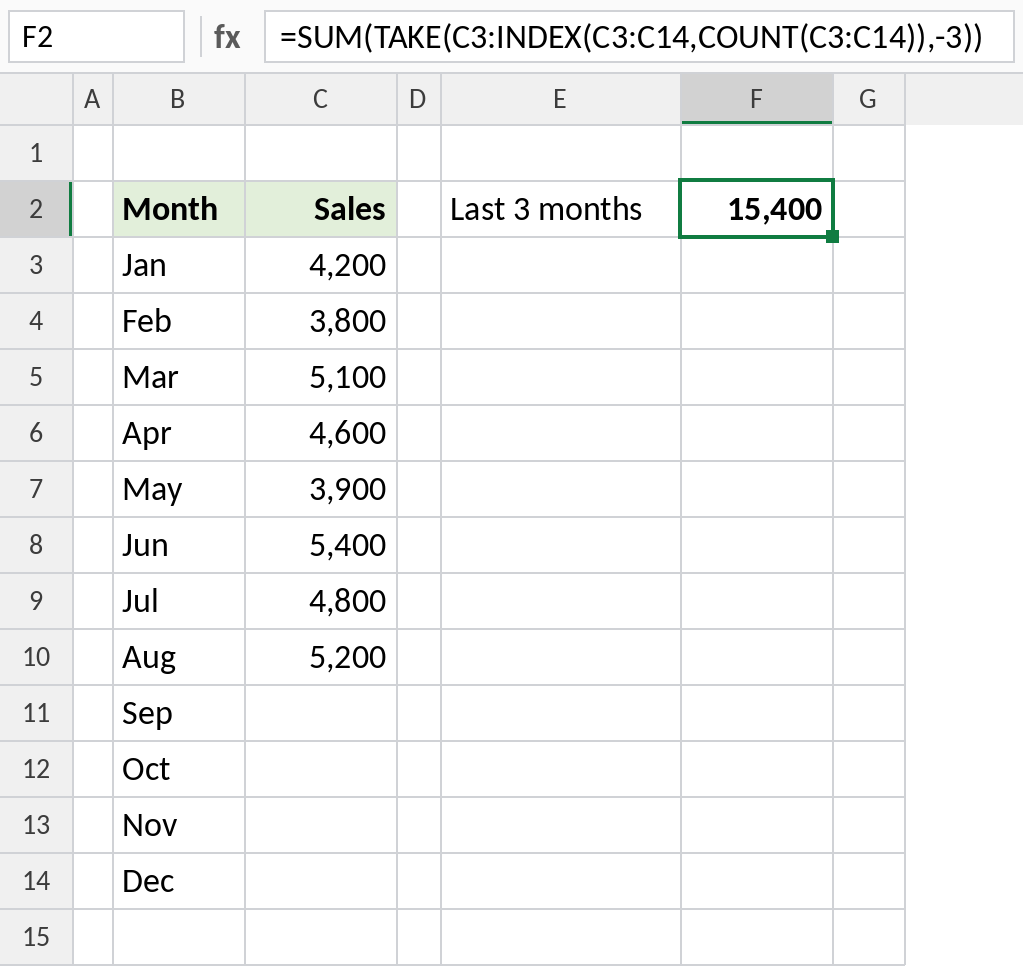
Jun, Jul and Aug add up to 15,400. Fill in September and the total moves to Jul–Sep.
How the formula works
COUNT(C3:C14)counts the filled months: 8.INDEX(C3:C14,8-3+1)is the 6th cell, C8 (Jun), andINDEX(C3:C14,8)is the 8th, C10 (Aug).- Joined with a colon, the two INDEX results form the range C8:C10, which SUM adds up.
Any version: INDEX and COUNT
Two INDEX functions mark the first and last cells of the range to sum. COUNT finds how many months are filled:
=SUM(INDEX(C3:C14,COUNT(C3:C14)-F2+1):INDEX(C3:C14,COUNT(C3:C14)))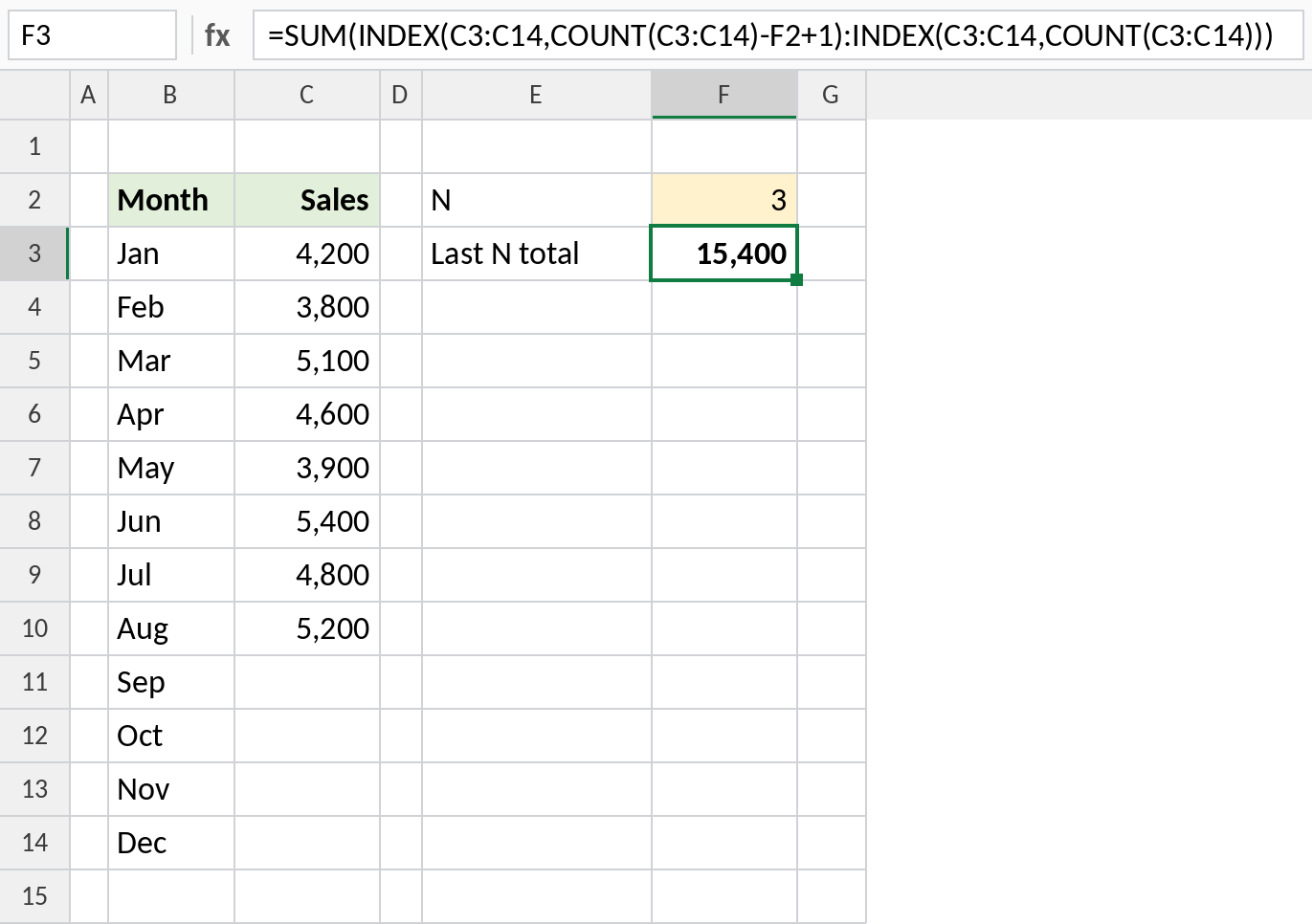
With N = 3 in F2, the range is C8:C10, Jun to Aug. Change F2 to 6 for the last six months.
With OFFSET
OFFSET is shorter, but it’s volatile: it recalculates whenever anything changes, which can slow large workbooks:
=SUM(OFFSET(C3,COUNT(C3:C14)-3,0,3))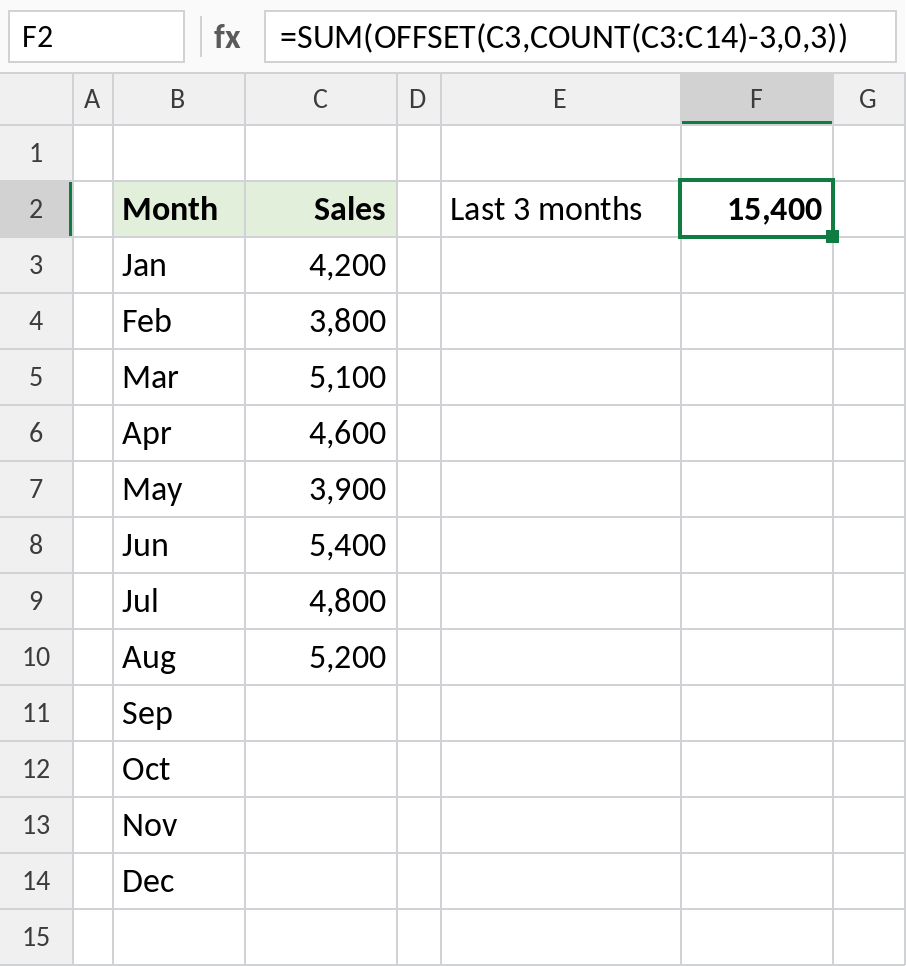
Same result. Prefer the INDEX version in big files.
Variations
| To calculate | Formula |
|---|---|
| Average of the last 3 | =AVERAGE(TAKE(C3:INDEX(C3:C14,COUNT(C3:C14)),-3)) |
| Last value only | =INDEX(C3:C14,COUNT(C3:C14)) |
| Last 3 in a full column | =SUM(TAKE(C3:C14,-3)) |
For a rolling average across every row, see the moving average formula.
Notes
- COUNT only works if there are no gaps in the filled values. With gaps, use
MATCH(9.99E+307,C3:C14)for the last row instead. - If N is larger than the number of values, the INDEX formula returns
#REF!. - Turning the data into an Excel Table makes new months part of the range automatically.
Common errors
| Problem | Cause | Fix |
|---|---|---|
#REF! |
N larger than the number of values | Use MIN(N,COUNT(range)) |
| Wrong months summed | Gaps in the data | Use MATCH(9.99E+307,range) for the last row |
| Total includes empty months | TAKE on the whole range | End the range at the last filled cell |
Practice file
All three methods with a year of monthly sales.