The Excel COUNT function counts how many cells contain numbers. Dates and times count too, because Excel stores them as numbers.
value1 |
The first cell, range or value to check. |
|---|---|
value2, ... optional |
More cells, ranges or values, up to 255 in total. |
Table of Contents
Basic example
To count how many orders have a numeric amount, give COUNT the Amount column:
=COUNT(C3:C10)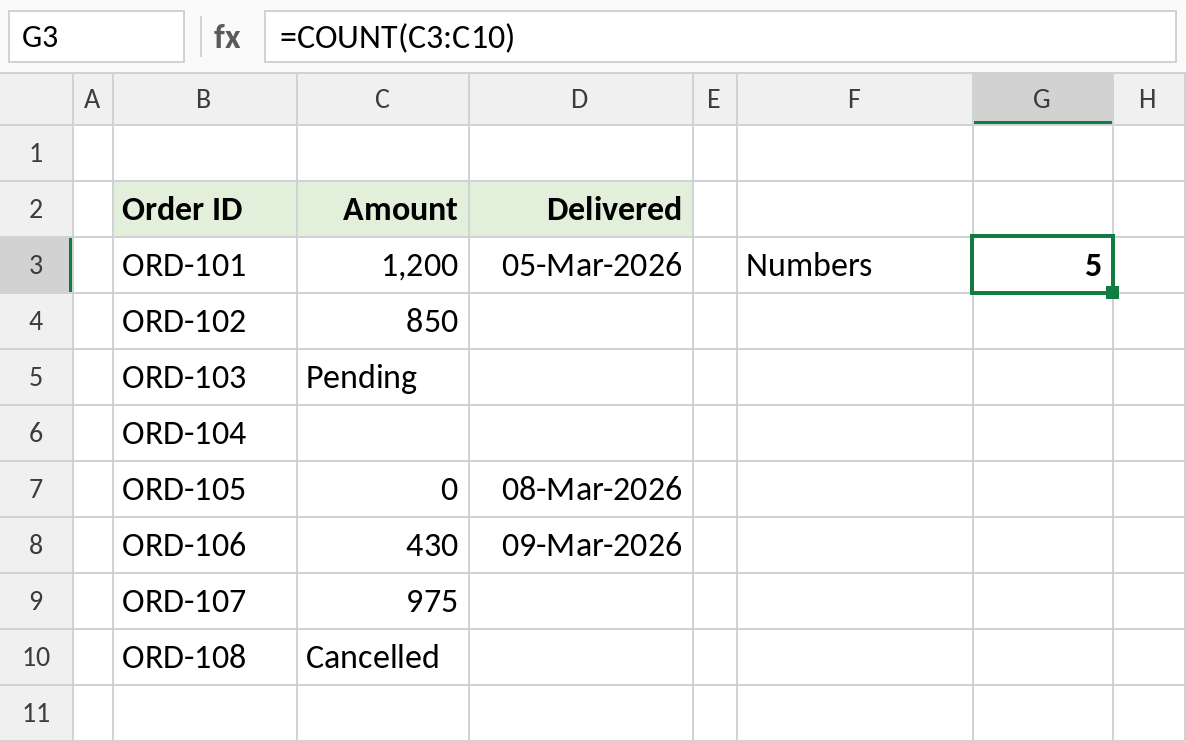
Five cells hold numbers: 1,200, 850, 0, 430 and 975. The text entries Pending and Cancelled and the empty cell are skipped. Zero is a number, so it counts.
Count dates
Because dates are numbers in Excel, COUNT can tell you how many orders have a delivery date:
=COUNT(D3:D10)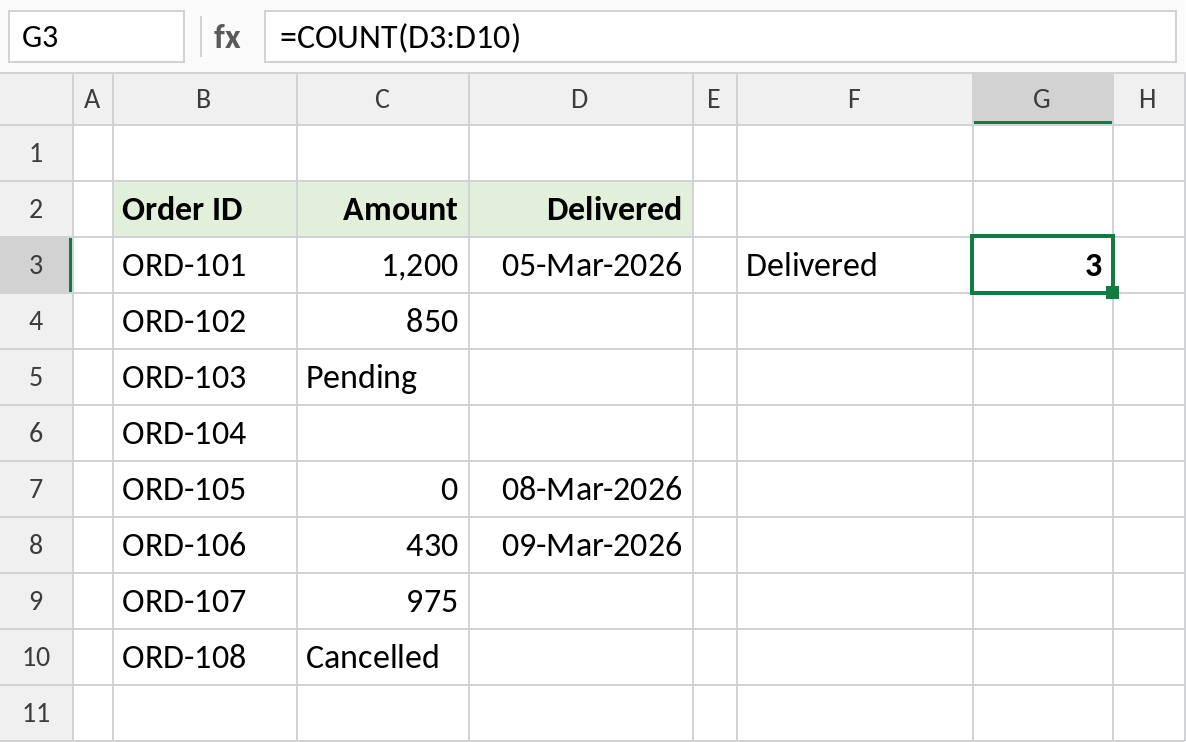
Three orders have a date, so 3 orders are delivered. The other five cells are empty.
Numbers stored as text
Sometimes numbers come in as text, often from a download or another system. COUNT ignores them:
=COUNT(B3:B7)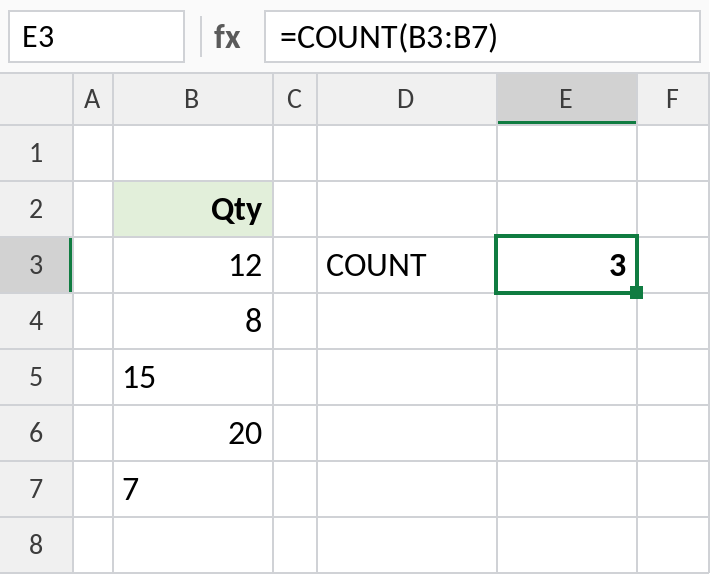
Look at the alignment: real numbers sit on the right, while 15 and 7 sit on the left because they are text. COUNT returns 3, not 5. Convert the text to numbers and the count becomes 5.
COUNT and its relatives
Each function counts something different. Here they are applied to the Amount column above (C3:C10):
| Formula | Result | Counts |
|---|---|---|
=COUNT(C3:C10) |
5 | Numbers and dates |
=COUNTA(C3:C10) |
7 | Anything that isn’t empty |
=COUNTBLANK(C3:C10) |
1 | Empty cells |
=COUNTIF(C3:C10,">500") |
3 | Cells that meet one condition |
For several conditions, use COUNTIFS.
Notes
- COUNT counts numbers, dates and times. It ignores text, empty cells, TRUE/FALSE and errors inside ranges.
- Zero is a number, so cells containing 0 are counted.
- Numbers stored as text are not counted. They usually sit on the left of the cell with a small green triangle.
- To count every non-empty cell, including text, use COUNTA.
Common errors
| Problem | Cause | Fix |
|---|---|---|
| Count lower than expected | Some numbers are stored as text | Select the cells, click the warning icon and choose Convert to Number |
| Count is 0 for a text list | COUNT only counts numbers | Use COUNTA or COUNTIF with "*" |
| Dates not counted | Dates were entered as text, such as 05.03.2026 | Re-enter them as real dates, or use Text to Columns |
Practice file
All three examples plus the COUNT family in a cheat sheet.