The Excel REPLACE function replaces characters at a given position in a text. You say where to start, how many characters to remove and what to put in their place.
old_text |
The text or cell to change. |
|---|---|
start_num |
The position of the first character to replace. |
num_chars |
How many characters to replace. 0 inserts without removing anything. |
new_text |
The text to put in. |
Table of Contents
Basic example
The year always sits at characters 4 to 7 of these codes. Replace those 4 characters:
=REPLACE(B3,4,4,"2027")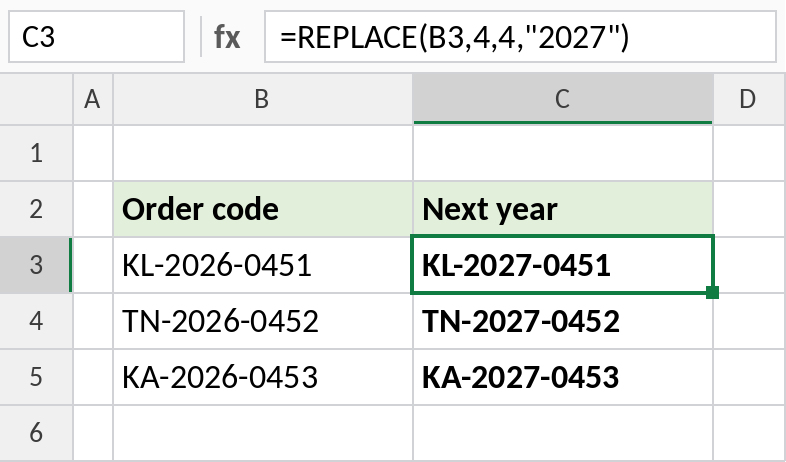
KL-2026-0451 becomes KL-2027-0451. REPLACE doesn’t care what the old characters were, only where they are.
Insert text
Set num_chars to 0 to insert without removing anything. This adds a dash after the fifth digit:
=REPLACE(B3,6,0,"-")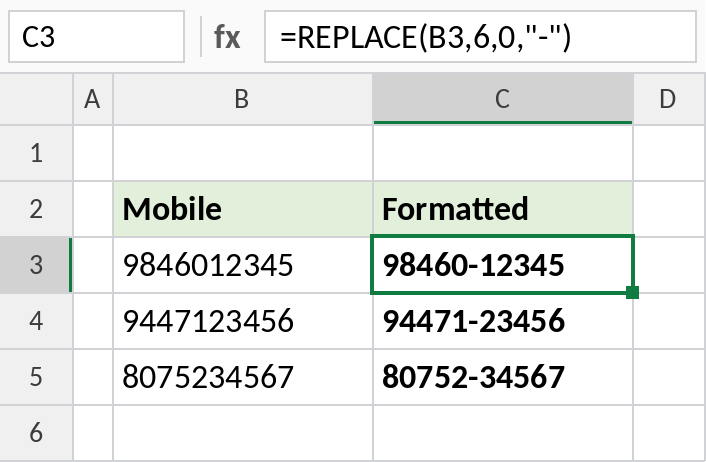
9846012345 becomes 98460-12345, the common way to write Indian mobile numbers.
Replace a word in any case
SEARCH finds the position of “draft” whatever its case, and REPLACE swaps those 5 characters:
=REPLACE(B4,SEARCH("draft",B4),5,"final")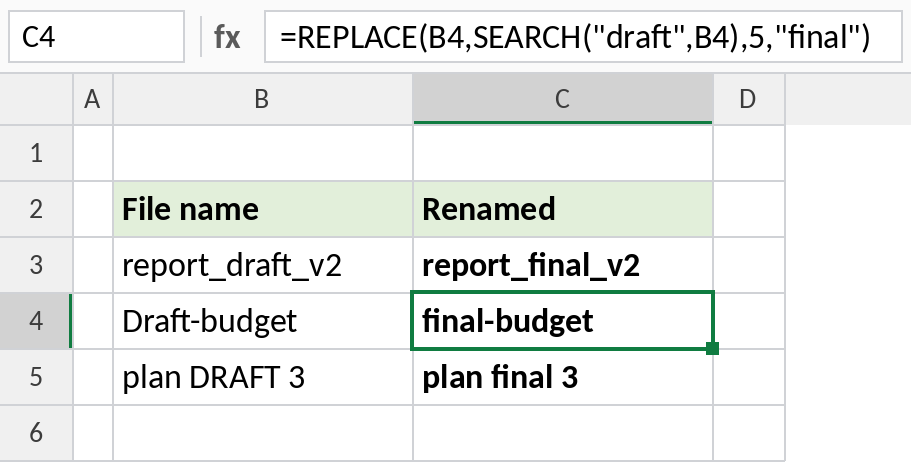
Draft-budget becomes final-budget. SUBSTITUTE would miss “Draft” and “DRAFT”, because it’s case-sensitive.
REPLACE vs SUBSTITUTE
| REPLACE | SUBSTITUTE | |
|---|---|---|
| Finds what to change by | Position | Matching text |
| Case-sensitive | Not applicable | Yes |
| Replaces | One block of characters | Every match, or one occurrence |
| Best for | Codes with a fixed layout | Words or characters anywhere |
Notes
- Positions start at 1.
num_charsof 0 inserts text;new_textof""deletes text.- REPLACE works on numbers too, but returns text.
- Combine it with SEARCH or FIND when the position varies.
Common errors
| Problem | Cause | Fix |
|---|---|---|
#VALUE! |
start_num is less than 1, or SEARCH didn’t find the text |
Check the position; wrap with IFERROR |
| Wrong characters replaced | Position off by one | Count from 1, including spaces |
| Result is text | REPLACE always returns text | Wrap in VALUE if you need a number |
Practice file
All three examples plus REPLACE checks in a cheat sheet.