To calculate the percentage change between two numbers, subtract the old value from the new one and divide by the old value. A positive result is an increase, a negative one a decrease.
ProblemPercentage increase or decrease between two values
Functions usedIF, arithmetic
Works inAll Excel versions
Basic percentage change
Compare this year’s sales with last year’s, then format column E as a percentage:
=(D3-C3)/C3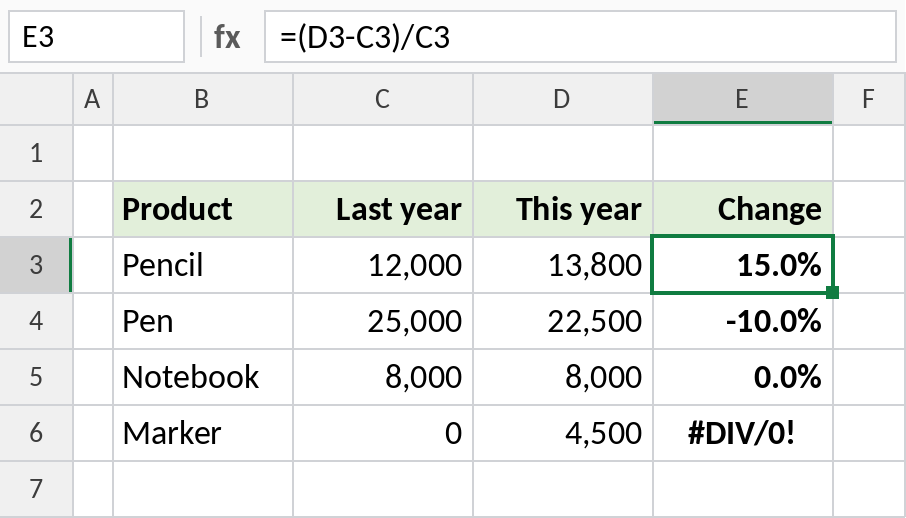
Pencil sales rose from 12,000 to 13,800: 15.0%. Pen fell by 10%. Marker shows #DIV/0! because last year was 0.
How the formula works
D3-C3is the difference: 13,800 − 12,000 = 1,800.- Dividing by the old value, C3, gives 1,800 / 12,000 = 0.15.
- Percentage format shows 0.15 as 15%.
Handle a starting value of zero
A percentage change from zero can’t be calculated. Show a label instead:
=IF(C3=0,"New",(D3-C3)/C3)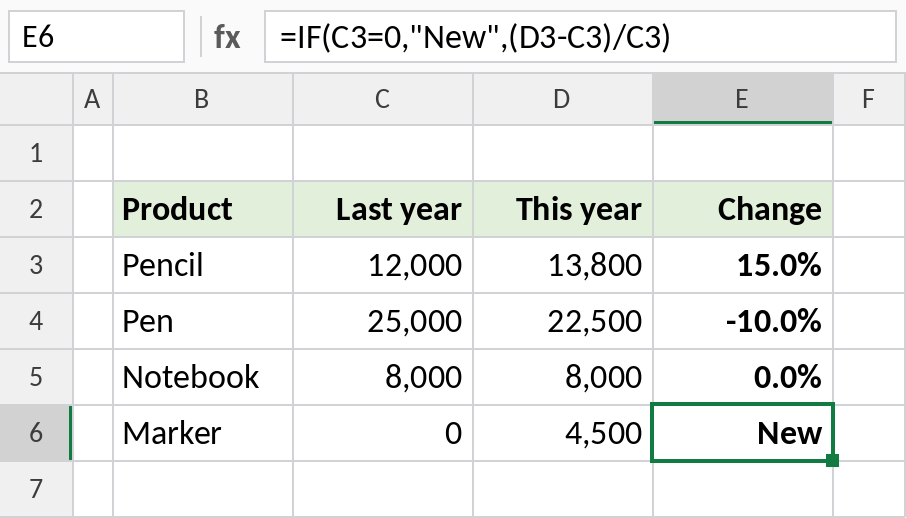
Marker had no sales last year, so it shows New.
Apply a percentage change
To go the other way and work out a new price after an increase or decrease, multiply by 1 plus the change:
=C3*(1+D3)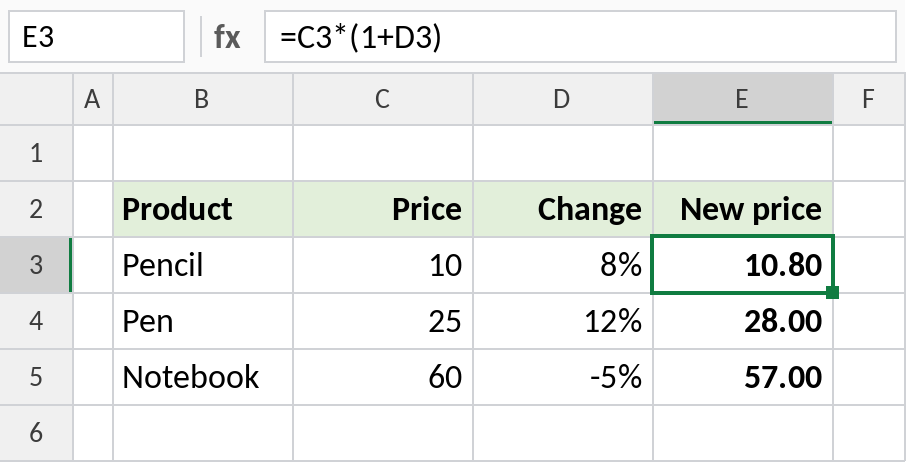
A 10 rupee pencil with an 8% increase becomes 10.80. A -5% change lowers the notebook to 57.00.
Percentage change formulas
| To calculate | Formula |
|---|---|
| Change from old to new | =(new-old)/old |
| Same, shorter | =new/old-1 |
| New value after a change | =old*(1+change) |
| Original value before a change | =new/(1+change) |
Notes
- Always divide by the old value. Dividing by the new one gives a different, wrong answer.
- An increase of 50% followed by a decrease of 50% doesn’t bring you back to the start: 100 → 150 → 75.
- For growth over several years, use the CAGR formula instead.
Common errors
| Problem | Cause | Fix |
|---|---|---|
#DIV/0! |
The old value is 0 | Use IF to show a label |
| Shows 0.15 instead of 15% | Cell not formatted as a percentage | Press Ctrl+Shift+% |
| Wrong size of change | Divided by the new value | Divide by the old value |
Practice file
All three examples in one workbook.