To count unique values in Excel 365 or 2021, wrap UNIQUE in COUNTA. In older versions, SUMPRODUCT with COUNTIF gives the same count.
ProblemHow many different values a list has
Functions usedCOUNTA, UNIQUE, SUMPRODUCT, COUNTIF, FILTER
Works inUNIQUE: Excel 365 and 2021. SUMPRODUCT: all versions
Excel 365 and 2021: COUNTA with UNIQUE
UNIQUE lists each customer once and COUNTA counts that list:
=COUNTA(UNIQUE(B3:B10))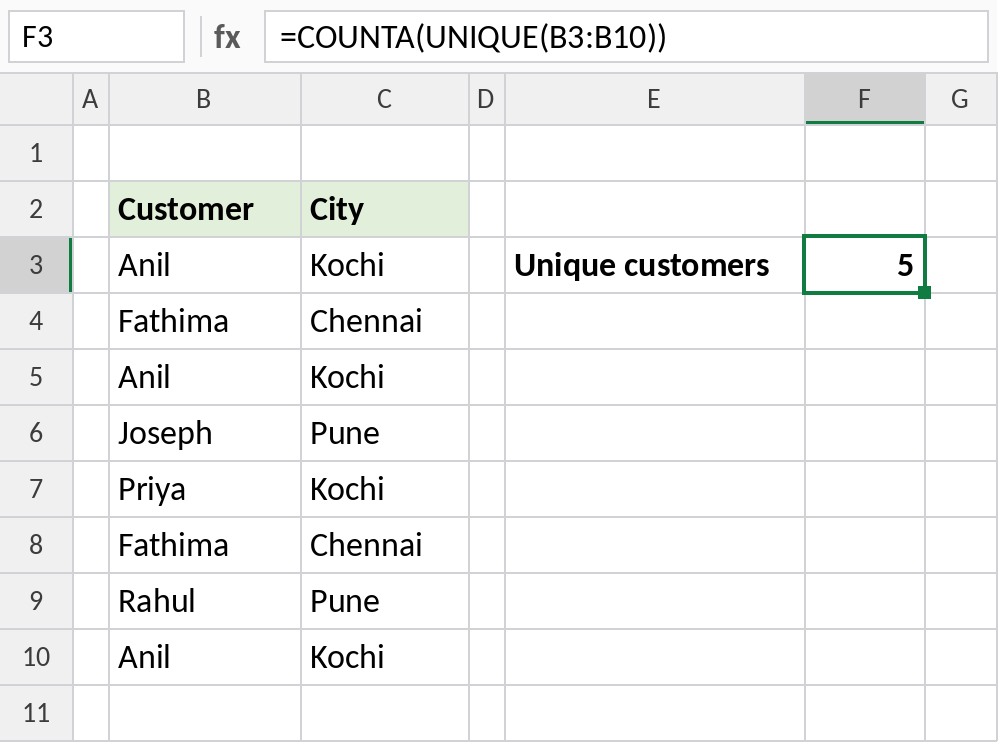
Eight orders came from 5 different customers: Anil, Fathima, Joseph, Priya and Rahul.
How the formula works
UNIQUE(B3:B10)returns the list of names with duplicates removed.COUNTAcounts how many names that list has.- In the older formula,
COUNTIF(B3:B10,B3:B10)counts how often each name appears, and adding1/countfor every row gives 1 per name.
Any version: SUMPRODUCT with COUNTIF
=SUMPRODUCT(1/COUNTIF(B3:B10,B3:B10))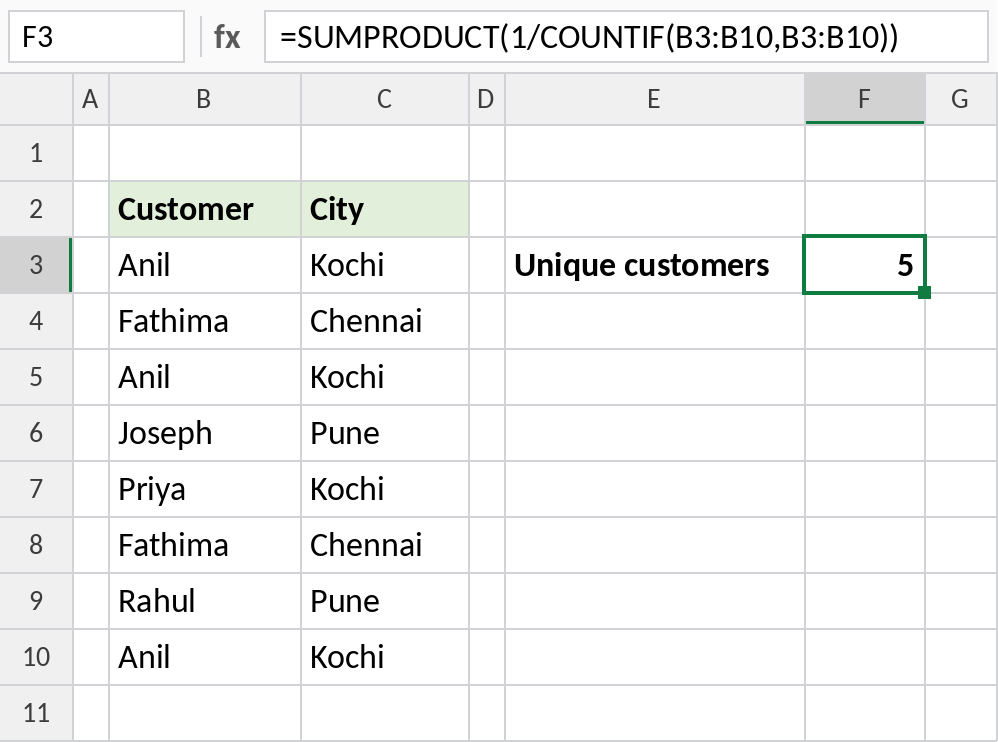
Anil appears 3 times, so each of his rows counts as 1/3, and together they make 1. The same happens for every name, so the total is the number of different names. It returns #DIV/0! if the range has blank cells.
Count unique values with a condition
Filter the list first, then count what's unique:
=COUNTA(UNIQUE(FILTER(B3:B10,C3:C10="Kochi")))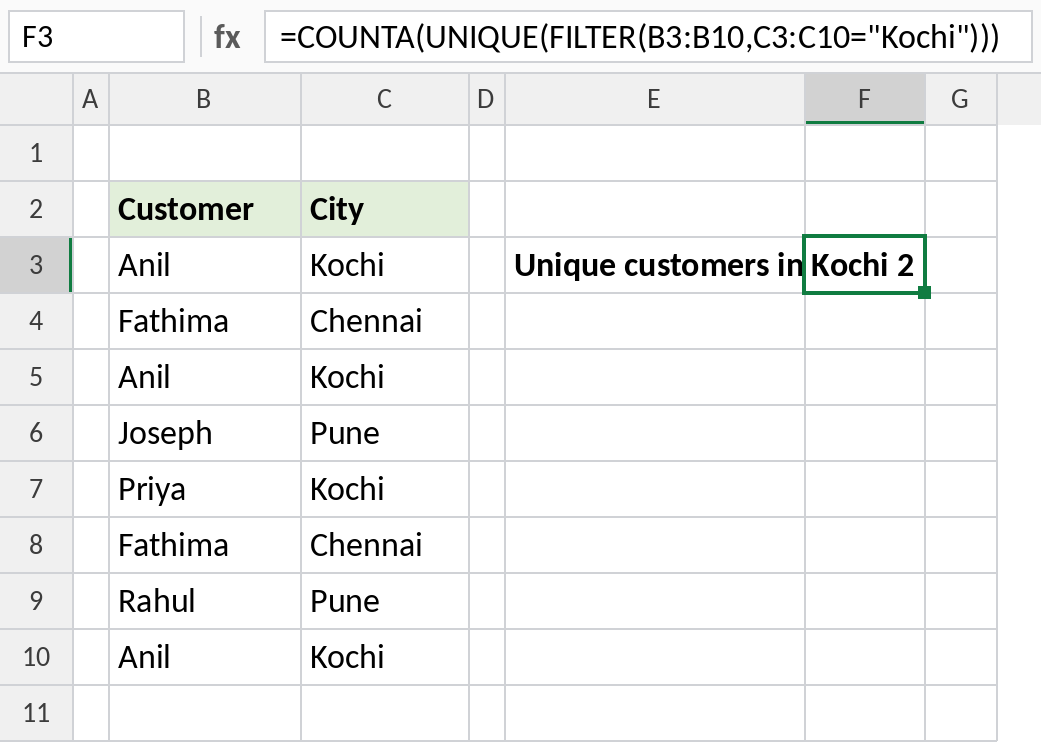
Kochi had four orders but only 2 customers: Anil and Priya.
Which formula to use
| To get | Formula |
|---|---|
| Unique values (365/2021) | =COUNTA(UNIQUE(B3:B10)) |
| Unique values (any version) | =SUMPRODUCT(1/COUNTIF(B3:B10,B3:B10)) |
| Values that appear only once | =COUNTA(UNIQUE(B3:B10,,TRUE)) |
| Unique with a condition | =COUNTA(UNIQUE(FILTER(B3:B10,C3:C10="Kochi"))) |
| Ignoring blank cells | =COUNTA(UNIQUE(FILTER(B3:B20,B3:B20<>""))) |
Notes
- UNIQUE isn't case-sensitive: anil and Anil count once.
- If FILTER finds nothing, COUNTA still returns 1 because it counts the error. Wrap it:
=IFERROR(ROWS(UNIQUE(FILTER(…))),0). - To see the unique list itself, use
=UNIQUE(B3:B10)on its own.
Common errors
| Problem | Cause | Fix |
|---|---|---|
#NAME? |
UNIQUE in Excel 2019 or older | Use the SUMPRODUCT formula |
#DIV/0! |
Blank cells in the SUMPRODUCT range | Use =SUMPRODUCT((B3:B20<>"")/COUNTIF(B3:B20,B3:B20&"")) |
| Count is 1 too high | A blank cell counted as a value | Filter out blanks first |
Practice file
The order list with all three formulas. The UNIQUE and FILTER versions need Excel 365 or 2021.