The Excel LET function lets you name values inside a formula and reuse them. Long formulas become shorter, easier to read and faster, because each calculation runs only once.
name1 |
A name for the first value, such as amount. Must start with a letter. |
|---|---|
value1 |
The value or calculation the name stands for. |
name2, value2, ... optional |
More names and values. Later ones can use earlier ones. |
calculation |
The final formula, which uses the names. Always the last argument. |
Table of Contents
Basic example
Orders over 1,000 get 10% off. Without LET, C3*D3 would appear three times. LET calculates it once and calls it amount:
=LET(amount,C3*D3,IF(amount>1000,amount*0.9,amount))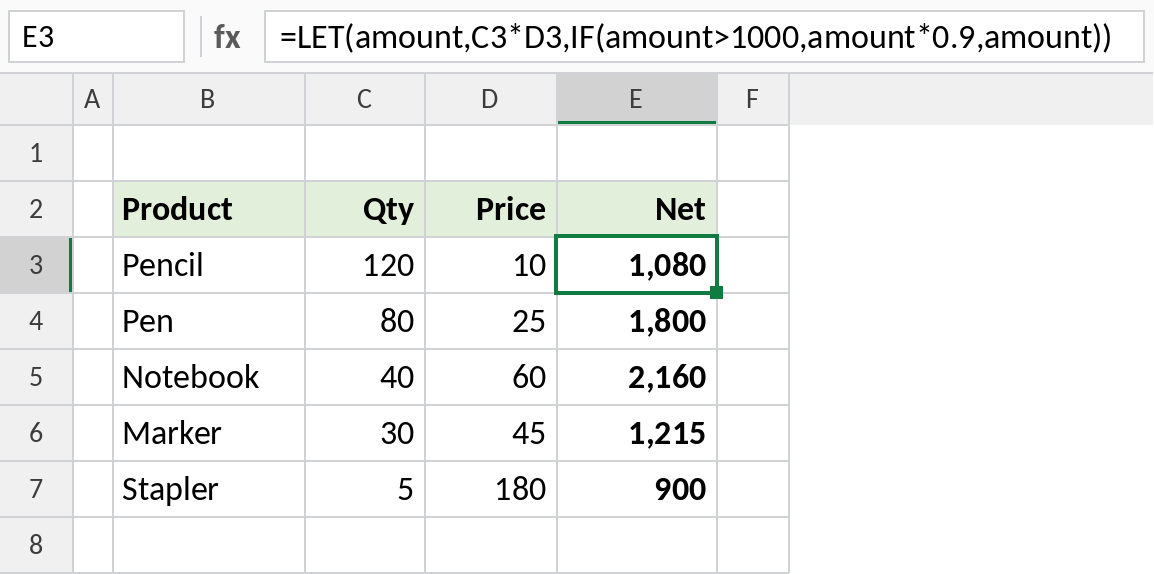
Pencils come to 1,200, which is over 1,000, so the net is 1,080. Staplers total 900 and stay at 900.
Make a formula readable
Names describe what each part means. This counts the sales above the average:
=LET(sales,D3:D10,avg,AVERAGE(sales),COUNTIF(sales,">"&avg))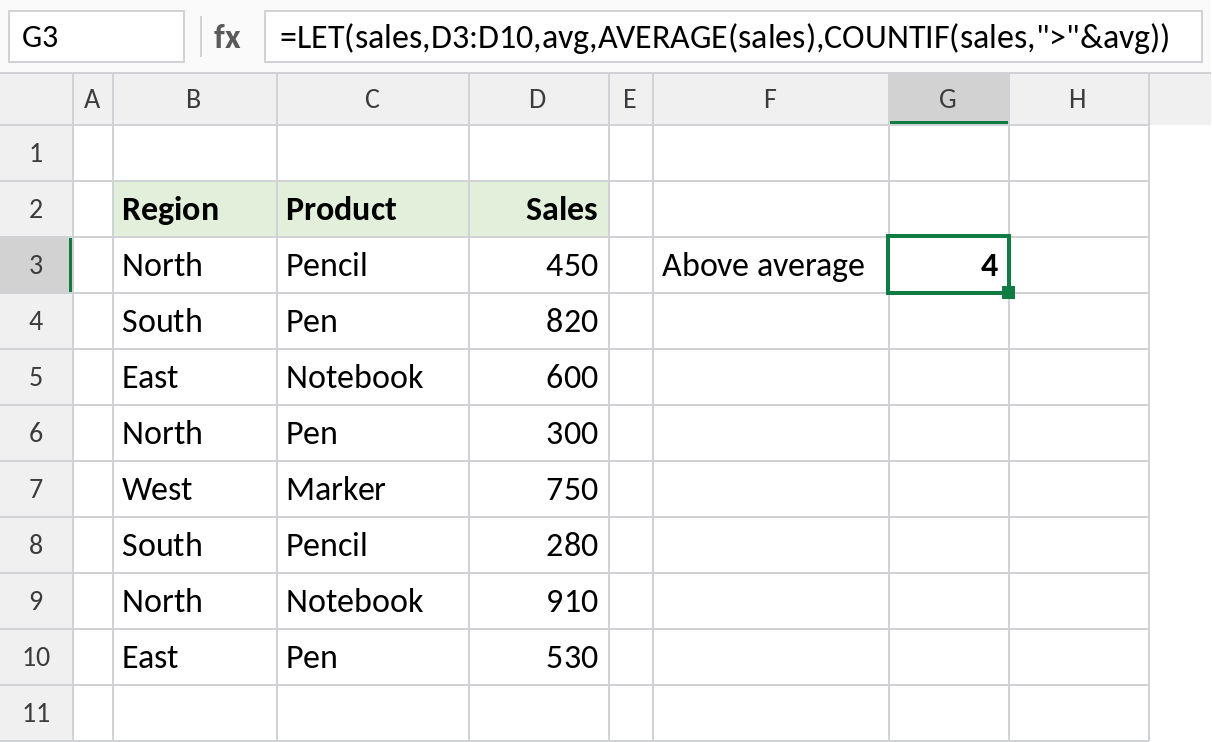
avg is 580, and four sales are higher, so the result is 4. The second name, avg, uses the first one, sales.
Store an intermediate result
Names can hold whole arrays. Here north stores the FILTER result, and SORT orders it:
=LET(north,FILTER(B3:D10,B3:B10="North"),SORT(north,3,-1))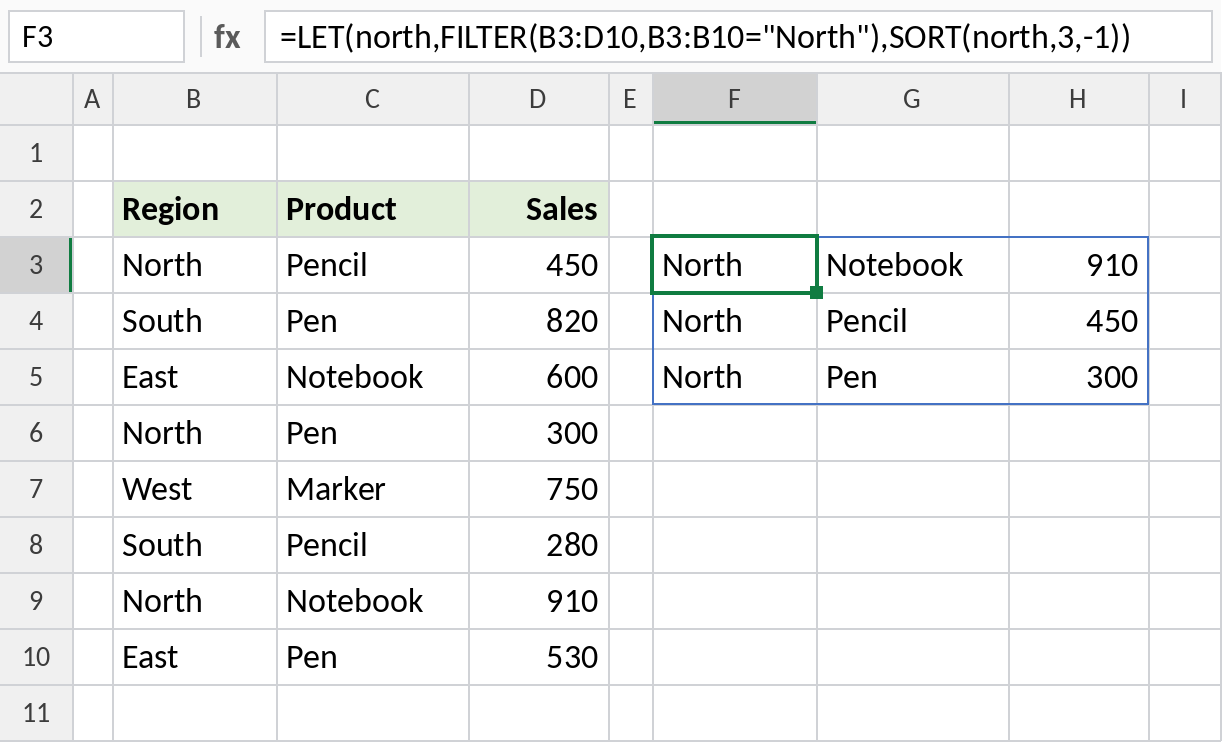
The North rows spill sorted by sales, with Notebook 910 first. In longer formulas, naming each stage this way makes them much easier to check.
Rules for names
| Rule | Example |
|---|---|
| Start with a letter | amount works, 1amount doesn’t |
| No spaces | unit_price, not unit price |
| Can’t look like a cell address | tax works, A1 or TAX1 doesn’t |
| Last argument is the calculation | =LET(x,5,x*2) returns 10 |
Notes
- LET always needs an odd number of arguments: name–value pairs, then the calculation.
- Names only exist inside that one formula.
- LET makes formulas faster when the same calculation would otherwise repeat.
- To turn a LET formula into your own reusable function, use LAMBDA.
Common errors
| Problem | Cause | Fix |
|---|---|---|
#NAME? |
A name looks like a cell address, or Excel 2019 or earlier | Rename it, such as tax_rate |
#VALUE! |
Missing the final calculation | End with the formula that uses the names |
| Wrong result | A name is used before it’s defined | Define names in order |
Practice file
All three examples with working formulas (Excel 2021 or 365).