The Excel RANK.EQ function returns the rank of a number in a list: 1 for the highest, 2 for the next, and so on. Tied values share the same rank.
number |
The value to rank. |
|---|---|
ref |
The full list of values to rank against. |
order optional |
0 or omitted ranks highest as 1. 1 ranks lowest as 1. |
Table of Contents
Basic example
To rank each sale from highest to lowest, compare it with the whole column. Lock the range with $:
=RANK.EQ(D9,$D$3:$D$10) 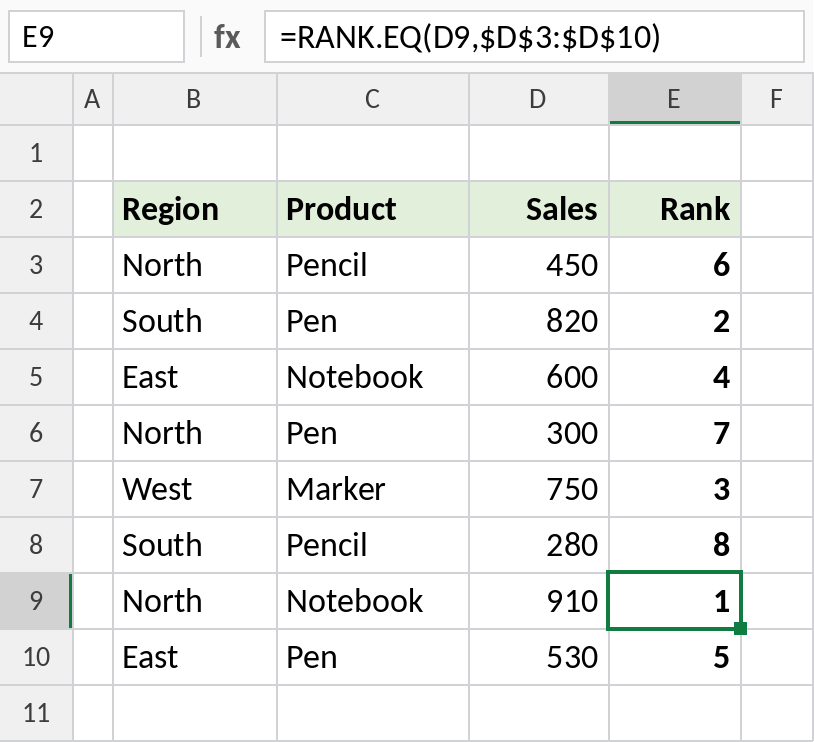
910 is the highest sale, so it gets rank 1. 280 is the lowest, so it’s ranked 8.
Rank lowest first
Set order to 1 when a smaller value is better, such as cost, time or errors:
=RANK.EQ(D8,$D$3:$D$10,1) 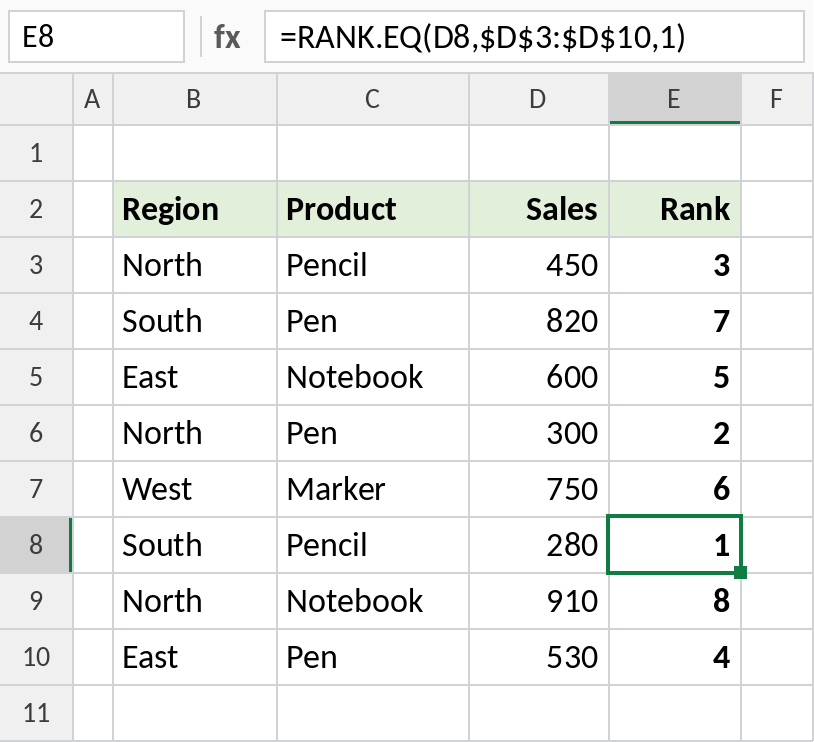
Now 280 gets rank 1 and 910 gets 8.
How ties are ranked
Rahul and Arjun both scored 92. RANK.EQ gives them the same rank and skips the next one. RANK.AVG gives the average of the positions they share:
=RANK.EQ(C4,$C$3:$C$8) 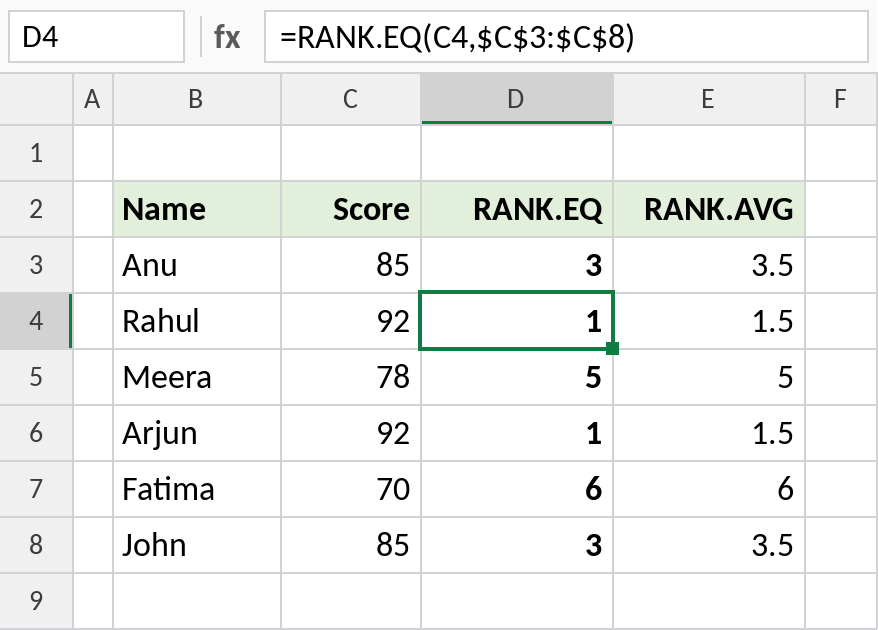
Both 92s get 1 with RANK.EQ, and the next score, 85, gets 3. RANK.AVG gives the two 92s 1.5 each, because they share positions 1 and 2.
RANK functions
| Function | Ties get | Example for two tied top scores |
|---|---|---|
| RANK.EQ | The same, best rank | 1, 1, 3 |
| RANK.AVG | The average rank | 1.5, 1.5, 3 |
| RANK | Same as RANK.EQ (older name) | 1, 1, 3 |
Notes
- Always lock
refwith$before filling down, or each row compares with a different range. - RANK.EQ ignores text and blanks in
ref. - RANK is the older name and still works. RANK.EQ is the current one.
- To sort the ranked list, use SORT, or LARGE with INDEX and MATCH.
Common errors
| Problem | Cause | Fix |
|---|---|---|
| Ranks repeat or skip | Ties in the data | That’s expected; see the ties example |
| Ranks look random | ref not locked, so it moved when filling down |
Use $D$3:$D$10 |
#N/A |
number isn’t in ref |
Make sure the list includes the value |
Practice file
All three examples with working formulas.