The Excel ROUNDDOWN function always rounds a number down, toward zero, to the number of digits you choose. 2.9 becomes 2, never 3.
number |
The number to round down. |
|---|---|
num_digits |
Decimal places to keep. 0 for a whole number, negative for tens, hundreds and so on. |
Table of Contents
Basic example
To find how many boxes you can fill completely, round the division down:
=ROUNDDOWN(B3/C3,0)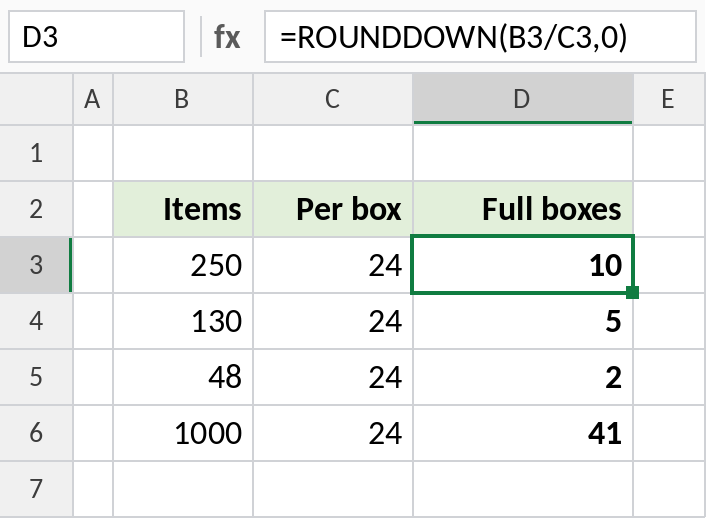
250 ÷ 24 = 10.42, and ROUNDDOWN returns 10 full boxes. The leftover 10 items aren’t enough for an 11th. Compare this with the ROUNDUP page, which answers “how many boxes do I need?”
How num_digits works
The same number, 1234.5678, rounded down with different values of num_digits:
=ROUNDDOWN($E$3,B3)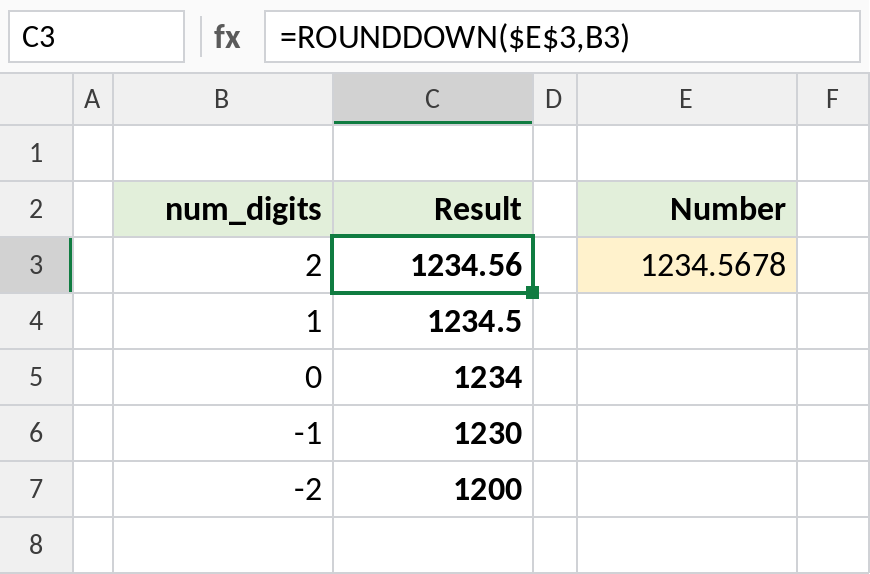
With 2 it becomes 1234.56, even though the next digit is 7. With -1 it drops to 1230, and with -2 to 1200.
ROUNDDOWN vs INT on negatives
ROUNDDOWN moves toward zero. INT always moves down to the smaller whole number. They only differ for negative numbers:
=ROUNDDOWN(B4,0)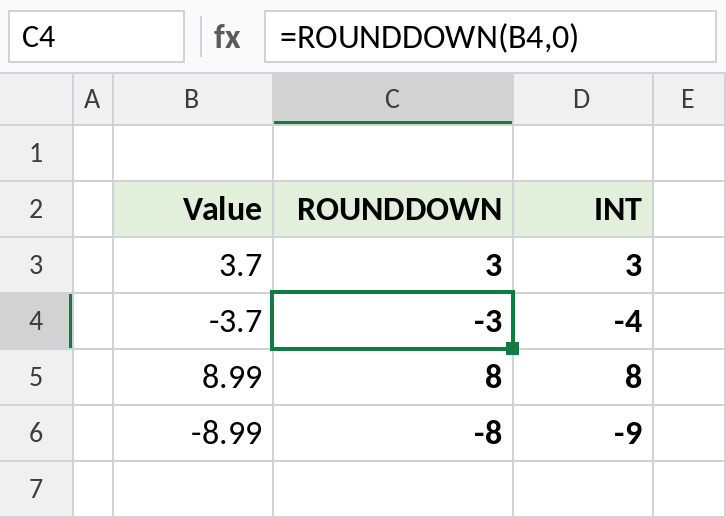
-3.7 becomes -3 with ROUNDDOWN but -4 with INT. For positive numbers, they’re the same.
Rounding down: which function
| Formula | Result | Does |
|---|---|---|
=ROUNDDOWN(7.89,1) |
7.8 | Down to 1 decimal |
=TRUNC(7.89,1) |
7.8 | Same as ROUNDDOWN |
=FLOOR.MATH(7.89,0.5) |
7.5 | Down to a multiple of 0.5 |
=INT(-7.89) |
-8 | Down to the smaller whole number |
Notes
- ROUNDDOWN and TRUNC give the same results. TRUNC’s second argument is optional.
- Use ROUNDDOWN for whole units you can actually complete: full boxes, full years, full hours.
- To round down to a multiple, such as the nearest 5 below, use FLOOR.MATH.
- ROUNDDOWN never changes a number that already has fewer digits than
num_digits.
Common errors
| Problem | Cause | Fix |
|---|---|---|
| Negative numbers differ from INT | ROUNDDOWN moves toward zero, INT moves down | Pick the one that matches what you need |
| Result is one less than expected | A value like 3 is really 2.9999999 from a calculation | Round the input with ROUND first |
#VALUE! |
Text instead of a number | Convert the text to a number |
Practice file
All three examples plus the rounding-down formulas in a cheat sheet.