The Excel DATEDIF function calculates the difference between two dates in complete years, months or days. It’s the standard way to work out age or length of service.
start_date |
The earlier date. |
|---|---|
end_date |
The later date. Use TODAY() for the current date. |
unit |
What to count, in quotes: "y", "m", "d", "ym", "yd" or "md". |
Table of Contents
Basic example
To count complete years of service, use the unit "y":
=DATEDIF(C3,D3,"y") 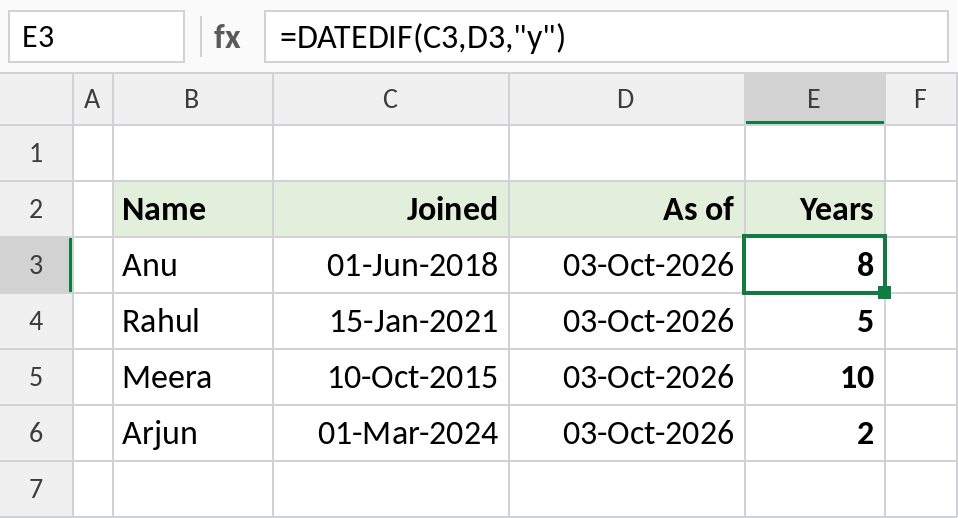
Anu joined on 01-Jun-2018, so by 03-Oct-2026 she has 8 complete years. Meera is 7 days short of 11 years, so she gets 10. Replace the As of column with TODAY() to keep it current.
Years, months and days
Combine three DATEDIF results: "y" for years, "ym" for leftover months and "md" for leftover days:
=DATEDIF(C3,D3,"y")&" years, "&DATEDIF(C3,D3,"ym")&" months, "&DATEDIF(C3,D3,"md")&" days" 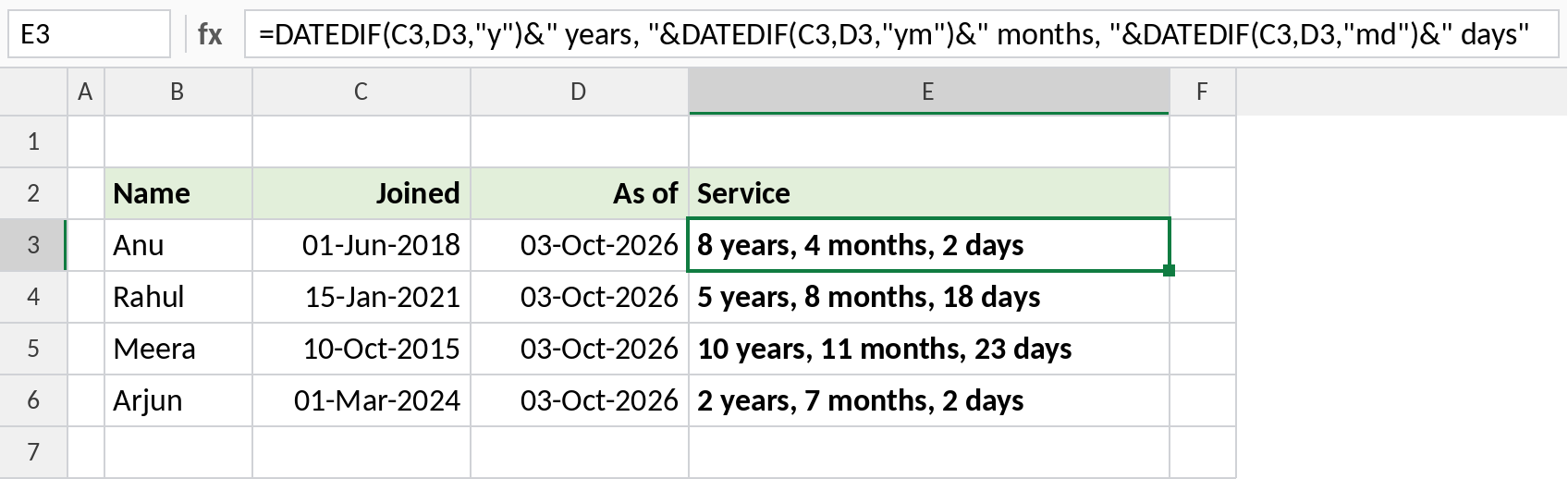
Anu’s service is 8 years, 4 months, 2 days. "ym" ignores the years, and "md" ignores the years and months.
Count complete months
Use "m" to count whole months, for loan tenures or subscriptions:
=DATEDIF(B5,C5,"m") 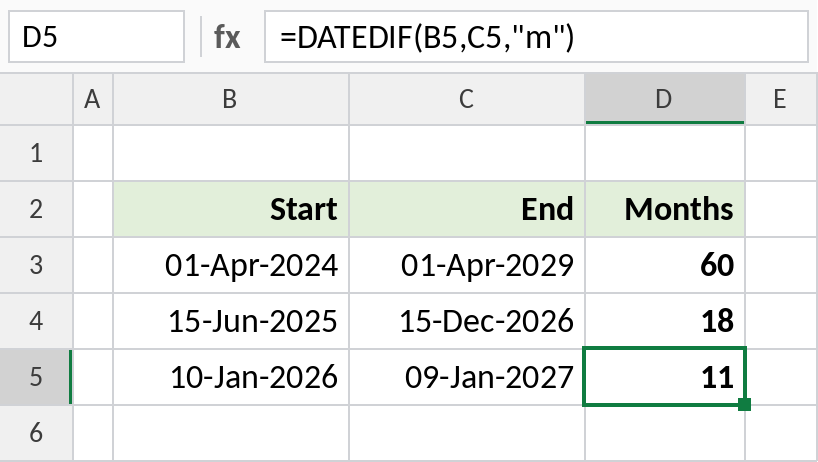
The last row is one day short of a year, so DATEDIF counts 11 months, not 12. It only counts months that are fully complete.
DATEDIF units
Results for 10-Oct-2015 to 03-Oct-2026:
| Unit | Counts | Result |
|---|---|---|
"y" |
Complete years | 10 |
"m" |
Complete months | 131 |
"d" |
Days | 4,011 |
"ym" |
Months, ignoring years | 11 |
"yd" |
Days, ignoring years | 358 |
"md" |
Days, ignoring months and years | 23 |
Notes
- DATEDIF is a hidden function. Excel won’t suggest it as you type, and it has no help tooltip, but it works in every version.
start_datemust be earlier thanend_date, or DATEDIF returns#NUM!.- Microsoft warns that
"md"can give odd results near month ends. For critical day counts, subtract the dates directly. - For total days between two dates,
=D3-C3is simpler thanDATEDIF(C3,D3,"d").
Common errors
| Problem | Cause | Fix |
|---|---|---|
#NUM! |
Start date is after the end date | Swap the dates, or wrap with IF(C3>D3,"",...) |
#NAME? |
Unit typed without quotes, such as y |
Write "y" |
#VALUE! |
One of the dates is text | Convert it to a real date |
| One less than expected | DATEDIF counts complete periods only | That’s correct; the last period isn’t finished yet |
Practice file
All three examples plus every unit in a cheat sheet.