The Excel DAY function returns the day of the month from a date, as a number from 1 to 31.
date |
A real date, a cell containing one, or a formula such as TODAY(). |
|---|
Table of Contents
Basic example
Give DAY a date and it returns the day of the month:
=DAY(B3)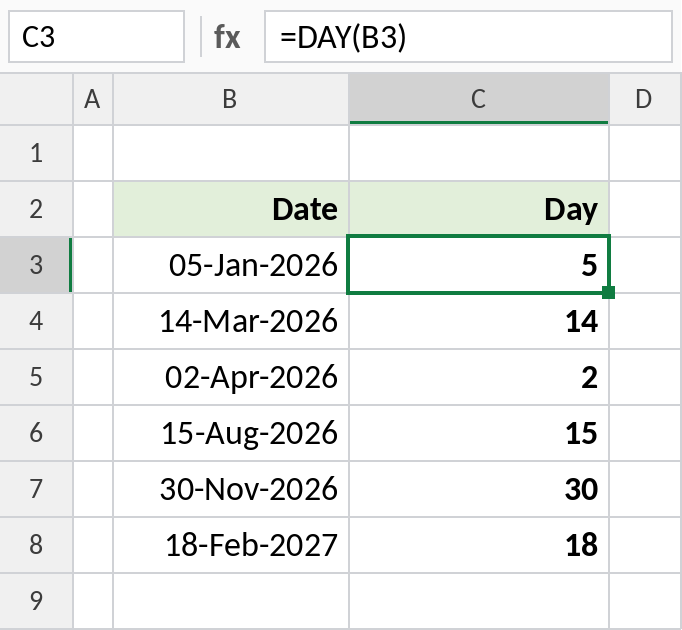
05-Jan-2026 returns 5. DAY gives the date number, not the weekday. For Monday, Tuesday and so on, use TEXT(B3,"dddd").
Days in the month
EOMONTH returns the last day of the month. DAY of that date is the number of days in the month:
=DAY(EOMONTH(B3,0)) 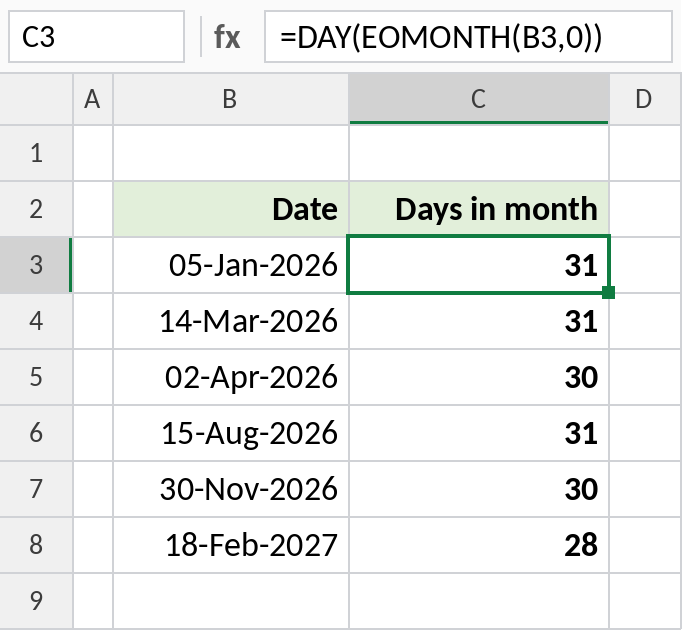
January has 31 days, April has 30 and February 2027 has 28.
Days left in the month
Subtract the day from the number of days in the month:
=DAY(EOMONTH(B3,0))-DAY(B3) 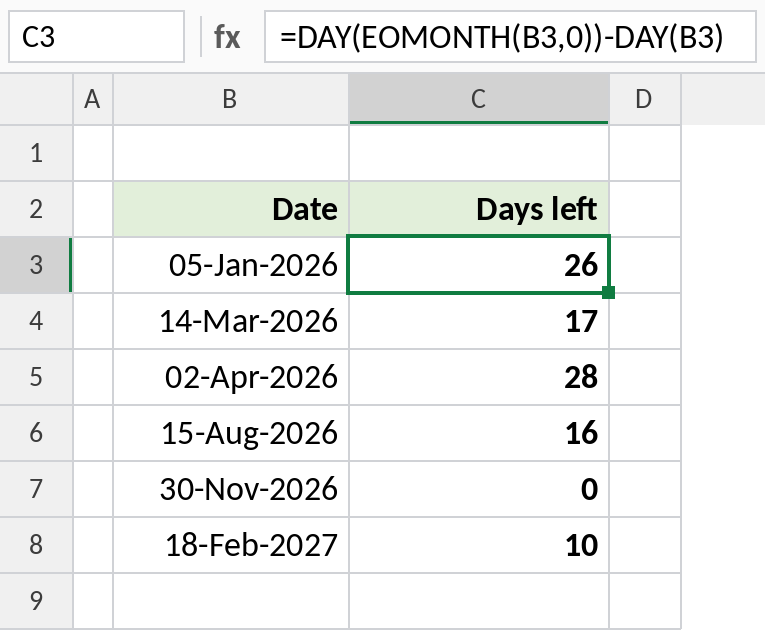
On 05-Jan-2026 there are 26 days left in January. On 30-Nov-2026, the last day, the result is 0.
DAY vs WEEKDAY vs TEXT
For the date 05-Jan-2026, a Monday:
| Formula | Result | Returns |
|---|---|---|
=DAY(B3) |
5 | Day of the month |
=WEEKDAY(B3) |
2 | Day of the week, Sunday = 1 |
=WEEKDAY(B3,2) |
1 | Day of the week, Monday = 1 |
=TEXT(B3,"dddd") |
Monday | Day name |
Notes
- DAY needs a real date. Text that only looks like a date returns
#VALUE!. - DAY returns the date number (1–31). For the day of the week, use WEEKDAY.
- If the result shows as a date like 05-Jan-1900, change the format to General.
- Combine DAY with EOMONTH for month-length and month-end calculations.
Common errors
| Problem | Cause | Fix |
|---|---|---|
| Result shows as a date, like 05-Jul-1905 | The cell has date formatting | Format the cell as General |
#VALUE! |
The date is stored as text | Convert it to a real date first |
| Wrong year for 2-digit dates | A date like 1/1/26 was read as 1926 | Type four-digit years |
Practice file
All three examples plus DAY, WEEKDAY and TEXT compared in a cheat sheet.