The Excel YEAR function returns the year of a date as a four-digit number, such as 2026.
date |
A real date, a cell containing one, or a formula such as TODAY(). |
|---|
Table of Contents
Basic example
Give YEAR a date and it returns the year:
=YEAR(B3)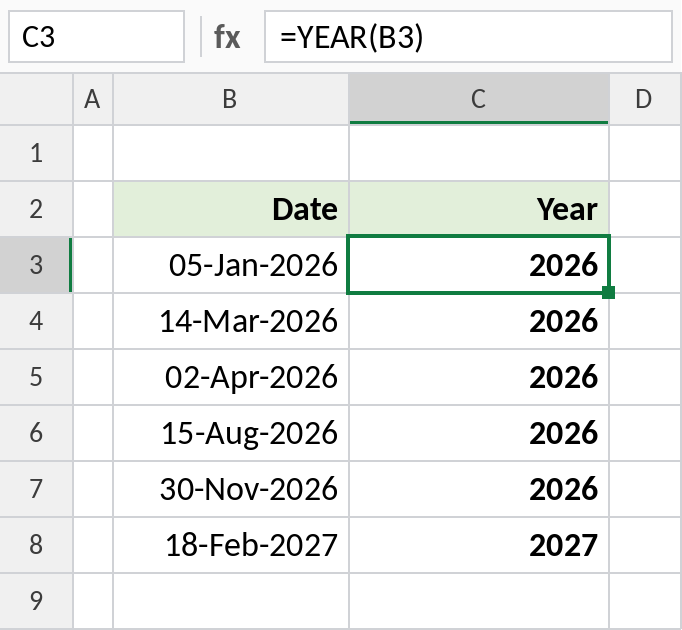
05-Jan-2026 returns 2026. The result is a plain number, so you can compare it, add to it or use it in other formulas.
Indian financial year (April to March)
A financial year runs from April to March. Combine YEAR with MONTH: from April onwards the year starts this calendar year, otherwise it started last year:
=IF(MONTH(B3)>=4,YEAR(B3)&"-"&RIGHT(YEAR(B3)+1,2),YEAR(B3)-1&"-"&RIGHT(YEAR(B3),2)) 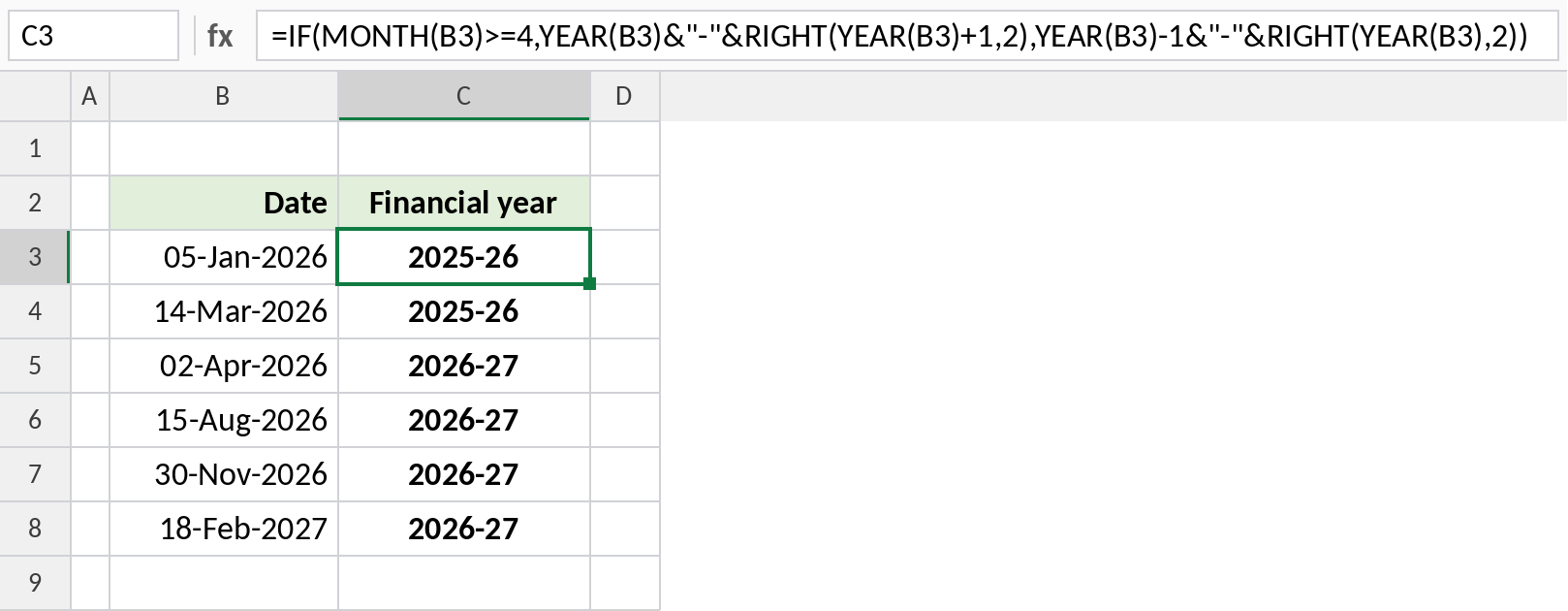
05-Jan-2026 falls in 2025-26, while 02-Apr-2026 starts 2026-27. RIGHT keeps the last two digits of the end year.
Count dates in a year
COUNTIF can’t test the year of a date directly. Put YEAR inside SUMPRODUCT instead:
=SUMPRODUCT(--(YEAR(B3:B8)=E3))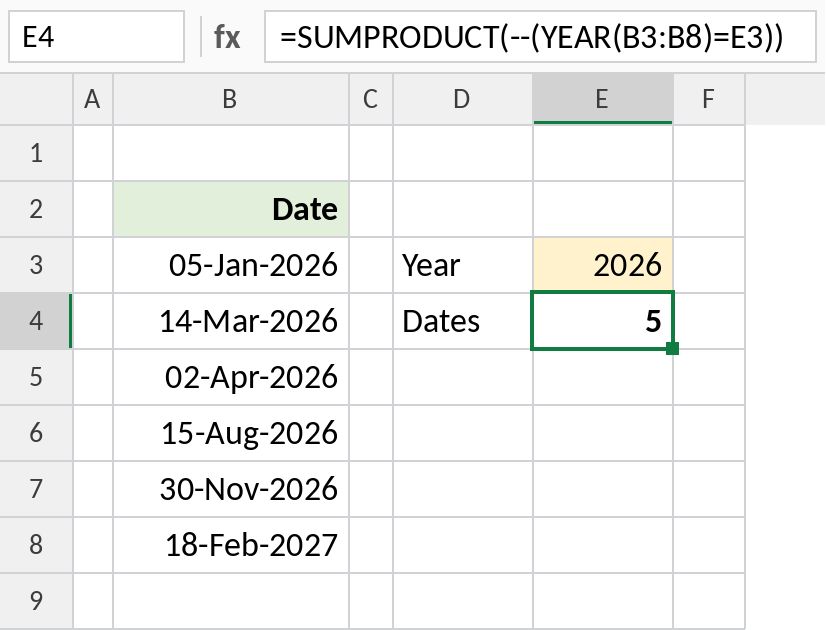
Five of the six dates are in 2026, so the result is 5. The -- turns TRUE and FALSE into 1 and 0 so they can be added.
Handy YEAR formulas
| Formula | Result | Does |
|---|---|---|
=YEAR(TODAY()) |
Current year | This year as a number |
=DATE(YEAR(B3),12,31) |
31-Dec-2026 | Last day of the date’s year |
=DATE(YEAR(B3)+1,MONTH(B3),DAY(B3)) |
05-Jan-2027 | Same date next year |
=YEAR(B8)-YEAR(B3) |
1 | Difference in calendar years |
For age or complete years between dates, use DATEDIF. Subtracting years only compares the calendar year.
Notes
- YEAR needs a real date. Text that only looks like a date returns
#VALUE!. - The result is a number. If it shows as a date, change the cell format to General.
YEAR(B8)-YEAR(B3)counts calendar years, not complete years. 31-Dec to 1-Jan counts as 1.- Use YEAR in a helper column or with SUMPRODUCT to group data by year.
Common errors
| Problem | Cause | Fix |
|---|---|---|
| Result shows as a date, like 05-Jul-1905 | The cell has date formatting | Format the cell as General |
#VALUE! |
The date is stored as text | Convert it to a real date first |
| Wrong year for 2-digit dates | A date like 1/1/26 was read as 1926 | Type four-digit years |
Practice file
All three examples plus the handy formulas in a cheat sheet.