The Excel MAXIFS function returns the largest value among cells that meet one or more conditions. For example, the highest North sale, or the latest date for a region.
max_range |
The cells to find the highest value in. |
|---|---|
criteria_range1 |
The cells to test with the first condition. |
criteria1 |
The first condition, such as "North". |
criteria_range2, criteria2 optional |
More range and condition pairs, up to 126. |
Table of Contents
Basic example
To find the highest North sale, give MAXIFS the Sales column, then the Region column and the condition:
=MAXIFS(E3:E14,C3:C14,"North") 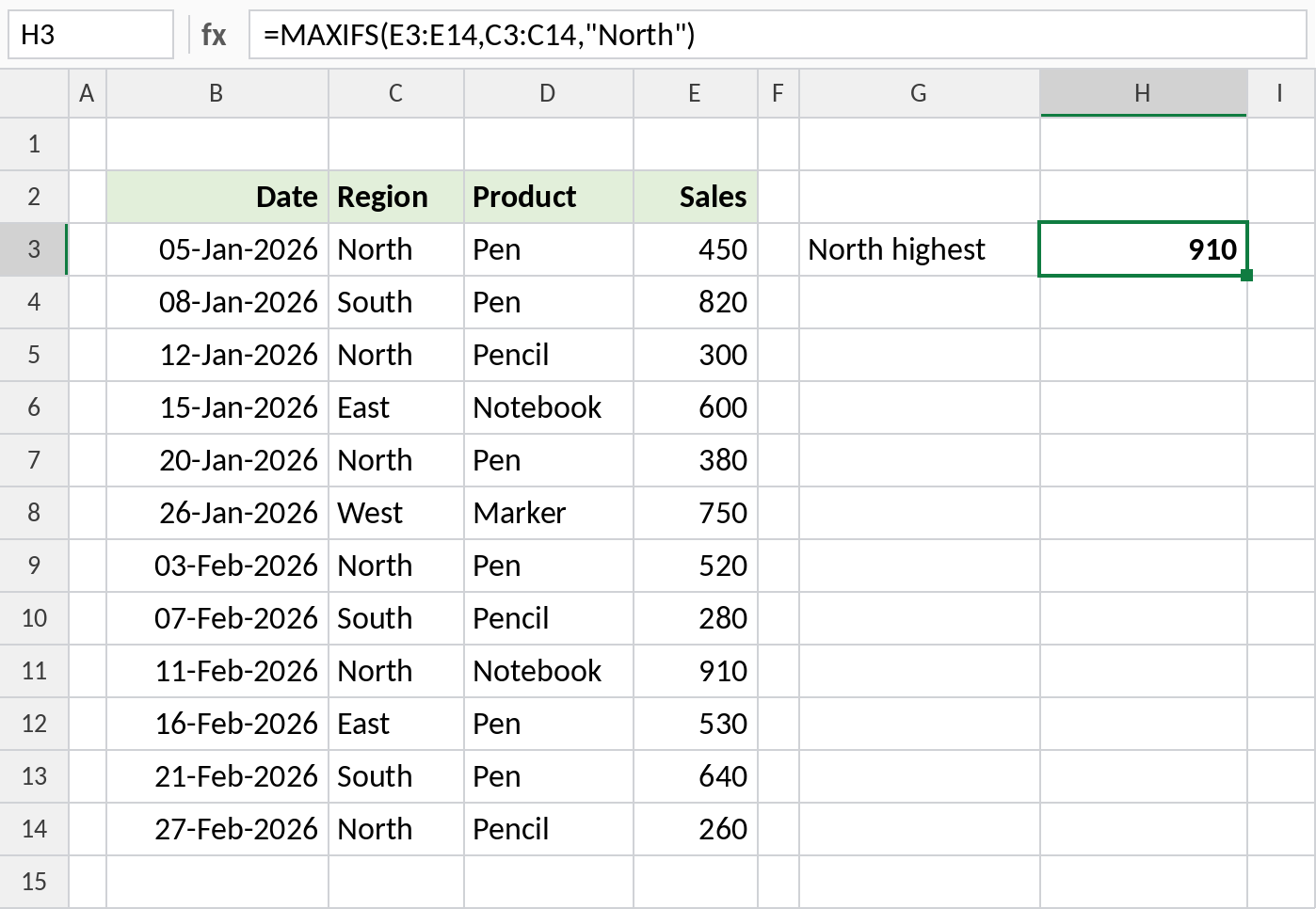
Among the six North rows, the largest sale is 910.
Two conditions
Add more range and condition pairs. A row counts only if every condition is true:
=MAXIFS(E3:E14,C3:C14,"North",D3:D14,"Pen") 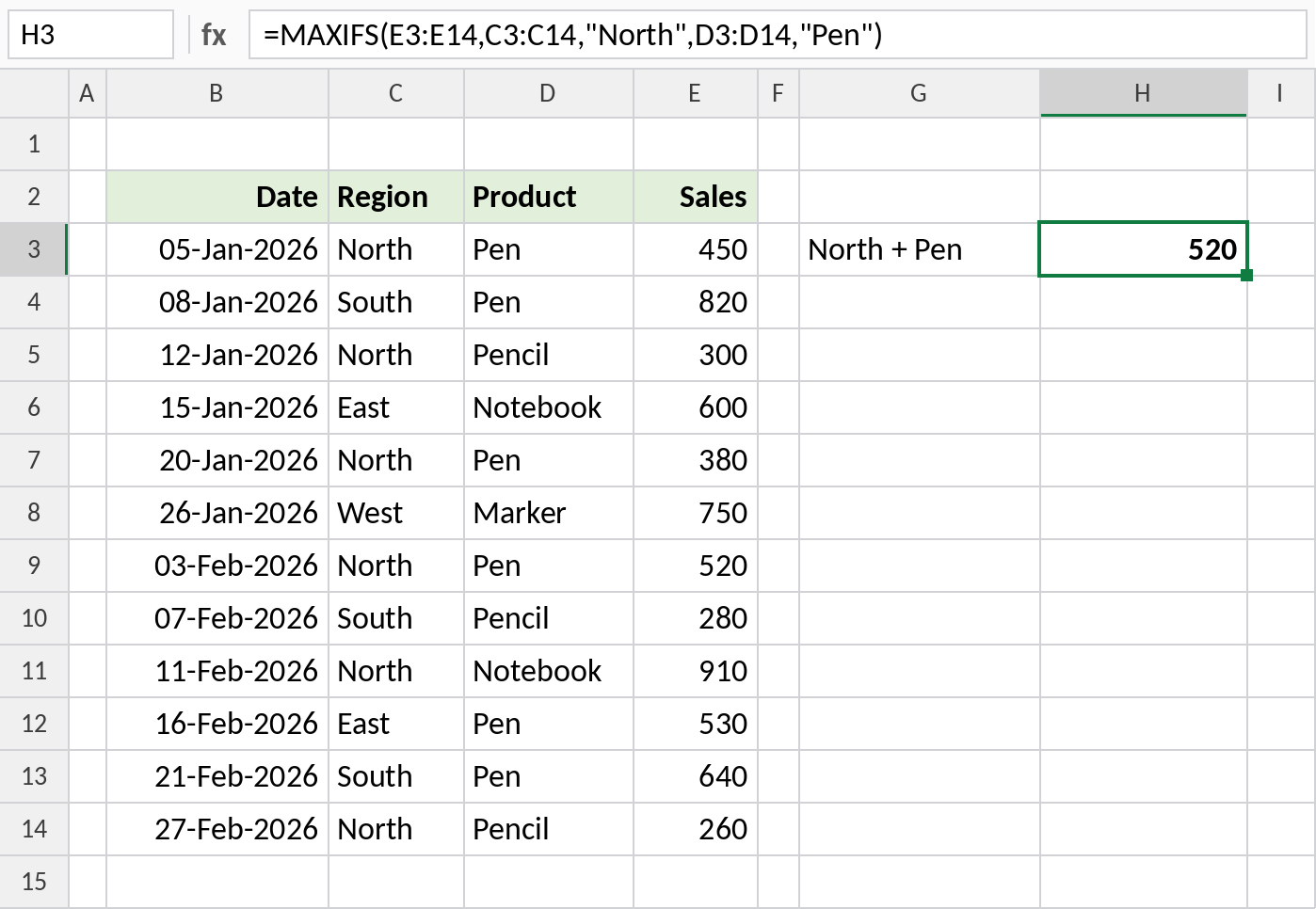
The North Pen sales are 450, 380 and 520, so the result is 520.
Latest date for a group
Dates are numbers, so MAXIFS on a date column returns the most recent matching date:
=MAXIFS(B3:B14,C3:C14,"South") 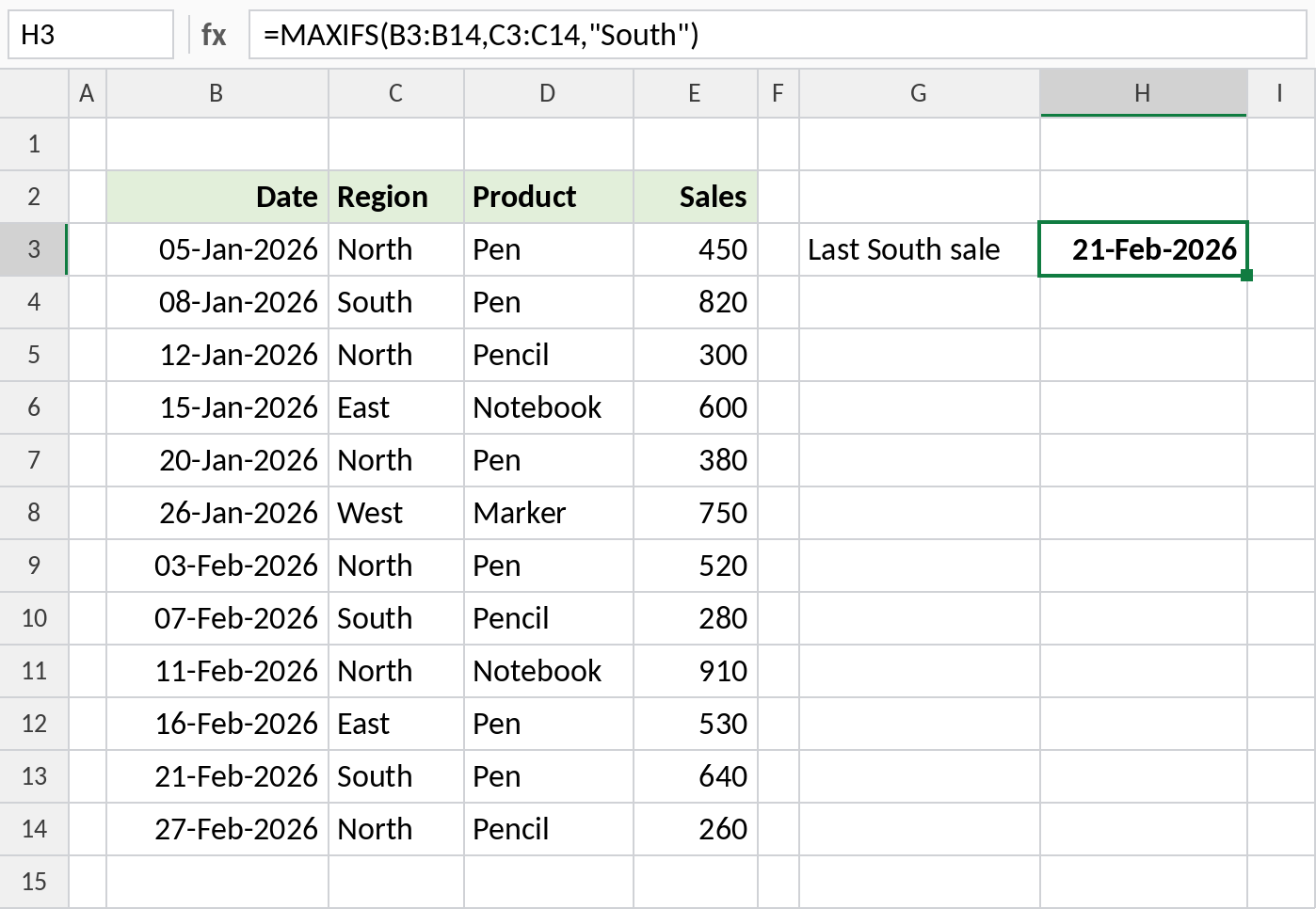
South sold on 08-Jan, 07-Feb and 21-Feb, so MAXIFS returns 21-Feb-2026. Format the result cell as a date.
More MAXIFS formulas
| Formula | Result | Does |
|---|---|---|
=MAXIFS(E3:E14,B3:B14,">="&DATE(2026,2,1)) |
910 | Highest sale from February onwards |
=MAXIFS(E3:E14,D3:D14,"Pen*") |
820 | Highest for Pen and Pencil |
=MAXIFS(E3:E14,C3:C14,"Central") |
0 | No match returns 0, not an error |
Notes
- If nothing matches, MAXIFS returns 0. Check with COUNTIFS if 0 could also be a real value.
- All ranges must be the same size, or MAXIFS returns
#VALUE!. - Criteria work like SUMIFS: operators in quotes, wildcards, and
&with cell references. - For the lowest value with conditions, use MINIFS.
Common errors
| Problem | Cause | Fix |
|---|---|---|
| Result is 0 | No rows match, or numbers stored as text | Check the condition and the data |
#VALUE! |
Ranges are different sizes | Make every range cover the same rows |
| Shows a number instead of a date | Result cell isn’t formatted as a date | Format it as a date |
#NAME? |
Excel 2016 or earlier | Use =MAX(IF(C3:C14="North",E3:E14)) with Ctrl+Shift+Enter |
Practice file
All three examples plus extra formulas in a cheat sheet.