The Excel IFNA function replaces the #N/A error with a value you choose. Unlike IFERROR, it leaves every other error visible.
value |
The formula to check, usually a lookup. |
|---|---|
value_if_na |
What to return if value is #N/A. |
Table of Contents
Basic example
Stapler isn’t in the price list, so its lookup returns #N/A. IFNA replaces just that error with a message:
=IFNA(VLOOKUP(B5,$F$3:$G$6,2,FALSE),"Not found") 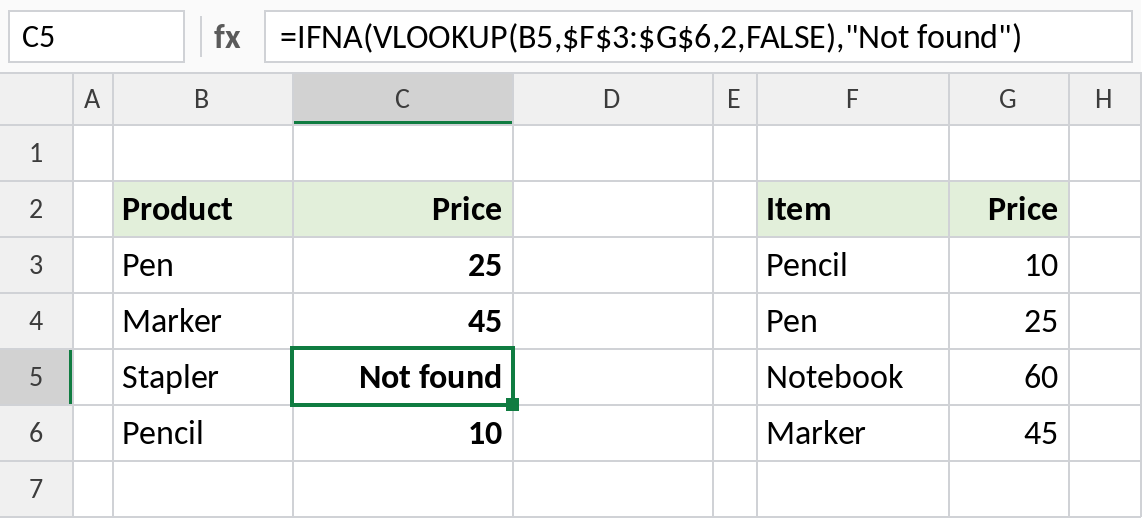
Pen, Marker and Pencil get their prices. Stapler shows Not found instead of #N/A.
Why IFNA is safer than IFERROR
Both formulas here have a mistake: column 3 doesn’t exist in the two-column price table, so VLOOKUP returns #REF!:
=IFNA(VLOOKUP(B3,$F$3:$G$6,3,FALSE),"Not found") 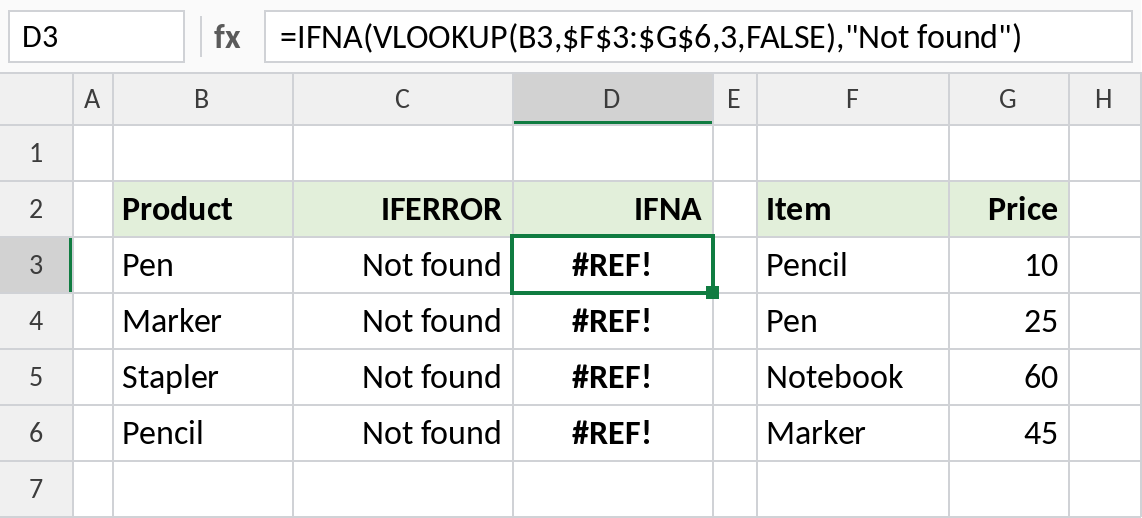
IFERROR hides the mistake and says Not found for every product, even ones that exist. IFNA lets #REF! through, so you can see the formula is broken and fix it.
Return 0 so totals still work
When a lookup feeds a calculation, return 0 for missing items so the total doesn’t break:
=IFNA(VLOOKUP(B5,$F$3:$G$6,2,FALSE),0)*C5 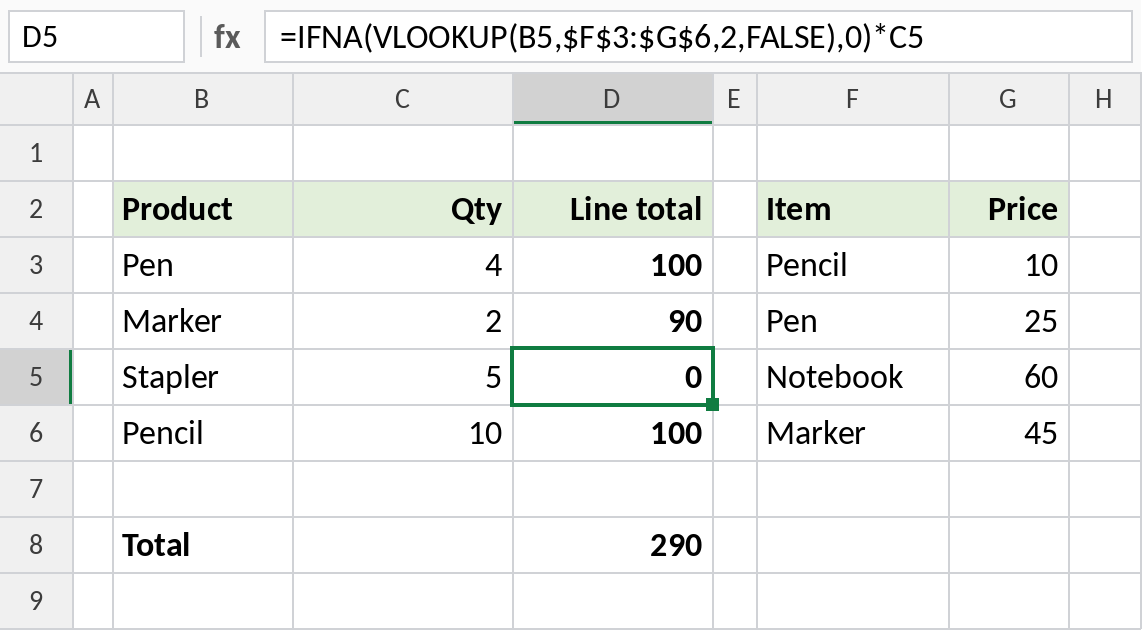
Stapler’s line total is 0 instead of #N/A, so SUM still works: 290. Add the missing price to the list and the total updates.
IFNA vs IFERROR
| IFNA | IFERROR | |
|---|---|---|
Catches #N/A |
Yes | Yes |
Catches #REF!, #VALUE!, #DIV/0!, #NAME? |
No, they stay visible | Yes, all hidden |
| Best for | Lookups | Calculations where any error should be replaced |
See the IFERROR page for dividing by zero and other cases where hiding every error is what you want.
Notes
- IFNA only reacts to
#N/A, the error lookups return when a value isn’t found. - Wrap only the lookup in IFNA, not the whole calculation, so other errors stay visible.
- XLOOKUP has its own
if_not_foundargument, so it rarely needs IFNA. value_if_nacan be another lookup, to search a second table when the first doesn’t have the value.
Common errors
| Problem | Cause | Fix |
|---|---|---|
| Errors still showing | The error isn’t #N/A, such as #REF! |
Fix the formula; IFNA is working as designed |
| Total is wrong | Text such as “Not found” used in a calculation | Return 0 when the result feeds a calculation |
#NAME? |
Excel 2010 or earlier | Use IF(ISNA(...),...) |
Practice file
All three examples with working formulas.