To find values that are in one list but missing from another, such as invoices sent but not paid, count each value in the second list. Anything with a count of 0 is missing.
ProblemList or flag values missing from another list
Functions usedFILTER, COUNTIF, MATCH
Works inAll versions (FILTER needs 2021 or 365)
Excel 365: list the missing values
COUNTIF counts each invoice in the payments list. FILTER keeps the ones with a count of 0:
=FILTER(B3:B9,COUNTIF(D3:D7,B3:B9)=0)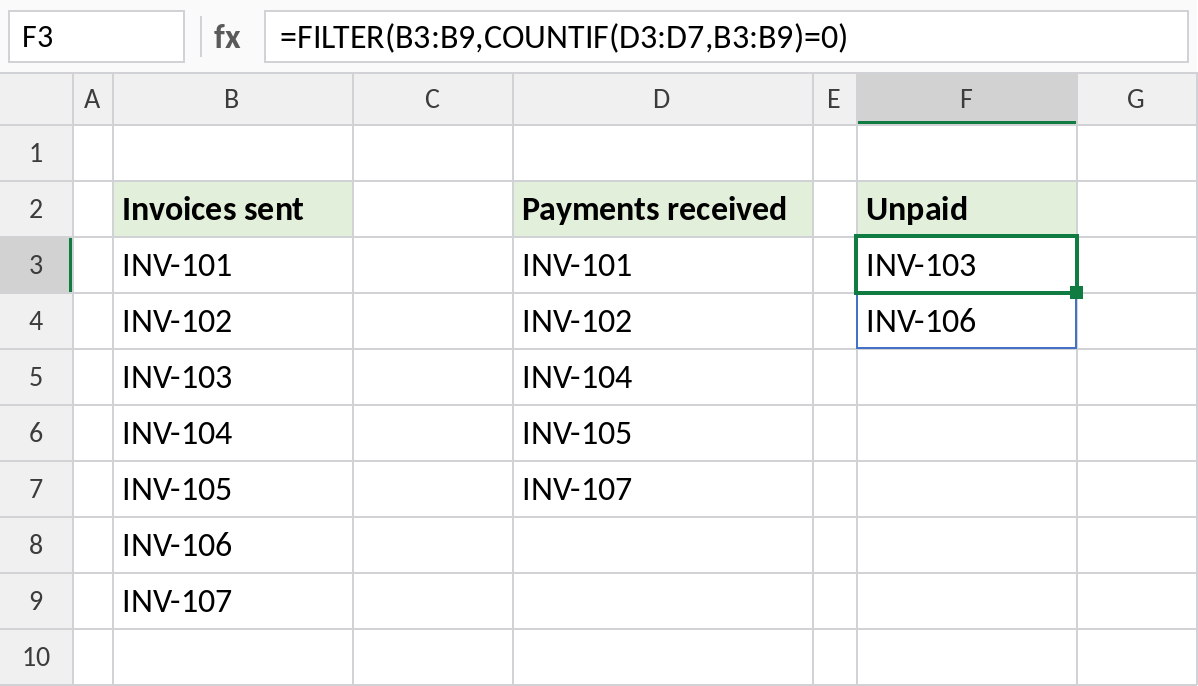
INV-103 and INV-106 have no payment. Add a payment and the list shrinks automatically.
How the formula works
COUNTIF(D3:D7,B3:B9)counts each of the 7 invoices in the payments list, giving {1;1;0;1;1;0;1}.=0turns that into TRUE for the two invoices with no payment.- FILTER returns only the rows where the test is TRUE.
Any version: flag each missing value
MATCH returns #N/A when it can’t find a value. ISNA turns that into TRUE, and IF writes a label:
=IF(ISNA(MATCH(B3,$D$3:$D$7,0)),"Unpaid","")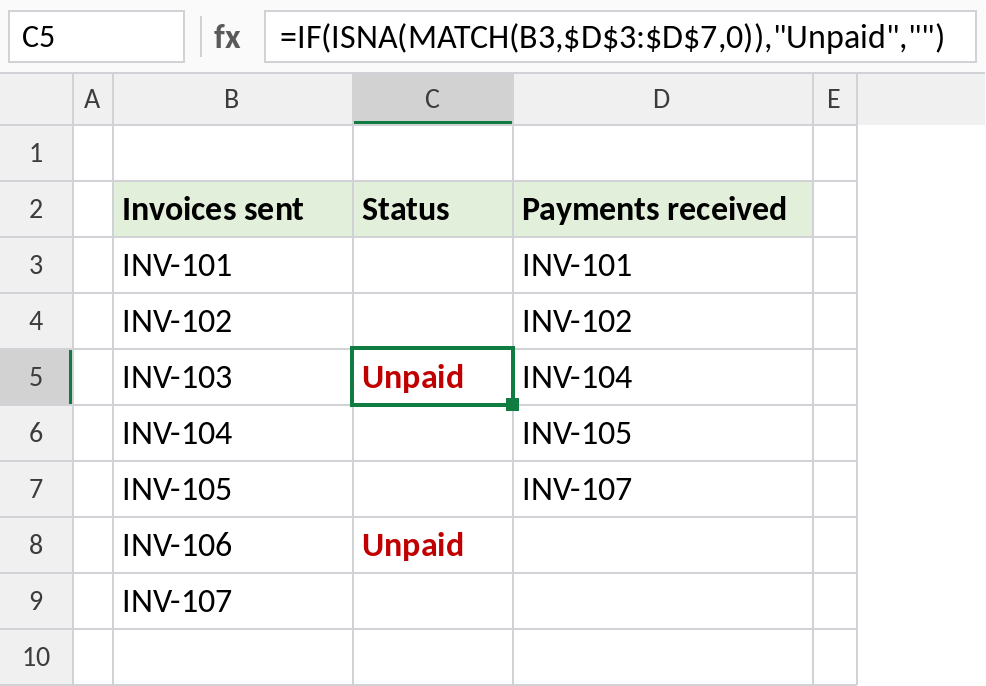
INV-103 and INV-106 are flagged Unpaid. Filter column C to see only those rows.
Count how many are missing
To get just the number of missing values:
=SUMPRODUCT(--(COUNTIF(D3:D7,B3:B9)=0))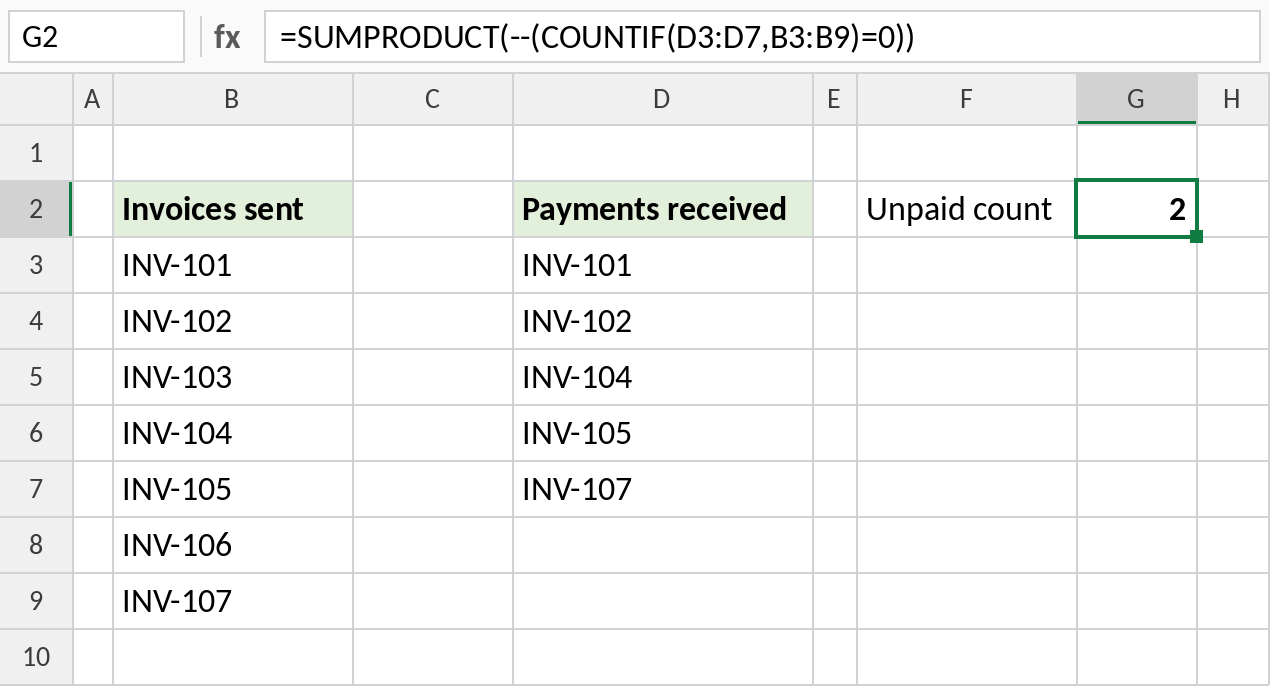
2 invoices are unpaid. -- turns TRUE and FALSE into 1 and 0 so SUMPRODUCT can add them.
Find missing values in both directions
| To find | Formula |
|---|---|
| Sent but not paid | =FILTER(B3:B9,COUNTIF(D3:D7,B3:B9)=0) |
| Paid but never sent | =FILTER(D3:D7,COUNTIF(B3:B9,D3:D7)=0) |
| Values in both lists | =FILTER(B3:B9,COUNTIF(D3:D7,B3:B9)>0) |
Notes
- COUNTIF isn’t case-sensitive, so inv-103 and INV-103 count as the same.
- Extra spaces make values look identical but not match. Clean both lists with TRIM first.
- If nothing is missing, FILTER returns
#CALC!. Add a third argument:FILTER(…,…,"None missing").
Common errors
| Problem | Cause | Fix |
|---|---|---|
#CALC! |
Nothing is missing | Add FILTER’s if_empty argument |
| Values flagged but present | Extra spaces or text-numbers | Use TRIM or VALUE |
| Every value flagged | Second list range not locked | Use $D$3:$D$7 |
Practice file
All three formulas with the invoice and payment lists.