Profit margin is profit as a share of the selling price. Markup is profit as a share of the cost. They use the same numbers but give different percentages, so it’s worth being clear which one you mean.
Margin and markup from cost and price
Both start with the profit, price minus cost. Margin divides it by the price, markup by the cost:
=(D3-C3)/D3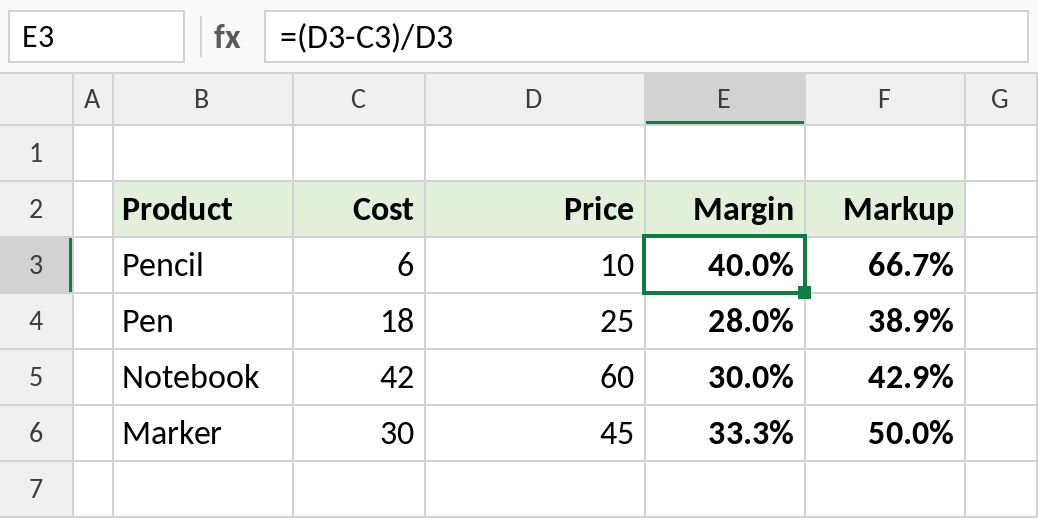
A pencil that costs ₹6 and sells for ₹10 has a 40% margin but a 66.7% markup. Markup is always the larger number.
How the formula works
D3-C3is the profit: ₹10 − ₹6 = ₹4.- Margin divides the profit by the price: ₹4 / ₹10 = 40%.
- Markup divides the same profit by the cost: ₹4 / ₹6 = 66.7%.
Price for a target margin
To find the selling price that gives a chosen margin, divide the cost by 1 minus the margin:
=C3/(1-D3)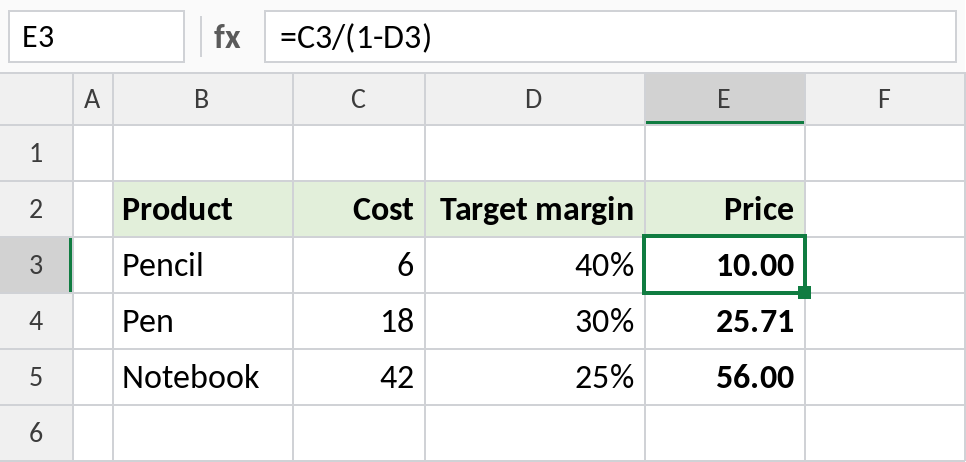
A ₹6 pencil with a 40% target margin needs a price of ₹10.00. Adding 40% to the cost would give only ₹8.40, which is a 28.6% margin.
Price from a markup
With a markup, just add the percentage to the cost:
=C3*(1+D3)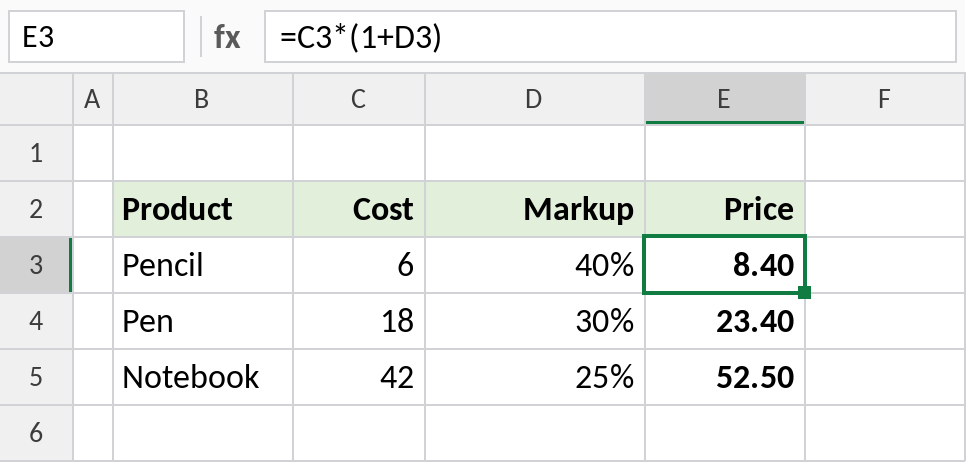
A ₹6 pencil with a 40% markup sells for ₹8.40.
Margin and markup formulas
| To calculate | Formula |
|---|---|
| Profit | =Price-Cost |
| Margin | =(Price-Cost)/Price |
| Markup | =(Price-Cost)/Cost |
| Price for a target margin | =Cost/(1-Margin) |
| Price from a markup | =Cost*(1+Markup) |
| Markup from a margin | =Margin/(1-Margin) |
Notes
- A margin can never reach 100%, but a markup can be any size.
- For a whole product line, divide total profit by total sales. Averaging individual margins gives a misleading result.
- GST isn’t part of the margin. Use prices before tax; see the GST formulas.
Common errors
| Problem | Cause | Fix |
|---|---|---|
#DIV/0! |
Price or cost is 0 | Check the inputs, or wrap in IFERROR |
| Margin lower than expected | Markup added instead of dividing by (1-margin) | Use =Cost/(1-Margin) |
| Shows 0.4 instead of 40% | Not formatted as a percentage | Press Ctrl+Shift+% |
Practice file
All three examples plus the formula table.