The Excel REPT function repeats text a given number of times. Use it for star ratings, simple in-cell bar charts and dot leaders.
text |
The text to repeat. |
|---|---|
number_times |
How many times to repeat it. Decimals are cut off. |
Table of Contents
Basic example: star ratings
Repeat a star character as many times as the rating:
=REPT("★",C3)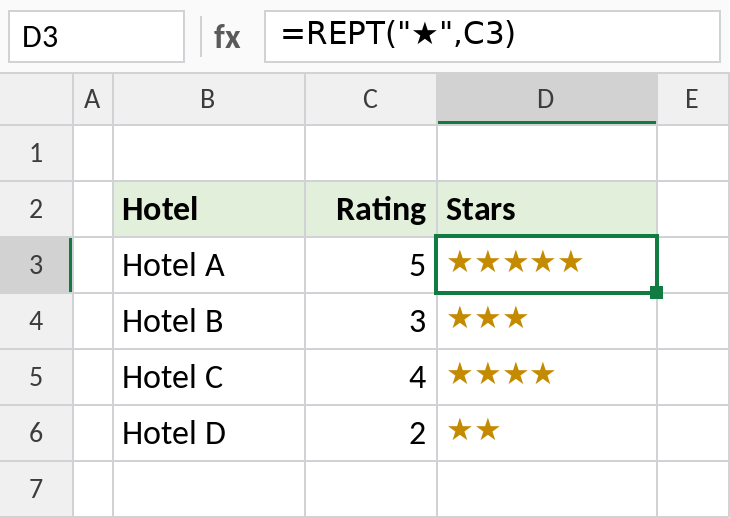
A rating of 5 gives ★★★★★. Copy the ★ from this page, or insert it with Insert → Symbol.
An in-cell bar chart
Divide each value so the bars fit, then repeat a bar character:
=REPT("|",C3/100)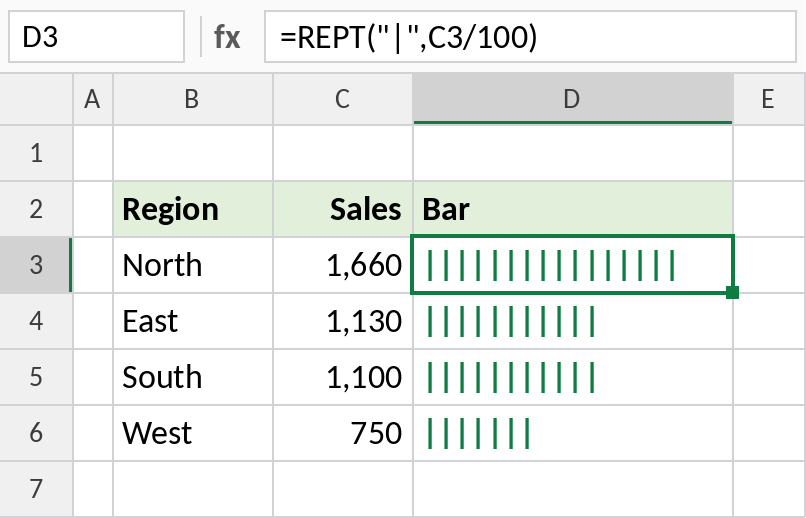
North’s 1,660 becomes 16 bars, and West’s 750 becomes 7. For a solid bar, use the Stencil or Playbill font on column D.
Dot leaders for a contents list
Fill the gap between a title and its page number with dots, so every line is the same length:
=B3&REPT(".",20-LEN(B3))&C3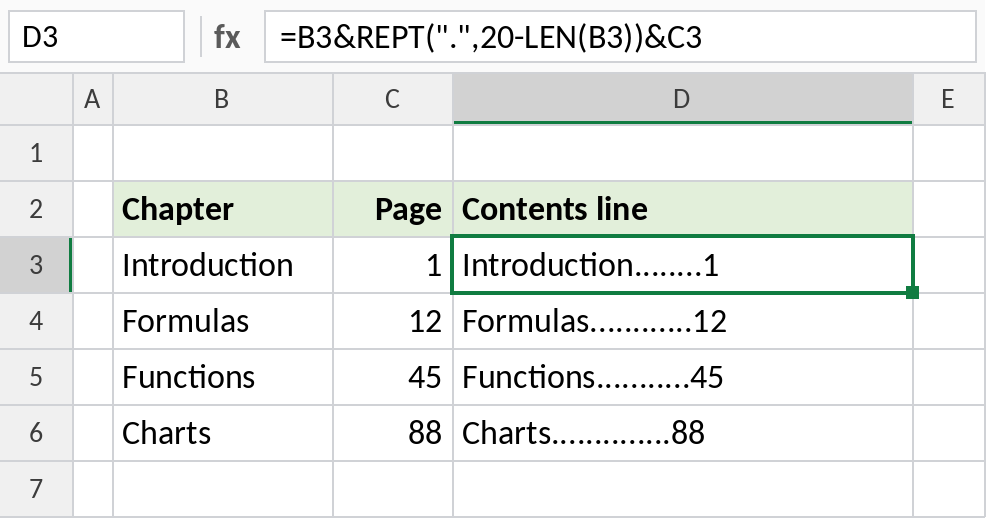
Introduction has 12 characters, so REPT adds 8 dots: Introduction……..1. Use a monospaced font such as Consolas to line the numbers up.
Handy REPT formulas
| Formula | Returns |
|---|---|
=REPT("-",30) |
A line of 30 dashes |
=REPT("0",5-LEN(B3))&B3 |
B3 padded with leading zeros to 5 characters |
=REPT("★",C3)&REPT("☆",5-C3) |
Filled and empty stars out of 5 |
Notes
- A number_times of 0 returns empty text.
- Decimals are cut off: 2.9 repeats twice.
- The result can’t be longer than 32,767 characters.
- REPT returns text, so wrap it in VALUE if you build a number with it.
Common errors
| Problem | Cause | Fix |
|---|---|---|
#VALUE! |
number_times is negative or the result is too long | Use a positive number and keep the result under 32,767 characters |
| Bars not lining up | Proportional font | Use a monospaced font |
Practice file
All three examples plus handy formulas in a cheat sheet.