The Excel MONTH function returns the month of a date as a number from 1 (January) to 12 (December).
date |
A real date, a cell containing one, or a formula such as TODAY(). |
|---|
Table of Contents
Basic example
Give MONTH a date and it returns the month number:
=MONTH(B3)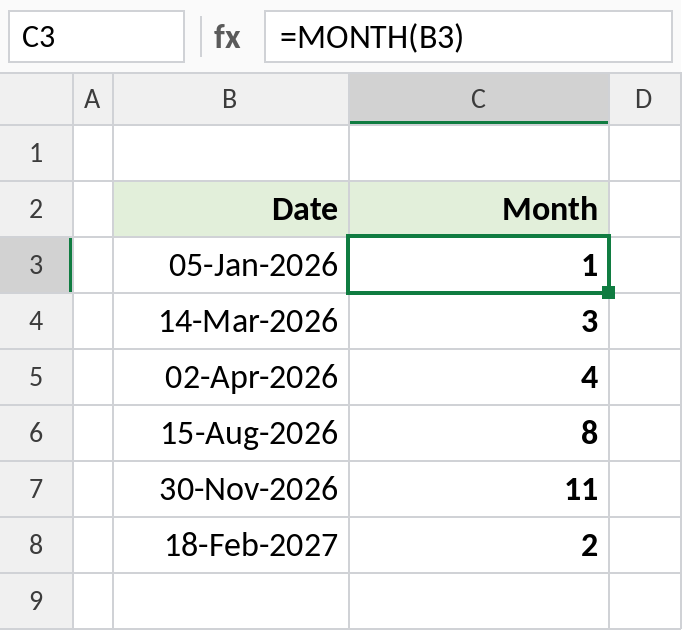
05-Jan-2026 returns 1 and 15-Aug-2026 returns 8.
Calendar and financial-year quarters
Divide the month by 3 and round up to get the calendar quarter. Column D shifts the start to April for financial-year quarters:
="Q"&ROUNDUP(MONTH(B3)/3,0) 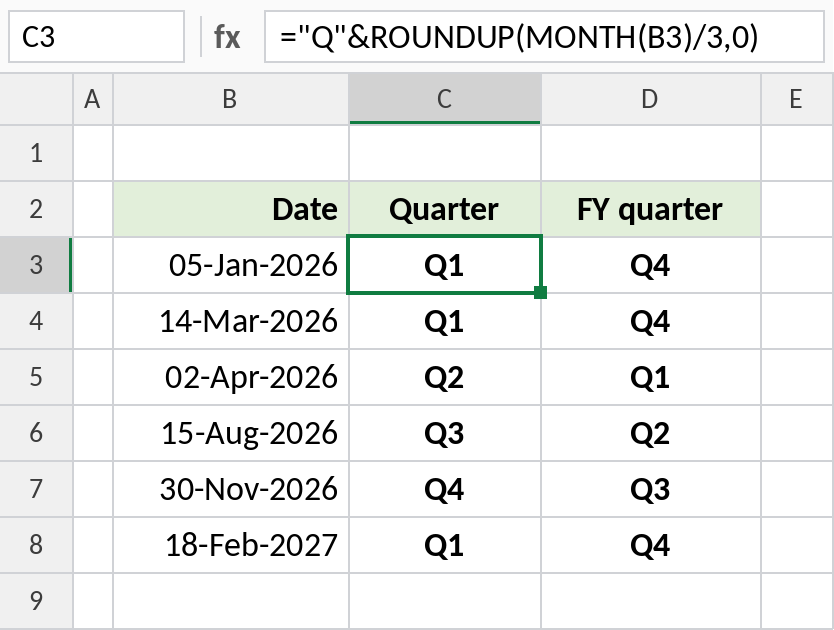
August is month 8, and 8 ÷ 3 rounds up to Q3. In an April–March year, August is FY Q2, using ="Q"&ROUNDUP((MOD(MONTH(B3)-4,12)+1)/3,0).
Month number vs month name
MONTH always returns a number. For the name, use TEXT with "mmmm":
=TEXT(B3,"mmmm") 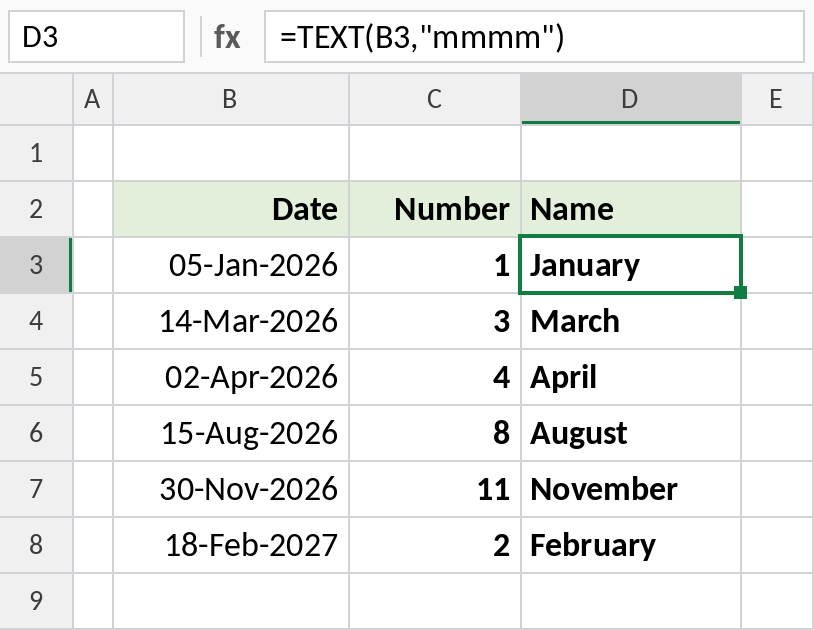
MONTH gives 1, and TEXT gives January. Use the number for calculations and sorting, and the name for labels.
Handy MONTH formulas
| Formula | Result | Does |
|---|---|---|
=MONTH(TODAY()) |
Current month | This month as a number |
=DATE(YEAR(B3),MONTH(B3),1) |
01-Jan-2026 | First day of the date’s month |
=SUMPRODUCT(--(MONTH(B3:B8)=2)) |
1 | Count dates in February |
=MONTH(B3)=MONTH(TODAY()) |
TRUE or FALSE | Same month as today? (ignores year) |
To total sales by month, see Sum by month.
Notes
- MONTH needs a real date. Text that only looks like a date returns
#VALUE!. - The result is a number from 1 to 12. If it shows as a date, change the format to General.
- MONTH ignores the year, so January 2026 and January 2027 both return 1. Test YEAR as well when that matters.
- For the month name, use
TEXT(date,"mmmm")or"mmm"for short names.
Common errors
| Problem | Cause | Fix |
|---|---|---|
| Result shows as a date, like 05-Jul-1905 | The cell has date formatting | Format the cell as General |
#VALUE! |
The date is stored as text | Convert it to a real date first |
| Wrong year for 2-digit dates | A date like 1/1/26 was read as 1926 | Type four-digit years |
Practice file
All three examples plus the handy formulas in a cheat sheet.