The Excel HLOOKUP function looks for a value in the top row of a table and returns a value from a row below it. It’s VLOOKUP turned on its side, for tables laid out across.
lookup_value |
The value to find in the top row. |
|---|---|
table_array |
The table to search. The lookup row must be the first row. |
row_index_num |
Which row of the table to return, counting from 1. |
range_lookup optional |
FALSE for an exact match. TRUE or omitted for an approximate match. |
Table of Contents
Basic example
Months run across the top of this table. To get March sales, find Mar in the first row and return row 2:
=HLOOKUP(K3,C2:H4,2,FALSE) 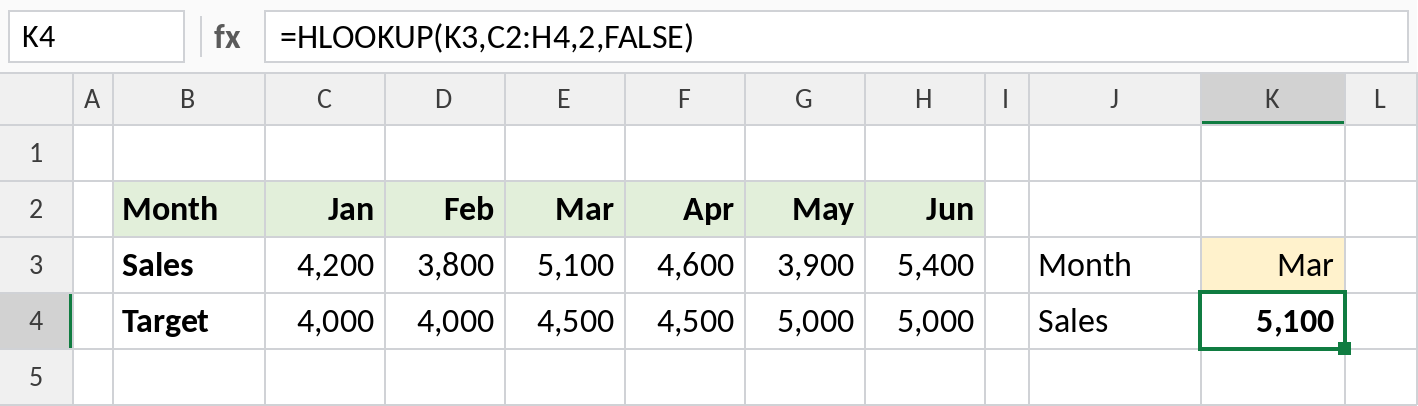
HLOOKUP finds Mar in the top row and goes down to row 2, Sales: 5,100. Always use FALSE for exact matches.
Approximate match for grade bands
With TRUE, HLOOKUP finds the largest value in the top row that is less than or equal to the score. The top row must be sorted smallest to largest:
=HLOOKUP(J3,C2:G3,2,TRUE) 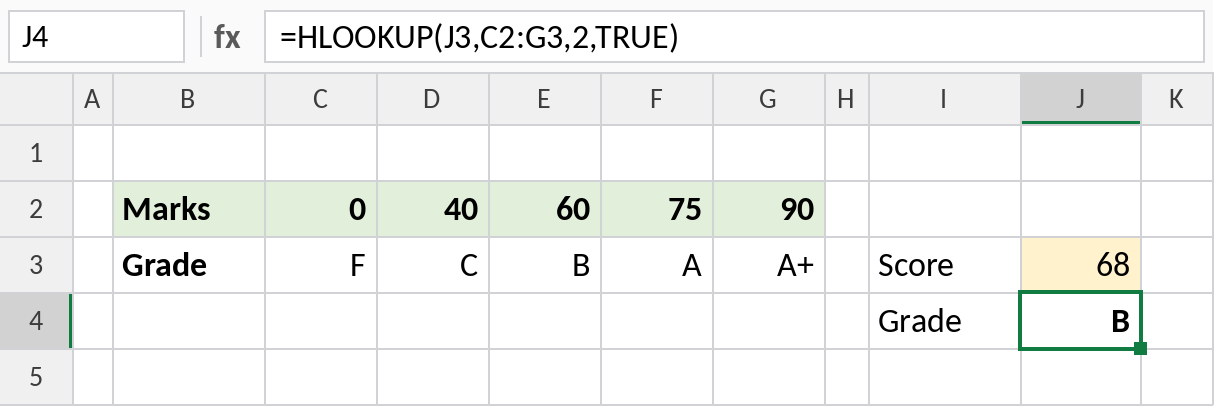
68 falls between 60 and 75, so HLOOKUP uses the 60 column and returns B.
Pick the row by name
Instead of typing the row number, let MATCH find it from the label in column B:
=HLOOKUP(K3,B2:H4,MATCH(K4,B2:B4,0),FALSE) 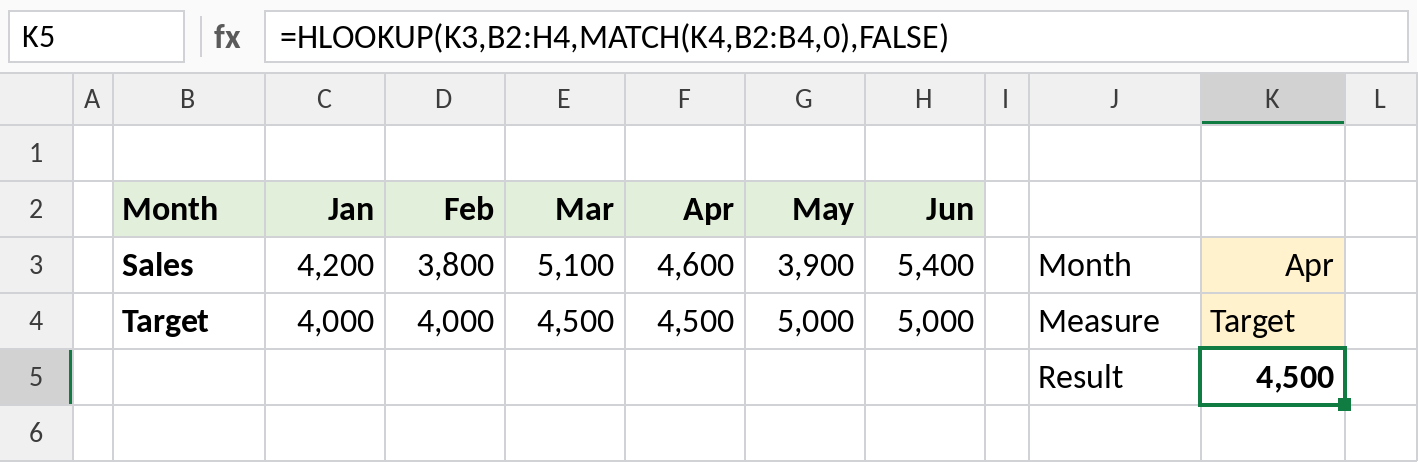
MATCH finds Target in row 3 of the table, so HLOOKUP returns April’s target: 4,500. Change K4 to Sales and the same formula returns 4,600.
HLOOKUP vs VLOOKUP vs XLOOKUP
| HLOOKUP | VLOOKUP | XLOOKUP | |
|---|---|---|---|
| Searches | Top row | First column | Any row or column |
| Returns from | A row below | A column to the right | Any row or column |
| Default match | Approximate | Approximate | Exact |
XLOOKUP works across rows as well: =XLOOKUP(K3,C2:H2,C3:H3).
Notes
- The value you look for must be in the first row of
table_array. - If you leave out
range_lookup, HLOOKUP uses an approximate match, which can return wrong results on unsorted data. - HLOOKUP can only return rows below the lookup row.
- For new workbooks in Excel 365, XLOOKUP is simpler and works in both directions.
Common errors
| Problem | Cause | Fix |
|---|---|---|
#N/A |
The value isn’t in the top row | Check spelling and spaces; wrap with IFERROR for a message |
| Wrong value | range_lookup left out on unsorted data |
Add FALSE |
#REF! |
row_index_num is larger than the number of rows |
Use a row number inside the table |
Practice file
All three examples plus extra formulas in a cheat sheet.