A running total adds each new value to the total of everything above it, so you can see the cumulative figure month by month. The simplest formula uses SUM with a range that grows as you copy it down.
Running total with an expanding range
Lock the start of the range with $ and leave the end free. Copied down, the range grows by one row each time:
=SUM($C$3:C3)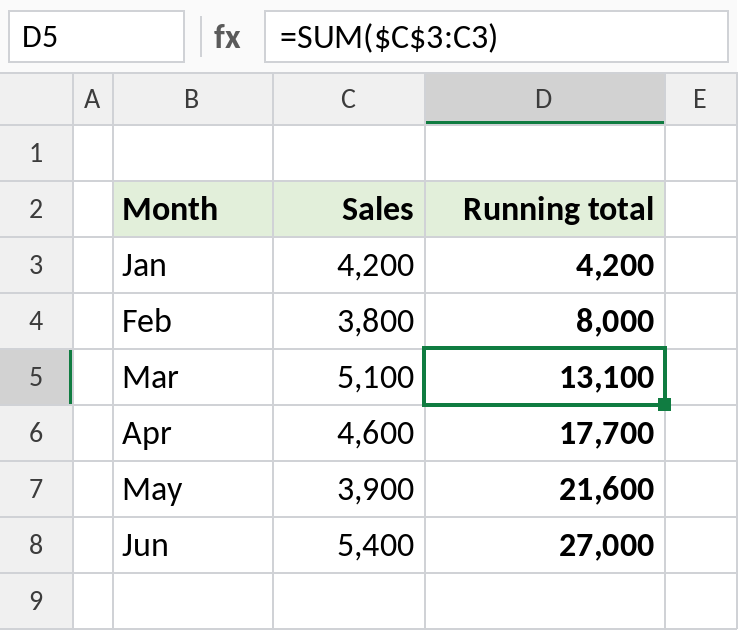
In D5 the formula is =SUM($C$3:C5), so the total to March is 13,100. By June it reaches 27,000.
How the formula works
$C$3is locked, so the range always starts at the first value.C3isn’t locked, so it becomes C4, C5, C6 as you copy the formula down.- Each row’s SUM therefore covers everything from the first row to the current one.
Previous total plus this month
The first row is just the first value. Every row after that adds this month to the total above it:
=D3+C4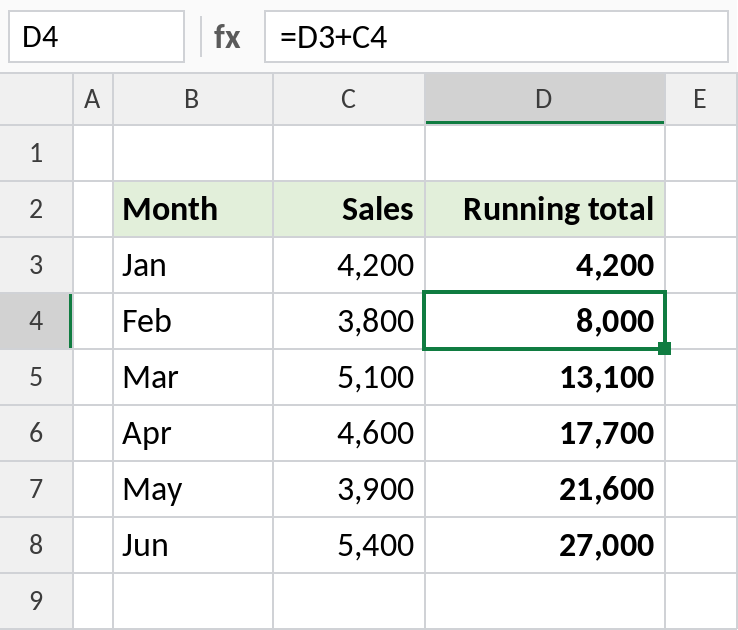
D4 is 4,200 + 3,800 = 8,000. This is quicker on very long lists, but inserting a row in the middle needs the formula copied in.
Running total for each group
To keep a separate running total for each region, add the region as a condition with SUMIFS. Both ranges expand together:
=SUMIFS($C$3:C3,$B$3:B3,B3)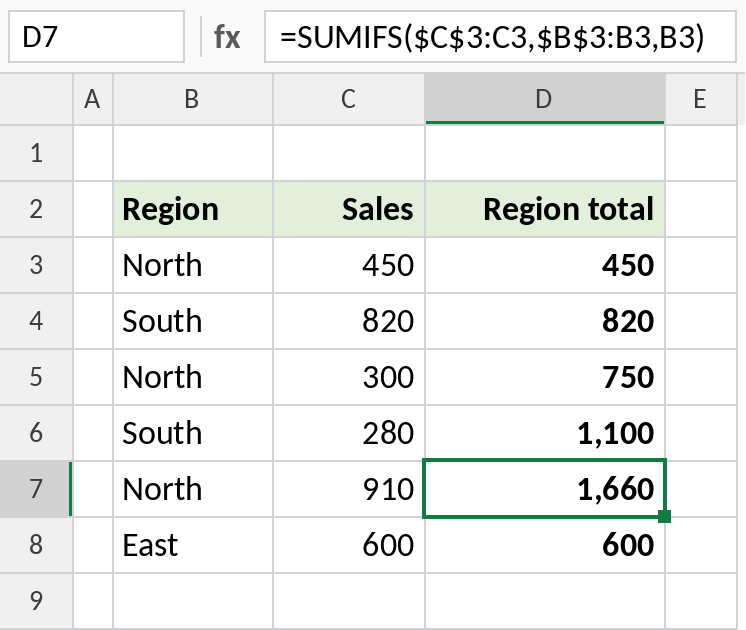
Row 7 is the third North sale, so the North total so far is 450 + 300 + 910 = 1,660.
Running totals in other tools
| Tool | How |
|---|---|
| Excel Table | =SUM(INDEX([Sales],1):[@Sales]) |
| PivotTable | Value Field Settings → Show Values As → Running Total In |
| Excel 365 | =SCAN(0,C3:C8,LAMBDA(a,b,a+b)) spills the whole column |
Notes
- The expanding-range method keeps working when you sort or insert rows.
- For a running total that resets each year or month, add the period as a SUMIFS condition.
- A running count works the same way:
=COUNTIF($B$3:B3,B3)numbers each occurrence of a value.
Common errors
| Problem | Cause | Fix |
|---|---|---|
| Every row shows the same total | Both ends of the range locked | Use $C$3:C3, not $C$3:$C$3 |
| Total doesn’t start at the first value | Range starts at the wrong row | Lock the first data cell |
| Gaps after inserting rows | Previous-plus-current method | Copy the formula into new rows, or use the expanding range |
Practice file
All three running totals in one workbook.