To find days overdue, subtract the due date from today and use MAX so invoices that aren’t due yet show 0. Multiply by a daily rate for the late fee, cap it with MIN, or charge interest instead.
Days overdue and a daily late fee
Subtract each due date from the as-of date in I2. MAX turns negative results, invoices not yet due, into 0. Then charge ₹50 a day:
=MAX(0,$I$2-C3)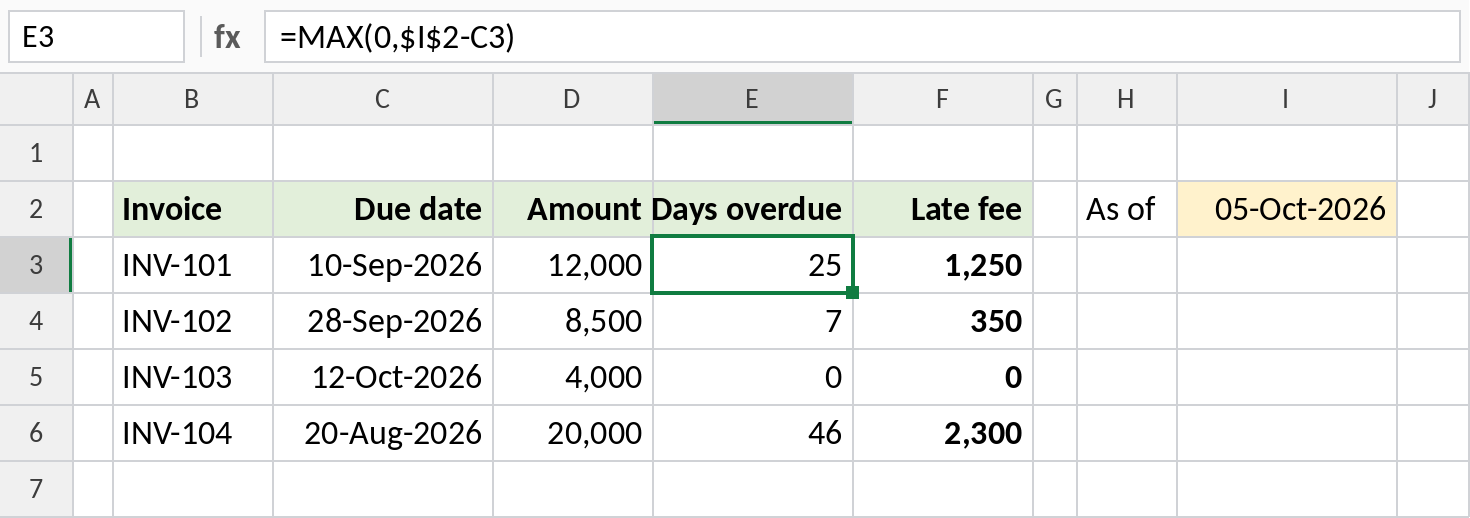
INV-101 was due on 10-Sep, so on 05-Oct it’s 25 days overdue, with a ₹1,250 late fee. Use TODAY() in place of $I$2 to update daily.
How the formula works
$I$2-C3is the as-of date minus the due date: the number of days late. The$keeps I2 fixed as you copy down.- For invoices not due yet, the result is negative, so
MAX(0,…)shows 0 instead. - The late fee is simply the days overdue times the daily rate.
Cap the late fee
To limit the fee to a maximum of ₹1,000, wrap it in MIN:
=MIN(E3*50,1000)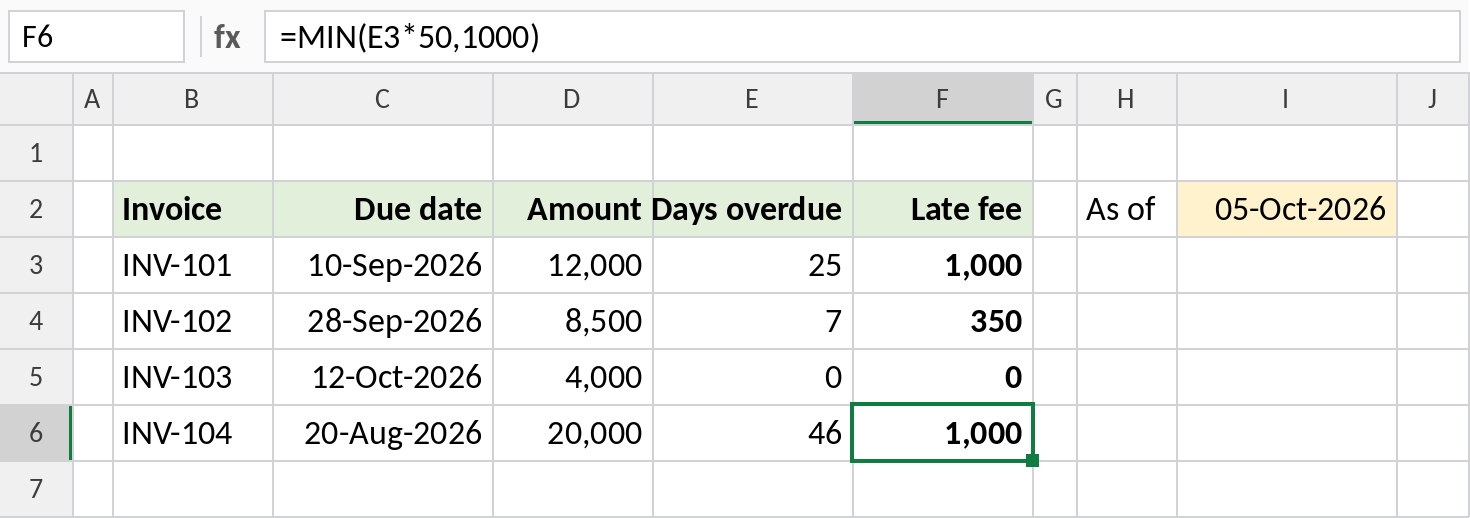
INV-104 is 46 days late, which would be ₹2,300, so it’s capped at ₹1,000.
Interest instead of a fixed fee
To charge interest, say 18% a year on the amount, work it out for the days overdue:
=D3*18%*E3/365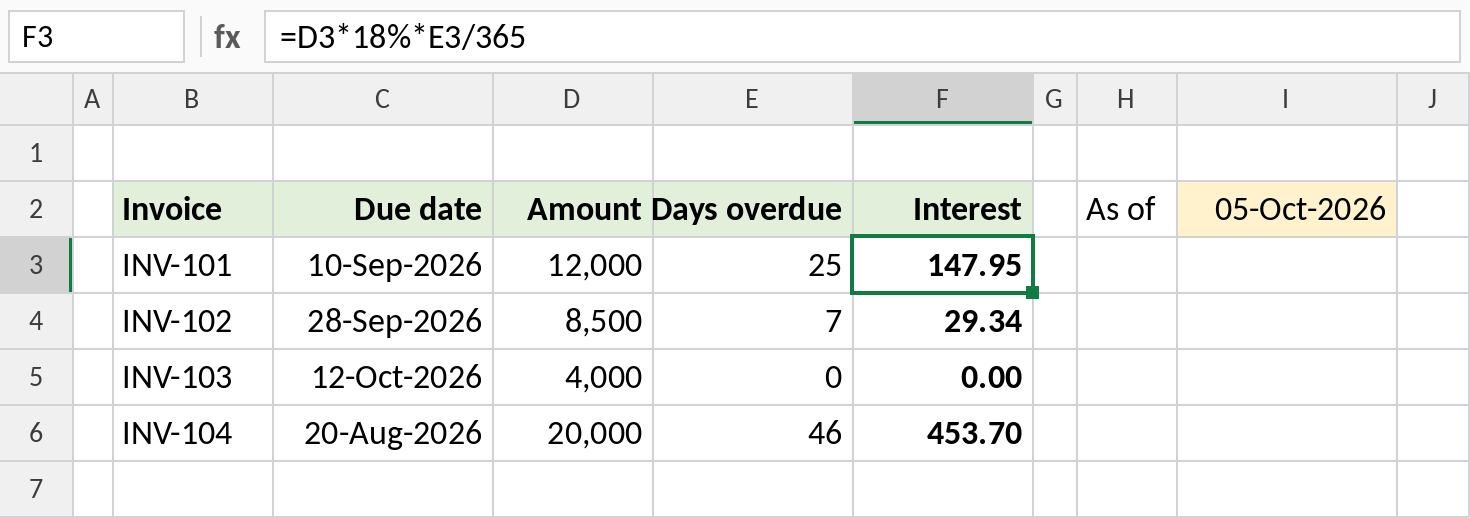
₹12,000 at 18% for 25 days is ₹147.95.
More late-fee rules
| Rule | Formula |
|---|---|
| Grace period of 7 days | =MAX(0,TODAY()-C3-7) |
| Flat fee once overdue | =IF(TODAY()>C3,500,0) |
| Fee per week or part week | =ROUNDUP(E3/7,0)*200 |
| Only unpaid invoices | =IF(G3="Paid",0,E3*50) |
Notes
- If the result looks like a date, format the Days overdue column as Number.
- TODAY() updates every day, so fees grow automatically. To freeze them, copy and Paste Special → Values.
- NETWORKDAYS counts only working days, if your terms are in business days.
Common errors
| Problem | Cause | Fix |
|---|---|---|
| Days shown as a date | Cell formatted as a date | Format as Number |
| Negative days | MAX missing | Wrap in MAX(0, …) |
| Fees keep changing | TODAY() recalculates | Paste as values to fix them |
Practice file
All three examples with an as-of date you can change.