The Excel IFERROR function returns a value you choose when a formula results in an error, and the normal result otherwise.
value |
The formula or value to check for an error. |
|---|---|
value_if_error |
What to return if value is an error, such as 0, "" or a message. |
Table of Contents
Basic example
Dividing by zero or by an empty cell returns #DIV/0!. Column E shows the plain formula, and column F wraps it in IFERROR:
=IFERROR(C4/D4,"") 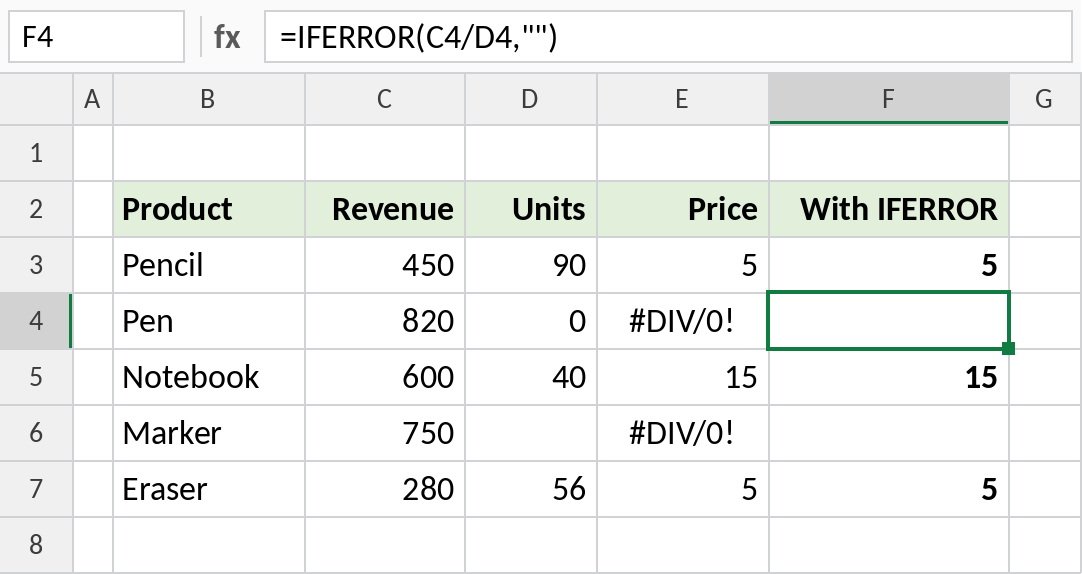
Pen has 0 units and Marker has none entered, so =C4/D4 returns #DIV/0!. With IFERROR, those cells show nothing, while valid results like 5 and 15 stay as they are.
Show a message when a lookup fails
A lookup returns #N/A when the value isn’t in the list. Replace it with a friendly message:
=IFERROR(VLOOKUP(G3,B3:C7,2,FALSE),"Not found") 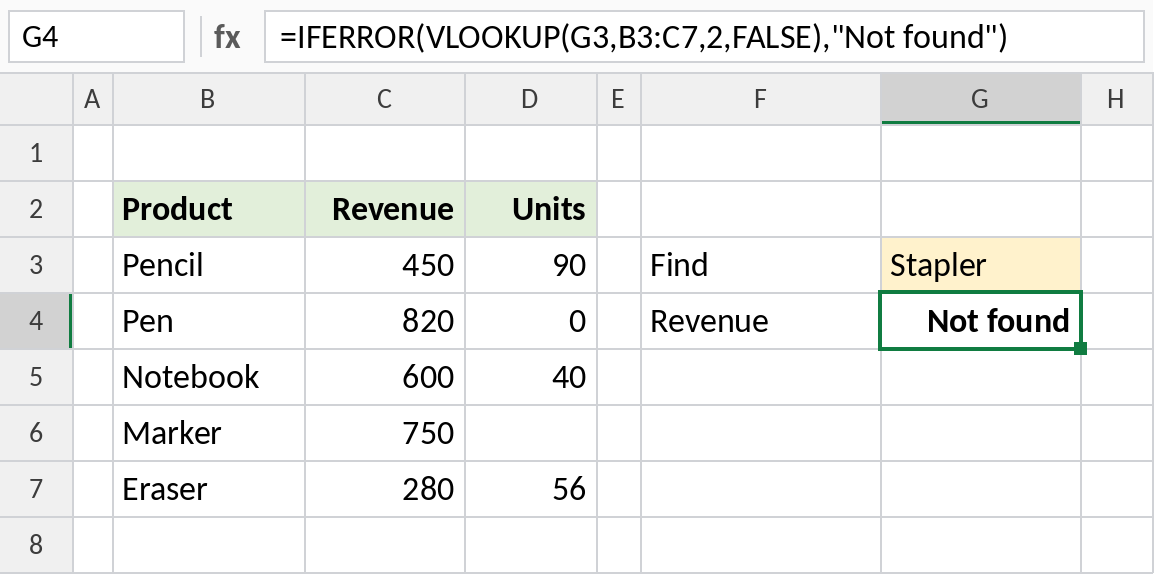
Stapler isn’t in the product list, so instead of #N/A the cell shows Not found. Type Pen in G3 and it returns 820.
Zero or blank: why it matters
What you return in place of the error changes later calculations. Column E returns 0, column F returns "":
=AVERAGE(E3:E7)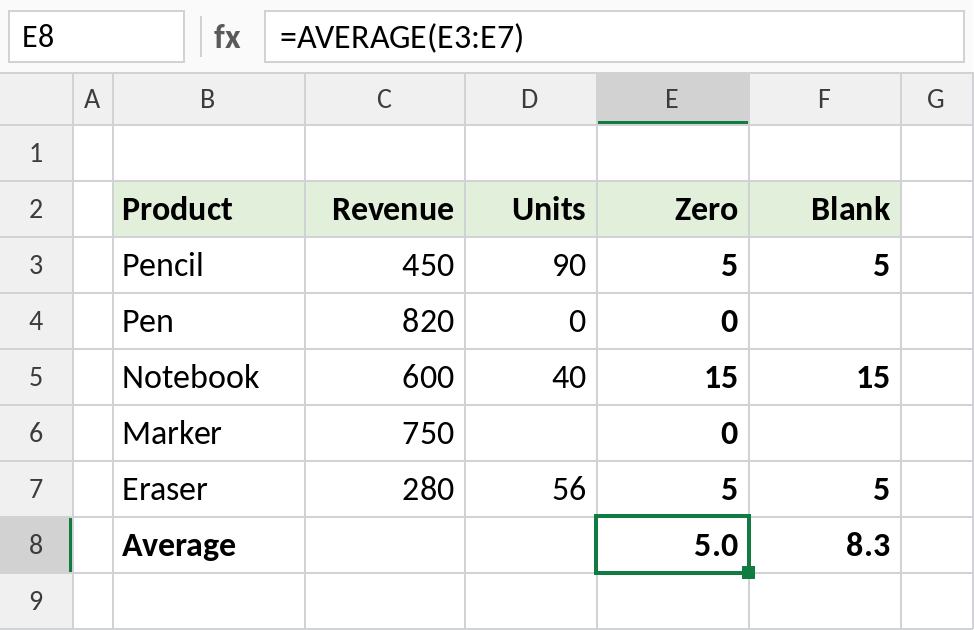
AVERAGE counts the zeros, so column E averages 5.0. It skips the "" text in column F, which averages 8.3. Return "" when a value is missing, and 0 only when zero is the real answer.
Errors IFERROR catches
| Error | Common cause |
|---|---|
#DIV/0! |
Dividing by zero or an empty cell |
#N/A |
A lookup value isn’t found |
#VALUE! |
Text where a number is expected |
#REF! |
A reference to deleted cells |
#NAME? |
A misspelled function name |
#NUM! |
An impossible calculation |
To catch only #N/A and let other errors show, use IFNA instead.
Notes
- IFERROR catches every type of error. That’s convenient, but it can also hide real mistakes, such as a typo in a function name.
- For lookups, IFNA is safer: it only replaces
#N/A, so other problems stay visible. value_if_errorcan be another formula, such as a second lookup in a different table.- XLOOKUP has its own
if_not_foundargument, so it rarely needs IFERROR.
Common errors
| Problem | Cause | Fix |
|---|---|---|
| Wrong results with no warning | IFERROR is hiding a real error, such as #NAME? |
Remove IFERROR, fix the formula, then add it back |
| Average or total looks wrong | Errors replaced with 0 | Return "" instead, so AVERAGE skips them |
#NAME? in older Excel |
Used in Excel 2003 or earlier | Use IF(ISERROR(...),...) |
Practice file
All three examples plus IFNA in a cheat sheet.