The Excel LARGE function returns the Nth largest value in a range: the 2nd highest sale, the 3rd best score, and so on.
array |
The range of numbers. |
|---|---|
k |
The position from the top: 1 for the largest, 2 for the second largest, and so on. |
Table of Contents
Basic example
To find the second-highest sale, give LARGE the range and k = 2:
=LARGE(D3:D10,G3) 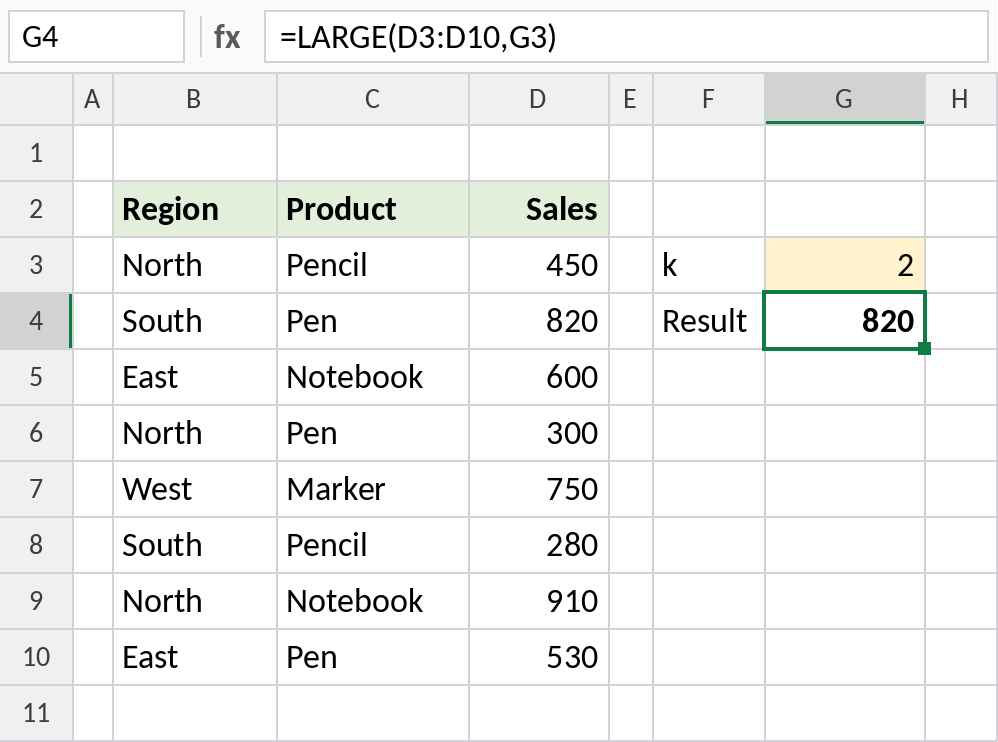
The highest sale is 910, so the second highest is 820. Change k in G3 to get any position.
List the top 3
Put 1, 2 and 3 in a column and point k at them. Lock the range with $ before filling down:
=LARGE($D$3:$D$10,F3) 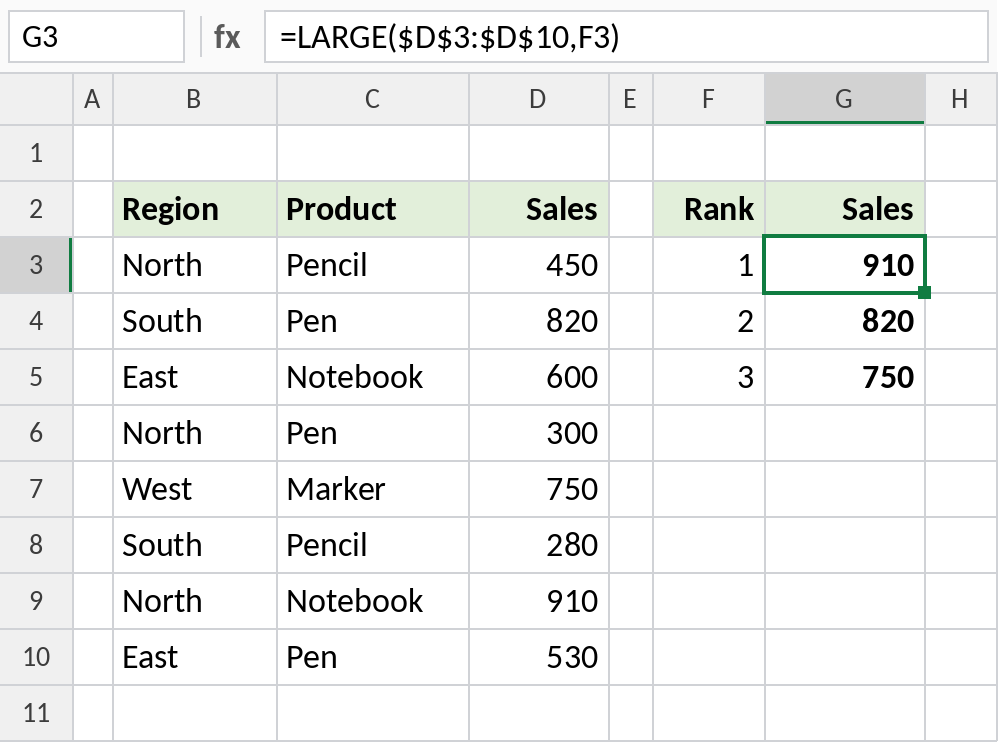
The top three sales are 910, 820 and 750. Add 4 and 5 below to extend the list.
Find the name for the Nth largest
LARGE returns the value. Wrap it in INDEX and MATCH to return the product that made it:
=INDEX(C3:C10,MATCH(LARGE(D3:D10,2),D3:D10,0)) 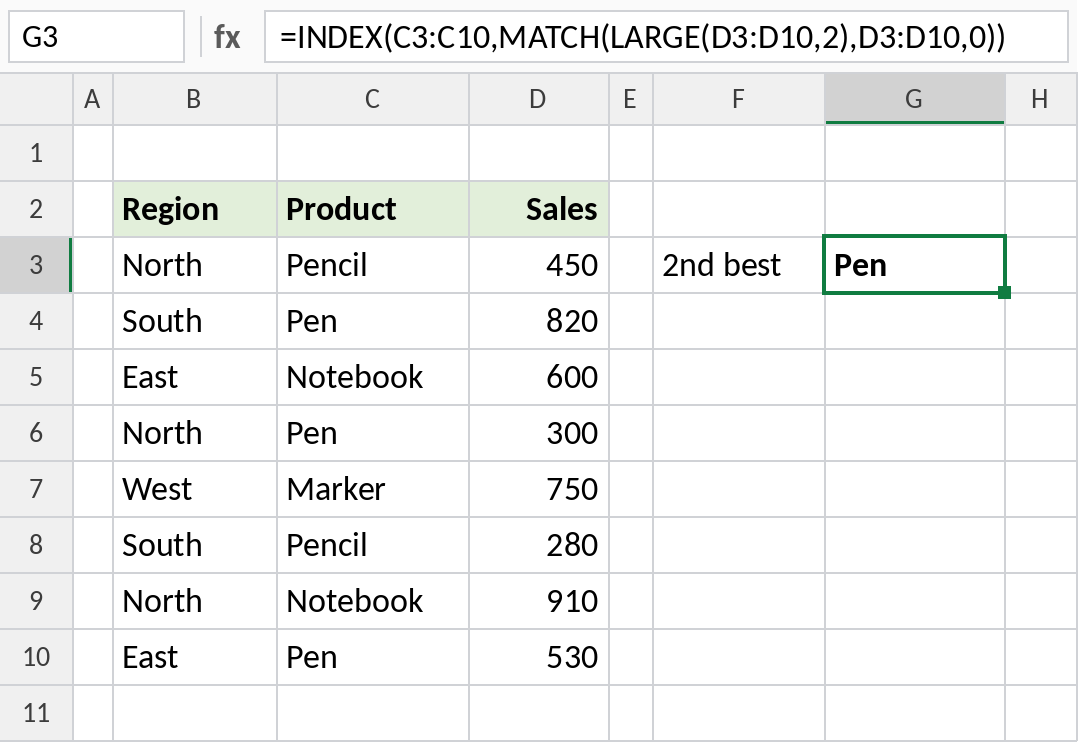
LARGE finds 820, MATCH finds it in row 2 of the range, and INDEX returns Pen. If two sales tie, MATCH returns the first one.
LARGE at a glance
| Formula | Result | Same as |
|---|---|---|
=LARGE(D3:D10,1) |
910 | MAX(D3:D10) |
=LARGE(D3:D10,COUNT(D3:D10)) |
280 | MIN(D3:D10) |
=LARGE(D3:D10,9) |
#NUM! |
k is larger than the number of values |
Notes
- LARGE ignores text, blanks and TRUE/FALSE in the range.
- Duplicates each take a position: in {90, 90, 80}, LARGE with k = 2 returns 90.
- On dates, LARGE returns the Nth most recent date.
- For the Nth smallest value, use SMALL.
Common errors
| Problem | Cause | Fix |
|---|---|---|
#NUM! |
k is 0, negative or larger than the number of values | Use a k between 1 and the count |
| Same value shown twice | Ties in the data | That’s correct; ties each count as a position |
| INDEX/MATCH returns the wrong name | Two values tie, so MATCH returns the first | Break ties first, or use FILTER |
Practice file
All three examples plus the LARGE checks in a cheat sheet.