The Excel VALUE function converts text that looks like a number into a real number, so you can calculate with it.
text |
Text that looks like a number, date or time. |
|---|
Table of Contents
Basic example
These numbers are stored as text, so they sit on the left of the cell and SUM ignores them. VALUE converts them:
=VALUE(B3)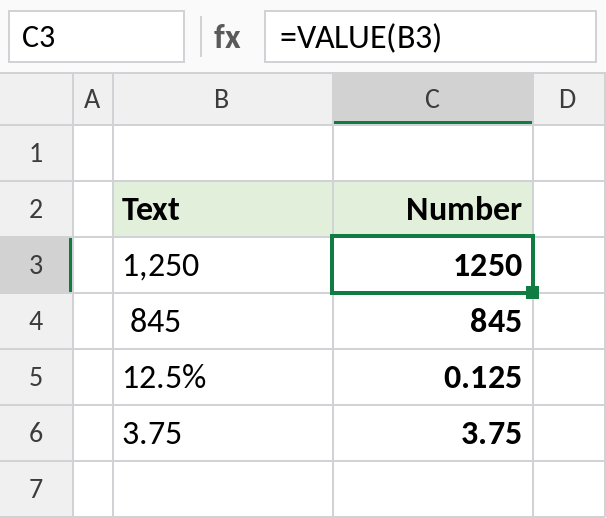
“1,250” becomes 1250 and moves to the right of the cell. Spaces around a number are ignored, and “12.5%” becomes 0.125.
Text dates and times
VALUE also converts dates and times written as text. Column D shows the same results formatted:
=VALUE(B3)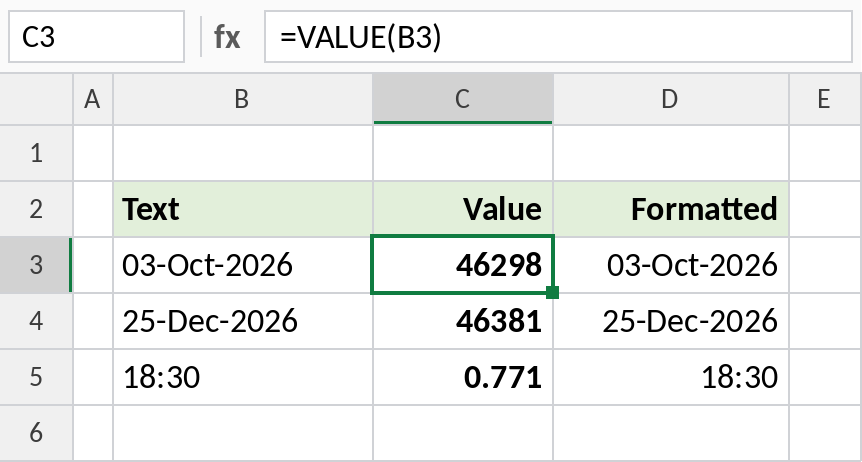
“03-Oct-2026” becomes 46298, the date’s serial number. Format it as a date and it shows 03-Oct-2026. “18:30” becomes 0.771, which is 18:30 as a fraction of a day.
Clean the text first
VALUE can’t handle extra words. Remove them with SUBSTITUTE first, then convert:
=VALUE(SUBSTITUTE(B3,"Rs. ",""))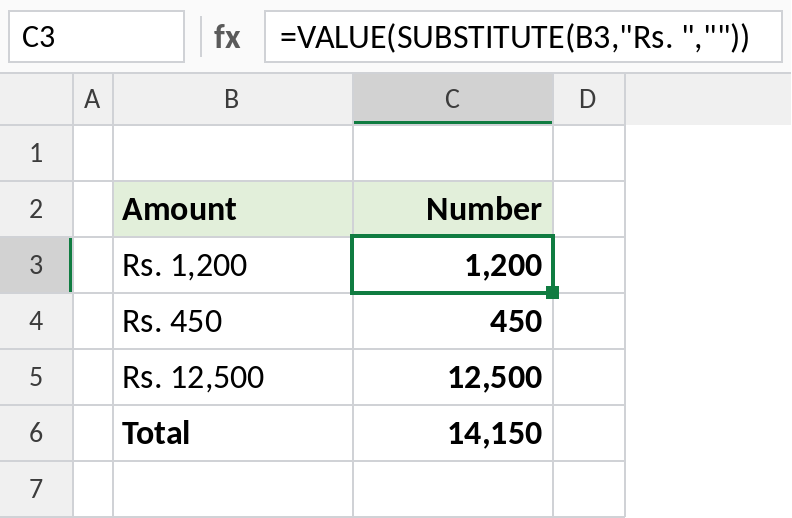
“Rs. 1,200” becomes 1,200, and the three amounts now total 14,150.
Other ways to convert text to numbers
| Method | Example |
|---|---|
| VALUE | =VALUE(B3) |
| Double minus | =--B3 |
| Multiply by 1 | =B3*1 |
| Text to Columns | Data → Text to Columns → Finish |
| Convert to Number | Click the green-triangle warning → Convert to Number |
For a one-off fix, the warning menu or Text to Columns is quickest. Use VALUE when the text comes from a formula.
Notes
- VALUE understands commas, decimals, percentages, dates and times, as written in your regional settings.
- Text that isn’t a number, such as “abc” or “Rs. 450”, returns
#VALUE!. - Excel often converts text to numbers automatically in calculations, such as
=B3*2. VALUE makes it explicit. - LEFT, RIGHT, MID and TEXT all return text, which is where VALUE is most often needed.
Common errors
| Problem | Cause | Fix |
|---|---|---|
#VALUE! |
The text contains letters or symbols | Remove them with SUBSTITUTE first |
| Wrong date | Date text in a different order from your regional settings | Use DATE with LEFT, MID and RIGHT instead |
| Result shows as a date | The cell is formatted as a date | Format it as Number or General |
Practice file
All three examples plus conversion methods in a cheat sheet.