The Excel WEEKDAY function returns the day of the week for a date as a number. By default Sunday is 1 and Saturday is 7, but you can choose where the week starts.
serial_number |
The date to check. |
|---|---|
return_type optional |
How to number the days. 1 (default): Sunday = 1. 2: Monday = 1. 3: Monday = 0. |
Table of Contents
Basic example
Give WEEKDAY a date. Column D shows the day name for comparison:
=WEEKDAY(B3)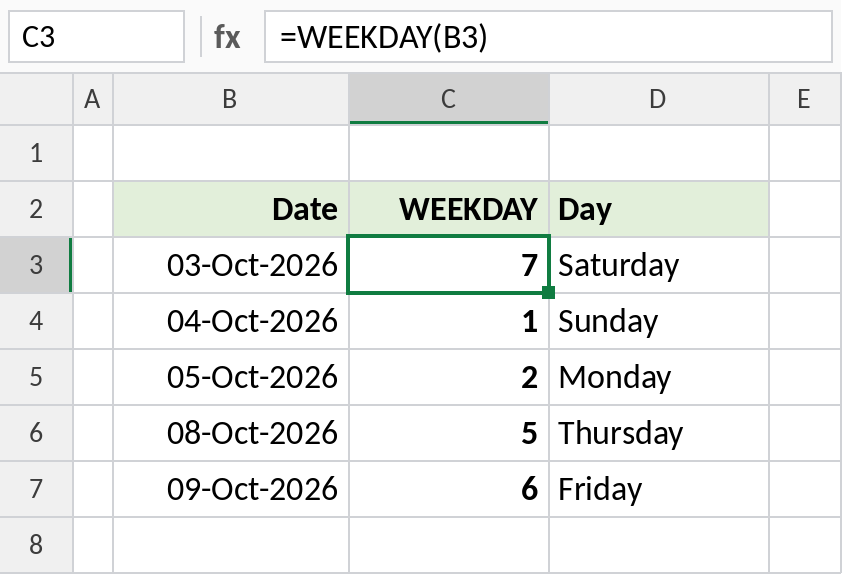
Saturday 03-Oct-2026 returns 7 and Sunday returns 1. That’s the default, return type 1.
Choose where the week starts
The same dates with three return types side by side:
=WEEKDAY(B3,2)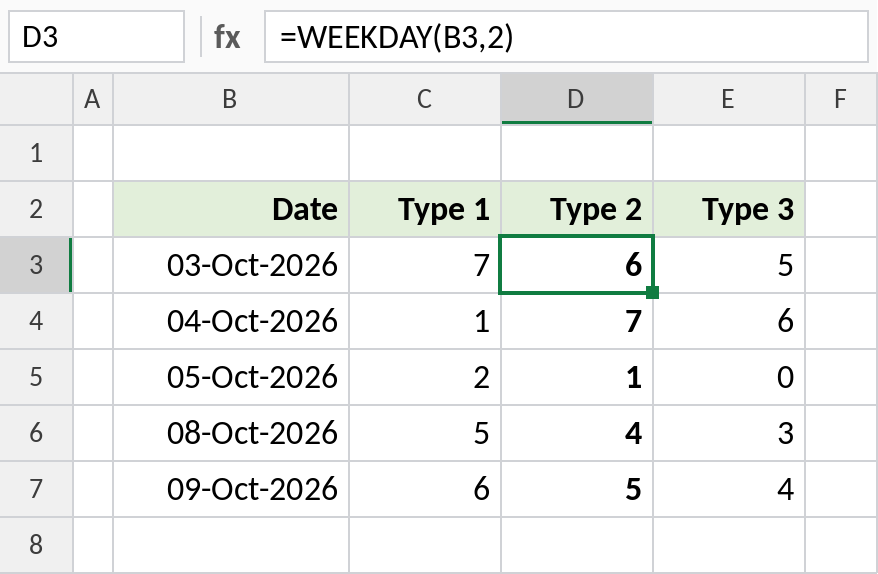
With type 2, Monday is 1 and Sunday is 7, so a weekend test is simply WEEKDAY(B3,2)>5. Saturday returns 6. Type 3 numbers Monday as 0, which is handy for date arithmetic.
Find the Monday of the week
With type 3, WEEKDAY returns how many days have passed since Monday. Subtract that from the date:
=B3-WEEKDAY(B3,3)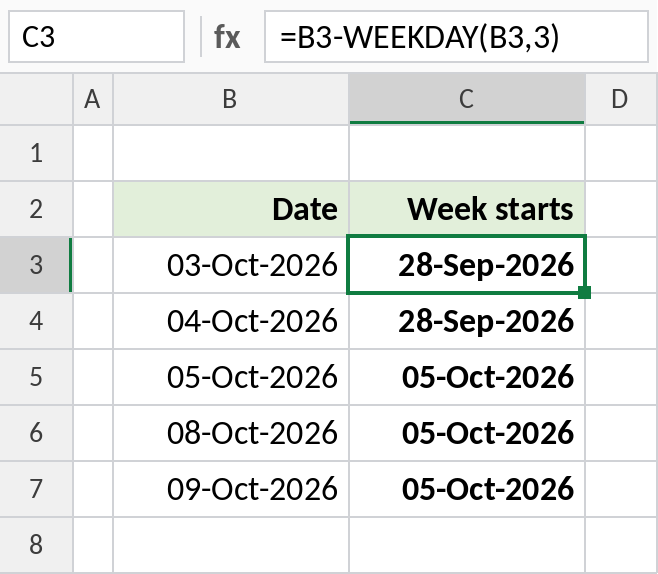
Saturday 03-Oct-2026 is 5 days after Monday, so the week started on 28-Sep-2026. Dates from Monday 05-Oct onwards belong to the next week. Use this to group daily data into weeks.
Return types
| return_type | Numbers the days |
|---|---|
| 1 or omitted | Sunday 1 to Saturday 7 |
| 2 | Monday 1 to Sunday 7 |
| 3 | Monday 0 to Sunday 6 |
| 11 to 17 | Monday 1 to Sunday 1 (week starts on the day you pick) |
For the day name rather than a number, use TEXT(B3,"dddd"). For the day of the month, use DAY.
Notes
- The default numbering starts on Sunday. Most business calculations are easier with return type 2.
- WEEKDAY needs a real date. Text dates return
#VALUE!. - To count working days between dates, use NETWORKDAYS.
- For codes-to-labels with WEEKDAY, see the SWITCH page.
Common errors
| Problem | Cause | Fix |
|---|---|---|
| Weekend test wrong | Default type 1 used, where Saturday is 7 and Sunday is 1 | Use WEEKDAY(B3,2)>5 |
#VALUE! |
The date is text | Convert it to a real date |
#NUM! |
An invalid return_type, such as 4 | Use 1, 2, 3 or 11–17 |
Practice file
All three examples plus return types in a cheat sheet.