To do something different when a cell is empty, test it with ="" inside IF. Use <>"" for the opposite: when the cell is not blank.
ProblemReturn a value depending on whether a cell is empty
Functions usedIF, ISBLANK
Works inAll Excel versions
IF cell is blank
A task with no finish date is still in progress:
=IF(D3="","In progress","Done")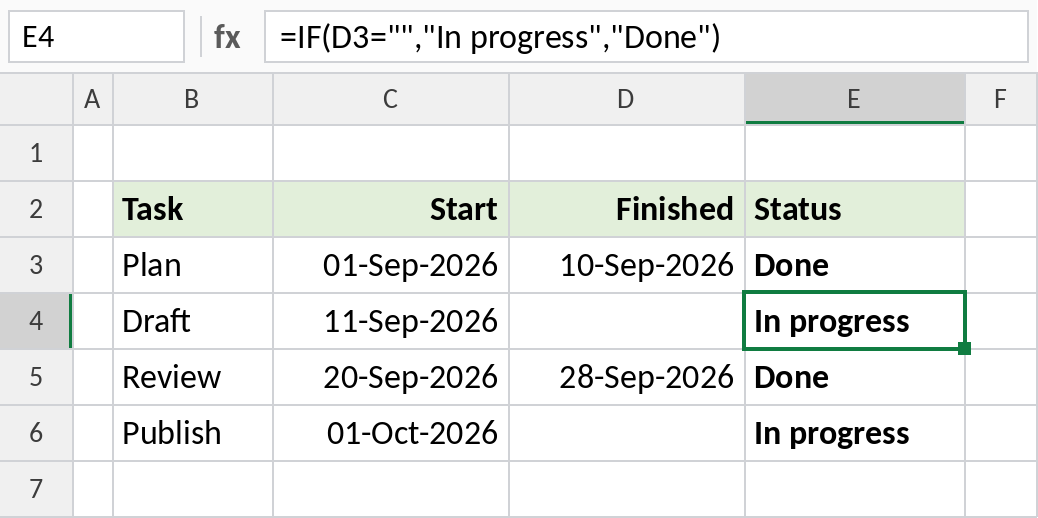
Draft and Publish have no finish date, so they show In progress.
How the formula works
D3=""asks: is D3 empty? Two quotes with nothing between them mean empty text.- IF returns the first value, In progress, when the test is TRUE.
- Otherwise it returns the second value, Done.
IF cell is not blank
Calculate only when there’s a finish date. Otherwise leave the cell empty, so you don’t get a large negative number:
=IF(D3<>"",D3-C3,"")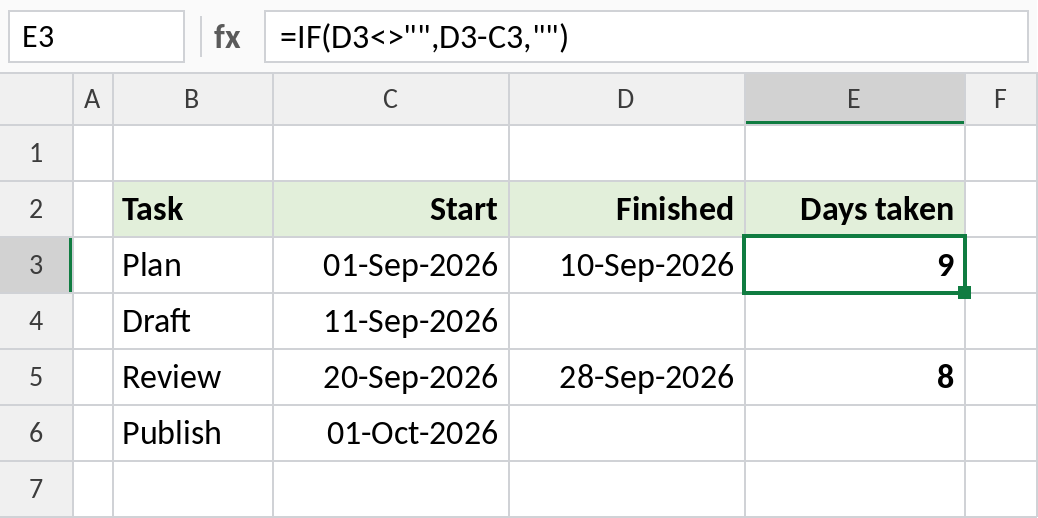
Plan took 9 days. Unfinished tasks stay blank.
Test with ISBLANK
ISBLANK returns TRUE for an empty cell, and can replace D3="" inside IF:
=ISBLANK(D3)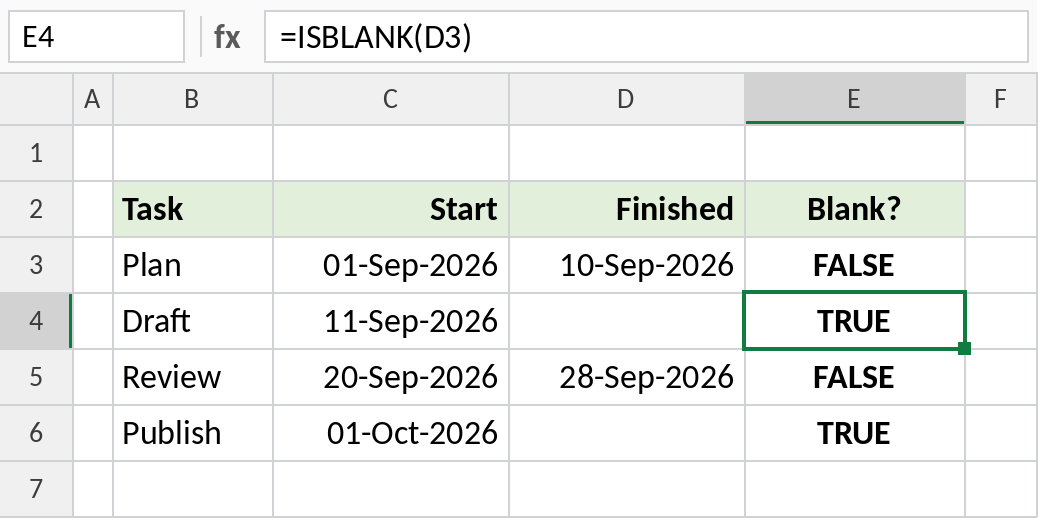
Draft’s finish date is empty, so ISBLANK returns TRUE.
="" vs ISBLANK
| The cell contains | =D3="" |
=ISBLANK(D3) |
|---|---|---|
| Nothing | TRUE | TRUE |
| A formula returning “” | TRUE | FALSE |
| A space | FALSE | FALSE |
| 0 | FALSE | FALSE |
="" is usually the better test, because it also treats formulas that return nothing as blank.
Notes
- To test whether any of several cells is blank, use
=IF(COUNTBLANK(B3:D3)>0,…). - To test whether all are filled, use
=IF(COUNTA(B3:D3)=3,…). - A cell with a space looks empty but isn’t. Use
=TRIM(D3)=""to catch those too.
Common errors
| Problem | Cause | Fix |
|---|---|---|
| A blank-looking cell is treated as filled | It contains a space | Test TRIM(D3)="" |
| ISBLANK returns FALSE for an empty-looking cell | A formula returns “” | Use D3="" instead |
Practice file
All three examples plus the comparison table.