The Excel RAND function returns a random decimal number from 0 up to, but not including, 1. A new number appears every time the sheet recalculates.
PurposeRandom decimal between 0 and 1
ReturnsA number
Available inAll Excel versions, Excel for the web, Google Sheets
Table of Contents
Basic example
RAND takes no arguments. Each cell gets its own random number:
=RAND()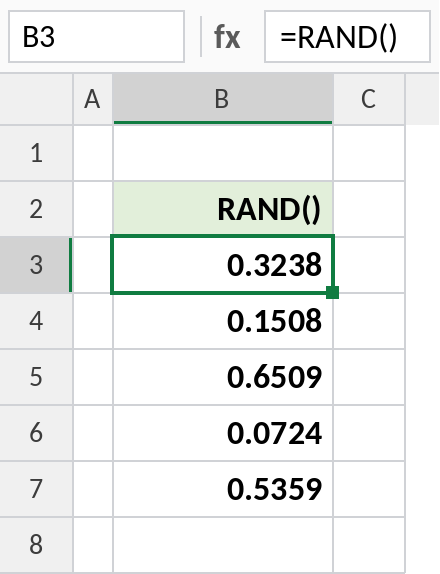
Your numbers will differ. Press F9 and they all change.
A random decimal in a range
Multiply by the width of the range and add the lowest value. This gives decimals from 50 to 100:
=50+RAND()*50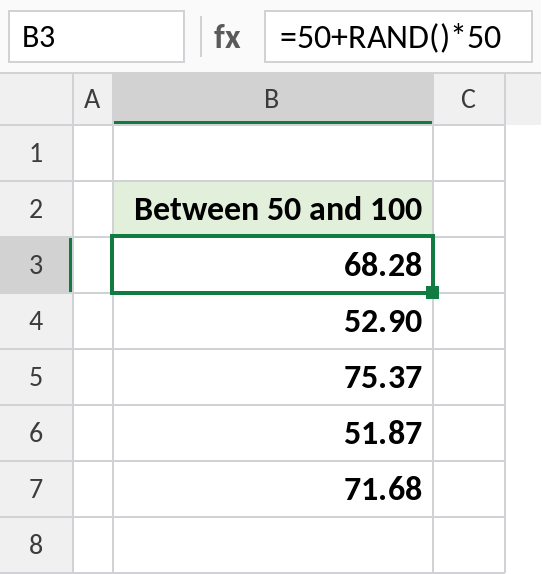
The pattern is =low+RAND()*(high-low). For whole numbers, RANDBETWEEN is simpler.
Simulate a coin toss
RAND is below 0.5 half the time, so this gives Heads or Tails with equal chance:
=IF(RAND()<0.5,"Heads","Tails")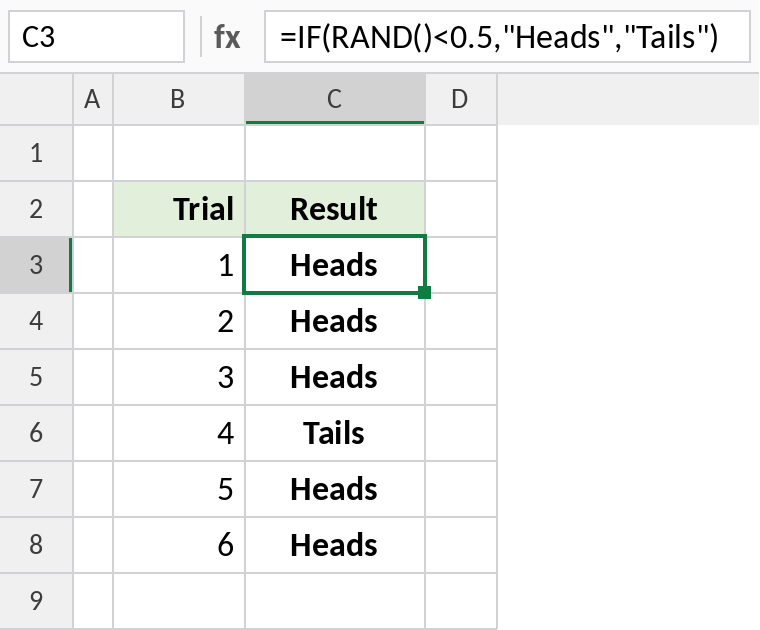
Change 0.5 to 0.3 for a 30% chance. This is the basis of simple probability simulations.
RAND, RANDBETWEEN and RANDARRAY
| Function | Returns |
|---|---|
| RAND | One decimal from 0 to 1 |
| RANDBETWEEN | One whole number between two limits |
| RANDARRAY | Many random numbers at once (Excel 365) |
Notes
- RAND recalculates whenever anything changes, and when you press F9.
- To keep the values, copy and Paste Special → Values.
- To get a value that never changes, type
=RAND()in the formula bar and press F9 before Enter: Excel stores the result instead of the formula.
Common errors
| Problem | Cause | Fix |
|---|---|---|
| Numbers keep changing | RAND is volatile | Paste as values |
| Workbook slow | Thousands of RAND formulas | Paste as values once generated |
Practice file
All three examples. Press F9 to see new random values.