The Excel TODAY function returns the current date. It updates every time the workbook recalculates, so formulas built on it are always up to date.
(none) |
TODAY takes no arguments, but the brackets are required. |
|---|
Table of Contents
Basic example
Type =TODAY() in any cell to show the current date:
=TODAY()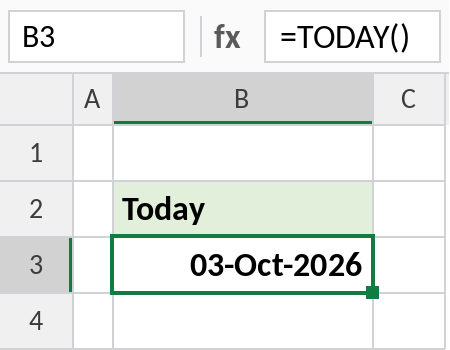
This screenshot was taken on 03-Oct-2026. When you open the practice file, the cell shows your current date instead.
Days until a deadline
Dates are numbers in Excel, so subtracting today’s date from a due date gives the number of days left:
=C3-TODAY()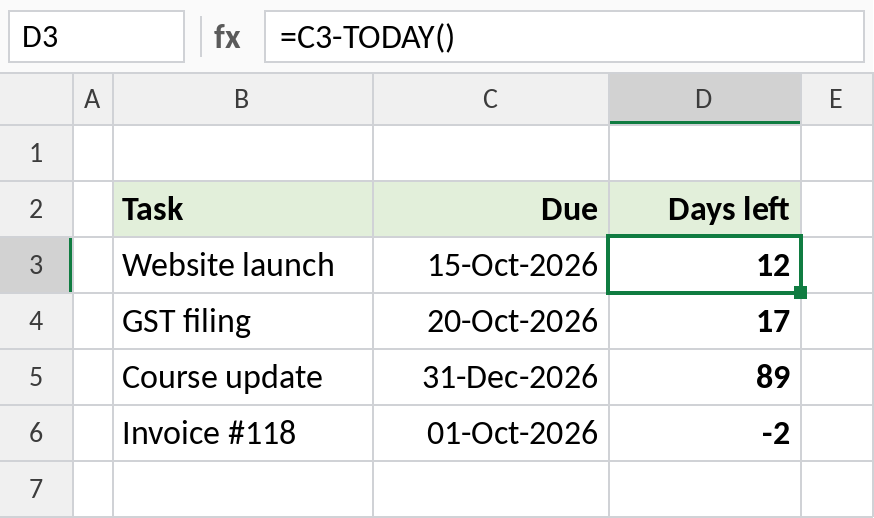
On 03-Oct-2026, the website launch is 12 days away. A negative result, like -2 for the invoice, means it’s overdue. Format the result as General or Number, not as a date.
Calculate age
To get age in complete years, use DATEDIF with TODAY as the end date:
=DATEDIF(C4,TODAY(),"y")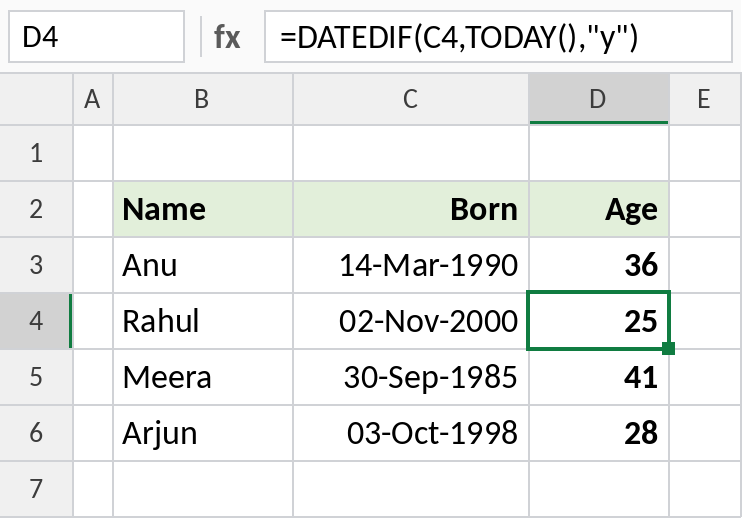
Rahul’s birthday is in November, so on 03 October he is still 25. DATEDIF only counts full years, which is how age works.
Useful TODAY formulas
Results as of 03-Oct-2026:
| Formula | Result | Does |
|---|---|---|
=TODAY()+30 |
02-Nov-2026 | Date 30 days from now |
=EOMONTH(TODAY(),0) |
31-Oct-2026 | Last day of this month |
=TEXT(TODAY(),"dddd") |
Saturday | Today’s day name |
=YEAR(TODAY()) |
2026 | Current year |
=NOW() |
Date and time | Includes the current time |
Press Ctrl+; to type today’s date as a fixed value that won’t change.
Notes
- TODAY is volatile: it recalculates whenever the workbook changes or opens, so results move forward each day.
- To record a date that never changes, such as when an order was placed, press Ctrl+; instead of using TODAY.
- TODAY has no time part. Use NOW for the date and time.
- If TODAY shows a number like 46298, format the cell as a date.
Common errors
| Problem | Cause | Fix |
|---|---|---|
| Shows a number, not a date | The cell is formatted as General or Number | Format it as a date |
| Days left shows as a date | The cell inherited date formatting | Format the result as General |
| Date doesn’t update | Calculation is set to Manual | Formulas → Calculation Options → Automatic, or press F9 |
| Date changed in old records | TODAY was used for a fixed date | Use Ctrl+; for fixed dates |
Practice file
All three examples plus the useful formulas in a cheat sheet. Results update to your date.